
1. Ro-ràdh
The Fractal Design Meshify 3 Ambience Pro RGB is a high-performance PC case designed for optimal cooling and a fluid, aerodynamic aesthetic. This model features advanced ARGB Gen 2 integrated atmospheric lighting and powerful Momentum fans, all controllable via the intuitive web-based Adjust Pro Hub. This manual provides detailed instructions for setting up, operating, and maintaining your computer case to ensure the best possible experience.
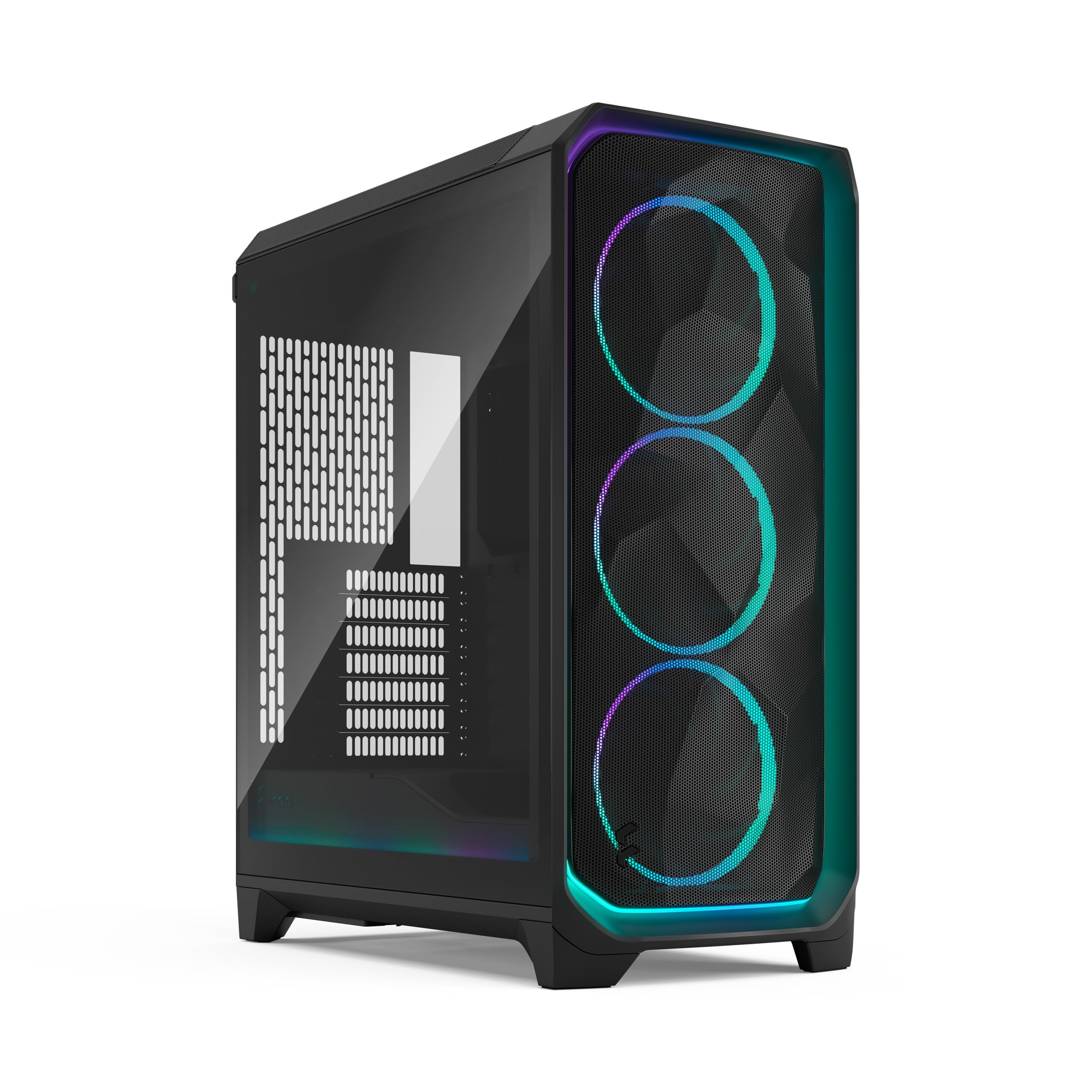
Figear 1: Aghaidh view of the Fractal Design Meshify 3 Ambience Pro RGB computer case.
2. Suidhich
2.1 Meudan a’ Chùise
The Meshify 3 Ambience Pro RGB has dimensions of 423mm (height) x 229mm (width) x 507mm (depth). It is classified as a compact mid-tower case, designed to offer ample internal space without occupying excessive desk area.
2.2 Panel Removal and Access
2.2.1 Pannal aghaidh
To remove the front mesh panel, gently pull it upwards from the bottom. The panel detaches easily, allowing access to the front fans. The RGB lighting on the front panel is connected via pogo-style pins, which automatically disconnect when the panel is removed and reconnect when reattached.

Figear 2: Aghaidh view of the Meshify 3 case, highlighting the iconic mesh design and RGB fans.
2.2.2 Prìomh Phannal
The top panel is ventilated and can be removed by pulling the tab located at the rear. This provides access to the top cooling bracket for installation or cleaning. The top cooling bracket is fully removable by unscrewing two thumb screws, supporting up to 2x 120mm or 140mm fans, or radiators up to 280mm.
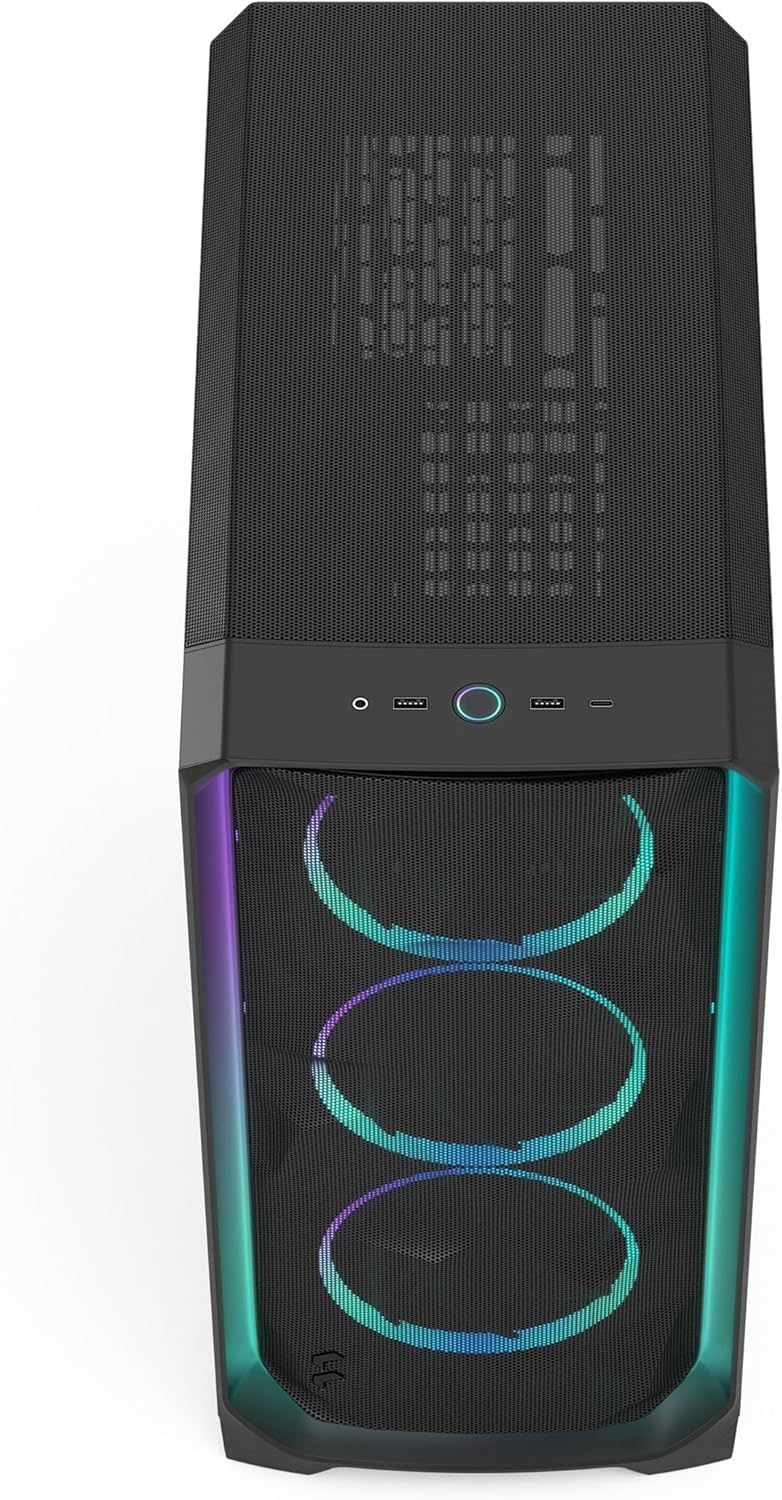
Figear 3: Suas gu h-àrd view showing the front I/O ports and the ventilated top panel of the Meshify 3.
2.2.3 Phannal Taobh
The main side panel features tempered glass, allowing visibility of internal components. It is removed by pulling a tab at the top, and it will detach completely, so ensure a firm grip. The opposite side panel is a solid white steel panel, removed using the same locking mechanism.

Figear 4: Taobh view of the Meshify 3 case with its tempered glass panel, showcasing co-phàirtean a-staigh.
2.3 Stàladh nam Pàirtean
2.3.1 Co-chòrdalachd Clàr-màthar
The Meshify 3 supports Mini-ITX, Micro-ATX, ATX, and Extended ATX motherboards up to 277mm in width.
2.3.2 Graphics Card (GPU)
This case supports graphics cards up to 349mm in length. An internal air guide directs airflow directly towards the GPU for improved cooling.

Figear 5: Taobh a-staigh view of the Meshify 3, showing the installed GPU and the air guide for enhanced cooling.
2.3.3 Aonad Solarachadh Cumhachd (PSU)
The PSU is mounted at the bottom of the case. The maximum supported PSU length is 180mm.
2.3.4 Draibhean Stòraidh
The case includes two 2.5"/3.5" storage brackets and two additional 2.5" SSD mounts near the power supply, allowing for a total of six storage drives. The brackets are two-piece designs, allowing for flexible configuration to accommodate either 2.5" SSDs or 3.5" HDDs.

Figear 6: Taobh a-staigh cùil view of the Meshify 3, detailing the storage drive mounts and cable management features.
2.4 Stiùireadh Càbaill
The Meshify 3 features new cable aligners and Velcro ties on the backside of the motherboard tray to simplify cable routing and ensure a clean build. Built-in cable covers towards the front of the case also contribute to a tidy interior.
3. Stiùireadh Obrachaidh
3.1 Puirt I/O Aghaidh
The top front of the case provides convenient access to:
- Large Power Button
- 2x USB 3.0 Type-A Ports
- 1x USB 3.2 Gen 2x2 Type-C Port
- 1x Combination Headphone and Microphone Jack
3.2 Siostam fuarachaidh
The Meshify 3 Ambience Pro RGB comes with three pre-installed 140mm Momentum RGB PWM fans in the front. These fans feature low-noise LCP blades and a true FDB bearing for quiet and efficient operation.
- Aghaidh: Supports 3x 120mm or 140mm fans, or radiators up to 360mm.
- Top: Supports 2x 120mm or 140mm fans, or radiators up to 280mm.
- Cùl: A’ toirt taic do neach-leantainn 1x 120mm.
3.3 Smachd Solais RGB
The integrated ARGB Gen 2 atmospheric lighting and fans are controlled via the included Adjust Pro Hub, which is pre-wired and mounted on the backside of the motherboard tray. Simply connect the hub to power and the PWM cable to your motherboard. The Adjust Pro Hub uses proprietary Type-C connectors for Momentum fans. A breakout cable is included for direct motherboard connection of PWM and ARGB if the hub is not desired.
Bhidio 1: Taisbeanadh bhidio oifigeil toraidhasing the Fractal Design Meshify 3 computer case features and design, including RGB lighting and cooling capabilities.
4. Cumail suas
4.1 Glanadh Criathrag Duslach
Regular cleaning of dust filters is essential for maintaining optimal airflow and cooling performance.
- Front Mesh: The front mesh panel can be easily removed for cleaning by pulling it upwards from the bottom.
- Top Filter: The top filter is integrated into the top panel, which can be removed by pulling the rear tab.
- PSU Filter: A convenient pull-out filter for the power supply is located on the side of the case, making it easy to access and clean without moving the entire system.
5. A ’dèanamh trioblaid
If you encounter any issues with your Meshify 3 Ambience Pro RGB case, please consider the following general troubleshooting steps:
- Gun chumhachd: Ensure all power connections, including the PSU and motherboard cables, are securely seated. Check the power button connection to the motherboard.
- Fan/RGB Issues: Verify that the Adjust Pro Hub is correctly powered and connected to the motherboard. If using the breakout cable, ensure proper connections to the motherboard's PWM and ARGB headers.
- Overheating: Confirm that all fans are spinning correctly and that dust filters are clean to ensure unrestricted airflow. Check component temperatures using monitoring software.
- Pannalan Sgaoilte: Ensure all side, front, and top panels are securely latched into place after installation or maintenance.
For persistent issues or advanced troubleshooting, please refer to the official Fractal Design support resources.
6. Sònrachaidhean
| Feart | Sònrachadh |
|---|---|
| Ainm Modail | Meshify 3 Ambience Pro RGB Black TG Light Tint |
| Àireamh Modail Nì | FD-C-MES3A-03 |
| Brand | Dealbhadh fractal |
| Seòrsa cùise | Tùr Meadhanach |
| Dath | Ambience Pro RGB Black TG Light Tint |
| Stuth | Meatailt |
| Meudan toraidh (LxWxH) | 507 x 229 x 423 mm (17 x 20 x 9 òirleach) |
| Cuideam nì | 11 kg (24.2 not) |
| Co-fhreagarrachd motherboard | Mini-ITX, Micro-ATX, ATX, E-ATX (up to 277mm) |
| Taic Fad GPU | Suas gu 349mm |
| PSU Length Support | Suas gu 180mm |
| Bàigh Drive | 2x 2.5"/3.5" (convertible), 2x 2.5" SSD mounts (total 6 drives possible) |
| Puirt aghaidh I / O. | 2x USB 3.0 Type-A, 1x USB 3.2 Gen 2x2 Type-C, Combo Audio Jack, Power Button |
| Luchd-leantainn air an toirt a-steach | 3x 140mm Momentum RGB PWM fans (front) |
| Modh fuarachaidh | Air |
| Cleachdaidhean Molta | Geamannan |
7. Barantas & Taic
For warranty information, technical support, or to access additional resources, please visit the official Fractal Design weblàrach-lìn no cuir fios chun t-seirbheis teachdaiche aca. Cùm dearbhadh do cheannach airson tagraidhean barantais.
- Fractal Design Official Weblàrach: www.fractal-design.com
- Bùth Amazon: Bùth Dealbhaidh Fractal air Amazon