
Deeyaple S207
Deeyaple S207 Cell Phone Stand with Wireless Bluetooth Speaker and 12H Time Display User Manual
Ro-ràdh
This manual provides comprehensive instructions for the Deeyaple S207 Cell Phone Stand with Wireless Bluetooth Speaker and 12H Time Display. Please read this manual thoroughly before using the product to ensure proper operation and to maximize its features. Keep this manual for future reference.
Figear 1: The Deeyaple S207 multi-functional device.
Bathar seachadview
The Deeyaple S207 is a versatile device combining a cell phone stand, a wireless Bluetooth speaker, and a 12-hour time display. It is designed for convenience and enhanced audio experience.

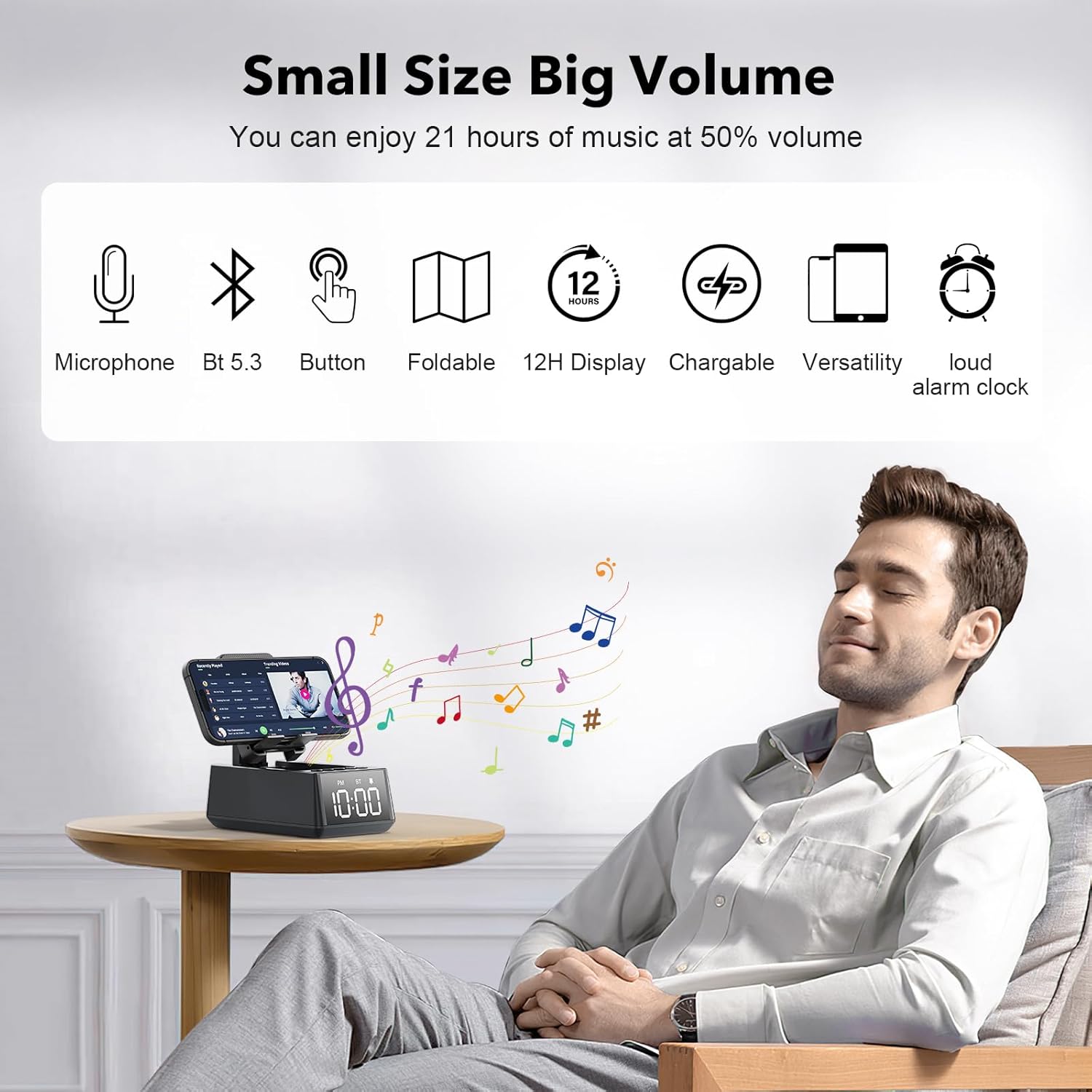
Figear 2: The Deeyaple S207 functions as a stand, speaker, and digital clock.
Prìomh fheartan:
- Dealbhadh ioma-ghnìomhach: Integrates a Bluetooth speaker, phone stand, and time display.
- Ceangal Bluetooth 5.3: Ensures quick and stable connection to smartphones, tablets, and laptops.
- HD Surround Sound: Delivers clear and powerful audio with low distortion across all frequencies.
- Seasamh fillte: Adjustable angle for optimal viewing of mobile phones and tablets.
- 12H Time Display: Clear LED digital display.
- Micreofon togte: A’ toirt taic do ghairm gun làmhan.
- Leughadair cairt TF: Airson ceòl a chluich gu dìreach bho chairt-chuimhne.
- Loud Alarm Clock: Gradually increases volume up to 100 decibels.
- Bataraidh ath-thagraidh: 1200mAh battery provides 12-21 hours of use at 50% volume.
- Port cosgais Type-C: Convenient charging for the device.
- Port toraidh USB: Allows charging of external devices like mobile phones.

Figear 3: Thairisview of Deeyaple S207 features, including battery capacity, charging ports, audio capabilities, and stand design.
Susbaint pacaid
Thoir sùil air a’ phacaid airson nan nithean a leanas:
- Deeyaple S207 Cell Phone Stand with Wireless Bluetooth Speaker
- Càball cosgais USB
- Leabhar-làimhe cleachdaiche
Smachdan agus comharran
Familiarize yourself with the device's buttons and display:

Figear 4: Gu mionaideach view of the device's adjustable bracket, base, and non-slip mat.
- Putan Cumhachd: Brùth is cum gus tionndadh air/dheth. Brùth goirid gus modhan atharrachadh.
- Tomhais sìos / Rian roimhe: Brùth goirid airson an tomhas-lìonaidh a lùghdachadh, brùth fada airson an trac roimhe.
- Play/Pause / Answer Call: Brùth goirid airson cluich/stad, brùth goirid gus gairm a fhreagairt/crìoch a chur air.
- Tomhais Suas / An ath Rian: Brùth goirid airson an tomhas-lìonaidh a mheudachadh, brùth fada airson an ath òran.
- Putan Modh: Short press to cycle through Bluetooth, TF Card, and AUX modes.
- Taisbeanadh ùine: LED screen shows current time and mode indicators (PM, BT).
Suidhich
A 'cur cosgais air an inneal:
- Connect the provided USB charging cable to the Type-C port on the side of the Deeyaple S207.
- Ceangail ceann eile a’ chàball USB ri inneal-atharrachaidh cumhachd USB co-chòrdail (nach eil air a ghabhail a-steach) no ri port USB coimpiutair.
- The LED display will indicate charging status. A full charge typically takes approximately 2-3 hours.
Bhidio 1: Demonstration of the Deeyaple S207 speaker's display and basic operation, including volume adjustment and mode switching.
Obrachaidh
Càraid Bluetooth:
- Turn on the Deeyaple S207 by pressing and holding the Power button. The device will enter Bluetooth pairing mode, indicated by a flashing "BT" on the display.
- Air an fhòn-smart, an tablet no an laptop agad, cuir Bluetooth an gnìomh agus rannsaich airson innealan a tha rim faighinn.
- Select "Deeyaple S207" from the list of devices.
- Once paired, the "BT" indicator will stop flashing and remain solid. You can now play audio through the speaker.

Figear 5: Bluetooth 5.3 technology allows quick and easy connection to smart devices.
A 'suidheachadh an ama agus an inneal-rabhaidh:
- The device features a 12-hour time display. For iPhone users, the clock will automatically sync with your phone's time upon Bluetooth connection.
- To manually adjust the time or set an alarm, refer to the specific button functions described in the "Controls and Indicators" section. (Note: Detailed manual time setting steps are not provided in the product data.)

Figear 6: The LED digital display shows the current time.
Using as a Phone/Tablet Stand:
- The integrated stand is foldable and adjustable. Gently pull the stand upwards to deploy it.
- Place your smartphone or tablet (4-13 inches) onto the stand.
- Atharraich ceàrn an stand airson an dòigh as fheàrr viewing.
- A small hole at the bottom of the phone holder allows for charging your device while it is on the stand.

Figear 7: The stand is highly adaptable for various mobile phones and tablets.

Figear 8: A small hole at the base of the stand allows for charging your phone while in use.
Ath-chluich cairt TF:
- Cuir a-steach cairt TF (MicroSD) le ceòl files a-steach don t-slot ainmichte.
- Press the Mode button to switch to TF Card mode. The device will automatically begin playing music from the card.
- Use the Volume/Track buttons to control playback.
Gairm gun làmhan:
- When connected via Bluetooth to your phone, incoming calls can be answered by pressing the Play/Pause button.
- Speak into the built-in microphone for your conversation.
- Brùth am putan Cluich/Stad a-rithist gus crìoch a chur air a’ ghairm.
Sònrachaidhean
| Feart | Mion-fhiosrachadh |
|---|---|
| Ainm Modail | S207 |
| Brand | Deeyaple |
| Teicneòlas ceangail | Bluetooth 5.3 |
| Seòrsa neach-labhairt | Fuaim mun cuairt |
| Feart sònraichte | Built-in Microphone, 12H Time Display, Foldable Stand, TF Card Reader |
| Meudan toraidh | 6.61"D x 2.46"W x 3.54"H |
| Cuideam nì | 15.8 unnsa (0.45 cileagram) |
| Bataraidh | 1 bataraidh lithium-ion (air a ghabhail a-steach), 1200mAh |
| Beatha bataraidh | 12-21 uairean aig 50% tomhas-lìonaidh |
| Innealan co-fhreagarrach | Smartphones (iPhone 4S to 15 Pro Max), Tablets (iPad, iPad Air, iPad Mini, iPad Pro, Microsoft Surface series), e-readers (Kindle) |
| UPC | 728990656310 |
Fuasgladh thrioblaidean
| Trioblaid | Fuasgladh comasach |
|---|---|
| Cha bhith inneal a ’tionndadh air. | Ensure the device is fully charged. Connect to a power source using the USB charging cable. |
| Chan urrainnear paidhir a dhèanamh tro Bluetooth. | Make sure the device is in Bluetooth pairing mode (flashing "BT"). Ensure your phone's Bluetooth is enabled and within range. Forget previous pairings on your phone and try again. |
| Gun fhuaim no meud ìosal. | Check the volume levels on both the Deeyaple S207 and your connected device. Ensure the device is not muted. |
| Tha taisbeanadh na h-ùine ceàrr. | For iPhones, ensure Bluetooth is connected for automatic sync. Manual adjustment steps are not detailed in product information, refer to device buttons for potential setting options. |
| Bidh ceangal Bluetooth a’ tuiteam gu tric. | Ensure there are no obstructions between the speaker and your device. Move closer to the speaker. Reduce interference from other wireless devices. |
Cumail suas
- Glan an inneal le clò bog, tioram. Na cleachd innealan-glanaidh sgrìobach no fuasglaidhean.
- Cùm an inneal air falbh bho uisge, taiseachd, agus teòthachd anabarrach.
- Bùth ann an àite fionnar, tioram nuair nach eilear ga chleachdadh airson amannan fada.
- Seachain an inneal a leigeil sìos no buaidh làidir a thoirt air.
Barantas agus Taic
For warranty information or technical support, please contact Deeyaple customer service through the retailer where the product was purchased. Please retain your proof of purchase for warranty claims.
Ask a question about this manual
Ask about setup, troubleshooting, compatibility, parts, safety, or missing instructions. Manuals+ will review the question and use this page’s manual context to help answer it.