
Ro-ràdh
This manual provides detailed instructions for the setup, operation, and maintenance of your XIAOVV Indoor Surveillance Camera, Model XVV-3630S-Q2. This device is designed for indoor monitoring, offering features such as 2K resolution, motion detection, night vision, two-way audio, and 360-degree pan/tilt capabilities. Please read this manual thoroughly before using the product to ensure proper functionality and safety.
Bathar seachadview
The XIAOVV Indoor Surveillance Camera is a compact device designed for comprehensive indoor monitoring. It features a high-resolution lens, integrated microphone and speaker for two-way audio, and a motorized base for pan and tilt functions.

Figear 1: Aghaidh view of the XIAOVV Indoor Surveillance Camera alongside a smartphone displaying its control application.
Susbaint pacaid
- XIAOVV Indoor Surveillance Camera
- Càball USB-C gu USB-A
- Adaptor Cumhachd (5V, 2A)
- Plat sreap
- Sgriothan agus plugan balla
- Leabhar-làimhe cleachdaiche

Figear 2: Cùl view of the camera, highlighting the speaker grille and USB-C power input.

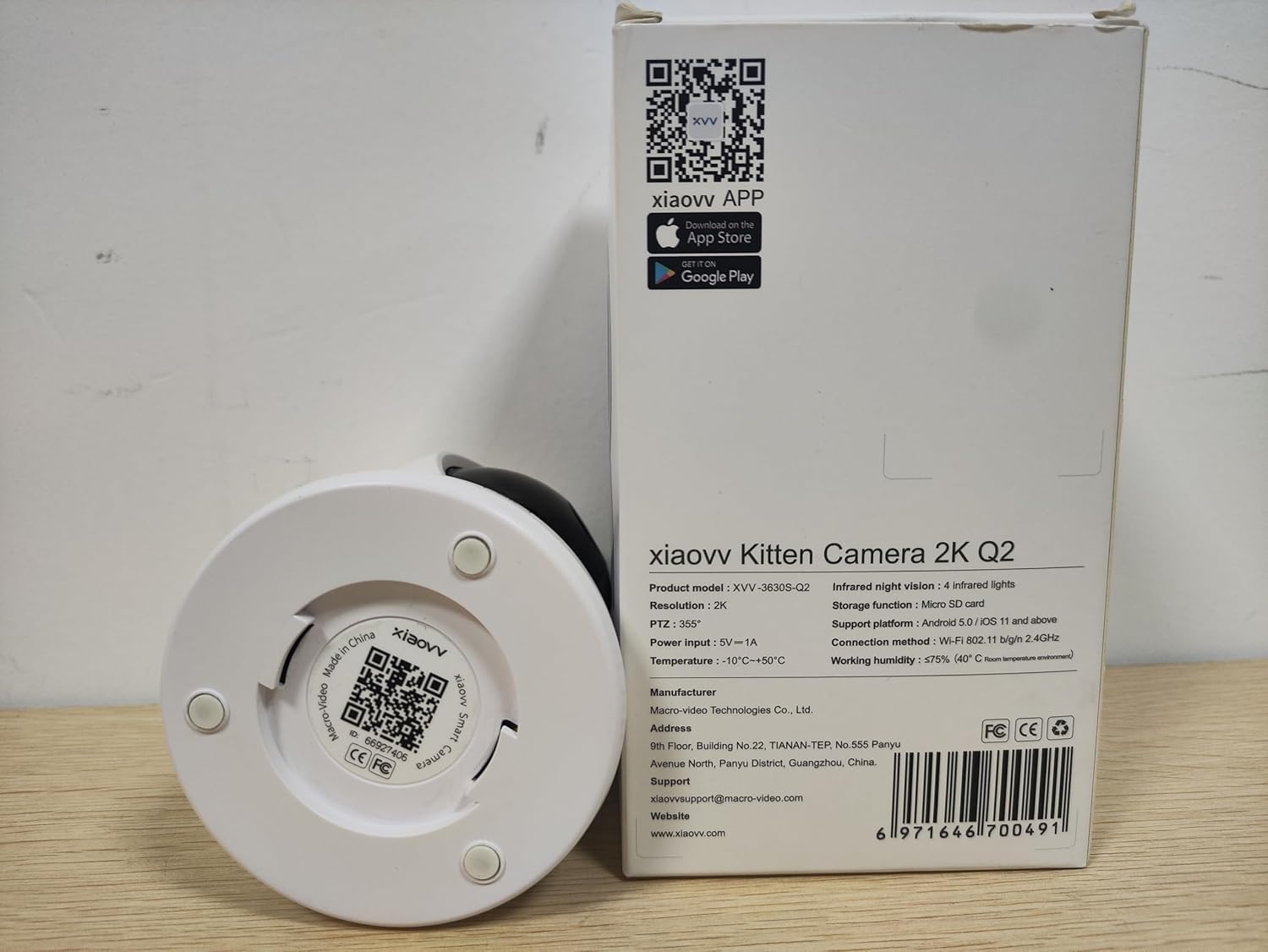
Figear 3: Underside of the camera, displaying the product model (XVV-3630S-Q2), QR code for app download, and regulatory markings.
Suidhich
- Ceangal cumhachd: Connect the provided USB-C cable to the camera's power port and the USB-A end to the power adapter. Plug the adapter into a standard electrical outlet. The camera will power on and initiate its startup sequence.
- Stàladh an aplacaid: Download the XIAOVV application to your smartphone. You can find the app by scanning the QR code located on the bottom of the camera (refer to Figure 3) or by searching for "XIAOVV" in your device's app store (App Store for iOS, Google Play for Android).
- Clàradh cunntais: Open the XIAOVV app and follow the on-screen instructions to create a new user account or log in if you already have one.
- Paidhir inneal:
- Anns an aplacaid, tagh “Cuir Inneal ris” no an ìomhaigh ‘+’.
- Choose your camera model from the list.
- Dèan cinnteach gu bheil am fòn cliste agad ceangailte ri lìonra Wi-Fi 2.4GHz. Chan eil an camara a’ toirt taic ach do Wi-Fi 2.4GHz.
- Follow the app's prompts to connect the camera to your Wi-Fi network. This typically involves scanning a QR code generated by the app with the camera's lens.
- Suidheachadh: Place the camera on a flat surface or mount it to a wall or ceiling using the included mounting plate, screws, and wall plugs. Ensure the camera has a clear line of sight to the area you wish to monitor and is within range of your Wi-Fi signal.
Stiùireadh Obrachaidh
1. Beò View agus Smachd Pan/Tilt
Once connected, open the XIAOVV app and select your camera to access the live video feed. Use the on-screen controls to remotely adjust the camera's viewceàrn ing.
- Bara: Rotate the camera horizontally up to 355 degrees.
- Teilt: Adjust the camera vertically up to 90 degrees.
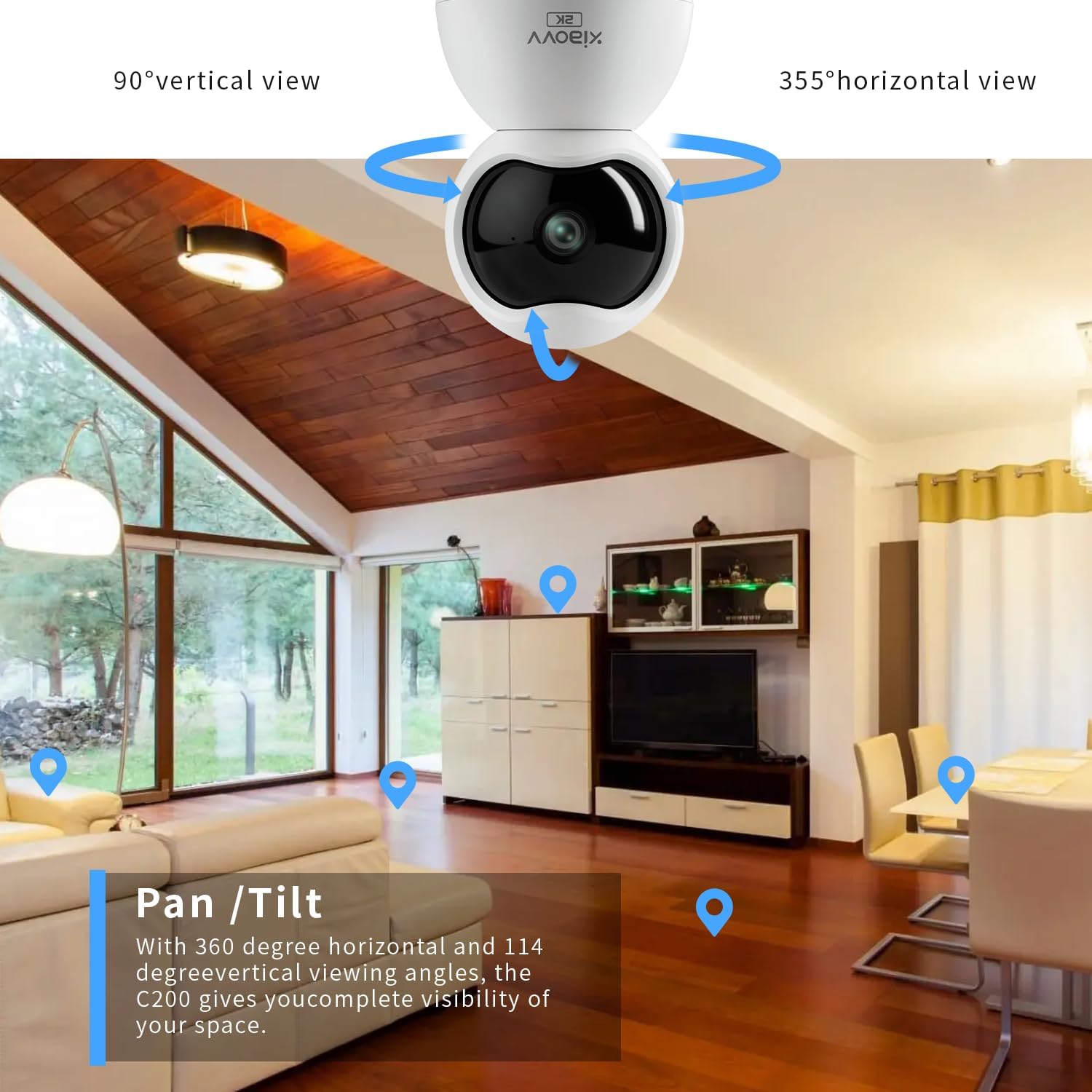
Figear 4: Illustration of the camera's pan and tilt capabilities, providing extensive coverage of an indoor space.
2. Fuaim dà-shligheach
The camera features a built-in microphone and speaker, enabling two-way communication. From the live view screen in the app, tap the microphone icon to speak through the camera, and listen to audio from the camera's environment.

Figear 5: The mobile application interface demonstrating the two-way audio function, allowing interaction with the monitored area.
3. Lorgaireachd Gluasaid agus Rabhaidhean
Configure motion detection settings within the app to receive real-time alerts on your smartphone when movement is detected. You can adjust sensitivity levels and set specific detection zones.

Figear 6: Tha example of a push notification received on a smartphone when the camera detects motion.
4. Sealladh na h-Oidhche
The camera is equipped with infrared LEDs for automatic night vision, providing clear black-and-white video footage ann an suidheachaidhean solais ìosal no gun solas idir.
5. Clàradh agus Stòradh
The camera supports local storage via a Micro-SD card (up to 128GB, not included). Insert the Micro-SD card into the designated slot on the camera. Recordings can also be stored on a cloud server, accessible through a subscription service via the XIAOVV app.
6. Dìomhaireachd Dòigh lìbhrigidh
Activate Privacy Mode through the app to physically obscure the camera lens, ensuring privacy when monitoring is not desired.
Figear 7: The camera's night vision capability and the concept of privacy mode for enhanced user control.
Sònrachaidhean
| Feart | Sònrachadh |
|---|---|
| Ainm Modail | XVV-3630S-Q2 |
| Cleachdadh a-staigh / a-muigh | A-staigh |
| Fuasgladh glacadh bhidio | 2K (2304x1296 pixels) |
| Pròtacal ceangail | Wi-Fi (2.4GHz a-mhàin) |
| Stòr cumhachd | Dealain le Càball (5V, 3W) |
| Feartan sònraichte | 2-Way Audio, Motion Detection, Night Vision, 360-degree Pan, 90-degree Tilt |
| Stòradh | Micro-SD card (up to 128GB), Cloud Storage (subscription) |
| Innealan co-fhreagarrach | Smartphone (Android 5.0 / iOS 11 and above) |
| Seòrsa stàladh | Wall Mount, clàr-bùird |
| Meudan (L x W x H) | 2.36 x 2.36 x 3.15 òirleach |
| Teòthachd Obrachaidh | -10 ° C gu +50 ° C |
| Taiseachd obrach | ≤75% (40°C room temperature conditions) |
Fuasgladh thrioblaidean
- Cha robh an camara a’ ceangal ri Wi-Fi: Ensure your Wi-Fi network is 2.4GHz. The camera does not support 5GHz networks. Verify your Wi-Fi password and ensure the camera is within range of your router.
- Gun bhiadhadh bhidio: Check if the camera is properly powered on. Restart the camera by unplugging and re-plugging the power adapter. Ensure your internet connection is stable.
- Loud voice prompts from camera: Some camera voice prompts (e.g., during setup or when reaching pan/tilt limits) may be loud and currently cannot be adjusted or muted via the app.
- Càileachd ìomhaigh truagh: Ensure the camera lens is clean. Check your network speed; a slow connection can affect streaming quality. Verify the app settings for video resolution.
- Lorgaireachd gluasad nach eil ag obair: Check the motion detection settings in the app, including sensitivity and detection zones. Ensure the camera's view chan eil bacadh air.
Cumail suas
- Glanadh: Sguab lionsa is bodhaig a’ chamara gu socair le clò bog, tioram. Seachain ceimigean cruaidh no stuthan sgrìobach a chleachdadh.
- Ùrachaidhean firmware: Regularly check the XIAOVV app for available firmware updates. Keeping your camera's firmware updated ensures optimal performance and security.
- Cearcall cumhachd: If the camera experiences issues, a simple power cycle (unplugging and re-plugging) can often resolve minor glitches.
Barantas agus Taic
For warranty information, please refer to the documentation included with your purchase or contact XIAOVV customer support. The manufacturer is XIAOVV.
Dèanadair: Macro-Video Technologies Co., Ltd.
Post-d taic: xiaovvsupport@macro-video.com
Weblàrach: www.xiaovv.com
Seòladh: 9th Floor, Building No. 22, TIANAN-TEP, No. 555 Panyu Avenue North, Panyu District, Guangzhou, China.