
1. Ro-ràdh
The UIBI S600 is a powerful and versatile portable jump starter designed to provide reliable emergency starts for a wide range of 12V vehicles, including cars, motorcycles, trucks, RVs, and more. With a 5000A peak current and a 26800mAh battery capacity, it can jump-start engines up to 10.0L gasoline and 10.0L diesel. Beyond its primary function, the S600 also serves as a high-capacity power bank with PD65W fast charging capabilities and features a multi-mode LED flashlight for emergency situations. This manual provides essential instructions for safe and effective use, charging, and maintenance of your UIBI S600.
2. Pasgan-susbaint
Dèan cinnteach gu bheil na nithean gu lèir a tha air an liostadh gu h-ìosal air an toirt a-steach don phacaid agad:
- UIBI S600 Jump Starter
- Càbaill Leumadair Trom-dhleastanais
- Càball USB-A gu USB-C
- Càball USB-C gu USB-C
- EVA Storage Bag
- Leabhar-làimhe cleachdaiche (an sgrìobhainn seo)
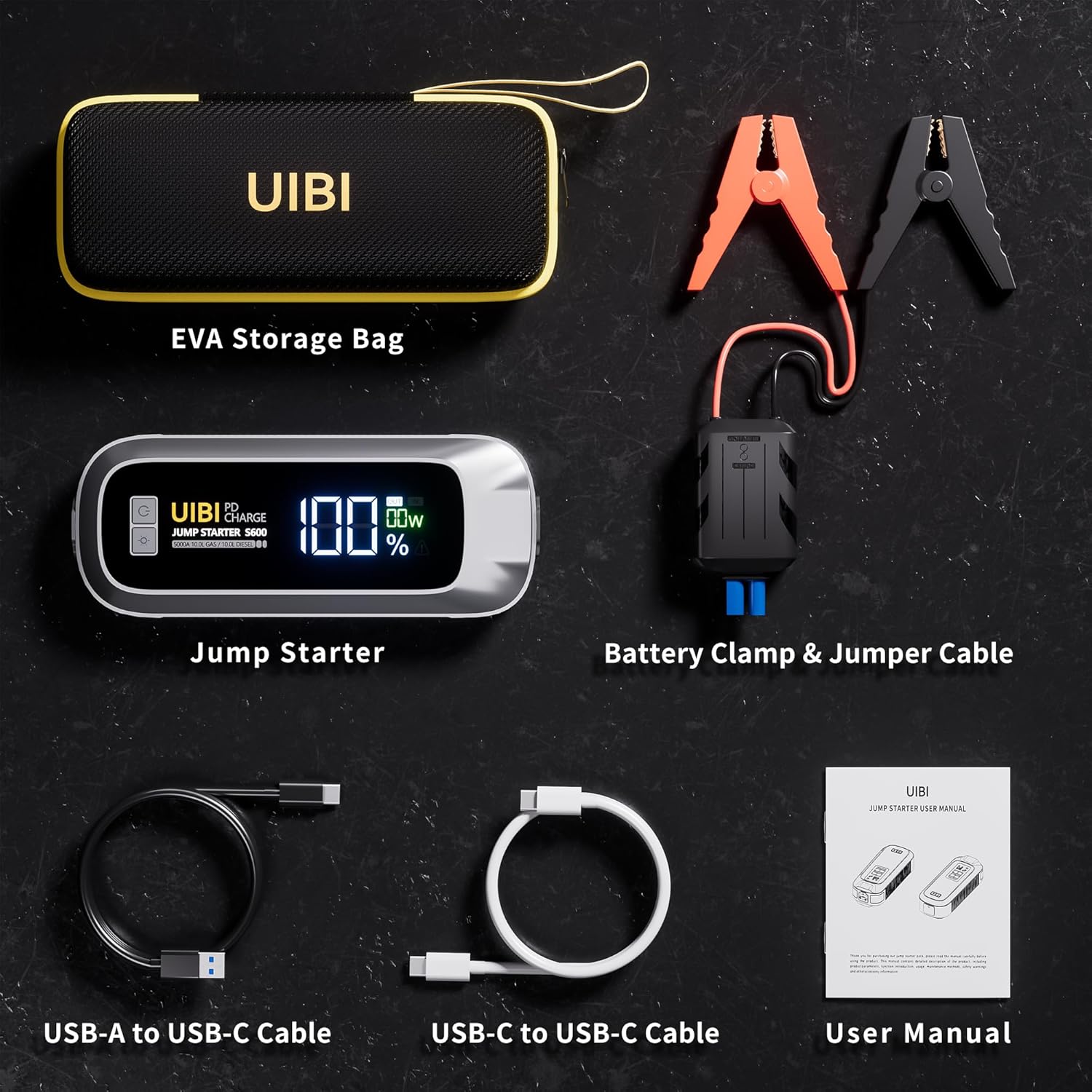
Figear 2.1: Package Contents. The image displays the UIBI S600 jump starter, heavy-duty jumper cables, USB-A to USB-C cable, USB-C to USB-C cable, EVA storage bag, and the user manual.
3. Toradh thallview agus Co-phàirtean
Familiarize yourself with the various parts of your UIBI S600 Jump Starter:
- Putan Cumhachd: Tionndaidh an inneal air / dheth.
- Putan LED: Controls the built-in flashlight modes.
- Sgrion taisbeanaidh LCD: A ’sealltainn percen bataraidhtage, input/output power, and error prompts.
- Port Type-C (Cuir a-steach / Toradh): Supports PD65W fast charging.
- Toradh USB 1: 5V/2.4A for charging devices.
- Toradh USB 2: 5V/3A, 9V/2A, 12V/1.5A (Quick Charge 3.0) for faster device charging.
- Toradh Tòiseachaidh Leum: Port for connecting the jumper cables.
- Solas LED: Integrated flashlight with multiple modes.

Figear 3.1: Product Components. This image highlights the power button, LED button, LCD display, Type-C port, USB output ports, jump start output, and LED light on the UIBI S600.
4. Charging the UIBI S600
Before first use, fully charge your UIBI S600. It is recommended to keep the device charged above 50% for optimal performance and longevity.
4.1. Modh Cìsean
- Connect the provided USB-C to USB-C cable to the Type-C port on the UIBI S600.
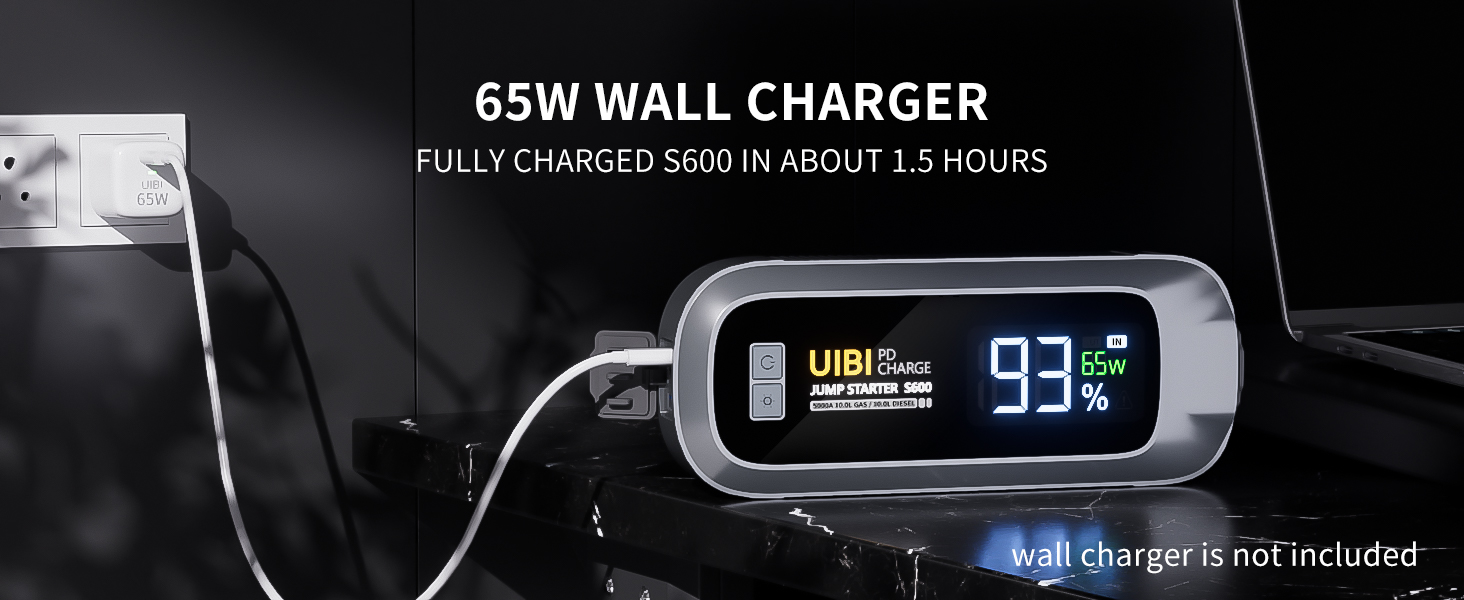
- Connect the other end of the USB-C cable to a 65W USB-C wall charger or car charger (not included).
- The LCD display will show the charging status and battery percentage. The device can be fully charged from 0% to 100% in approximately 1.5 hours with a 65W charger.
The S600 supports bidirectional PD65W fast charging, meaning it can be charged quickly and can also deliver fast charging to other devices.

Figear 4.1: Charging the S600. The image shows the UIBI S600 connected to a USB-C charger, indicating its fast charging capability.
5. Stiùireadh Obrachaidh: Tòiseachadh Carbaid le Leum
The UIBI S600 is designed for 12V vehicles with gasoline engines up to 10.0L and diesel engines up to 10.0L. Ensure the jump starter is sufficiently charged before use.
5.1. Rùintean Sàbhailteachd
- Ensure the vehicle is in park (P) or neutral (N) and the parking brake is engaged.
- Turn off all vehicle accessories (lights, radio, air conditioning).
- Wear appropriate eye protection and gloves.
- Na leig leis a 'chl dearg is dubhamps suathadh ri chèile.
- Na feuch ri bataraidh reòta a thòiseachadh le leum-thòiseachadh.
5.2. Jump Starting Procedure
- Ceangail Càbaill Jumper: Insert the blue plug of the jumper cables into the jump start output port on the UIBI S600. Ensure a firm connection.
- Ceangail ris a’ Bhataraidh: Ceangail an dearg (+) clamp to the positive (+) terminal of the vehicle's battery. Attach the black (-) clamp to the negative (-) terminal of the vehicle's battery. Ensure the clamps make good contact with the battery terminals.
- Comharra seic: Observe the indicator on the jumper cable's smart clamp. A solid green light indicates a correct connection and that the device is ready to jump-start. If a red light or alarm sounds, check the connections and ensure polarity is correct.
- Tòisich an càr: Return to the vehicle and start the engine. If the engine does not start immediately, wait 20-30 seconds before trying again. Do not crank the engine for more than 3 seconds per attempt.
- Remove Cables: Once the vehicle starts, immediately remove the black (-) clamp bhon bhataraidh charbaid, agus an uair sin an clò dearg (+)amp. Then, disconnect the jumper cables from the UIBI S600.
The UIBI S600 can operate flawlessly in extreme temperatures ranging from -4°F to 140°F (-20°C to 60°C).
Figear 5.1: Steps to Jump Start Your Vehicle. This image illustrates the three main steps: inserting the jumper cable into the booster, connecting the clamps to the car battery, and starting the car engine.
6. Operating Instructions: Power Bank Function
The UIBI S600 features a 26800mAh (99Wh) battery, allowing it to function as a portable power bank for various electronic devices.
6.1. Charging Electronic Devices
- Connect your device's charging cable to one of the USB output ports (USB Output 1, USB Output 2, or Type-C port) on the UIBI S600.
- The S600 will automatically begin charging your device. The LCD display will show the output power.
- Dì-cheangail an inneal agad aon uair ‘s gu bheil an cosgais deiseil.
The Type-C port supports PD65W output, while USB Output 2 offers QC3.0 (18W) fast charging. USB Output 1 provides standard 5V/2.4A charging. This allows for rapid charging of smartphones, tablets, laptops, cameras, drones, and other USB-powered devices.

Figear 6.1: Power Bank Function. The image shows the UIBI S600 connected to and charging multiple electronic devices.
7. LED Flashlight Function
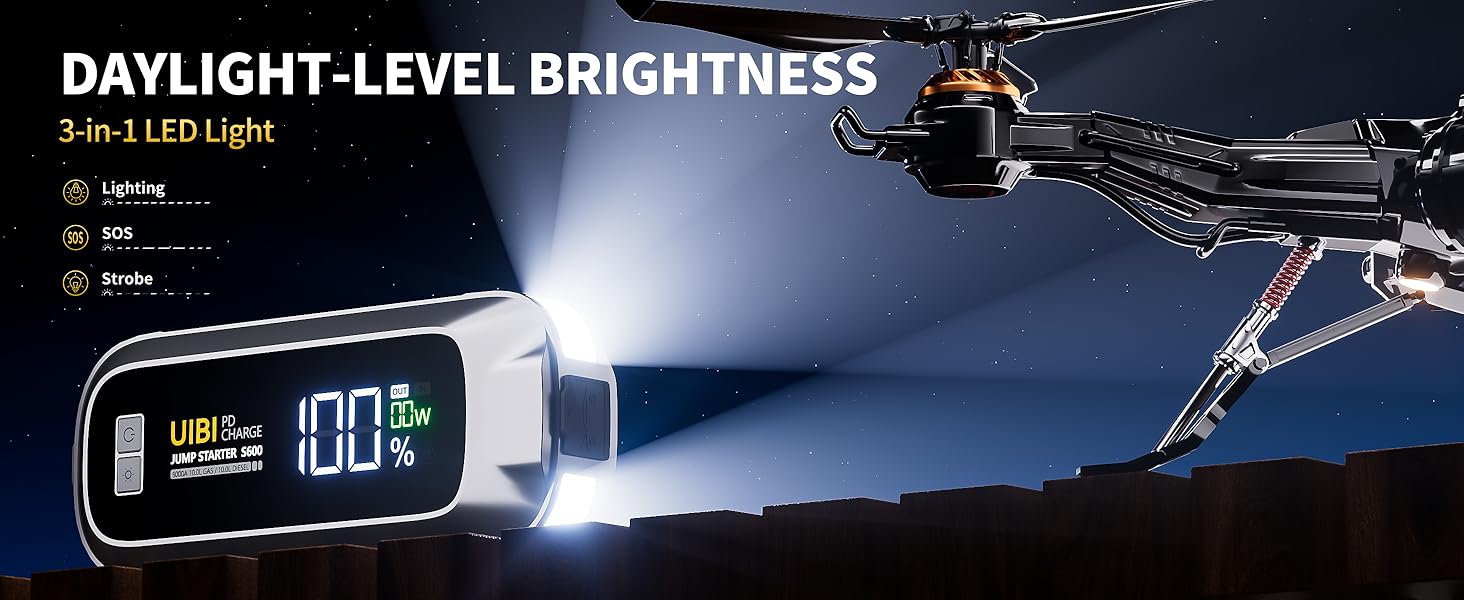
The UIBI S600 includes a powerful 400-lumen LED flashlight with three modes for various emergency and utility needs.
7.1. Ag obrachadh an Flashlight
- Brùth agus cùm an Putan LED for approximately 3 seconds to turn on the flashlight in constant lighting mode.
- Brùth an Putan LED again to cycle through the modes: Solais (constant) → SOS (Morse code for distress) → Sròb (flashing).
- Brùth agus cùm an Putan LED again for approximately 3 seconds to turn off the flashlight.

Figear 7.1: LED Flashlight in Use. The image shows the UIBI S600's LED light providing illumination in a dark engine compartment.
8. Feartan Sàbhailteachd agus Dìonan
The UIBI S600 is equipped with 10 intelligent safety protections to ensure safe operation for both the user and the vehicle's battery:
- Spark-Proof Protection: Prevents sparks during connection.
- Dìon cus-chìsean: Protects against overcharging the internal battery.
- Dìon cuairt ghoirid: Guards against short circuits.
- Thar Dìon gnàthach: A 'cur casg air cus sruth sruth.
- Dìon Teòthachd Àrd/Ìosal: Ensures safe operation within specified temperature ranges.
- Thar Voltage Dìon: A’ dìon an aghaidh voltage ag èirigh.
- Dìon polaidheachd cùil: Warns and protects against incorrect battery connections.
- Dìon thairis air luchdachadh: Prevents damage from excessive load.
- Dìon thairis air sgaoileadh: Protects against draining the internal battery too low.
- Ìosal Voltage Dìon: Ensures the device operates within safe voltage crìochan.

Figear 8.1: 10 Comprehensive Protections. This image visually represents the various safety mechanisms integrated into the S600.
9. Sònrachaidhean
| Feart | Sònrachadh |
|---|---|
| Modail | S600 |
| Peak an-dràsta | 5000A |
| Comas Bataraidh | 26800mAh / 99Wh |
| Co-fhreagarrachd einnsean | Suas ri 10.0L peatrail / 10.0L dìosail |
| Cur a-steach / toradh Type-C | PD65W (5V/3A, 9V/3A, 12V/3A, 15V/3A, 20V/3.25A) |
| Toradh USB 1 | 5V/2.4A |
| Toradh USB 2 | QC3.0 (5V/3A, 9V/2A, 12V/1.5A) |
| Flashlight LED | 400 Lumens (Lighting, SOS, Strobe modes) |
| Teòthachd Obrachaidh | -4°F gu 140°F (-20°C gu 60°C) |
| Meudan | 1.77 x 3.71 x 9.25 òirleach |
| Cuideam | 3.01 not |
10. Cumail suas
Proper maintenance ensures the longevity and optimal performance of your UIBI S600 Jump Starter:
- Cìs cunbhalach: Recharge the device every 3-6 months, even if not in use, to maintain battery health. The S600 has a 24-month standby time, but periodic charging is still recommended.
- Stòradh: Store the jump starter in a cool, dry place away from direct sunlight, moisture, and flammable materials. Keep it in its EVA storage bag when not in use.
- Glanadh: Sguab an inneal le clò bog, tioram. Na cleachd ceimigean cruaidh no innealan-glanaidh sgrìobach.
- Sgrùdadh càball: Periodically inspect the jumper cables for any signs of damage, fraying, or corrosion. Replace if necessary.
11. A ’dèanamh trioblaid
If you encounter issues with your UIBI S600, refer to the following common troubleshooting steps:
- Inneal nach eil a' tionndadh air: Ensure the device is charged. Connect it to a charger and check the LCD display.
- Carbad gun tòiseachadh:
- Check that the jumper cables are securely connected to both the S600 and the vehicle battery terminals.
- Verify correct polarity (red to positive, black to negative). The smart clamp indicator should show a solid green light.
- Ensure the vehicle battery terminals are clean and free of corrosion.
- Allow the S600 to rest for a few minutes between jump-start attempts.
- No Power Output to Devices: Ensure the S600 is turned on and has sufficient charge. Try a different USB cable or port.
- Flashlight nach eil ag obair: Press and hold the LED button for 3 seconds to activate. Ensure the device has charge.
Ma mhaireas na duilgheadasan an dèidh dhut na ceumannan seo a leantainn, cuir fios gu taic luchd-cleachdaidh.
12. Barantas agus Taic
UIBI is committed to providing high-quality products and customer satisfaction.
- Barantas: The UIBI S600 comes with a 24-month warranty from the date of purchase, covering manufacturing defects.
- Taic Teicnigeach: UIBI offers lifetime customer and technical support. For assistance, please refer to the contact information provided with your product or visit the official UIBI weblàrach.
- Poileasaidh Tilleadh: A 30-day unconditional return guarantee is typically offered for purchases made through authorized channels. Please refer to your purchase platform's specific return policy.
Figear 12.1: Support and Protections. This image highlights the technical support, customer service availability, and safety features of the UIBI S600.