
Ro-ràdh
Thank you for choosing the LIORQUE S7509 Projection Alarm Clock. This manual provides detailed instructions for setting up and operating your new device. Please read it carefully to ensure proper use and to fully utilize all features.
Susbaint pacaid
Nuair a bhios tu a’ fosgladh a’ phacaid, dèan cinnteach gu bheil na nithean a leanas uile an làthair:
- LIORQUE S7509 Projection Alarm Clock
- Adapter cumhachd
- Càball cumhachd USB
- Leabhar-làimhe cleachdaiche

Image: The LIORQUE S7509 Projection Alarm Clock, its power adapter, USB cable, and user manual are displayed next to the product box. Product dimensions are indicated as 18cm (7.1in) width, 9.8cm (3.9in) height, and 5cm (2in) depth.
Feartan toraidh seachadview
The LIORQUE S7509 Projection Alarm Clock is designed to enhance your daily routine with its versatile features:
- 180° Rotatable Projection: Project the time onto your ceiling or wall with adjustable brightness.
- Taisbeanadh mòr LED: Clear time display with 4 adjustable brightness levels.
- Alarm dà-chànanach: Set two separate alarms for different schedules.
- Rèidio FM: Enjoy your favorite radio stations with 15 preset memory slots and 15 adjustable volume levels.
- Dreuchd Snooze: Provides an extra 9 minutes of sleep.
- Timer cadail: Automatically turns off the radio after a set duration (5-90 minutes).
- Cruth 12/24 uair: Easily switch between time formats.
- Bataraidh air a thogail a-steach: Airson cumhachd cùl-taice rè na h-ùine a-muightagtha.

Image: The LIORQUE S7509 Projection Alarm Clock is shown with its digital display set to 22:30. Surrounding icons highlight key features including 12/24 hour time, adjustable brightness, FM radio, snooze function, dual alarms, time projection, built-in battery, and a sleep timer.
Stiùiridhean rèiteachaidh
1. Ceangal Cumhachd
Connect the provided USB power cable to the alarm clock and plug the adapter into a standard wall outlet. The display will light up, indicating the device is powered on.

Image: The LIORQUE S7509 Projection Alarm Clock is shown on a bedside table, connected to a wall outlet via its power adapter. The clock displays 8:30, illustrating its readiness for use after power connection.
2. Suidheachadh Tùsail na h-Ùine
- Brùth agus cùm an SEANN TIOMNAIDH button (usually labeled with a clock icon) for 3 seconds to enter time setting mode.
- Cleachd an UAIR agus MIONAID buttons (often labeled with '+' and '-' or arrows) to adjust the current time.
- Brùth SEANN TIOMNAIDH a-rithist gus dearbhadh agus falbh.
3. Cruth 12/24 Uair
While in time setting mode, or by a dedicated button (refer to specific button labels on your device), you can toggle between 12-hour (with AM/PM indicator) and 24-hour formats.
Stiùireadh Obrachaidh
1. A ’suidheachadh innealan-rabhaidh
Tha an gleoc a’ toirt taic do dhà inneal-rabhaidh neo-eisimeileach (Alarm 1 agus Alarm 2).
- Brùth agus cùm an Alarm 1 or Alarm 2 button for 3 seconds. The alarm time will flash.
- Cleachd an UAIR agus MIONAID putanan gus an ùine rabhaidh a tha thu ag iarraidh a shuidheachadh.
- Brùth an ALARM brùth a-rithist gus an ùine a dhearbhadh.
- You can then select the alarm sound (buzzer or FM radio) and alarm volume.
- Brùth an ALARM button one more time to save settings and activate the alarm. An alarm icon will appear on the display.

Image: Two LIORQUE S7509 Projection Alarm Clocks are displayed side-by-side. One shows an alarm set for 8:30, labeled 'Workday', and the other shows 10:00, labeled 'Weekend', demonstrating the dual alarm capability.
2. Projection Function
The projector allows you to display the time on your ceiling or wall.
- Cuir an gnìomh / cuir dheth: Brùth an PRÒISEACT button (often labeled with a projection icon) to turn the projection on or off.
- Atharraich soilleireachd: Brùth am putan a-rithist PRÒISEACT button to cycle through 3 brightness levels (Low, Medium, High) or turn it off.
- Rotate Projection: The projector lens can be physically rotated 180° to adjust the angle of the projected time.

Image: The LIORQUE S7509 Projection Alarm Clock is shown in a bedroom, projecting the time '22:30' onto the ceiling. Below, three smaller images illustrate the three adjustable brightness levels for the projection.

Image: The LIORQUE S7509 Projection Alarm Clock is depicted with its projection arm extended, casting the time '12:45' onto a nearby surface. This image demonstrates the adjustable angle and direction of the projection feature.
3. Taisbeanadh Gile
Adjust the main display brightness to your preference.
- Brùth an DIMMHOR button (or similar, often labeled with a sun icon) to cycle through 4 levels of display brightness.
- The levels typically range from brightest to off, allowing for comfortable viewa latha no dh' oidhche.

Image: The LIORQUE S7509 Projection Alarm Clock shows the time 22:30. Below, four distinct panels illustrate the four adjustable levels of screen brightness, ranging from completely off to maximum illumination, allowing users to select the appropriate brightness for night vision.
4. Rèidio FM
Èist ris na stèiseanan rèidio FM as fheàrr leat.
- Tionndaidh air / dheth: Brùth an RADIO button to turn the FM radio on or off.
- Sganadh fèin-ghluasadach: Brùth agus cùm an RADIO button for 3 seconds to automatically scan and save up to 15 FM stations.
- Stèiseanan Atharraich: Cleachd an PREV / Next buttons (or '+' and '-') to switch between saved stations.
- Atharraich an tomhas-lìonaidh: Cleachd an TOIRT +/- buttons to adjust the radio volume through 15 levels.

Image: The LIORQUE S7509 Projection Alarm Clock displays 'FM 7.84' on its screen, surrounded by graphic representations of radio waves indicating different FM frequencies (e.g., FM90.2, FM95.6, FM96.8, FM97.5, FM98.5). The image also highlights that the device can store 15 favorite radio stations and has 15 adjustable volume levels.
5. Gnìomh Snooze
Nuair a chluinneas tu inneal-rabhaidh, brùth air a’ phutan mhòr SNOOZE / SOLAS button on top of the clock. The alarm will pause for 9 minutes and then sound again.
6. Timer cadail
Leigidh an timer cadail leis an rèidio cluich airson ùine shuidhichte mus cuir e dheth gu fèin-ghluasadach.
- Fhad ’s a tha an rèidio a’ cluich, brùth air a’ phutan LAOIDH button (or similar).
- Brùth am putan a-rithist LAOIDH button to cycle through preset sleep times (e.g., 5, 10, 15, 30, 60, 90 minutes).
- Cuiridh an rèidio dheth gu fèin-ghluasadach às dèidh na h-ùine taghte.
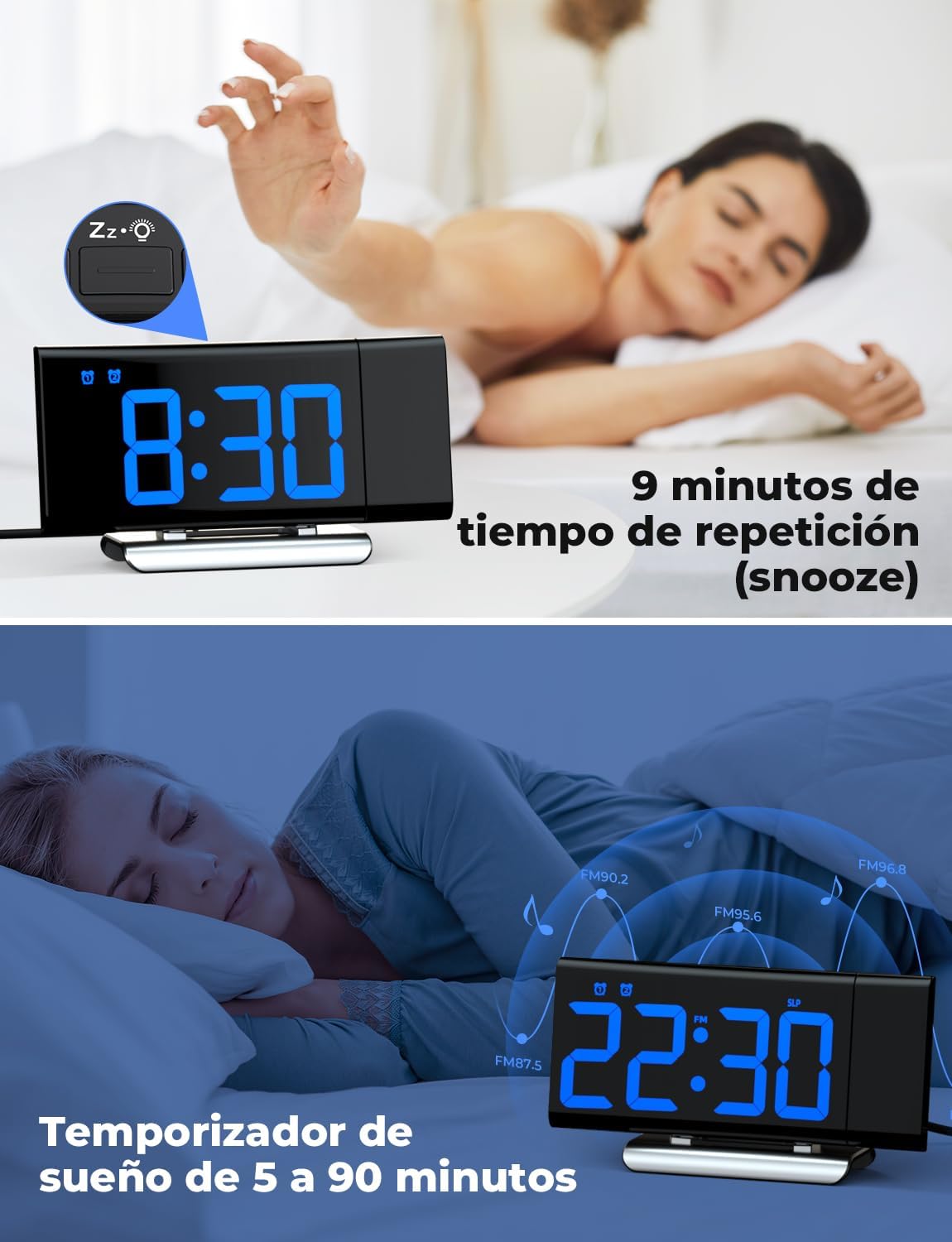
Image: The top section shows a person reaching for the snooze button on the LIORQUE S7509 Projection Alarm Clock, which displays 8:30, indicating a 9-minute snooze period. The bottom section features the clock displaying 22:30 with radio waves, illustrating the sleep timer function which can be set from 5 to 90 minutes, with a person sleeping peacefully in the background.
Cumail suas
To ensure the longevity and optimal performance of your LIORQUE S7509 Projection Alarm Clock, follow these simple maintenance guidelines:
- Glanadh: Use a soft, dry cloth to wipe the surface of the clock. Do not use abrasive cleaners, solvents, or chemical sprays, as these can damage the finish and electronic components.
- Toirt air falbh dust: Gently wipe the projector lens with a soft, lint-free cloth to maintain clear projection quality.
- Suidheachadh: Cuir a’ chloc air uachdar seasmhach, còmhnard air falbh bho sholas dìreach na grèine, stòran teas, agus cus taiseachd.
- Cumhachd: Always use the provided power adapter. If the clock is not used for an extended period, you may unplug it. The built-in battery will retain settings for a short duration.
Fuasgladh thrioblaidean
Ma thachras tu ri duilgheadasan sam bith leis a’ chloc-rabhaidh agad, thoir sùil air na duilgheadasan agus na fuasglaidhean cumanta a leanas:
| Trioblaid | Adhbhar a dh’fhaodadh a bhith ann | Fuasgladh |
|---|---|---|
| Tha taisbeanadh a’ chloca bàn. | Chan eil cumhachd no cumhachd agadtage. | Ensure the power adapter is securely plugged into the clock and a working outlet. Check if the display brightness is set to 'off'. |
| Tha am pròiseact doilleir no mì-shoilleir. | Incorrect focus or distance. | Adjust the distance of the clock from the projection surface. Ensure the projector lens is clean. |
| Chan eil an inneal-rabhaidh a’ fuaimeachadh. | Cha deach an inneal-rabhaidh a ghnìomhachadh no tha an tomhas-lìonaidh ro ìosal. | Verify that the alarm icon is displayed on the screen. Check the alarm volume setting. Ensure the alarm time is correctly set. |
| Glacadh rèidio FM bochd. | Comharra no suidheachadh antenna lag. | Extend the FM antenna fully. Reposition the clock to improve reception. |
| Tha na putanan neo-fhreagairt. | Mearachd bathar-bog sealach. | Unplug the power adapter for a few seconds, then plug it back in to reset the device. |
Sònrachaidhean
| Feart | Mion-fhiosrachadh |
|---|---|
| Meudan toraidh | 10.5 x 3.81 x 6.2cm; 340g |
| Modail Àireamh | S7509 |
| Brand | LIORQUE |
| Dath | Gorm |
| Seòrsa Taisbeanaidh | Didseatach |
| Stòr cumhachd | Both: Battery and AC power (with adapter) |
| Cruth | Ceart-cheàrnach |
| Cleachdadh | A-staigh |
| Stuth frèam | Meatailt |
| Bataraidhean air an toirt a-steach | Tha |
| Seòrsa stàladh | Clàr-bùird |
| Cloc rabhaidh | Tha |
| Àireamh de nithean | 1 |
Barantas agus Taic
The LIORQUE S7509 Projection Alarm Clock comes with a manufacturer's warranty. For specific details regarding warranty coverage and duration, please refer to the warranty card included in your package or contact LIORQUE customer support.
If you require further assistance, have questions, or encounter issues not covered in this manual, please contact LIORQUE customer support. Contact information can typically be found on the product packaging, the official LIORQUE weblàrach-lìn, no tron neach-reic agad.