
Ro-ràdh
Thank you for choosing the KIVI 43U750NB 43-inch UHD 4K Smart TV. This television combines advanced display technology with the versatility of Android 11, offering a superior entertainment experience. This manual provides essential information for setting up, operating, and maintaining your new TV. Please read it thoroughly before use and keep it for future reference.
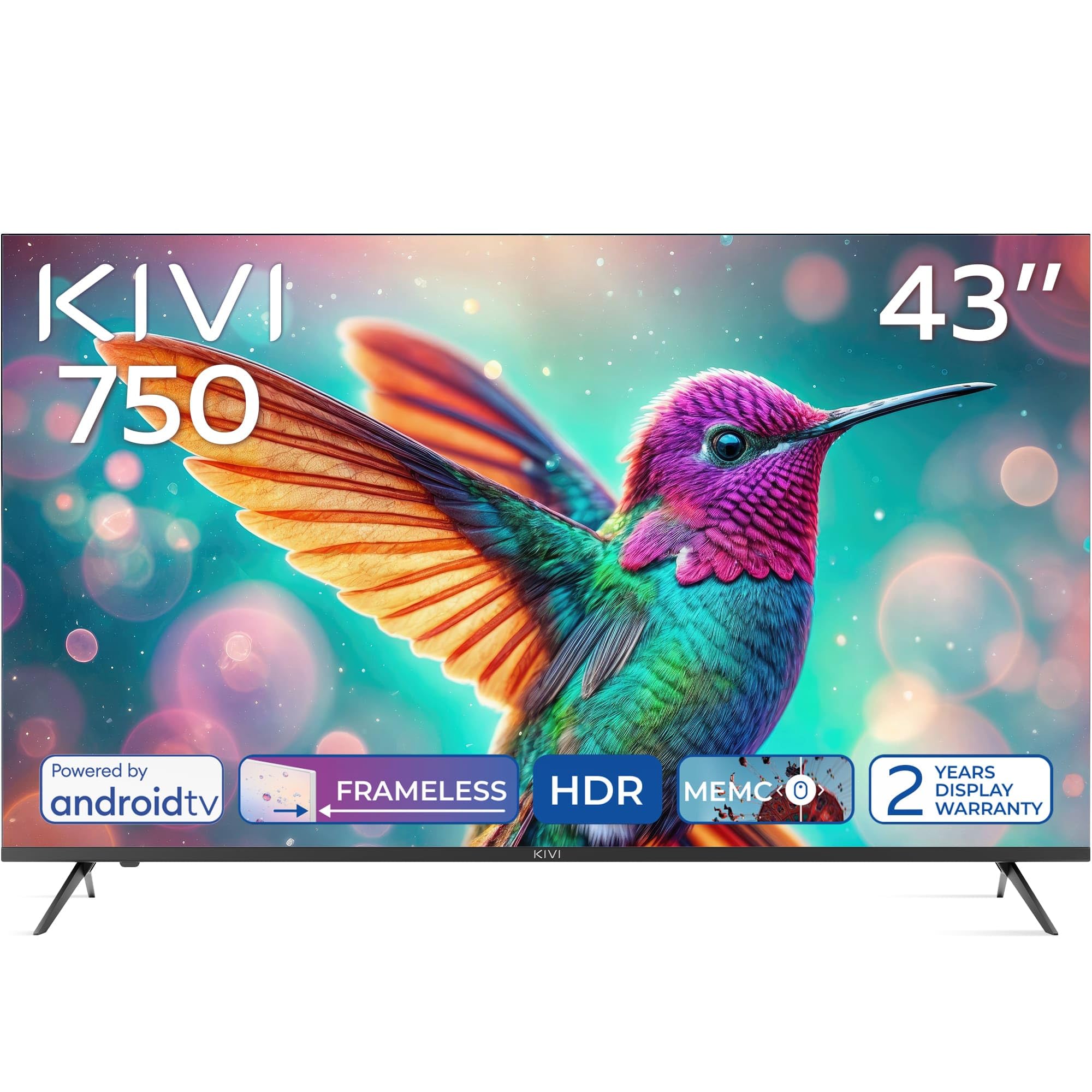
Aghaidh view of the KIVI 43U750NB 43-inch UHD 4K Smart TV.
Fiosrachadh Sàbhailteachd
Gus dèanamh cinnteach à obrachadh sàbhailte agus gus casg a chur air milleadh, feuch an lean thu na ceumannan sàbhailteachd a leanas:
- Na nochd an telebhisean gu uisge no taiseachd.
- Na fosgail an telebhisean casing; cuir a h-uile seirbheiseachadh gu luchd-obrach teisteanasach.
- Dèan cinnteach gu bheil fionnarachadh ceart timcheall an Tbh.
- Seachain an telebhisean a chur faisg air stòran teas no ann an solas dìreach na grèine.
- Cleachd an càball cumhachd a tha air a thoirt seachad leis an telebhisean a-mhàin.
- Cùm bataraidhean a-mach à ruigsinneachd chloinne.
- Dì-cheangail am pluga cumhachd rè stoirmean dealanaich no nuair nach tèid a chleachdadh airson ùine mhòr.
Susbaint pacaid
Dèan cinnteach gu bheil a h-uile nì anns a’ phacaid:
- KIVI 43U750NB 43-inch UHD 4K Smart TV
- Smachd Iomallach
- 2 x Bataraidhean AAA (airson smachd iomallach)
- Corda cumhachd
- Leabhar-làimhe cleachdaiche (an sgrìobhainn seo)
- TV Stands (if included for tabletop setup)
- Sgriothan airson seasamh Tbh
Suidhich
1. Installing the TV Stands
If you are placing the TV on a flat surface, attach the included stands to the bottom of the TV using the provided screws. Ensure the stands are securely fastened before placing the TV upright.
2. A ’dìreadh balla
For wall mounting, use a VESA-compatible wall mount (not included) that supports a 200 x 200 mm pattern. Follow the instructions provided with your wall mount. Ensure the wall can support the weight of the TV.
3. A 'ceangal innealan taobh a-muigh
Connect your external devices such as Blu-ray players, game consoles, or sound systems to the TV's ports.
- Puirt HDMI (x3): For high-definition audio and video. Supports HDMI (eARC) for enhanced audio return channel.
- Puirt USB 2.0 (x2): For connecting USB storage devices to play media or for service.
- Port Ethernet: Airson ceangal eadar-lìn uèirleas.
- Antenna (75Ω) Input: Airson antenna talmhaidh no càball a cheangal.
- Toradh claisneachd optigeach: Airson ceangal ri glacadair claisneachd no bàr-fuaime taobh a-muigh.
- Seabhag Jack: Airson fònaichean-làimhe a cheangal.
- Mini RCA: Airson innealan analogach nas sine a cheangal.

Cùl view of the KIVI 43U750NB TV, illustrating the various connection ports including HDMI, USB, Ethernet, and audio outputs.
4. Ceangal Cumhachd
After all connections are made, plug the power cord into the TV and then into a wall outlet (220 VAC, 50 Hz).
Stiùireadh Obrachaidh
1. Smachd Iomallach
Insert the two AAA batteries into the remote control. The remote uses Bluetooth technology for enhanced control.

The KIVI Smart TV remote control, powered by two AAA batteries.
2. Initial Setup (Android TV 11)
Nuair a chuireas tu air an telebhisean an toiseach, stiùiridh e thu tron phròiseas rèiteachaidh tùsail.
- Taghadh Cànain: Tagh an cànan as fheàrr leat.
- Ceangal lìonra: Connect to your Wi-Fi network or use the Ethernet cable.
- Logadh a-steach Cunntas Google: Sign in with your Google account to access Android TV features, apps, and voice control.
- Sgan Sianal: Scan for available TV channels (DVB-T2 tuner).
- Roghainnean prìobhaideachd: Configure your privacy preferences.

The Android TV 11 interface, providing access to a wide range of applications and services.
3. Feartan Tbh Smart
- Iarrtasan: Access popular streaming services like Netflix and HBO directly from the Android TV home screen. Download more apps from the Google Play Store.
- Smachd guth: Use the built-in voice control feature (via the remote) to search for content, control playback, and manage TV settings.
- Google Cast: Wirelessly cast content from your compatible smartphone, tablet, or computer to the TV screen.
4. Roghainnean Dealbhan
Atharraich roghainnean an deilbh gus an dealbh agad a dhèanamh cho math 's as urrainn dhut viewann an eòlas.
- HDR10 & HLG: The TV supports HDR10 and HLG for enhanced contrast and color reproduction with compatible content.
- MEMC: Measadh Gluasad, bidh teicneòlas Dìolaidh Gluasad a’ lughdachadh doilleireachd gluasad ann an seallaidhean a tha a’ gluasad gu luath.
- Modhan dealbh: Select from various preset picture modes (e.g., Standard, Vivid, Movie, Game) or customize your own.

Visual representation of KIVI TV's picture quality features, including Max Vivid, Super Contrast Control, Ultra Clear, and ALLM & Game Mode.
5. Roghainnean fuaim
Customize audio output for optimal sound quality.
- Fuaim Dolby: The TV features Dolby Audio for clear and powerful sound.
- Modhan fuaim: Choose from preset sound modes (e.g., Standard, Music, Movie, Speech) or adjust equalizer settings.
- Toradh claisneachd: Select between TV speakers, optical output, or Bluetooth audio devices.
Cumail suas
Regular maintenance helps prolong the life of your TV.
- Glanadh an sgrion: Sguab an sgrion gu socair le clò bog, gun lint. Airson comharran stòlda, cleachd fuasgladh glanaidh sgrion a chaidh a dhealbhadh gu sònraichte airson telebhiseanan, air a chur air a’ chlò, chan ann gu dìreach air an sgrion.
- A’ glanadh an Casing: Cleachd clò bog, tioram gus an telebhisean a sguabadh às.asing. Na cleachd innealan-glanaidh sgrìobach no fuasglaidhean.
- Fionnarachadh: Dèan cinnteach nach eil na fosglaidhean fionnarachaidh air cùl an telebhisean dùinte gus casg a chur air cus teasachadh.
Fuasgladh thrioblaidean
Ma thachras tu ri duilgheadasan leis an telebhisean agad, thoir sùil air na duilgheadasan agus na fuasglaidhean cumanta a leanas:
| Trioblaid | Adhbhar / Fuasgladh a dh’fhaodadh a bhith ann |
|---|---|
| Gun chumhachd | Thoir sùil a bheil an càball cumhachd ceangailte gu tèarainte ris an telebhisean agus ris an t-socaid balla. Dèan cinnteach gu bheil an socaid balla ag obair. |
| Gun Dealbh, ach Tha Fuaim An làthair | Thoir sùil air an stòr cuir-a-steach. Dèan cinnteach gu bheil an inneal ceangailte air agus ag obair gu ceart. Feuch càball HDMI eadar-dhealaichte. |
| Gun fhuaim, ach tha dealbh an làthair | Check the volume level. Ensure the TV is not muted. Verify audio output settings (TV speakers, optical, etc.). |
| Iomallach smachd nach eil ag obair | Replace the AAA batteries. Ensure there are no obstructions between the remote and the TV. Re-pair the Bluetooth remote if necessary. |
| Chan urrainn dhomh ceangal ri Wi-Fi | Ensure your Wi-Fi router is on and working. Re-enter the Wi-Fi password. Try restarting the TV and your router. |
| Aplacaidean gun a bhith a’ luchdachadh / Coileanadh slaodach | Check your internet connection speed. Clear app cache or data. Restart the TV. Ensure sufficient storage space. |
Sònrachaidhean
| Feart | Mion-fhiosrachadh |
|---|---|
| Modail Àireamh | 43U750NB |
| Meud sgrion | 43 òirlich |
| Fuasgladh | UHD 4K (3840 x 2160) |
| Teicneòlas taisbeanadh | LED (Direct LED backlight, VA-panel) |
| Ìre Ath-nuadhachaidh | 60 Hz |
| Taic HDR | HDR10, HLG |
| Siostam-obrachaidh | Android 11.0 |
| Teicneòlas claisneachd | Dolby Audio (2.0 channels) |
| puirt HDMI | 3 (including eARC) |
| Puirt USB | 2 (USB 2.0) |
| Ceangalachd | Wi-Fi, Bluetooth 5.1, Ethernet |
| Feartan sònraichte | Voice Control, Google Cast, MEMC |
| Caitheamh cumhachd | 53 Bhata |
| Solar cumhachd | 220 VAC 50 Hz |
| Meudan toraidh (DxWxH) | 6.4 x 96 x 55.6 cm |
| Cuideam toraidh | 9.7 kg |
| Inbhe sreap VESA | 200 x 200 mm |

Energy label for KIVI 43U750NB, indicating energy efficiency class G and power consumption.
For detailed energy information, visit: https://eprel.ec.europa.eu/qr/1326921
Barantas agus Taic
Your KIVI 43U750NB Smart TV comes with a limited warranty. KIVI offers a 3-year display warranty. Please retain your proof of purchase for warranty claims.
For technical support, troubleshooting assistance, or warranty inquiries, please contact KIVI customer service through their official weblàrach-lìn no am fiosrachadh conaltraidh a chaidh a thoirt seachad leis a’ cheannach agad.