
1. Ro-ràdh
Thank you for choosing the Baseus E13 TWS Bowie Headphones. This manual provides essential information for setting up, operating, and maintaining your new wireless earbuds. Please read it carefully before use to ensure optimal performance and longevity of your device.
2. Pasgan-susbaint
Dèan cinnteach gu bheil a h-uile rud anns a’ phacaid agad:
- Baseus E13 TWS Bowie Headphones (Left and Right Earbuds)
- Cùis Cìse
- Càball cosgais USB
- Cluasagan-cluaise (diofar mheudan)
- Leabhar-làimhe cleachdaiche (an sgrìobhainn seo)

Image: The Baseus E13 TWS Bowie Headphones, including the earbuds, charging case, and the included USB charging cable.
3. Toradh thallview
The Baseus E13 TWS Bowie Headphones feature a compact design with a charging case for portability and extended battery life.

Image: The Baseus E13 TWS Bowie Headphones, showing both earbuds resting in their open charging case.
4. Suidhich
4.1 A’ cur cosgais air na cluasan-cluaise agus a’ chùis
- Cosgais tòiseachaidh: Mus cleachd thu iad an toiseach, cuir làn-chosgais air na fònaichean-cluaise agus air a’ chùis cosgais.
- A’ cur cosgais air a’ chùis: Connect the provided USB charging cable to the charging port on the case and a compatible USB power source. The indicator light on the case will show charging status.
- A 'cur cosgais air na Earbuds: Place the earbuds into the charging case. Ensure they are correctly seated; the indicator lights on the earbuds will confirm charging.
Bheir làn chosgais suas ri 30 uair de ùine ath-chluich iomlan leis a’ chùis cosgais.
4.2 Pairing Bluetooth
- Cumhachd air: Fosgail a’ chùis cosgais. Bidh na fònaichean-cluaise a’ tionndadh air gu fèin-ghluasadach agus a’ dol a-steach do mhodh càraideachaidh.
- Cuir an gnìomh Bluetooth: Air an inneal agad (fòn cliste, tablet, msaa.), cuir Bluetooth an gnìomh.
- Tagh inneal: Lorg airson "Baseus E13" in the list of available Bluetooth devices and select it to connect.
- Dearbhadh: Dearbhaidh guth gu bheil am paidhir soirbheachail.
Ath-cheanglaicheidh na fònaichean-cluaise gu fèin-ghluasadach ris an inneal mu dheireadh a chaidh a phaireadh nuair a thèid an toirt a-mach às a’ chùis, ma tha Bluetooth air a chomasachadh air an inneal.
4.3 Smachd App
Enhance your experience by downloading the official Baseus app. The app allows for customizable controls, EQ settings, and other features.
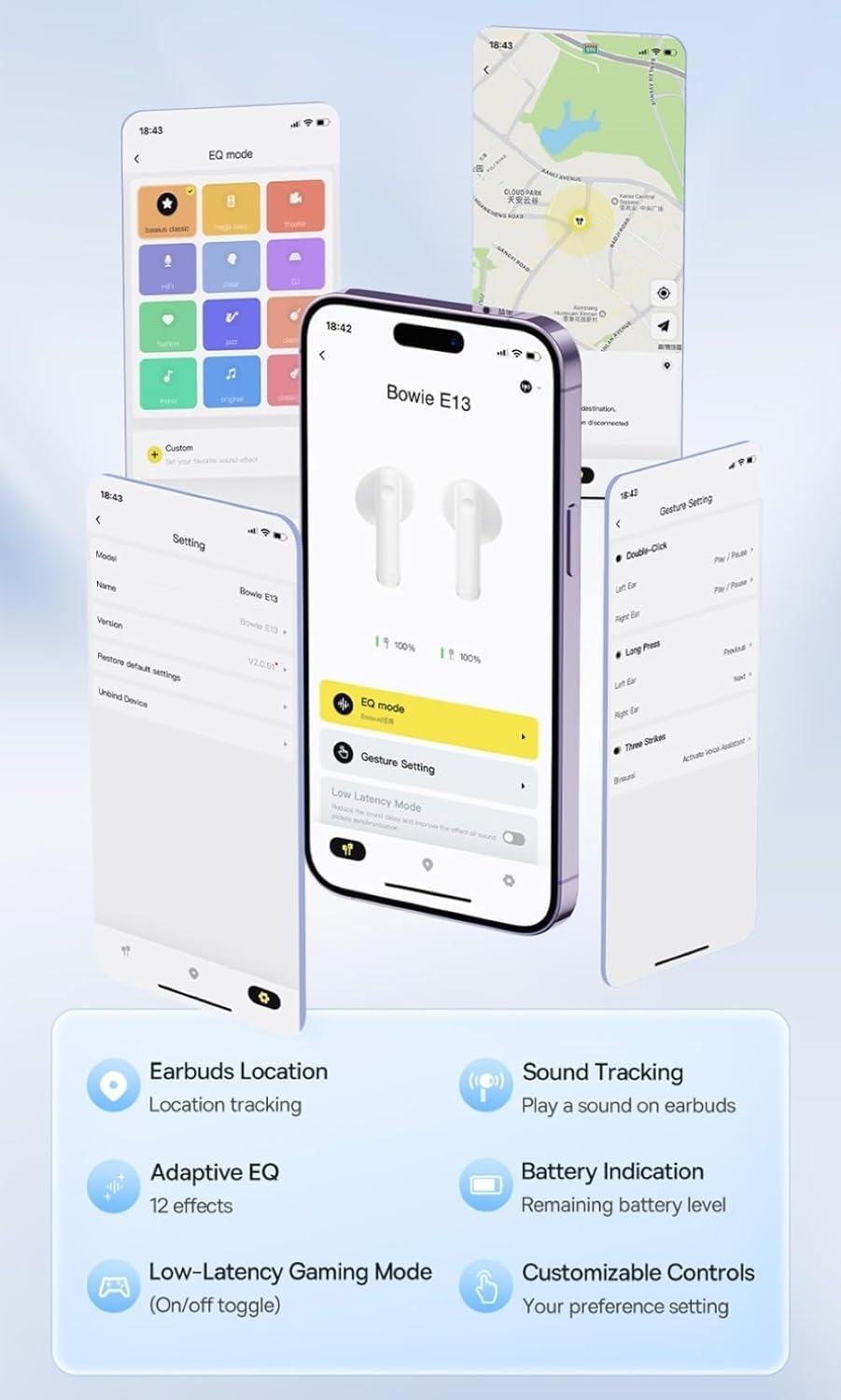
Image: Multiple smartphone screens displaying the Baseus app interface, highlighting features such as EQ mode, gesture settings, low-latency gaming mode, earbud location tracking, sound tracking, adaptive EQ with 12 effects, battery indication, and customizable controls.
5. Obrachadh
5.1 Smachdan Bunaiteach
The Baseus E13 TWS Bowie Headphones feature touch controls for easy management of audio and calls. Specific gestures can be customized via the Baseus app.
- Cluich / Stad: Tap singilte air gach earbud.
- An ath cheum: Tap dà uair air a’ chluas-cinn dheas.
- Rian roimhe: Tap dà uair air a’ chluas-cinn chlì.
- Freagairt/Cuireadh Call: Tap singilte air gach earbud.
- Call a dhiùltadh: Brùth fada air gach cluais-fòn.
- Cuir an gnìomh neach-taic guth: Tap trì tursan air gach cluais-fòn.
5.2 Modh Gèam Ìosal-Letency
For an optimized gaming experience, activate the 0.06s ultra-low latency gaming mode through the Baseus app. This reduces audio delay, providing faster response times.
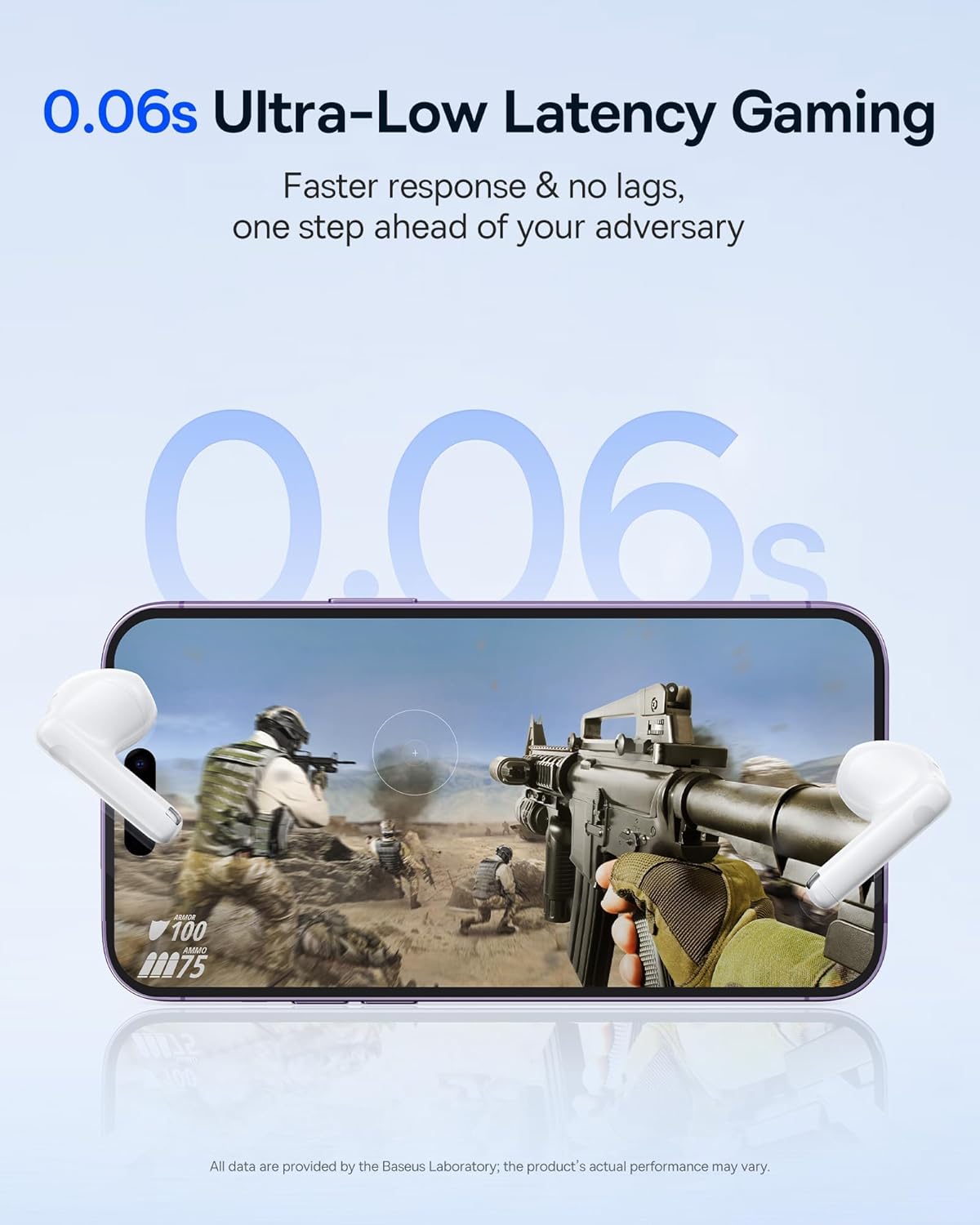
Image: The Baseus E13 TWS Bowie Headphones positioned near a smartphone screen displaying a fast-paced first-person shooter game, emphasizing the 0.06s ultra-low latency feature for gaming.
5.3 Ath-chluich Fuaime
Enjoy up to 30 hours of continuous audio playback with the assistance of the charging case. Each earbud provides several hours of playback on a single charge, with the case offering multiple recharges.

Image: The Baseus E13 TWS Bowie Headphones and their charging case, overlaid with a graphic prominently displaying '30H', signifying the total audio playback time achievable with the case.
5.4 Càileachd Fuaime
The earbuds are equipped with a large 12mm diaphragm, designed to restore each note with remarkable depth and accuracy, providing a powerful low-frequency audio experience.

Image: A detailed cutaway diagram of a Baseus E13 TWS earbud, focusing on the internal structure of the large 12mm diaphragm and its contribution to sound quality.
5.5 Ceangalachd
Utilizing Bluetooth 5.3 technology, the headphones offer a faster and more stable wireless connection, ensuring smooth audio transmission and enhanced sound quality.

Ìomhaigh: Foillseachadh follaiseach view of a Baseus E13 TWS earbud, revealing its internal circuitry and specifically highlighting the integrated Bluetooth 5.3 chip for advanced wireless connectivity.
6. A’ caitheamh nan cluasan-cluaise
The earbuds are designed with a mini stem and a lightweight profile, featuring a 45° wearing angle for a comfortable and secure fit.

Image: A woman wearing a Baseus E13 TWS earbud, illustrating the ergonomic design with a mini stem and lightweight construction for a comfortable user experience.
7. Cumail suas
- Glanadh: Glan na cluasan-cluaise agus a’ chùis cosgais gu cunbhalach le clò bog, tioram, gun lint. Na cleachd ceimigean cruaidh no stuthan sgrìobach.
- Seasmhachd uisge: The earbuds are water resistant. Avoid submerging them in water or exposing them to excessive moisture. Dry thoroughly if they come into contact with liquids.
- Stòradh: Nuair nach eilear gan cleachdadh, stòraich na fònaichean-cluaise anns a’ chùis cosgais aca gus an dìon agus an cumail fo chasaid. Stòraich ann an àite fionnar, tioram air falbh bho theodhachd anabarrach.
- Cùram Bataraidh: Gus beatha bataraidh a ghleidheadh, seachain na fònaichean-cluaise agus a’ chùis a dhì-luchdachadh gu tur gu tric. Cuir cosgais orra gu cunbhalach, eadhon ged nach eil iad gan cleachdadh gu cunbhalach.
8. A ’dèanamh trioblaid
If you encounter issues with your Baseus E13 TWS Bowie Headphones, refer to the following common solutions:
- Gun fhuaim:
- Dèan cinnteach gu bheil na cluasan-cluaise air an cur fo chasaid.
- Check Bluetooth connection to your device.
- Atharraich an tomhas-lìonaidh air an dà chuid fònaichean-cluaise agus inneal ceangailte.
- Earbuds nach eil a 'càradh:
- Cuir na fònaichean-cluaise air ais anns a’ chùis, dùin iad, agus an uairsin fosgail a-rithist gus modh càraid a ghabhail a-steach a-rithist.
- Forget "Baseus E13" from your device's Bluetooth list and attempt to pair again.
- Dèan cinnteach gu bheil na cluasan taobh a-staigh ruigsinneachd an inneil agad.
- Cùisean Cìsean:
- Dearbhaich gu bheil an càball cosgais ceangailte gu tèarainte ris a’ chùis agus ris an stòr cumhachd.
- Feuch port USB no inneal-atharrachaidh cumhachd eile.
- Ensure charging contacts on earbuds and in case are clean and free of debris.
- Aon earbud nach eil ag obair:
- Dèan cinnteach gu bheilear a’ cur cosgais air an dà earbuds.
- Try resetting the earbuds (refer to app or Baseus support for specific instructions).
9. Sònrachaidhean
| Brand | Baseus |
| Ainm Modail | E13 TWS |
| Teicneòlas ceangail | Gun Uèir (Bluetooth 5.3) |
| Suidheachadh cluais | Anns an Ear |
| Factor foirm | Fìor wireless |
| bacadh | 32 Ach |
| Seòrsa smachd | Touch controls, App |
| Stuth | Plastaig |
| Cuideam nì | 0.07 cileagram |
| Ìre an aghaidh uisge | Frith-uisge |
| An astar obrachaidh as àirde | 10 Meatairean |
| Beatha cuibheasach bataraidh | Suas ri 30 uairean (le cùis cosgais) |
| Feartan sònraichte | 0.06s ultra-low latency, Faster and more stable 5.3 wireless chip, Lightweight and Mini Design, Powerful low frequency controller |
10. Barantas agus Taic
Baseus products are designed for reliability and performance. For warranty information, please refer to the warranty card included with your purchase or visit the official Baseus website. For technical support or further assistance, please contact Baseus customer service or visit the Bùth Baseus air Amazon.