
Ro-ràdh
This manual provides comprehensive instructions for the safe and efficient use of your DOOGEE N50PRO smartphone. Please read this manual thoroughly before operating your device and retain it for future reference. The DOOGEE N50PRO is an Android 13 smartphone equipped with an Octa-Core processor, a 6.52-inch HD+ display, a 50MP main camera, a 4200mAh battery, and supports 4G Dual SIM, Face ID, and Fingerprint ID.
Susbaint pacaid
Dearbhaich gu bheil na nithean a leanas uile air an toirt a-steach sa phacaid toraidh agad:
- DOOGEE N50PRO Smartphone
- Bogsa Pacaidh
- Charger (9V/2A)
- Càball USB Type-C
- Pin cairt SIM
- Pre-applied TP Protective Film
- Leabhar-làimhe cleachdaiche (an sgrìobhainn seo)
Suidhich
1. Stàladh Cairt SIM agus Cairt TF
The DOOGEE N50PRO supports dual Nano SIM cards or one Nano SIM card and one TF (MicroSD) card for expandable storage up to 1TB. Ensure the device is powered off before inserting or removing cards.
- Lorg treidhe a’ chairt SIM air taobh a’ fòn.
- Insert the SIM card pin into the small hole next to the tray to eject it.
- Tarraing a-mach an treidhe gu faiceallach.
- Cuir do chairt(ean) Nano SIM agus/no cairt TF anns na sliotan ainmichte air an treidhe. Dèan cinnteach gu bheil na ceanglaichean òir a’ coimhead sìos.
- Brùth an treidhe air ais dhan fhòn gu socair gus an cliog e na àite.
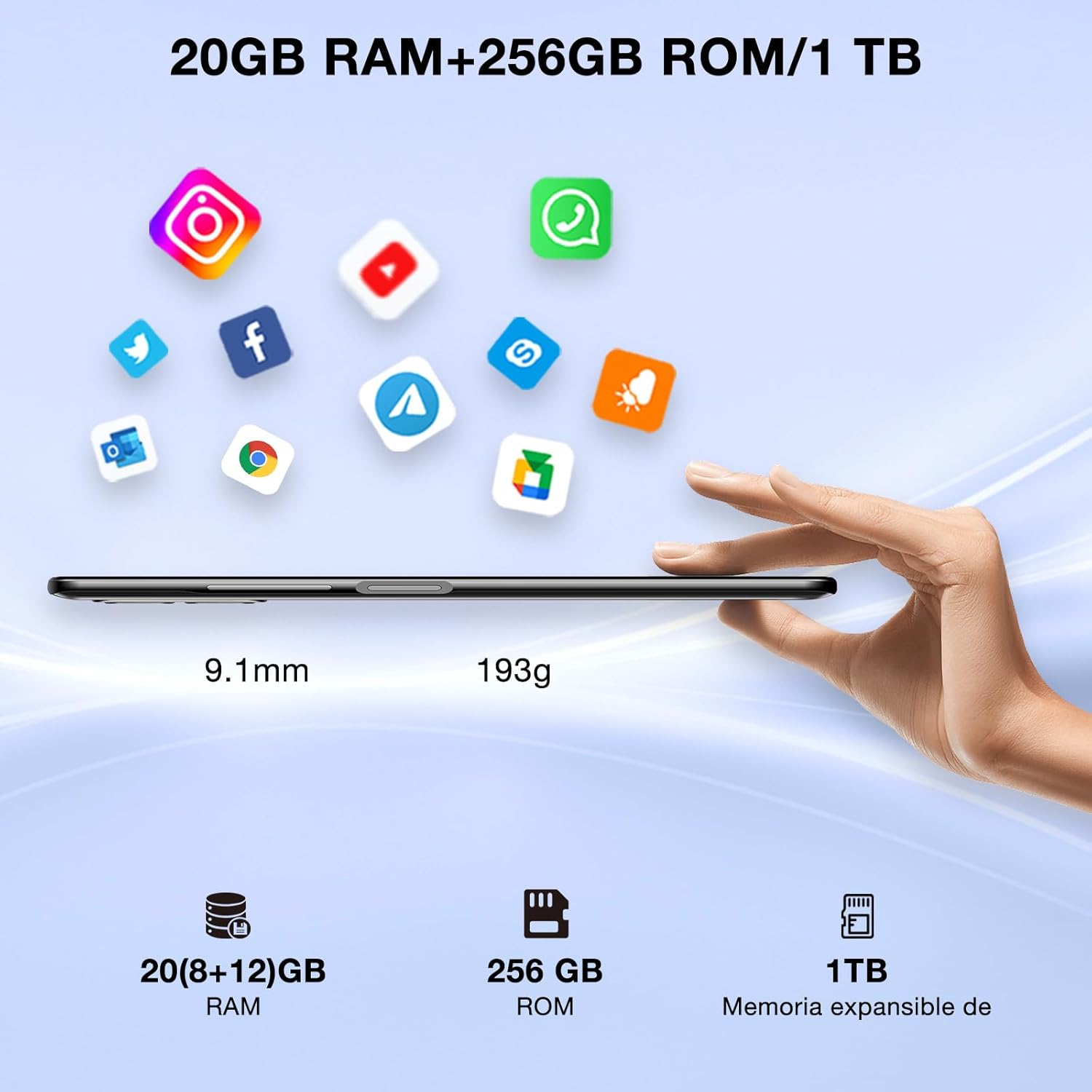
Image: DOOGEE N50PRO smartphone showing its slim profile (9.1mm), weight (193g), and memory configuration (20GB RAM, 256GB ROM, 1TB expandable memory).
2. A’ chiad chumhachd air
Press and hold the Power button located on the side of the device until the DOOGEE logo appears. Follow the on-screen prompts to complete the initial setup, including language selection, Wi-Fi connection, and Google account setup.
3. A 'cur cosgais air a' Bhataraidh
Before first use, it is recommended to fully charge the device. Connect the USB Type-C cable to the phone's charging port and the other end to the provided 9V/2A charger. Plug the charger into a power outlet. The charging indicator will appear on the screen.

Image: DOOGEE N50PRO connected to a charger, illustrating its 4200mAh battery capacity and 18W fast charging capability. The image also highlights OTG reverse charging.
Stiùireadh Obrachaidh
1. Basic Navigation and Android 13 Features
Your DOOGEE N50PRO runs on Android 13, offering an intuitive user experience. Swipe down from the top of the screen to access the notification panel and quick settings. Customize your control center and direct access operations for efficient use of various functions.

Image: Visual representation of the DOOGEE N50PRO's internal components, highlighting the Spreadtrum T606 Octa-Core processor with 1.6GHz high frequency and 12nm advanced technology, running on Android 13.
2. Security Features: Face ID and Fingerprint ID
Enhance your device's security and convenience with advanced biometric authentication:
- ID aghaidh: Register your face to unlock the phone by simply looking at the front camera.
- ID lorgan-meòir: Register your fingerprint(s) to unlock the phone or authorize purchases with a touch. The fingerprint sensor is typically located on the side or back of the device.

Image: A user demonstrating Face ID unlock and a close-up of the Fingerprint ID sensor on the DOOGEE N50PRO, showcasing its multi-function security features.
3. Cleachdadh Camara
The DOOGEE N50PRO features a triple camera system:
- Prìomh Chamara 50 MP: Airson dealbhan àrd-rèiteachaidh.
- Camara Aghaidh 8 MP: Airson selfies agus gairmean bhidio.
- Camara Macro 2 MP: Airson dealbhan dlùth mionaideach.
Access the Camera app from your home screen or app drawer. Explore various modes such as Panorama, Portrait, and Night mode to capture different scenes effectively.

Image: Diagram illustrating the DOOGEE N50PRO's dual AI camera setup, featuring a 50MP main camera, an 8MP front camera, and a 2MP macro camera. Sample photos taken with the 50MP main and 8MP front cameras are also shown.
4. Ceangalachd
- Wi-Fi: Supports 2.4G/5G Wi-Fi for fast and stable internet connection. Go to Settings > Network & internet > Wi-Fi to connect to available networks.
- Bluetooth 5.0: For connecting wireless accessories like headphones or speakers. Go to Settings > Connected devices > Bluetooth.
- OTG (Air an t-Slighe): Allows the phone to act as a host to connect USB devices like flash drives or external keyboards. It also supports reverse charging for other devices.
- Seòladh: Integrated GPS, GLONASS, BeiDou, and Galileo for accurate location services.
- Rèidio FM: Use the built-in FM radio feature (requires headphones to act as an antenna).
- Jack Headphone 3.5mm: Airson goireasan claisneachd uèirleas.
5. Smachd Phàrantan
The device includes parental control features, allowing you to monitor and manage screen time and application usage for children. Access these settings through the device's system settings to balance usage effectively.
Cumail suas
1. Cùram Bataraidh
- Seachain a’ bhataraidh a nochdadh do theodhachd anabarrach (teas no fuar).
- Na dì-luchdaich am bataraidh gu tur gu tric. Cuir cosgais air mus tuit e fo 20%.
- Use only the provided charger and cable to prevent damage.
2. Glanadh
Cleachd clò bog, gun lint airson scrion agus corp a’ fòn a ghlanadh. Seachain ceimigean cruaidh no stuthan sgrìobach a chleachdadh. Airson smugaid stòlda, beagan dampnigh an clò le uisge no le inneal-glanaidh sgrion a chaidh a dhealbhadh airson electronics.
3. Ùrachaidhean bathar-bog
Thoir sùil gu cunbhalach airson ùrachaidhean bathar-bog agus stàlaich iad gus dèanamh cinnteach gu bheil na feartan, na badan tèarainteachd agus na leasachaidhean coileanaidh as ùire aig an inneal agad. Rach gu Roghainnean > Siostam > Ùrachadh siostaim.
Fuasgladh thrioblaidean
- An uidheam nach eil a' cur cumhachd air: Dèan cinnteach gu bheil am bataraidh air a luchdadh. Ceangail an charger agus feith beagan mhionaidean mus feuch thu ri a chumhachdachadh a-rithist.
- Sgrion gun fhreagairt: Try restarting the device by holding the Power button for about 10-15 seconds.
- Cùisean lìonra: Check if your SIM card is properly inserted. Try toggling Airplane Mode on and off. If issues persist, contact your mobile service provider.
- Aplacaidean a’ tuiteam: Clear the cache of the problematic app (Settings > Apps > [App Name] > Storage & cache > Clear cache). If the issue continues, consider reinstalling the app.
- Coileanadh slaodach: Dùin aplacaidean nach eilear a’ cleachdadh, glan an tasgadan, no smaoinich air ath-shuidheachadh factaraidh mar an roghainn mu dheireadh (dèan cùl-taic den dàta agad an toiseach).
Sònrachaidhean
| Feart | Sònrachadh |
|---|---|
| Ainm Modail | DOOGEE N50PRO |
| Siostam-obrachaidh | Android 13.0 |
| Pròiseasar | Octa-Core (Spreadtrum T606) |
| RAM | 20 GB (Extended Memory) |
| Stòradh a-staigh (ROM) | 256 GB |
| Stòradh a ghabhas leudachadh | Suas ri 1 TB (Cairt TF) |
| Meud taisbeanaidh | 6.52 òirlich |
| Fuasgladh Taisbeanaidh | HD+ (720x1600) |
| Prìomh chamara | 50 BP |
| Camara aghaidh | 8 BP |
| Camara Macro | 2 BP |
| Comas Bataraidh | 4200 mAh |
| A 'cur cosgais | Cosgais Luath 18W Seòrsa-C |
| Teicneòlas cealla | 4G |
| Seòrsa cairt SIM | Nano SIM (Dual SIM support) |
| Ceangalachd | Wi-Fi (2.4G/5G), Bluetooth 5.0, OTG, FM Radio |
| Seòladh | GPS, GLONASS, BeiDou, Galileo |
| Feartan tèarainteachd | Face ID, Fingerprint ID |
| Meudan | 165.8 x 76.2 x 9.1 mm |
| Cuideam | 187 g |
| Jack headphone | 3.5 mm |
| Ùine Còmhraidh | Suas gu 16 uairean |

Image: The DOOGEE N50PRO's 6.52-inch Waterdrop HD+ display, showing its 720x1600 resolution, 20:9 aspect ratio, and 86% screen-to-body ratio.
Barantas agus Taic
1. Fiosrachadh Barantais
Your DOOGEE N50PRO smartphone comes with a two-year official warranty from the date of purchase. Please retain your proof of purchase for warranty claims. This warranty covers manufacturing defects and malfunctions under normal use conditions.
2. Taic teachdaiche
For technical assistance, warranty claims, or further inquiries, please contact DOOGEE customer support through their official website or the contact information provided with your purchase. Ensure you have your device model number and proof of purchase ready when contacting support.