
1. Ro-ràdh
The Nonstop NSO2-BK is a versatile hotel alarm clock designed for convenience and functionality. It features a clear digital display, multiple charging options including USB-C, and an intuitive interface for setting time and alarms. This manual provides detailed instructions for setting up and operating your alarm clock.
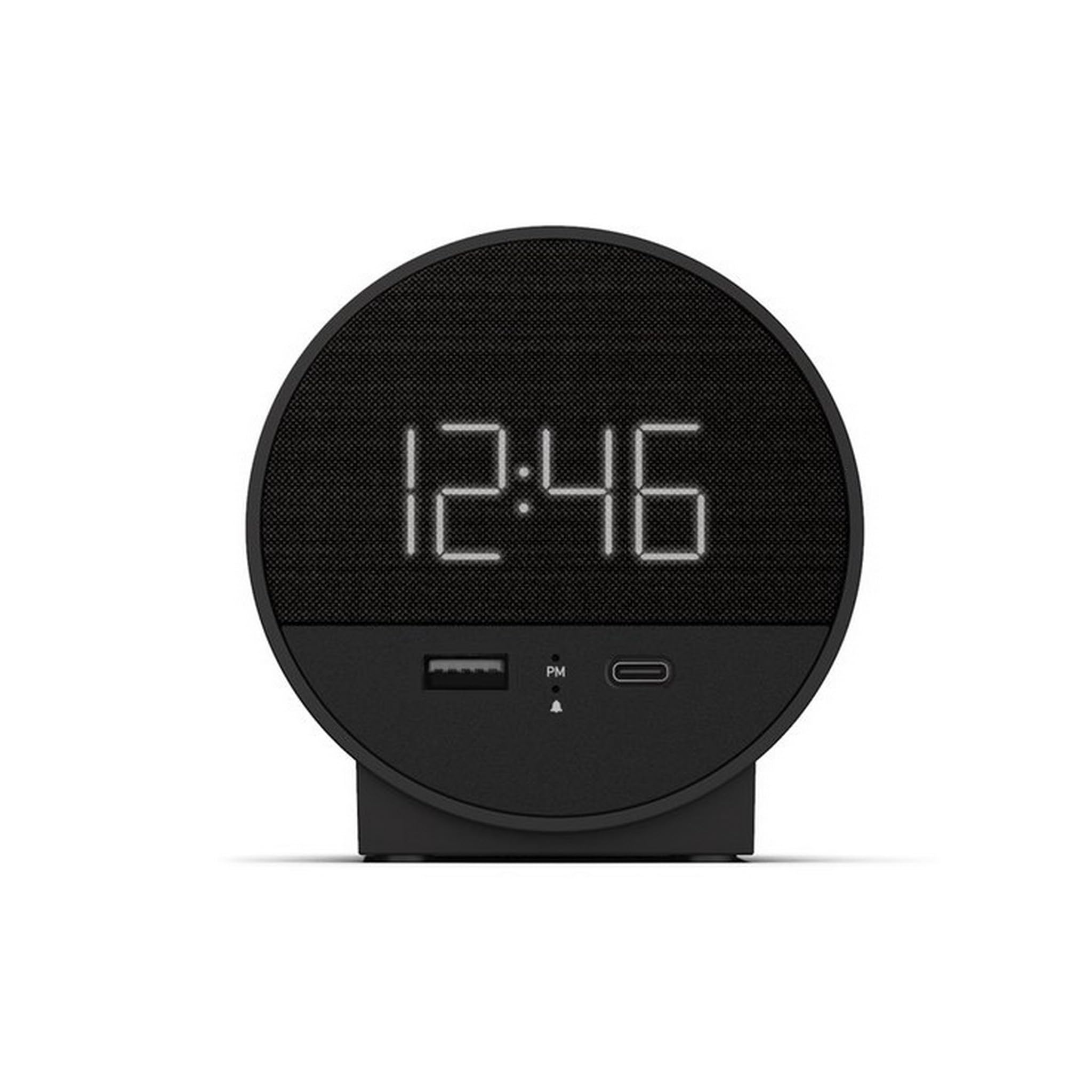
Figear 1: Aghaidh view of the Nonstop NSO2-BK USB-C Hotel Alarm Clock.
2. Feartan toraidh
- Digital Time Display: Clear and easy-to-read time.
- Dual Alarm Function: Set two independent alarms.
- Snooze Function: Temporarily silence the alarm.
- Display Dimmer: Adjust screen brightness for comfort.
- USB-C Charging Port: Modern charging for compatible devices.
- USB-A Charging Port: Standard USB charging for various devices.
- Bluetooth Speaker: Connect your smartphone or other devices to play audio.
- Relaxation Sounds: Built-in sound machine for sleep or relaxation.

Figure 2: Close-up of the USB-A and USB-C charging ports on the alarm clock.
3. Suidhich
3.1 Ceangal cumhachd
- Unpack the alarm clock and all accessories.
- Connect the power adapter to the DC input port on the back of the alarm clock.
- Cuir an inneal-atharrachaidh cumhachd a-steach do shocaid dealain àbhaisteach. Lasaidh an taisbeanadh suas.
3.2 Backup Battery (Not included)
Airson cumail ùine leantainneach rè cumhachd dhethtages, insert 2 AAA batteries (not included) into the battery compartment on the bottom of the unit. The backup battery maintains time settings but does not power the display or alarm functions.
4. Stiùireadh Obrachaidh
4.1 A ’suidheachadh na h-ùine
- Brùth agus cùm an SEANN TIOMNAIDH button (often labeled 'M' or a clock icon) for 3 seconds until the hour digits flash.
- Cleachd an HR (Uair) agus MIN Putanan (Mionaidean) gus an ùine atharrachadh.
- Brùth SEANN TIOMNAIDH a-rithist gus dearbhadh agus modh suidheachadh ùine fhàgail.
4.2 A' suidheachadh an Alarm
The NSO2-BK supports two independent alarms (Alarm 1 and Alarm 2).
- Brùth agus cùm an Alarm 1 or Alarm 2 button (bell icon) for 3 seconds until the hour digits flash.
- Cleachd an HR agus MIN putanan gus an ùine rabhaidh a tha thu ag iarraidh a shuidheachadh.
- Brùth air a’ phutan iomchaidh ALARM putan a-rithist gus dearbhadh a dhèanamh air àm an rabhaidh.
- To activate/deactivate an alarm, short press the corresponding ALARM button. An indicator light will appear/disappear on the display.
4.3 Gnìomh Snooze
Nuair a chluinneas tu an inneal-rabhaidh, brùth air a’ phutan mhòr SNOZE button on top of the unit to temporarily silence the alarm for 9 minutes. The alarm will sound again after the snooze period.
4.4 Smachd Soilleireachd Taisbeanaidh
Brùth an SNOOZE / DIMMER button (or a dedicated dimmer button if available) repeatedly to cycle through different brightness levels for the display. Select the level that is most comfortable for you.
4.5 Innealan Cosgais
The NSO2-BK provides convenient charging for your electronic devices:
- Port USB-C: Located on the front, plug in your USB-C compatible device for fast charging.
- Port USB-A: Located on the front, plug in your standard USB-A compatible device for charging.
4.6 neach-labhairt Bluetooth
To use the alarm clock as a Bluetooth speaker:
- Brùth an MODE button (labeled 'M') until 'BT' appears on the display.
- Air an inneal gluasadach agad, leig le Bluetooth agus rannsaich na h-innealan a tha rim faighinn.
- Select 'A21-B' (or similar model name) from the list to pair.
- Once paired, you can play audio from your device through the alarm clock's speaker.
Video 1: Demonstrates various functions including time setting, alarm setting, snooze, brightness, and charging on a similar multifunctional alarm clock. Note: Specific button labels may vary slightly from your model.
5. Cumail suas
- Glan an aonad le clò bog, tioram. Na cleachd innealan-glanaidh leaghaidh no stuthan sgrìobach.
- Cùm an aonad air falbh bho sholas dìreach na grèine, stòran teas agus taiseachd.
- Na feuch ri an aonad a thoirt às a chèile no a chàradh thu fhèin. Cuir fios gu taic luchd-cleachdaidh airson cuideachadh.
6. A ’dèanamh trioblaid
- Gun chumhachd/taisbeanadh dheth: Ensure the power adapter is securely plugged into both the alarm clock and a working electrical outlet. Check if the power outlet is functional.
- Alarm gun fhuaim: Verify that the alarm is activated (indicator light on) and the alarm time is correctly set. Check the alarm volume settings.
- Cìs gun a bhith ag obair: Ensure your device is compatible with USB-C or USB-A charging. Check the charging cable for damage.
- Cùisean Paidhir Bluetooth: Ensure the alarm clock is in Bluetooth pairing mode ('BT' displayed). Turn off and on Bluetooth on your mobile device and try pairing again.
7. Sònrachaidhean
| Sònrachadh | Mion-fhiosrachadh |
|---|---|
| Modail | NSO2-BK |
| Cuideam nì | 2 not |
| ASIN | B0CKCNX688 |
| Ceann-latha Ri fhaighinn an-toiseach | 29 an t-Iuchar, 2024 |
8. Barantas agus Taic
This Nonstop NSO2-BK USB-C Hotel Alarm Clock comes with a 365-Day Warranty from the date of purchase. For any product-related inquiries, technical support, or warranty claims, please contact our customer service team.
- Poileasaidh Tilleadh: 30-day refund/replacement period.
- Ùine barantais: 365 latha bho cheannach.
- Post-d taic: Andoservice@outlook.com