
1. Ro-ràdh
Thank you for choosing the Trust Halyx 5-in-1 USB-C Hub. This manual provides essential information for the proper setup, operation, and maintenance of your device. This hub is designed to expand the connectivity of your PC, laptop, or MacBook Pro by adding four USB-C data ports and one USB-C Power Delivery (PD) port.
2. Toradh thallview
The Trust Halyx 5-in-1 USB-C Hub (Model 25136) features a durable aluminum housing and a compact design. It connects to your host device via an integrated 10cm USB-C cable.
2.1 Prìomh fheartan
- 5-Port Connectivity: Adds 4 USB-C data ports and 1 USB-C Power Delivery port.
- 100W USB-C PD Power Port: Allows pass-through charging for your laptop (additional charger required).
- Gluasad dàta aig astar àrd: Supports data transfer speeds up to 5 Gbps.
- Dealbhadh seasmhach: Constructed with an aluminum housing for enhanced durability.
- Plug and Play: Chan eil feum air draibhearan airson a’ mhòr-chuid de shiostaman obrachaidh.
2.2 Susbaint a’ phacaid
- Trust Halyx 5-in-1 USB-C Hub
- Leabhar-làimhe cleachdaiche (an sgrìobhainn seo)

Image: The Trust Halyx 5-in-1 USB-C Hub showing its five convenient ports and integrated USB-C cable.

Ìomhaigh: Mion-fhiosrachadh view of the five USB-C ports on the Trust Halyx hub, including the Power Delivery port.
3. Stiùireadh Stèidheachaidh
Follow these steps to set up your Trust Halyx 5-in-1 USB-C Hub:
- Ceangail ris an inneal aoigheachd: Plug the integrated USB-C cable of the hub into an available USB-C port on your PC, laptop, or MacBook Pro.
- Ceangal Cumhachd (Roghainneil): If you wish to charge your laptop through the hub, connect your laptop's USB-C power adapter to the dedicated 100W USB-C PD port on the hub. Note: An additional charger is required for pass-through charging.
- Ceangail peripherals: Plug your USB-C devices (e.g., external drives, keyboards, mice, other USB-C accessories) into the four USB-C data ports on the hub.
- Dearbhaich an ceangal: Your operating system should automatically detect the hub and connected devices. No additional drivers are typically needed.

Image: The Trust Halyx hub connected to a laptop, demonstrating how to plug in additional USB-C devices.

Image: The 100W USB-C Power Delivery port on the Trust Halyx hub, with a power cable connected for laptop charging.
4. Stiùireadh Obrachaidh
Once connected, the Trust Halyx hub operates as a direct extension of your computer's USB-C capabilities.
4.1 Innealan ceangail
- Simply plug your USB-C peripherals into any of the four available USB-C data ports.
- The hub supports data transfer speeds of up to 5 Gbps, suitable for most external storage devices, keyboards, mice, and other accessories.
4.2 Power Delivery Functionality
- The dedicated USB-C PD port allows you to charge your laptop while using the hub. Connect your laptop's original USB-C power adapter to this port.
- The hub supports up to 100W pass-through power delivery. Ensure your power adapter is compatible with your laptop's charging requirements.

Image: A complete workstation setup utilizing the Trust Halyx hub to connect various peripherals to a laptop and external monitor.
5. Cumail suas agus Cùram
To ensure the longevity and optimal performance of your Trust Halyx USB-C Hub, follow these guidelines:
- Glanadh: Cleachd clò bog, tioram airson an t-ionad a ghlanadh. Seachain innealan-glanaidh leaghaidh no stuthan sgrìobach.
- Stòradh: Stòraich am mol ann an àite fionnar, tioram nuair nach eilear ga chleachdadh. Tha a mheud beag ga dhèanamh freagarrach airson siubhal.
- Làimhseachadh: Avoid dropping the hub or subjecting it to strong impacts. Do not bend the integrated cable excessively.
- Teòthachd: Operate the hub within normal room temperatures. Avoid extreme heat or cold.
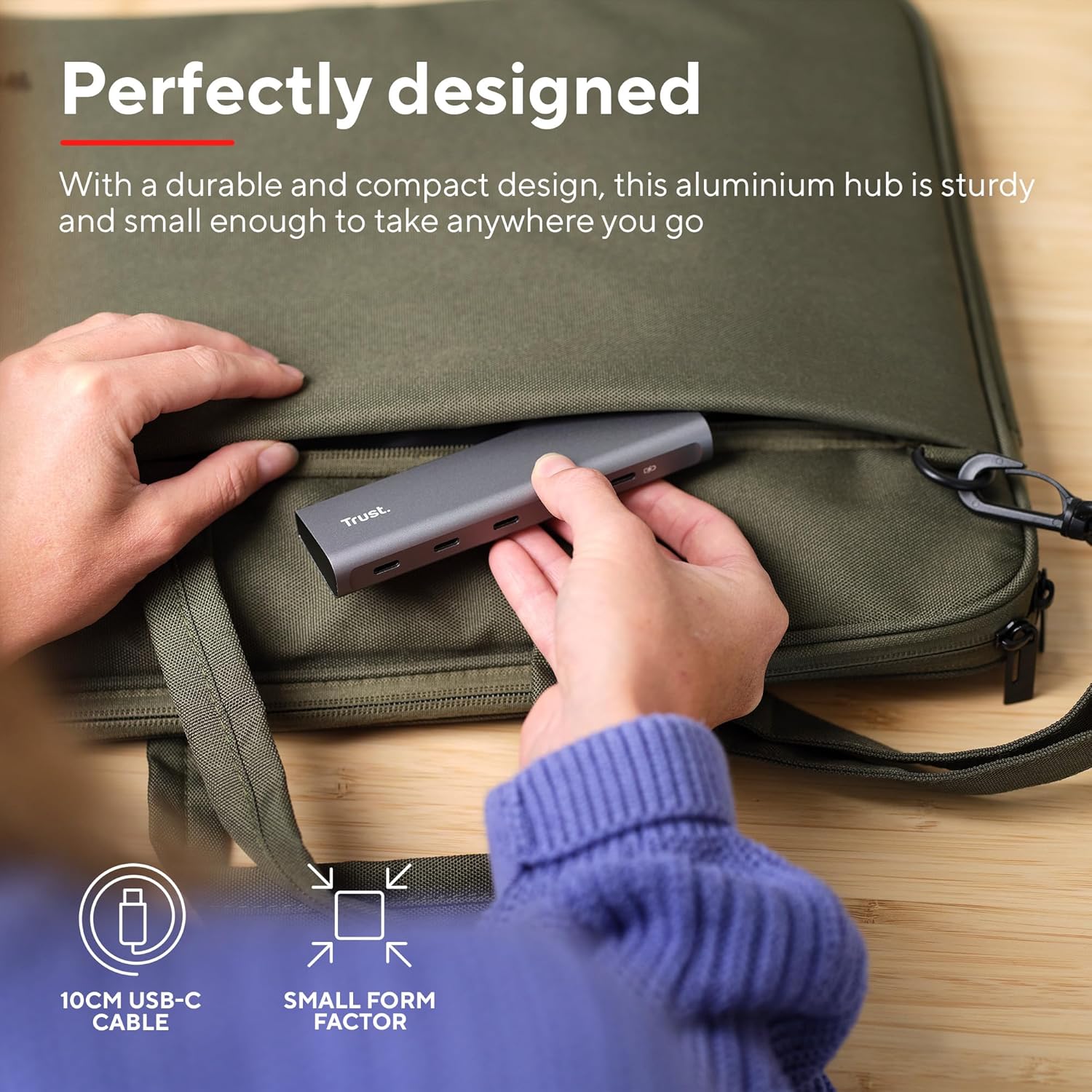
Image: The compact and durable design of the Trust Halyx hub, shown being placed into a laptop bag for portability.
6. A ’dèanamh trioblaid
If you encounter issues with your Trust Halyx USB-C Hub, refer to the following common solutions:
6.1 Devices Not Detected
- Thoir sùil air ceanglaichean: Ensure the hub's USB-C cable is securely plugged into your host device and that peripherals are firmly connected to the hub.
- Ath-thòisich an inneal aoigheachd: Sometimes, a simple restart of your computer can resolve detection issues.
- Test Peripherals Directly: Connect the peripheral directly to your computer's USB-C port (if available) to confirm it is functioning correctly.
- Feuch Port Eadar-dhealaichte: If your computer has multiple USB-C ports, try connecting the hub to a different one.
6.2 Charging Not Working
- Dearbhaich an Adaptor Cumhachd: Ensure your USB-C power adapter is correctly connected to the hub's PD port and is capable of providing sufficient power for your laptop.
- Check Laptop Compatibility: Confirm your laptop supports USB-C Power Delivery for charging.
- Ionracas càball: Ensure the USB-C cable from your power adapter to the hub is not damaged.
6.3 Gluasad Dàta Mall
- Co-fhreagarrachd inneal: Ensure the connected peripheral supports USB 3.0 (5 Gbps) speeds. Older USB 2.0 devices will operate at their native slower speeds.
- Host Port Speed: Verify that the USB-C port on your computer supports USB 3.0 or higher data transfer rates.
- Seachain cus luchdachadh: While the hub provides multiple ports, extremely demanding devices might perform better when connected directly to the host device if possible.
7. Sònrachaidhean
| Feart | Mion-fhiosrachadh |
|---|---|
| Modail Àireamh | 25136 |
| Brand | Urras |
| Ceangalachd | 1x USB-C Host Connector (integrated cable), 4x USB-C Data Ports, 1x USB-C Power Delivery Port |
| Luas gluasad dàta | Suas ri 5 Gbps (USB 3.0) |
| Lìbhrigeadh cumhachd | Cosgais pas-troimhe suas ri 100W |
| Stuth Taigheadais | Aluminium |
| Fad Càball | 10 cm |
| Meudan (LxWxH) | 1.26 x 5 x 0.63 òirleach (32 x 127 x 16 mm) |
| Cuideam | 2.86 unnsa (81 gram) |
| Siostaman-obrachaidh co-fhreagarrach | Chrome OS, Windows 10 or 11, macOS 11, 12 or 13 |
8. Barantas agus Taic
Airson fiosrachadh barantais agus taic theicnigeach, thoir sùil air làrach-lìn oifigeil an Urrais. weblàrach-lìn no cuir fios chun t-seirbheis teachdaiche aca gu dìreach. Cùm dearbhadh do cheannach airson tagraidhean barantais.
Taic air-loidhne: www.trust.com/support