
NIIMBOT D11
NIIMBOT D11 Label Maker User Manual
Model: D11 | Brand: NIIMBOT
1. Ro-ràdh
This manual provides detailed instructions for the setup, operation, and maintenance of your NIIMBOT D11 Portable Bluetooth Thermal Label Printer. Please read this manual thoroughly before using the device to ensure proper function and longevity.

Image: The NIIMBOT D11 Label Maker, a compact and portable thermal printer.
2. Pasgan-susbaint
Dèan cinnteach gu bheil a h-uile nì anns a’ phacaid:
- 1 × NIIMBOT D11 Label Maker
- Càball 1 × USB
- 1 × Roll of 0.6×1.6 inch (160 pcs) label tape (pre-installed inside the machine)
- 1 × Leabhar-làimhe Cleachdaiche
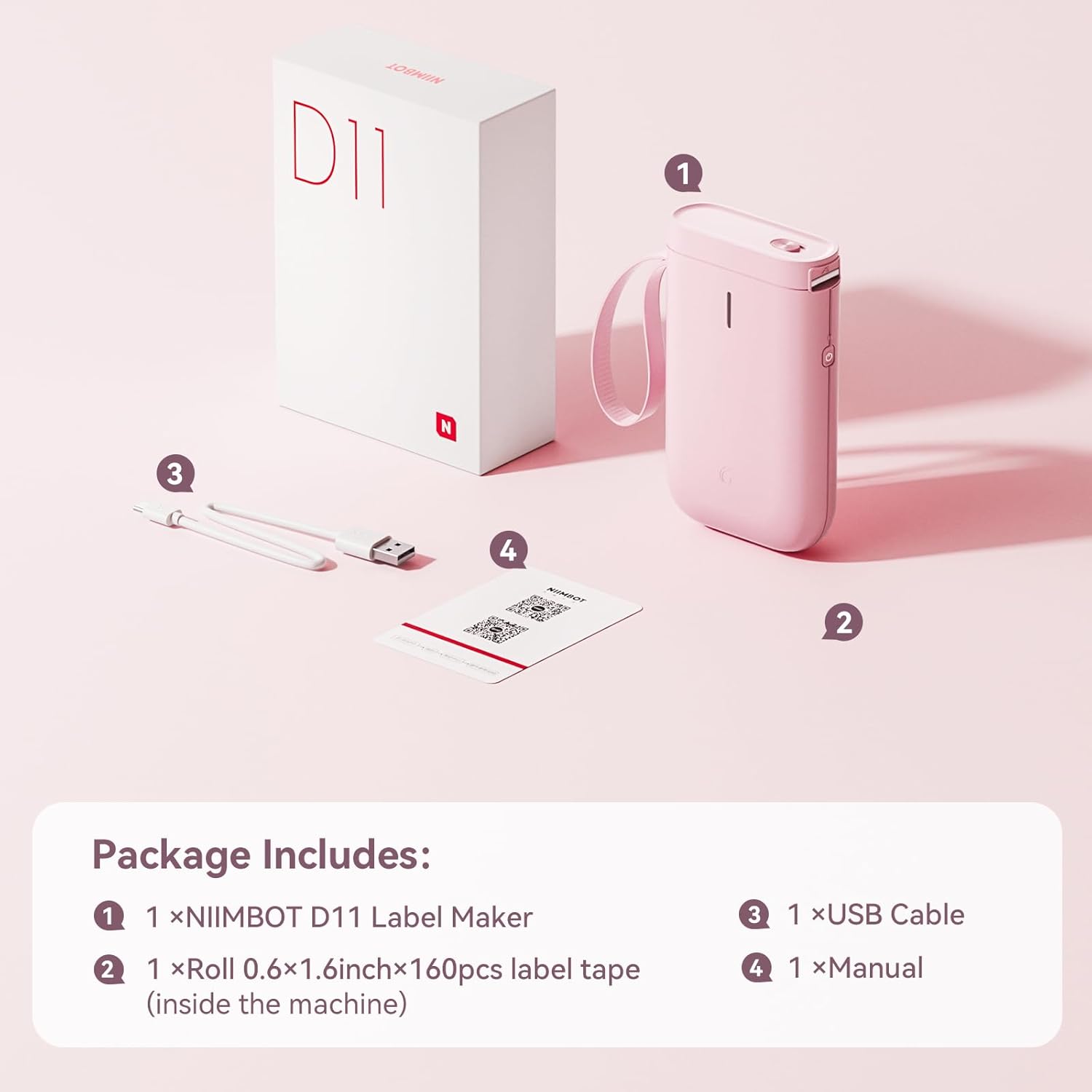
Image: Visual representation of the NIIMBOT D11 Label Maker package contents, including the device, USB cable, label roll, and manual.
3. Suidhich
3.1 A’ cur cosgais air an inneal
Before first use, fully charge the NIIMBOT D11 Label Maker using the provided USB cable. Connect the USB cable to the charging port on the device and a compatible USB power source. The LED indicator will show charging status. A full charge may take several hours.
3.2 A’ luchdadh pàipear leubail
- Locate the paper cover switch on the top of the device.
- Slide the switch to open the paper cover.
- Ensure the label roll is inserted correctly. The tip of the label tape should face towards the power button.
- Dùin an còmhdach pàipeir gu tèarainte.
- Press and hold the power button for 0.5 seconds to allow the machine to automatically align the label paper.
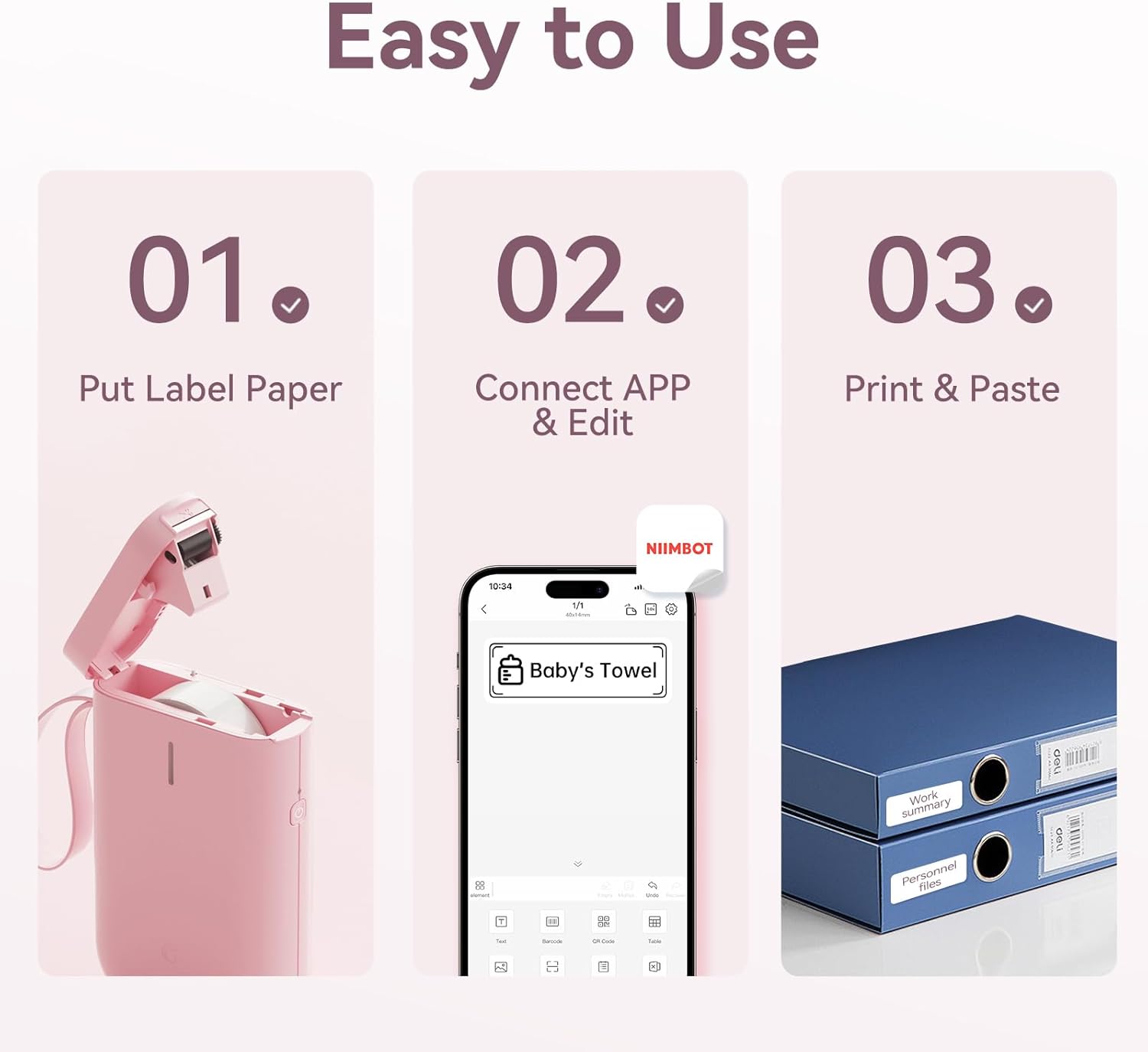
Image: Visual guide showing the three steps to load label paper, connect to the app, and print/paste labels.
Video: Detailed operation guide for the D11 Label Maker, including paper loading and basic functions.
3.3 Luchdaich sìos agus Stàladh App
The NIIMBOT D11 operates via the NIIMBOT mobile application. Download the app from your device's app store:
- For iOS devices: Search "NIIMBOT" in the Apple App Store.
- For Android devices: Search "NIIMBOT" in the Google Play Store.
Stàlaich an aplacaid air an fhòn-smart agad.
3.4 Pairing with Your Mobile Device
- Turn on the NIIMBOT D11 Label Maker by pressing the power button for 3 seconds. The blue light will flash.
- Dèan comas air Bluetooth air an inneal gluasadach agad.
- Open the NIIMBOT application.
- In the app, search for nearby devices and select "D11" from the list to connect.
- Once connected, the app will automatically identify the label paper template.
4. Stiùireadh Obrachaidh
4.1 A’ cruthachadh leubail
The NIIMBOT app offers various features for label creation:
- Teacs: Enter custom text, adjust font, size, and style.
- Ìomhaighean: Choose from a library of icons to enhance your labels.
- Còdan-barra/Còdan QR: Generate and print barcodes or QR codes for product identification or information.
- Teamplaidean: Utilize pre-designed templates for common labeling needs (e.g., home organization, price tags).
- Dealbhan: Insert simple images onto your labels.
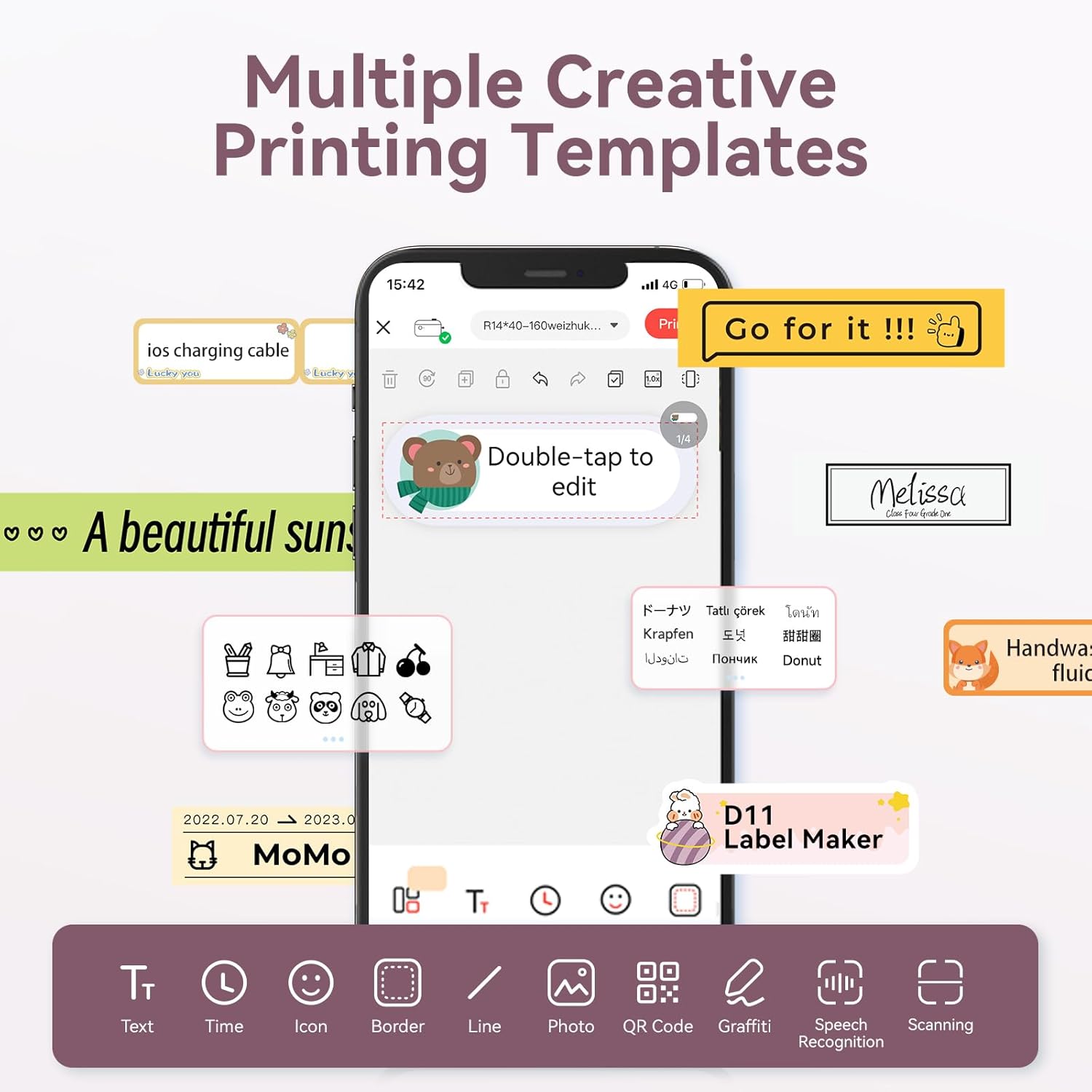
Image: The NIIMBOT app interface displaying various creative templates and editing options for labels.
4.2 Clò-bhualadh Leubail
Às dèidh dhut an leubail agad a dhealbhadh san aplacaid:
- Review the label preview anns an aplacaid.
- Adjust the number of copies and print density as needed.
- Click the "Print" button in the app. The label maker will print the labels.
- Gently tear off the printed labels from the machine.
Video: A demonstration of the D11 Label Maker in various scene applications, showcasing its ease of use and versatility.
Bhidio: Thar-shealladhview of the D Series Label Maker with tape, highlighting its features and applications.
5. Iarrtasan
The NIIMBOT D11 Label Maker is versatile and suitable for various labeling needs:
- Eagrachadh Dachaigh: Labeling containers, storage bins, pantry items, and personal belongings.
- Office & School: Ag eagrachadh files, documents, stationery, and school supplies.
- Gnìomhachas Beag: Creating price tags, product labels, and inventory identification.
- Specialty Labels: Cable identification, jewelry tags, and food date marking.

Image: Collage showing labels used for home organization (medicine box), office files, business products (sweater with barcode), and school items (notebook).

Ìomhaigh: Examples of labels demonstrating features like waterproof properties, food date marking, data cable organization, and personal item identification.
6. Cumail suas
6.1 Glanadh
To maintain optimal printing quality, regularly clean the print head. Use a soft, lint-free cloth lightly dampened with isopropyl alcohol. Gently wipe the print head. Ensure the device is powered off before cleaning.
6.2 Stòradh
Store the label maker in a cool, dry place away from direct sunlight and extreme temperatures. Remove any label rolls if storing for extended periods.
7. A ’dèanamh trioblaid
| Trioblaid | Adhbhar a dh’fhaodadh a bhith ann | Fuasgladh |
|---|---|---|
| An inneal nach eil a 'toirt cumhachd air | Bataraidh ìosal | Luchdaich a-nuas an t-inneal gu h-iomlan. |
| Chan urrainn dhuinn ceangal a dhèanamh tro Bluetooth | Bluetooth is off on phone; device not discoverable | Ensure phone's Bluetooth is on. Restart both device and phone. Re-pair in the app. |
| Càileachd clò dona | Dirty print head; incorrect label roll insertion; low print density setting | Clean the print head. Re-insert label roll correctly. Increase print density in app. |
| Leubail nach eil a’ biathadh gu ceart | Label roll jammed or incorrectly inserted | Open cover, check for jams, re-insert label roll, and perform auto-alignment. |
8. Sònrachaidhean
- Ainm a' mhodail: D11
- Teicneòlas clò-bhualaidh: Teirmeach
- Ceangal: Bluetooth
- Astar Clò-bhualaidh as Motha (Moncromach): 20 ppm
- Fuasgladh clò dubh is geal as àirde: 203 dpi
- Bataraidh: 1 bataraidh lithium-ion (1200mAh)
- Meudan toraidh: 4.2 x 2.9 x 1.2 òirleach
- Cuideam nì: 12.6 unnsa
- Innealan co-fhreagarrach: Smartphones (iPhone, iOS & Android)
- Modh smachd: App
- Feartan sònraichte: Portable, Easy to Use, Clear Printing, Rechargeable
- Meud Meadhanan as motha: Nas lugha na A3
- Sheet Size Options: 0.47''X1.57'', 0.55''x1.18'', 0.55''X1.57'', 0.47''X1.18'', 0.59''X1.18'' Inches
9. Barantas agus Taic
For warranty information and customer support, please refer to the official NIIMBOT website or contact their customer service directly. The user manual included in your package may also contain specific warranty details and contact information.
Airson goireasan a bharrachd agus fiosrachadh mu thoraidhean, tadhail air NIIMBOT Store on Amazon.