
Ro-ràdh
This manual provides comprehensive instructions for the setup, operation, and maintenance of your Surfans F22 Portable HiFi MP3 Player. Please read this manual thoroughly before using the device to ensure proper functionality and to maximize your listening experience.
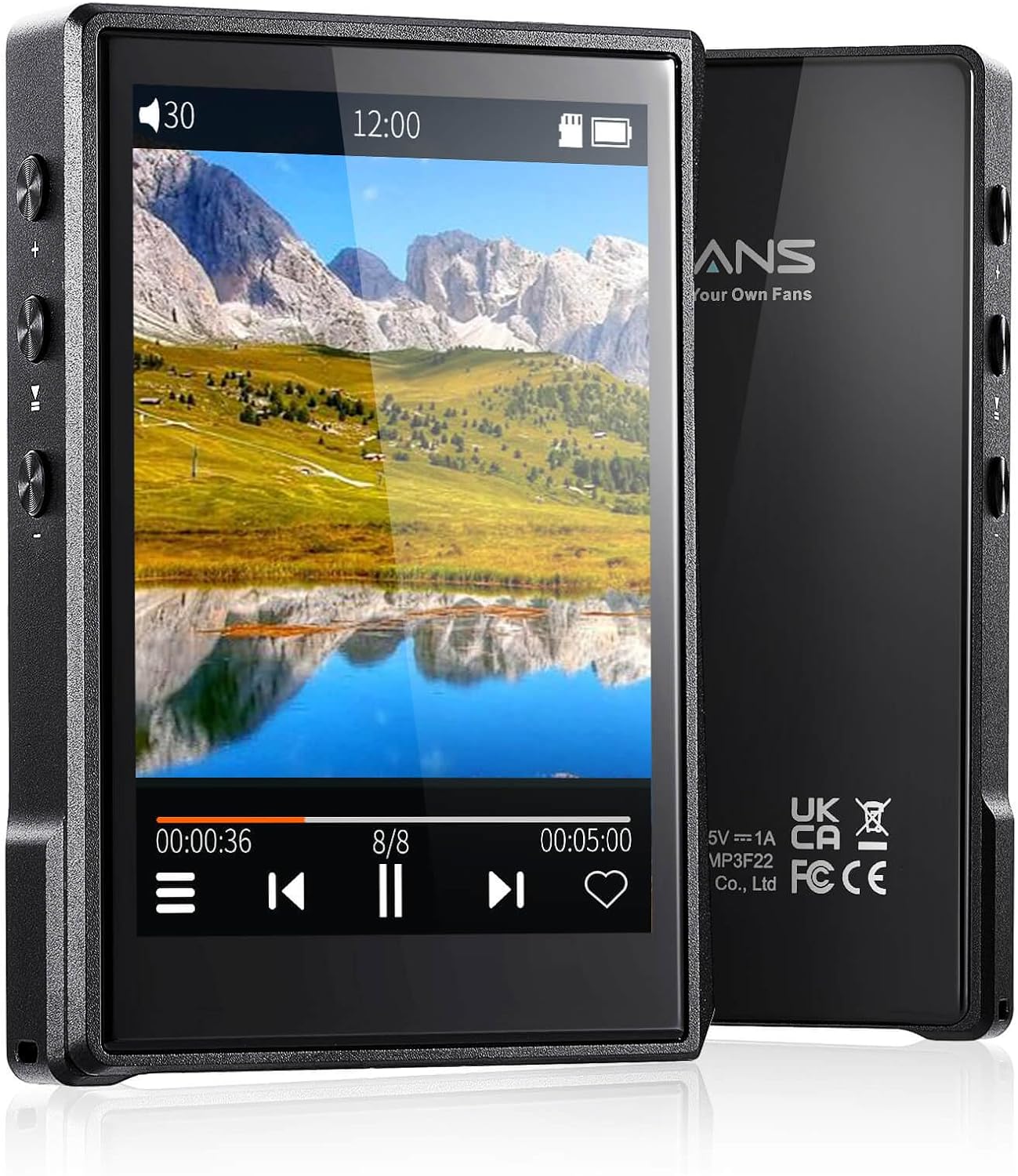
Ìomhaigh: Aghaidh is cùl view of the Surfans F22 Portable HiFi MP3 Player, showcasing its 2.8-inch touchscreen and sleek design.
Susbaint pacaid
Dèan cinnteach gu bheil a h-uile nì anns a’ phacaid:
- Surfans F22 HiFi Music Player
- Leabhar-làimhe cleachdaiche (an sgrìobhainn seo)
- Càball USB-C
- Cairt-chuimhne 32GB (air a stàladh ro-làimh no air a ghabhail a-steach air leth)
Inneal thairisview
Familiarize yourself with the physical components of your F22 player.

Image: Diagram illustrating the various ports and buttons on the Surfans F22 MP3 Player, including the power button, volume controls, headphone jack, and USB-C port.
- 2.8-inch IPS TFT Full Touchscreen: Main interface for navigation and control.
- Putan Cumhachd: Tionndaidhidh e an inneal air/dheth agus glasaidh/fhuasglaidh e an sgrion.
- Putanan tomhas-lìonaidh: Atharraichidh seo ìre toraidh claisneachd.
- Jack headphone (3.5mm): Ceangail fònaichean-cluaise le uèir.
- Port USB-C: Airson cosgais agus gluasad dàta.
- Slot cairt Micro SD: Airson stòradh a ghabhas leudachadh suas ri 1TB.
Suidhich
1. A 'cur cosgais air an inneal
Before first use, fully charge the F22 player. Connect the provided USB-C cable to the device's USB-C port and the other end to a USB power adapter (not included) or a computer's USB port. The charging indicator will show progress. A full charge typically takes approximately 2 hours and provides up to 10 hours of playback.
2. A’ cur a-steach cairt Micro SD
The F22 comes with a 32GB memory card. For additional storage, you can insert a Micro SD card (up to 1TB) into the designated slot. Ensure the card is inserted correctly until it clicks into place.

Image: A Surfans F22 MP3 Player shown with a Micro SD card being inserted into its slot, illustrating the expandable storage capability.
3. A’ Gluasad Ceòl Files
Connect the F22 player to your computer using the USB-C cable. The device will appear as a removable storage drive. Drag and drop your music files (FLAC, WMA, WAV, DSF, DSD, MP3, etc.) into the appropriate folders on the player's internal storage or the Micro SD card.

Image: A Surfans F22 MP3 Player displaying music playback, with a person wearing headphones in the background, symbolizing the high-fidelity audio experience.
Stiùireadh Obrachaidh
1. Cumhachd Air/Dheth agus Glasadh Sgrion
- Gus an cumhachd a chur air, brùth is cum sìos am putan Cumhachd gus an las an scrion suas.
- To power off, press and hold the Power button, then select "Power Off" on the screen.
- To lock/unlock the screen, briefly press the Power button.
2. Seòladh an Eadar-aghaidh
The F22 features a 2.8-inch touchscreen for navigation. Swipe left/right or up/down to browse menus and lists. Tap icons to select options or open applications.
3. Cluich Ciùil
- From the main menu, select "Music" to access your library.
- Browse by Artist, Album, Song, Genre, or Folder.
- Tap air òran gus tòiseachadh air ath-chluich.
- During playback, use the on-screen controls for play/pause, skip track, and volume adjustment. Physical volume buttons also control volume.

Image: The Surfans F22 MP3 Player screen showing options for music playback modes: List play, Single play, List loop, and Random, indicating flexible listening options.
4. Ceangalachd Bluetooth
The F22 supports Bluetooth 4.2 for wireless audio output.
- Rach gu "Roghainnean" agus tagh "Bluetooth".
- Turn Bluetooth on. The player will scan for available devices.
- Select your desired Bluetooth headphones or speaker from the list to pair.
- Once paired, audio will stream wirelessly to the connected device.

Image: A visual representation of the Surfans F22 MP3 Player's Bluetooth 4.2 capabilities, showing connections to Bluetooth headphones, a Bluetooth speaker, and a car stereo system.
5. E-Book Functionality
The F22 also supports E-book reading.
- Transfer compatible E-book files dhan inneal.
- Bho phrìomh chlàr-taice, tagh “Leabhar-d”.
- Browse and select a book to open and read.
Cumail suas
- Glanadh: Cleachd clò bog, tioram airson an inneal a ghlanadh. Seachain innealan-glanaidh leaghaidh no stuthan sgrìobach.
- Stòradh: Stòraich an cluicheadair ann an àite fionnar, tioram air falbh bho sholas dìreach na grèine agus teòthachd anabarrach.
- Cùram Bataraidh: Gus beatha a’ bhataraidh a leudachadh, seachain a bhith ga leigeil às gu tur gu tric. Cuir cosgais air an inneal gu cunbhalach, eadhon ged nach eilear ga chleachdadh airson ùine mhòr.
- Ùrachaidhean bathar-bog: Thoir sùil air an neach-dèanamh weblàrach-lìn bho àm gu àm airson ùrachaidhean firmware gus dèanamh cinnteach à coileanadh as fheàrr agus feartan ùra.
Fuasgladh thrioblaidean
| Trioblaid | Adhbhar a dh’fhaodadh a bhith ann | Fuasgladh |
|---|---|---|
| Chan eil cumhachd aig an inneal. | Bataraidh ìosal. | Cuir cosgais air an inneal airson co-dhiù 30 mionaid. |
| Gun fhuaim. | Volume too low; headphones not connected properly; incorrect audio output. | Increase volume; ensure headphones are fully plugged in; check Bluetooth connection if using wireless. |
| Chan urrainn gluasad files. | USB cable issue; device not recognized by computer. | Try a different USB port or cable; ensure the device is in data transfer mode if prompted. |
| Ceangal Bluetooth neo-sheasmhach. | Interference; device too far from player. | Reduce distance between devices; avoid obstacles; try re-pairing. |
| Sgrion gun fhreagairt. | Mearachd bathar-bog sealach. | Perform a soft reset by holding the Power button until the device restarts. |
Sònrachaidhean
| Feart | Mion-fhiosrachadh |
|---|---|
| Modail | Surfans F22 Hi Res Music Player |
| Pròiseasar | RK3308G 64-bit Quad-core ARM Cortex-A35 |
| Taisbeanadh | 2.8-inch IPS TFT Full Touchscreen (240*320 resolution) |
| Cruthan claisneachd le taic | FLAC, WMA, WAV, DSF, DSD (Native DSD 128/256), PCM (up to 384kHz/32bit), DFF, DTS, APE, OGG, M4A, AIFF, AAC, MP3, Apple Lossless |
| Bluetooth | Tionndadh 4.2 |
| Stòradh a-staigh | 32GB (included) |
| Stòradh a ghabhas leudachadh | Cairt Micro SD suas ri 1TB |
| Bataraidh | Polymer lithium 1500mAh |
| Beatha bataraidh | Suas ri 10 uair a thìde de chluich-chluich |
| Ùine cosgais | Approximately 2 hours (fast charge) |
| Meudan | 4.72 x 3.15 x 1.77 òirleach |
| Cuideam | 7.4 unnsa |
| Ceangalachd | USB-C |
| Feartan sònraichte | Equalizer, Hi-Res Audio, E-book function |
Barantas agus Taic
The Surfans F22 Portable HiFi MP3 Player comes with a one-year return and exchange guarantee from the date of purchase. This warranty covers manufacturing defects under normal use.
For technical support, warranty claims, or further assistance, please contact Surfans customer service through their official website or the retailer where the product was purchased. Please have your purchase receipt and product model number (F22) available when contacting support.
Dèanadair: Surfans
Weblàrach: Surfans Official Store