
Ro-ràdh
Thank you for choosing the AWEI A996BL Bluetooth Over-Ear Headphones. This manual provides detailed instructions for setting up, operating, and maintaining your headphones to ensure optimal performance and longevity. Please read this manual carefully before use.
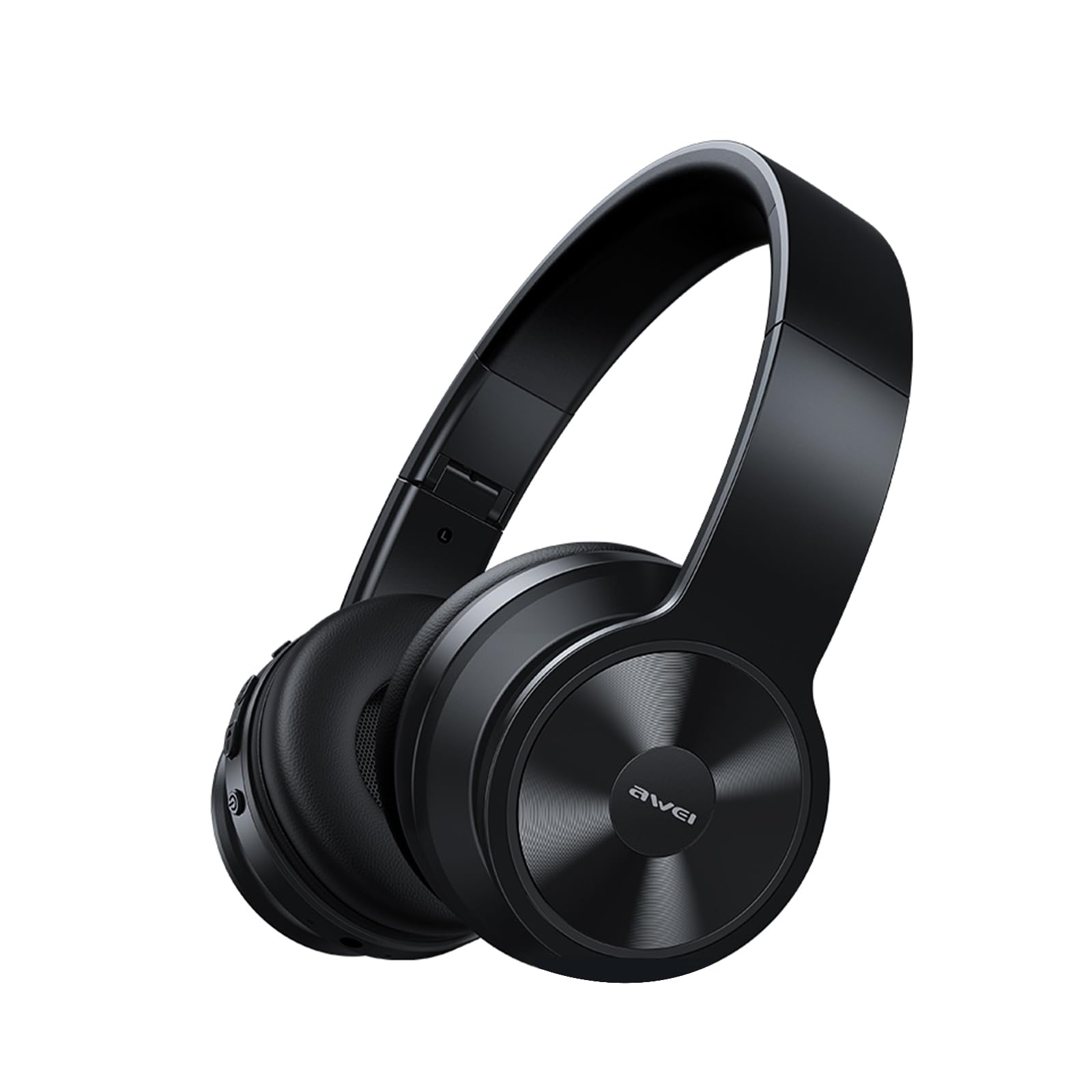
Image: AWEI A996BL over-ear headphones, showcasinan dealbhadh aca.
The AWEI A996BL headphones feature advanced Bluetooth 5.3 technology for stable connections, 40mm drivers for immersive stereo sound, and a comfortable, foldable design with soft protein earpads. Enjoy up to 16 hours of playtime on a single charge, with the flexibility of both wireless and wired (AUX) listening modes.
Susbaint pacaid
- AWEI A996BL Bluetooth Over-Ear Headphones
- Càball cosgais USB
- Leabhar-làimhe cleachdaiche
- (Note: An AUX cable may be included for wired connection, depending on the specific package.)
Bathar seachadview
Dèan eòlas ort fhèin air na pàirtean agus na smachdan airson fònaichean-cluaise.

Image: Right earcup of the AWEI A996BL headphones, highlighting the control buttons.
Smachdan agus comharran:
- Putan ioma-ghnìomhach (MFB): Power On/Off, Play/Pause, Answer/End Call, Reject Call, Activate Voice Assistant.
- Putan Meud-thomhais / An ath-òran: Brùth goirid airson Meud a mheudachadh, brùth fada airson an ath thrac.
- Putan Lùghdachadh Meud / An Trac Roimhe: Brùth goirid airson Lùghdachadh na Meud, brùth fada airson an Trac Roimhe.
- Comharra LED: A’ sealltainn inbhe cumhachd, modh càraideachaidh, agus inbhe cosgais.
- Micreofon: Airson gairmean gun làmhan.
- Port cosgais USB-C: Airson fònaichean-cluaise a luchdadh a-nuas.
- Port AUX 3.5mm: Airson ceangal claisneachd uèirleas.
Suidhich
1. A 'cur cosgais air na fònaichean-làimhe
Mus cleachd thu iad an toiseach, cuir làn-chosgais air na fònaichean-cluaise. Bheir làn-chosgais timcheall air 2 uair a thìde.
- Connect the USB charging cable to the USB-C charging port on the headphones.
- Ceangail ceann eile a’ chàball ri inneal-atharrachaidh cumhachd USB (nach eil air a ghabhail a-steach) no ri port USB coimpiutair.
- The LED indicator will show a red light during charging and turn off or blue when fully charged.

Image: Visual representation of the 300mAh battery capacity, indicating long battery life.
2. A ’toirt cumhachd air / dheth
- Cumhachd air: Press and hold the Multi-function Button (MFB) for approximately 3 seconds until the LED indicator flashes blue and a voice prompt confirms "Power On".
- Cumhachd dheth: Press and hold the Multi-function Button (MFB) for approximately 3 seconds until the LED indicator flashes red and a voice prompt confirms "Power Off".
3. Paidhreachadh Bluetooth (Modh gun Uèir)
The headphones use Bluetooth 5.3 for a stable connection.
- Dèan cinnteach gu bheil na fònaichean-cluaise làn-luchdaichte agus dheth.
- Press and hold the Multi-function Button (MFB) for approximately 5-7 seconds until the LED indicator flashes blue and red alternately. This indicates pairing mode.
- Air an inneal agad (fòn cliste, tablet, PC), cuir Bluetooth an gnìomh agus rannsaich airson innealan a tha rim faighinn.
- Tagh “AWEI A996BL” bhon liosta de dh’innealan a chaidh a lorg.
- Once paired, the LED indicator will flash blue slowly, and a voice prompt will confirm "Connected".
- Ma tha feum air facal-faire, cuir a-steach “0000”.

Image: Headphones connected wirelessly to a laptop and smartphone, demonstrating a stable Bluetooth connection. Note: The product features Bluetooth 5.3 for enhanced performance.
4. Ceangal Wired (Modh AUX)
You can use the headphones in wired mode even when the battery is depleted or with non-Bluetooth devices.
- Connect one end of a 3.5mm audio cable (not included) to the AUX port on the headphones.
- Ceangail an ceann eile ri jack toraidh claisneachd 3.5mm an inneil agad.
- The headphones will automatically switch to wired mode. Note that controls on the headphones (volume, play/pause) may not function in wired mode; control playback from your connected device.

Image: Headphones showing both USB-C charging port and 3.5mm AUX port, illustrating wired and wireless options.
Stiùireadh Obrachaidh
A 'caitheamh na fònaichean-cluaise
Adjust the headband for a comfortable fit. The soft protein earpads are designed for extended wear.

Image: A person wearing the AWEI A996BL headphones, highlighting their lightweight and comfortable design with adjustable headband and bendable earmuffs.
Basic Functions (Wireless Mode)
| Gnìomh | Obrachaidh |
|---|---|
| Cluich / Stad Ceòl | Brùth goirid air a’ phutan ioma-ghnìomhach (MFB). |
| Tomhais Suas | Short press the "Volume Up / Next Track" button. |
| Meud Sìos | Short press the "Volume Down / Previous Track" button. |
| An ath Rian | Long press the "Volume Up / Next Track" button. |
| Rian roimhe | Long press the "Volume Down / Previous Track" button. |
| Freagairt / Cuir crìoch air a’ ghairm | Brùth goirid air a’ phutan ioma-ghnìomhach (MFB). |
| Call a dhiùltadh | Brùth fada air a’ phutan ioma-ghnìomhach (MFB). |
| Cuir an gnìomh neach-cuideachaidh guth | Brùth dà uair air a’ phutan ioma-ghnìomhach (MFB). |
Cumail suas
Glanadh
- Sguab na fònaichean-cluaise le clò bog, tioram, gun lint.
- Na cleachd innealan-glanaidh sgrìobach, deoch làidir, no fuasglaidhean ceimigeach.
- Seachain taiseachd a dhol a-steach do fhosglaidhean sam bith.
Stòradh
- Nuair nach eilear gan cleachdadh, stòraich na fònaichean-cluaise ann an àite fionnar, tioram, air falbh bho sholas dìreach na grèine agus teòthachd anabarrach.
- Tha dealbhadh fillte aig na fònaichean-cluaise airson stòradh agus giùlan furasta.
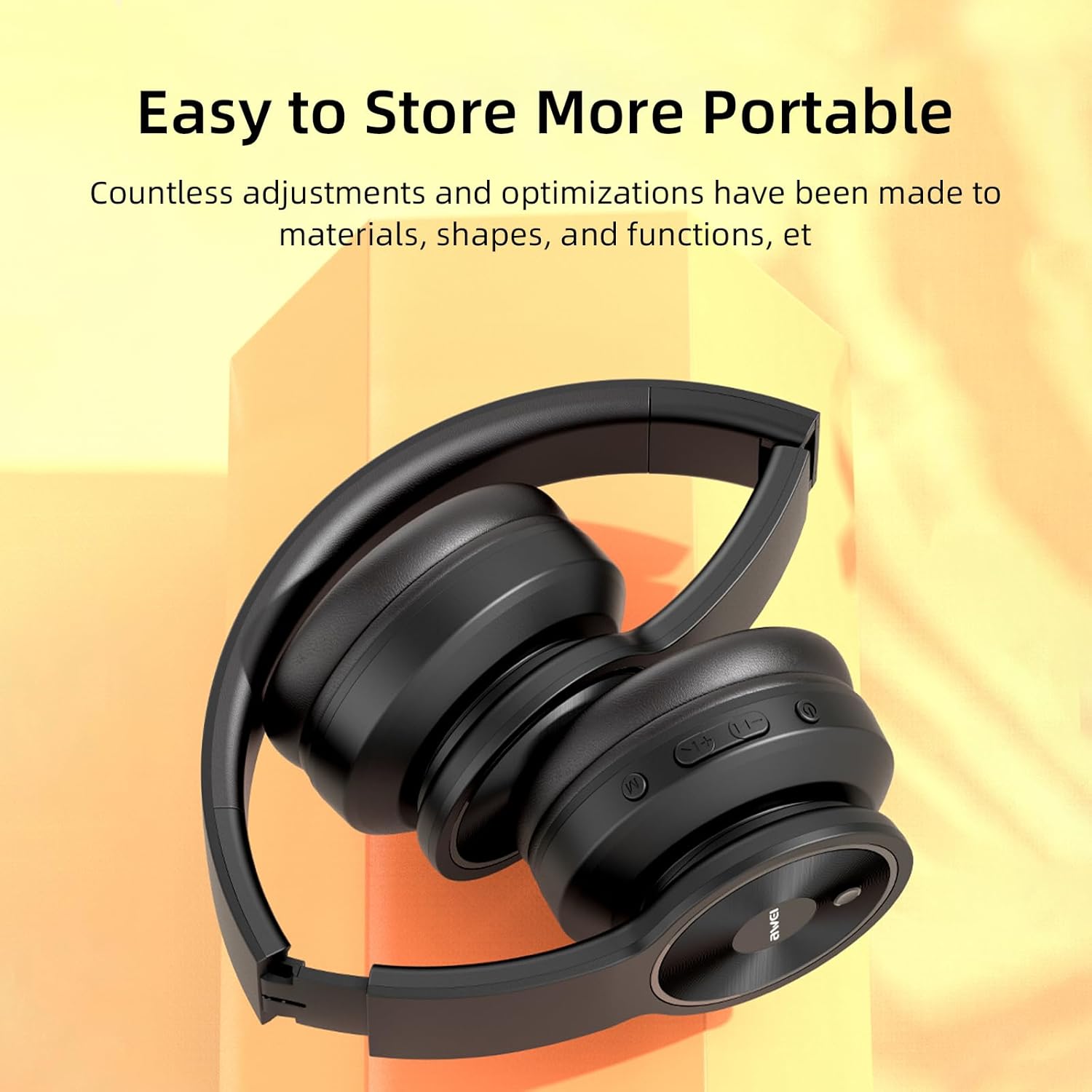
Image: The AWEI A996BL headphones in a folded position, demonstrating their portable and easy-to-store design.
Cùram Bataraidh
- Gus beatha bataraidh a ghleidheadh, cuir cosgais air na fònaichean-cluaise gu cunbhalach, eadhon ged nach eilear gan cleachdadh gu tric.
- Seachain a bhith a’ leigeil às a’ bhataraidh gu tur airson ùine mhòr.
- Na nochd am bataraidh gu teòthachd àrd.
Fuasgladh thrioblaidean
| Trioblaid | Fuasgladh |
|---|---|
| Chan eil fònaichean-cluaise a’ dol air. | Dèan cinnteach gu bheil na fònaichean-cluaise air an cur fo chasaid. Ceangail ri stòr cumhachd leis a’ chàball USB. |
| Chan urrainnear paidhir a dhèanamh leis an inneal. |
|
| Gun fhuaim no meud ìosal. |
|
| Tha càileachd an fhuaim bochd no eadar-amail. |
|
| Microphone nach eil ag obair. |
|
Sònrachaidhean
| Feart | Mion-fhiosrachadh |
|---|---|
| Modail | A996BL |
| Tionndadh Bluetooth | 5.3 |
| Meud driver | 40mm |
| Comas Bataraidh | 300 mAh |
| Uair Seinn | Suas ri 16 uairean a thìde |
| Ùine cosgais | Mu 2 uair a thìde |
| Raon gun uèir | Suas gu 33 troigh (10 meatairean) |
| Ceangalachd | Gun uèir (Bluetooth), Uèirle (3.5mm AUX) |
| Feartan sònraichte | Ergonomic, Lightweight, Foldable design |
| Suidheachadh cluais | Thar Cluas |
Barantas agus Taic
AWEI provides a 12-month warranty for the A996BL headphones from the date of purchase, covering manufacturing defects. A 30-day return policy is also available. For any questions, technical support, or warranty claims, please contact our customer service team.
Taic teachdaiche:
- Post-d: taic@awei.com
- Weblàrach: www.awei.com
Tha sinn ag amas air a h-uile ceist a fhreagairt taobh a-staigh 12 uairean.