
VOSOCO T03-L
VOSOCO Karaoke Machine T03-L
Leabhar-làimhe cleachdaiche
Ro-ràdh
Thank you for choosing the VOSOCO T03-L Portable Bluetooth Karaoke Speaker. This all-in-one entertainment system is designed to provide a high-quality audio experience with versatile connectivity and dynamic LED lighting. This manual will guide you through the setup, operation, and maintenance of your new karaoke machine.
Am measg nam prìomh fheartan tha:
- Built-in speaker with upgraded 15W 6.5-inch full-frequency audio.
- Two wireless microphones for duets and enhanced vocal performance.
- Easy volume control for main music, microphone, and echo effects.
- Flashing LED lights with multiple modes to create a vibrant atmosphere.
- Support for Micro TF card, Flash USB, FM radio, and AUX connectivity.
- Portable design with a leather carry handle and shoulder strap for easy transport.
- Long-lasting battery providing 4-6 hours of continuous play.
Dè th' anns a' Bhocsa
Thoir sùil air susbaint a’ phacaid agad gus dèanamh cinnteach gu bheil a h-uile rud ann:
- Karaoke inneal x1
- Micreofonan gun uèir x2
- Strap ghualainn x1
- Càball cìs x1

Image: The VOSOCO T03-L Karaoke Machine, showcasing the main unit, two wireless microphones, a charging cable, and a shoulder strap, all included in the package.
Suidhich
1. Charging the Karaoke Machine
Before first use, fully charge the karaoke machine. Connect the provided charging cable to the USB Type C port on the unit and to a compatible USB power adapter (not included). The charging indicator will show the charging status. A full charge typically takes 3-6 hours and provides 4-8 hours of play time.

Image: The VOSOCO T03-L Karaoke Machine with a visual representation of its charging process and extended battery life.
2. A’ cur bataraidhean a’ mhaicreafòin a-steach
Each wireless microphone requires batteries (not included). Open the battery compartment on each microphone and insert the required batteries, ensuring correct polarity. Close the compartment securely.
3. Cumhachdachadh Air adhart
Locate the power switch on the karaoke machine and slide it to the "ON" position. The display will light up, and the unit will enter Bluetooth pairing mode by default.
4. Càraid Bluetooth
To connect your device (smartphone, tablet, laptop) via Bluetooth:
- Ensure the karaoke machine is powered on and in Bluetooth mode (indicated by "BLUE" on the display).
- Air an inneal agad, rachaibh gu roghainnean Bluetooth agus lorg na h-innealan a tha rim faighinn.
- Select "VOSOCO T03-L" from the list.
- Once connected, you will hear an audible confirmation from the speaker.
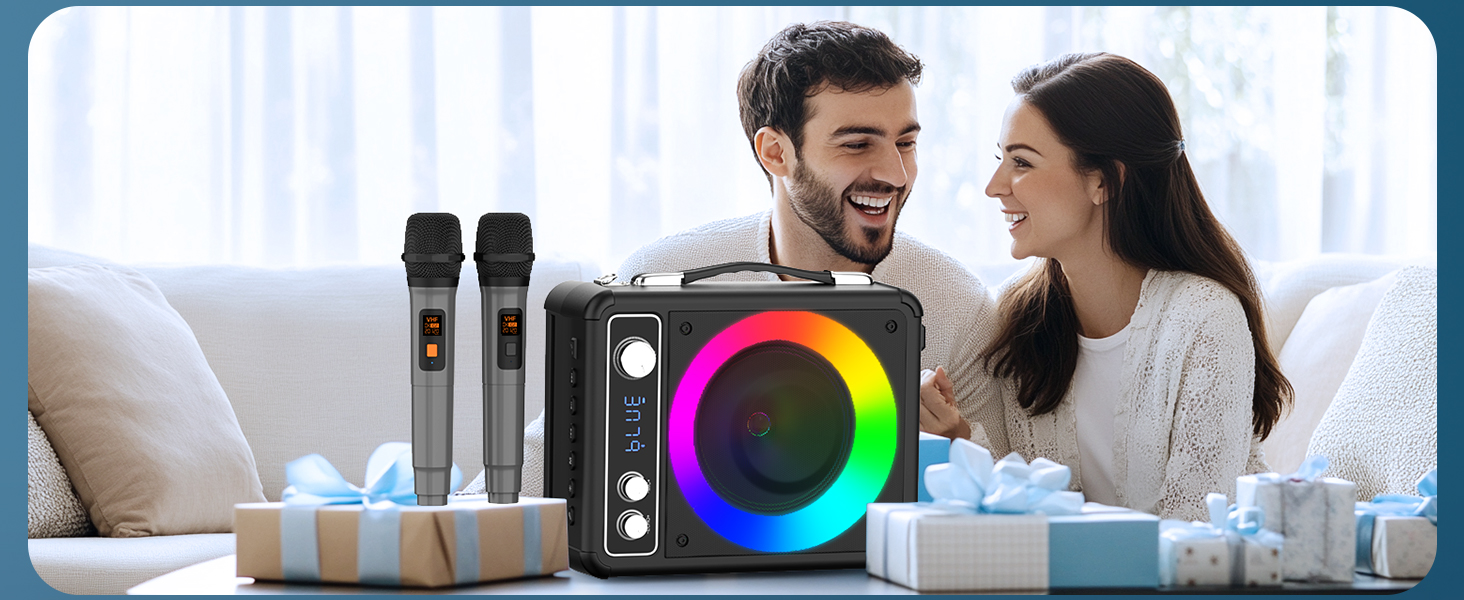
Image: The VOSOCO T03-L Karaoke Machine with a tablet in its integrated stand, demonstrating the ease of one-click Bluetooth connection for seamless music streaming.
Stiùireadh Obrachaidh
Pannal Smachd Os a chionnview

Ìomhaigh: Mion-fhiosrachadh view of the VOSOCO T03-L Karaoke Machine's top control panel, highlighting the Echo, Mic Volume, and Music Volume knobs, as well as playback and mode selection buttons.
- ECHO +/-: Atharraichidh seo buaidh mac-talla nam micreofon.
- MIC VOL +/-: Controls the volume of the microphones.
- MUSIC VOL +/-: Atharraichidh seo prìomh mheud a’ chiùil.
- Putan MODE: Cycles through input modes (Bluetooth, FM, AUX, USB, TF).
- Putan PLAY / PAUSE: A’ cluich no a’ cur stad air ath-chluich claisneachd.
- PREVIOUS/NEXT Buttons: Leumaidh e chun an òrain roimhe no an ath òran.
- Putan SOLAS: Changes the LED light modes.
- MIC PRIORITY Button: Prioritizes microphone audio over music.
Taghadh Modh
Brùth an MODE button to switch between available input sources:
- Modh Bluetooth: For wireless audio streaming from your paired device.
- Modh Rèidio FM: For listening to FM radio stations. Use the PREVIOUS/NEXT buttons to tune.
- Modh AUX: Connect an external audio device using a 3.5mm AUX cable (not included).
- Modh cairt USB / TF: Insert a USB flash drive or TF card into the respective port for direct audio playback.
A ’cleachdadh nam microfònan
The two wireless microphones automatically connect to the karaoke machine when powered on. Adjust the MIC VOL knob to control microphone volume and the ECHO knob for vocal effects. Press the PRÌOMH MIC button to lower the music volume automatically when speaking or singing into the microphone.
Video: This video demonstrates the VOSOCO T03-L karaoke machine in use, highlighting its Bluetooth connectivity and the functionality of the wireless microphones for an engaging karaoke experience.
Taisbeanadh solais LED
Brùth an LAOIDH button to cycle through the various LED light modes. The lights synchronize with the music, creating a dynamic visual display for your party or performance.

Image: A row of VOSOCO T03-L Karaoke Machines, each showcasing a different vibrant LED light effect, illustrating the variety of lighting modes available.
Cumail suas
- Glanadh: Cleachd clò bog, tioram gus taobh a-muigh an aonaid a ghlanadh. Na cleachd innealan-glanaidh sgrìobach no fuasglaidhean.
- Stòradh: Store the karaoke machine in a cool, dry place away from direct sunlight and extreme temperatures when not in use.
- Cùram Bataraidh: If the unit will not be used for an extended period, fully charge it every 3 months to maintain battery health. Remove batteries from microphones if storing for long durations.
- Seachain uisge: Keep the device away from water or excessive moisture to prevent damage.
Fuasgladh thrioblaidean
If you encounter any issues with your VOSOCO T03-L, please refer to the table below for common problems and their solutions.
| Trioblaid | Adhbhar a dh’fhaodadh a bhith ann | Fuasgladh |
|---|---|---|
| Gun chumhachd | Bataraidh air a dhrèanadh; Cuir dheth an tionndadh cumhachd | Charge the unit; Ensure power switch is ON. |
| Gun fhuaim bhon neach-labhairt | Volume too low; Incorrect mode selected; Device not connected | Increase MUSIC VOL; Select correct input mode; Re-pair Bluetooth device or check AUX/USB/TF connection. |
| Microphone nach eil ag obair | Microphone batteries low/incorrectly installed; MIC VOL too low; Microphone not paired | Replace/reinstall microphone batteries; Increase MIC VOL; Power cycle microphones and unit to re-pair. |
| Ceangal Bluetooth neo-sheasmhach | Device too far; Interference; Low battery | Move device closer to the unit (within 10m); Avoid obstacles; Charge the unit. |
| Solais LED nach eil ag obair | Light mode off; Unit malfunction | Press the LIGHT button to activate/change modes; Contact customer support if issue persists. |
Sònrachaidhean
| Feart | Mion-fhiosrachadh |
|---|---|
| Brand | VOSOCO |
| Modail Àireamh | T-03 |
| Seòrsa stàladh | Tabletop, Floor Standing |
| Stòr cumhachd | Cumhachd bataraidh |
| Seòrsa ceangail | USB Type C, USB |
| Toradh Wattage | 15 watt |
| Àireamh nan Sianalan | 2 |
| Teachd-a-steach claisneachd | AUX |
| Meudan toraidh (L x W x H) | 9 x 5.11 x 11.81 òirleach |
| Cuideam nì | 6.65 not |
| Teicneòlas ceangail | Bluetooth |
| Dath | Dubh |
| Cleachdaidhean Molta | Dhachaigh |
Barantas agus Taic
VOSOCO is committed to providing high-quality products and excellent customer service. Your T03-L Karaoke Machine comes with the following:
- 12 Months Quality Guarantee: Enjoy peace of mind with our product quality assurance.
- 30-Days Free Returns: If you are not satisfied, you can return the product within 30 days.
- Taic Teicnigeach Fad-beatha: Our dedicated support team is available to assist you with any technical queries throughout the product's lifespan.
- Taic Luath 24/7: Get quick assistance whenever you need it.
For further assistance or to learn more about VOSOCO products, please visit the official VOSOCO Store: VOSOCO Store on Amazon.
Ask a question about this manual
Ask about setup, troubleshooting, compatibility, parts, safety, or missing instructions. Manuals+ will review the question and use this page’s manual context to help answer it.