
1. Ro-ràdh
Thank you for choosing the Einhell Power X-Boostcharger 8A. This universal charger is designed to quickly and efficiently charge all batteries within the Einhell Power X-Change range. It features advanced 8A fast charging technology, intelligent charge management, a Boost mode for even faster charging, and a Refresh mode to reactivate deeply discharged batteries. The 7-level LED indicator provides clear status updates. Please read this manual thoroughly before initial operation to ensure safe and optimal use of your charger.

Figure 1: The Einhell Power X-Boostcharger 8A. This image shows the top view of the charger, highlighting its compact design and the integrated control panel with LED indicators.
2. Stiùireadh Sàbhailteachd
Always observe the following safety precautions when using the charger:
- Leugh a h-uile stiùireadh mus cleachd thu an charger.
- Na cuir a-mach an charger gu uisge no suidheachaidhean fliuch.
- Use only Einhell Power X-Change batteries with this charger. Using other batteries may result in injury or damage.
- Na cleachd an charger ma fhuair e buille gheur, ma chaidh a leigeil sìos, no ma chaidh a mhilleadh air dhòigh eile.
- Dèan cinnteach gu bheil fionnarachadh iomchaidh ann fhad ’s a tha thu a’ cur cosgais air. Na còmhdaich an luchdadair.
- Cùm an charger air falbh bho stòran teas agus solas dìreach.
- Tarraing am pluga den charger a-mach às an t-socaid cumhachd nuair nach eilear ga chleachdadh no mus glan thu e.
- Faodar an inneal seo a chleachdadh le clann bho 8 bliadhna agus nas sine agus daoine le comasan corporra, mothachaidh no inntinn nas lugha no dìth eòlas agus eòlas ma chaidh stiùireadh no stiùireadh a thoirt dhaibh a thaobh a bhith a’ cleachdadh an inneal ann an dòigh shàbhailte agus a’ tuigsinn nan cunnartan. an sàs.
3. Toradh thallview
3.1 Co-phàirtean
The Einhell Power X-Boostcharger 8A consists of the main charging unit, a power cable, and the battery slot. The front panel includes the control buttons and LED indicators.
3.2 LED Status Indicator
The charger features a 7-level LED indicator system to display the charging status and battery condition:
- Cumhachd LED: Indicates power supply.
- Charging LEDs (multiple): Show the current charge level of the battery.
- Full Charge LED: A’ lasadh suas nuair a bhios am bataraidh làn-chosgais.
- Mearachd LED: Indicates a fault or abnormal condition.
- Teòthachd LED: Warns of extreme battery temperatures.
- Refresh Mode LED: Indicates when Refresh mode is active.
- Boost Mode LED: Indicates when Boost mode is active.

Figear 2: Mionaideach view of the charger's control panel. This image shows the Boost function button and the various LED indicators that display the charging status and operational mode.
4. Suidhich
4.1 Ceangal Tùsail
- Place the charger on a stable, flat, and non-flammable surface.
- Connect the power cable to the charger and then plug it into a suitable power outlet (18V). The Power LED will illuminate.
4.2 Gèilleadh Balla (Roghainneil)
The charger housing includes integrated hanging eyelets for convenient wall mounting, helping to save space.
- Identify a suitable location on a wall, ensuring it is near a power outlet and allows for proper ventilation.
- Mark the positions for two screws using the hanging eyelets on the back of the charger as a template.
- Dril tuill pìleat agus cuir acair balla iomchaidh a-steach ma tha sin riatanach.
- Insert screws, leaving a small gap between the screw head and the wall.
- Align the charger's eyelets with the screws and slide it down to secure it in place.

Figure 3: The underside of the charger, illustrating the integrated hanging eyelets designed for wall mounting. This feature allows for space-saving storage.
5. Stiùireadh Obrachaidh
5.1 A’ cur cosgais air bataraidh
- Dèan cinnteach gu bheil an charger ceangailte ri socaid cumhachd.
- Insert the Power X-Change battery into the charging slot. Ensure it clicks securely into place.
- The charging LEDs will begin to illuminate, indicating the charging process has started. The intelligent charge management system will continuously monitor the battery for optimal charging.
- Once fully charged, the Full Charge LED will illuminate, and the charging process will automatically stop.
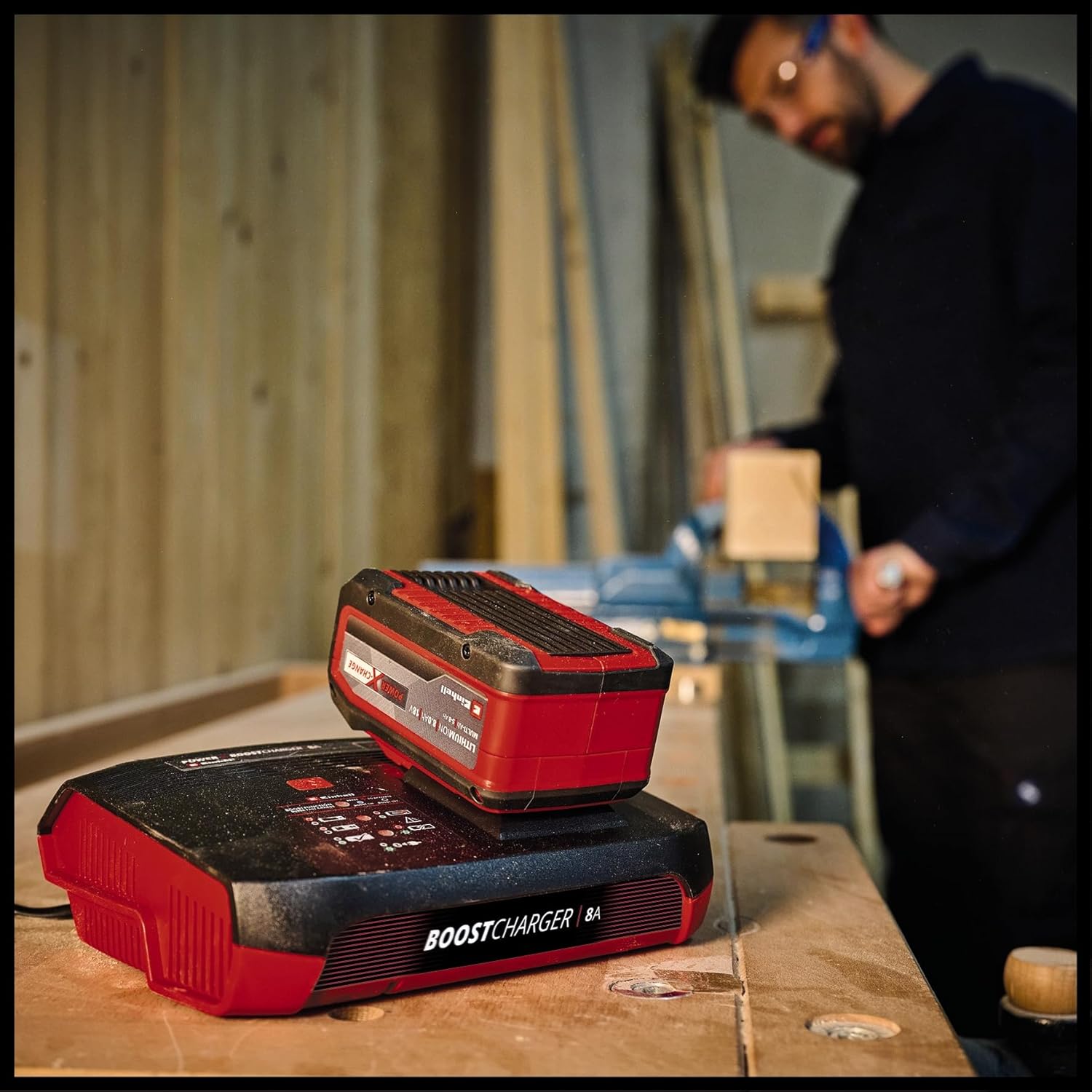
Figure 4: The charger with a Power X-Change battery inserted, positioned on a workbench. This demonstrates the charger in a typical operational environment.
5.2 Boost Mode Activation
For up to 62% faster charging, activate the Boost mode:
- Cuir a-steach am bataraidh a-steach don t-slot cosgais.
- Press the 'Boost' button located on the charger's control panel. The Boost Mode LED will illuminate.
- The charger will now operate in Boost mode, significantly reducing charging time. An 8 Ah battery can be fully charged in approximately 1 hour.
- If the Boost button is not pressed, the battery will charge in normal mode, which is gentler on the battery for long-term preservation.

Figure 5: The charger with a battery, shown in a workshop environment with a person working in the background. This illustrates the charger's integration into a professional or DIY setting.
5.3 Modh Ùrachaidh
The Refresh mode is designed to reactivate deeply discharged batteries:
- If a battery is deeply discharged, insert it into the charger. The Refresh Mode LED may illuminate automatically.
- The charger will attempt to reactivate the battery. Once reactivated, the battery will proceed with normal charging.
- Note: Not all deeply discharged batteries can be reactivated.
6. Cumail suas agus Cùram
To ensure the longevity and optimal performance of your charger:
- Tarraing am pluga den charger a-mach às a’ phuing cumhachd an-còmhnaidh mus glan thu e.
- Clean the charger's exterior with a soft, dry cloth. Do not use abrasive cleaners or solvents.
- Keep the charging slot free of dust and debris.
- Store the charger in a dry, well-ventilated area, away from direct sunlight and extreme temperatures.
7. A ’dèanamh trioblaid
| Trioblaid | Adhbhar a dh’fhaodadh a bhith ann | Fuasgladh |
|---|---|---|
| Charger not powering on (Power LED off) | No power supply; faulty outlet/cable. | Check power connection; try a different outlet; inspect power cable for damage. |
| Battery not charging (Charging LEDs not active) | Battery not inserted correctly; battery faulty; charger faulty. | Re-insert battery firmly; try a different battery; contact support if issue persists. |
| Error LED illuminated | Battery fault; charger fault; incorrect battery type. | Remove and re-insert battery; ensure it's an Einhell Power X-Change battery; if error persists, battery or charger may be faulty. |
| Temperature LED illuminated | Bataraidh ro theth / fuar. | Move battery and charger to a room temperature environment and allow to cool/warm up before attempting to charge again. |
8. Sònrachaidhean
| Sònrachadh | Luach |
|---|---|
| Modail Àireamh | 4512155 |
| Input Voltage | 18 Volts (compatible with Power X-Change system) |
| Toradh gnàthach | 8A |
| Meudan toraidh | 8.7 x 7.17 x 2.68 òirleach |
| Cuideam nì | 1.83 not |
| Dèanadair | Einhell |
9. Barantas agus Taic
For warranty information, technical support, or service inquiries, please refer to the official Einhell weblàrach-lìn no cuir fios chun roinn seirbheis teachdaiche aca. Cùm dearbhadh do cheannach airson tagraidhean barantais sam bith.