
1. Ro-ràdh
Welcome to the Amazfit GTR Mini Smart Watch user manual. This guide provides essential information for setting up, operating, and maintaining your device. The Amazfit GTR Mini is designed to enhance your daily life with advanced health and fitness tracking capabilities, long battery life, and a sleek design.
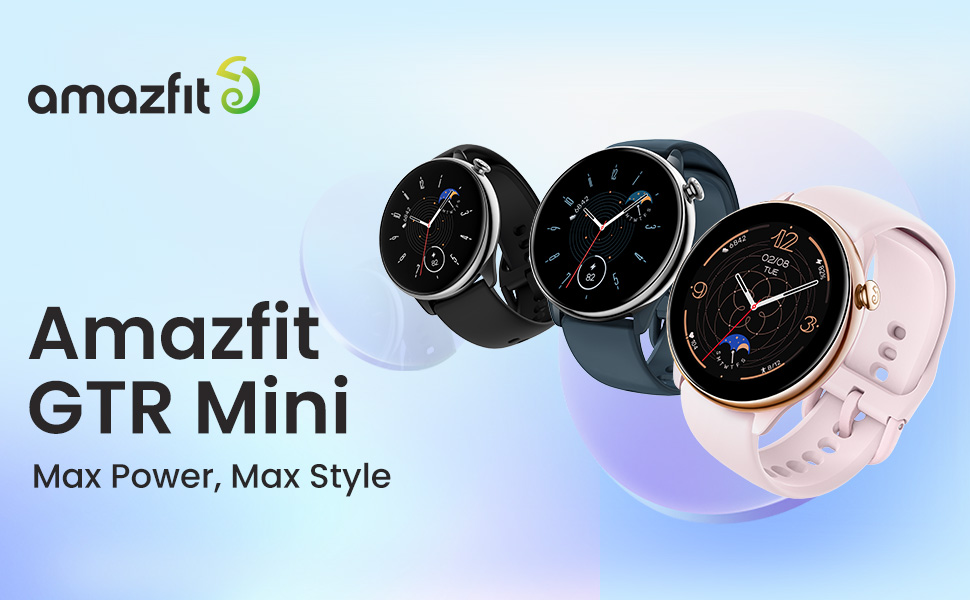
Image: Amazfit GTR Mini Smart Watch overview.
2. Suidhich
2.1 A’ cur cosgais air an inneal
Before initial use, fully charge your Amazfit GTR Mini. Connect the magnetic charging cable to the charging contacts on the back of the watch and plug the USB end into a power adapter (not included) or a computer's USB port. The watch display will indicate charging status.
2.2 A’ paidhreachadh leis an fhòn-smart agad
- Luchdaich a-nuas an aplacaid Zepp bhon App Store (iOS) no Google Play Store (Android).
- Fosgail an aplacaid Zepp agus cruthaich cunntas no log a-steach.
- Tap the '+' icon in the app to add a new device and select 'Watch' > 'Watch with QR code'.
- Scan the QR code displayed on your Amazfit GTR Mini screen using your phone's camera.
- Lean na stiùiridhean air an sgrion air an uaireadair agus am fòn agad gus am pròiseas paidhreachaidh a chrìochnachadh.

Image: Amazfit GTR Mini Smart Watch on a wrist.
3. Stiùireadh Obrachaidh
3.1 Beatha Bataraidh
The Amazfit GTR Mini features an ultra-long battery life, providing up to 14 days of typical usage and extending to 20 days in battery saver mode. This ensures continuous tracking of your daily activities without frequent charging.

Image: Ultra-long battery life of the Amazfit GTR Mini.
3.2 Sgrùdadh Slàinte
Monitor your well-being with 24/7 heart rate tracking, blood-oxygen level measurement (SpO₂), and stress level monitoring. The watch provides alerts for unusual health changes and offers a one-tap measuring function for quick health metric checks.

Image: 24/7 Heart Rate, SpO₂, and Stress Monitoring.
Sgrùdadh cadail
The Amazfit GTR Mini offers enhanced sleep tracking, exploring in-depth sleep stages and quality analytics. Activate Sleep Mode to minimize interruptions for a restful, rejuvenating sleep. It tracks sleep quality, including nap times and sleep stagtha.

Image: Sleep Phases tracking on the Amazfit GTR Mini.
3.3 Tracadh Fallaineachd
This fitness watch offers over 120 sports modes with smart recognition. It automatically detects seven sports and provides comprehensive reports on calories, steps, and performance. Experience precision with its GPS technology, backed by support for five satellite systems, ideal for outdoor activities.

Image: 5 Satellite Positioning Systems for accurate GPS tracking.

Image: 120+ Sports Modes with Smart Recognition.
3.4 Phone Features
Stay connected with notification support that keeps you informed of important updates and messages right on your wrist. The watch supports eSIM and Bluetooth connectivity for seamless integration with your digital lifestyle. Note: The Amazfit GTR Mini does not support Bluetooth phone calls directly, but it can send Phone Call Notifications. Quick Reply SMS feature is only supported by Android devices with Zepp App version 6.10.0 or higher.
3.5 Design & Display
The Amazfit GTR Mini features a vibrant 1.28-inch HD AMOLED display with 326 PPI high resolution. Its super slim 9.25mm thickness and lightweight 24.6g construction, crafted with premium stainless steel, ensure comfortable all-day wear. The skin-friendly silicone strap adds to its comfort.

Image: Vibrant 1.28" HD AMOLED Display.

Image: Super Slim & Light Design with Stainless Steel.
3.6 Zepp OS 2.0
The watch runs on the health-centered Zepp OS 2.0, providing a smooth user experience and access to various health and utility applications.

Image: Health-centered Zepp OS 2.0 interface.
4. Cumail suas
- Glanadh: Glan an uaireadair agus an strap agad gu cunbhalach le clò bog, tioramamp aodach. Seachain ceimigean cruaidh.
- Seasmhachd uisge: The watch has a 5 ATM water resistance rating, suitable for swimming and showering. Avoid hot water, saunas, or high-velocity water activities.
- Stòradh: Stòraich an uaireadair ann an àite fionnar, tioram nuair nach eilear ga chleachdadh.
5. A ’dèanamh trioblaid
- Uaireadair nach eil a’ tionndadh air: Ensure the watch is fully charged. If it still doesn't turn on, try restarting it by pressing and holding the side button.
- Cùisean càraid: Ensure Bluetooth is enabled on your phone and the watch is within range. Try restarting both devices and the Zepp App.
- Dàta neo-chruinn: Dèan cinnteach gu bheil an uaireadair air a chaitheamh gu teann air do chaol-dùirn. Airson GPS, dèan cinnteach gu bheil thu ann an àite fosgailte le solas soilleir. view nan speur.
- Notifications not working: Check app permissions on your phone and ensure notifications are enabled for the Zepp App and specific applications.
6. Sònrachaidhean
| Feart | Sònrachadh |
|---|---|
| Siostam-obrachaidh | OS Zepp |
| Teicneòlas ceangail | Bluetooth |
| GPS | GPS togte a-steach (5 Siostaman Suidheachaidh Saideal) |
| Meud sgrion | 1.28 òirlich |
| Seòrsa Taisbeanaidh | AMOLED |
| Fuasgladh | 240 x 280 |
| Beatha Bataraidh (Àbhaisteach) | 14 làithean |
| Ìre an aghaidh uisge | 5 ATM (50 meatair) |
| Seòrsa Stuth Cùise | Stàilinn nach meirg |
| Seòrsa Stuth Còmhlan | sileaconach |
| Meudan nì | 1.69 x 1.69 x 0.35 òirleach |
| Meatairean air an Tomhais | Accelerometer, Optical Heart Rate Sensor, Blood-Oxygen Sensor |
| Innealan co-fhreagarrach | Smartphone (Android & iOS) |
7. Bhidio Bathar Oifigeil
Video: Amazfit GTR Mini Smart Watch overview by Amazon Videos. This video highlights key features and design aspects of the watch.
8. Barantas agus Taic
The Amazfit GTR Mini comes with a 1-Year Limited Warranty. For detailed warranty information and support, please refer to the official Amazfit website or contact their customer service. Your privacy is important; personal information is handled responsibly and in accordance with applicable law.
Notaichean Cudromach:
- The Amazfit GTR Mini does not support Bluetooth phone calls; it can send Phone Call Notifications.
- The battery life may vary according to settings, operation conditions, and other factors.
- Indoor positioning services are not supported. Positioning speed and accuracy may be affected by the surrounding environment.
- This product and the Zepp App are not medical devices and cannot be used for medical purposes or as a basis for diagnosis of any medical condition. Detection results are provided for reference only. Please consult professional medical institutions if you feel unwell.