
1. Ro-ràdh
This manual provides detailed instructions for setting up, operating, and maintaining your Beelink EQ13 Mini PC. The Beelink EQ13 is a compact and efficient mini PC powered by an Intel N100 processor, designed for various applications including office work, multimedia playback, and light computing tasks. Please read this manual thoroughly before using the device.
2. Pasgan-susbaint
Dèan cinnteach gu bheil na nithean gu lèir a tha air an liostadh gu h-ìosal air an toirt a-steach don phacaid agad:
- 1 x Beelink EQ13 N100 Mini PC
- 1 x Càball AC
- 1 x Leabhar-làimhe Cleachdaiche
- 1 x Càball HDMI 100cm
- 1 x bogsa pacaid
3. Toradh thallview
3.1 Cruth nam Pannalan Aghaidh is Cùil
Familiarize yourself with the ports and connectors on your Beelink EQ13 Mini PC.

Image: Front panel with USB-C and USB 3.2 ports, power button. Rear panel with dual HDMI, dual LAN, USB 3.2, and USB 2.0 ports.
- Pannal aghaidh: 1x USB-C Port (10Gbps), 1x USB 3.2 Port (10Gbps), Power Button.
- Pannal cùil: 2x HDMI Ports (4K@60Hz), 2x 1000Mbps LAN Ports, 2x USB 3.2 Ports (10Gbps), 1x USB 2.0 Port (480Mbps), Power Input.
3.2 Built-in Power Supply
The Beelink EQ13 features a built-in power supply, simplifying cable management. Only one AC cable is required to power the device.

Image: The Beelink EQ13 Mini PC connected to an AC power outlet, demonstrating its built-in power supply design.
3.3 Pàirtean a-staigh
The Beelink EQ13 is equipped with 16GB DDR4 3200MHz memory and a 500GB M.2 2280 PCIe 3.0 SSD.

Ìomhaigh: Taobh a-staigh view of the Beelink EQ13 Mini PC, highlighting the 16GB DDR4 RAM module and the 500GB M.2 PCIe 3.0 SSD.
4. Stiùireadh Stèidheachaidh
4.1 Ceangal iomaill
- Ceangail an Taisbeanadh: Use the provided HDMI cable to connect your monitor(s) to the HDMI ports on the rear panel of the Mini PC. The EQ13 supports dual 4K@60Hz displays.
- Ceangail am Meur-chlàr agus an Luchag: Plug your USB keyboard and mouse into the available USB ports on the front or rear panel.
- Ceangail Lìonra (Roghainneil): For a wired connection, connect an Ethernet cable from your router or modem to one of the 1000Mbps LAN ports on the rear panel. For wireless, the device supports WiFi 6.
4.2 A’ cur cumhachd air adhart
- Ceangal cumhachd: Plug the AC power cable into the power input on the rear of the Mini PC, then connect the other end to a wall outlet.
- Tòisich: Brùth am putan cumhachd a tha suidhichte air a’ phannal aghaidh. Lasaidh an solas comharra cumhachd.
- Suidheachadh tùsail: Follow the on-screen instructions to complete the operating system setup (e.g., Windows 11).
5. Stiùireadh Obrachaidh
5.1 Gnìomh Bunaiteach
- Cumhachd air / dheth: Press the power button to turn on. To turn off, use the operating system's shutdown function or press and hold the power button for 5 seconds.
- Ath-thòiseachadh: Use the operating system's restart function.
5.2 Ceangal Lìonra
- LAN le sreang: Connect an Ethernet cable to one of the two 1000Mbps LAN ports for a stable wired network connection.
- Gun uèir (WiFi 6): The Mini PC supports WiFi 6 (802.11ax). Access network settings in your operating system to connect to available wireless networks.

Ìomhaigh: Cùl view of the Beelink EQ13 Mini PC highlighting the two 1000Mbps LAN ports with Ethernet cables connected.
5.3 Ceangal Bluetooth
The Beelink EQ13 includes Bluetooth 5.2 (AX101) for connecting wireless devices.
- Enable Bluetooth in your operating system settings.
- Pair with compatible devices such as keyboards, mice, speakers, or headphones.
5.4 Suidheachadh Taisbeanaidh Dhùbailte
The Mini PC supports dual 4K@60Hz displays via its two HDMI ports, enhancing productivity.
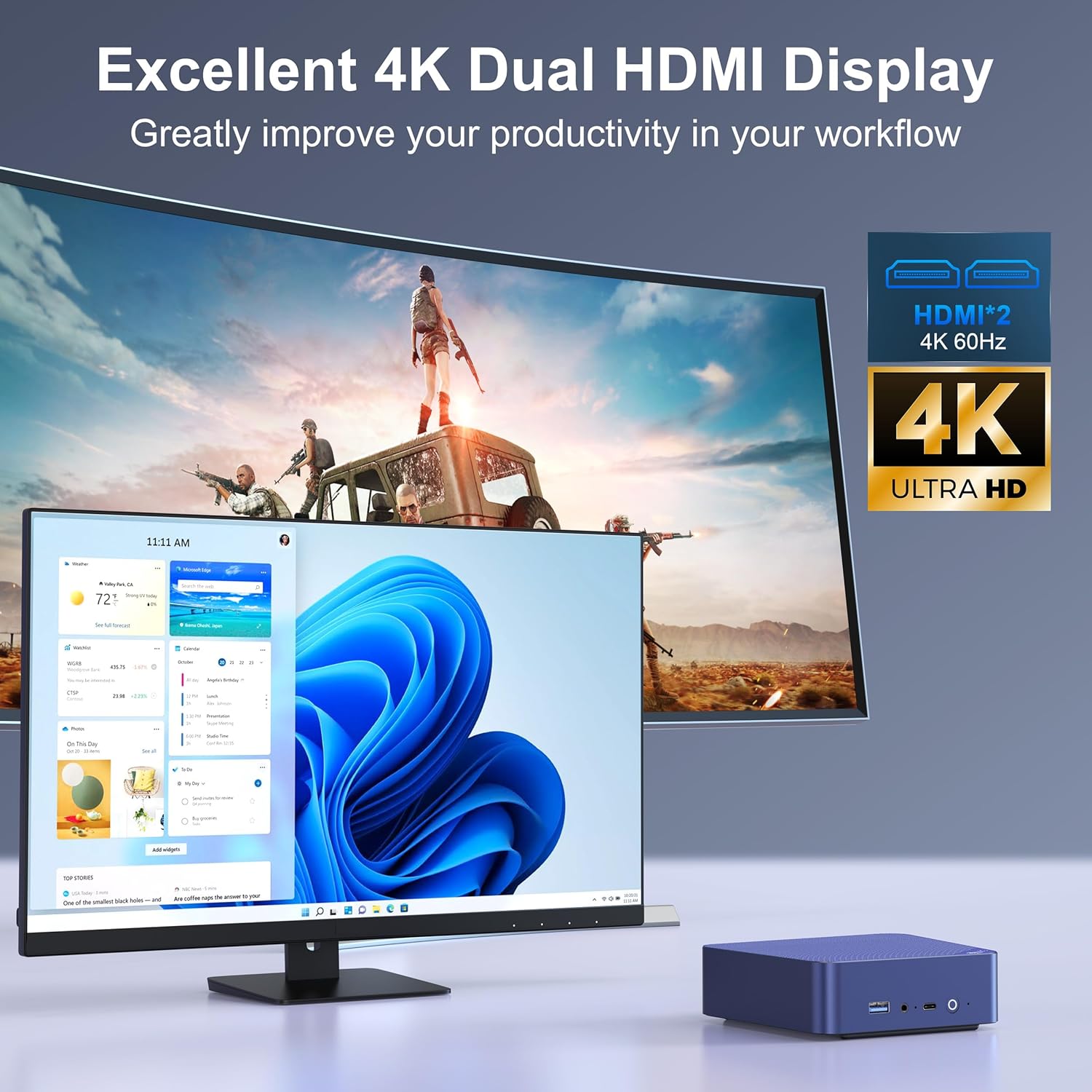
Image: The Beelink EQ13 Mini PC connected to two monitors, demonstrating its dual 4K HDMI display capability.
5.5 Performance and Usage
Equipped with an Intel N100 processor, 16GB DDR4 RAM, and a 500GB PCIe 3.0 SSD, the EQ13 is suitable for various tasks:
- Obair oifis: Efficiently handle documents, spreadsheets, and presentations.
- Ath-chluich ioma-mheadhain: Enjoy 4K video streaming and other media content.
- Web Brabhsadh: Smooth internet browsing experience.
- Virtual Machines/NAS: Capable for light virtualization or network-attached storage applications.

Image: A visual representation of the Beelink EQ13 Mini PC's versatility, showing it handling web browsing, 4K video, multimedia playback, and office applications simultaneously.
6. Cumail suas
6.1 Siostam fuarachaidh
The Beelink EQ13 incorporates an MSC2.0 Cooling System with a new airflow design and dustproof filter at the bottom. This design ensures stable operation and near-silent performance.
- Ensure the bottom air intake vents are not obstructed to maintain optimal airflow.
- Periodically clean the dust filter to prevent dust accumulation.

Image: An illustration depicting the silent operation of the Beelink EQ13 Mini PC, emphasizing its new cooling system design.
6.2 Leudachadh Stòraidh
The 500GB M.2 2280 SSD can be expanded up to 2TB. Refer to the internal components image in Section 3.3 for the location of the SSD slot. For storage upgrades, it is recommended to consult a qualified technician or refer to specific upgrade guides provided by Beelink.
7. A ’dèanamh trioblaid
- Gun chumhachd: Dèan cinnteach gu bheil an càball AC ceangailte gu tèarainte ris a’ Mini PC agus ris an t-socaid cumhachd. Feuch socaid cumhachd eadar-dhealaichte.
- Gun taisbeanadh: Check HDMI cable connections to both the Mini PC and the monitor. Ensure the monitor is powered on and set to the correct input source.
- Gun cheangal lìonra: For wired connections, verify the Ethernet cable is properly connected. For wireless, check WiFi settings in the operating system and ensure the router is functioning.
- Cùisean Iomallach: If a keyboard or mouse is not responding, try connecting it to a different USB port. Ensure Bluetooth devices are properly paired.
- Siostam gun fhreagairt: If the system freezes, press and hold the power button for 5-10 seconds to force a shutdown, then restart the device.
8. Sònrachaidhean
| Feart | Mion-fhiosrachadh |
|---|---|
| Brand | Beelink |
| Ainm Modail | EQ13 N100 |
| Modail CPU | Intel Processor N100 (4C/4T, up to 3.4GHz) |
| Grafaigeachd coprocessor | Grafaigean Intel Iris Plus |
| Cuimhne RAM | 16GB DDR4 3200MHz SODIMM |
| Stòradh | 500GB M.2 2280 PCIe 3.0 SSD (Expandable up to 2TB) |
| Siostam-obrachaidh | OS (Pre-installed Windows 11 mentioned in product description) |
| Toradh bhidio | 2x HDMI (Max 4K@60Hz Dual Display) |
| LAN | Dual 1000Mbps Ethernet Ports |
| Ceangal gun uèir | WiFi 6 (802.11ax), Bluetooth 5.2 (AX101) |
| Puirt USB | 1x Front USB-C (10Gbps), 3x USB 3.2 (10Gbps), 1x USB 2.0 (480Mbps) |
| Caitheamh cumhachd | 25 Watts (TDP) |
| Modh fuarachaidh | Air (MSC2.0 Cooling System) |
| Dath | Cabhlach Gorm |
9. Barantas agus Taic
The Beelink EQ13 Mini PC comes with a Barantas 1 bhliadhna.
For technical support, warranty claims, or further assistance, please contact the manufacturer, Shenzhen AZW Technology Co., Ltd., or visit the official Beelink support channels.
Manufacturer: Shenzhen AZW Technology Co., Ltd.
Airson tuilleadh fiosrachaidh, faodaidh tu tadhal air an Beelink Store on Amazon.