
1. Ro-ràdh
This manual provides essential instructions for the safe and effective use of your FLYLINKTECH 4000A Portable Car Battery Jump Starter. Please read this manual thoroughly before operation and retain it for future reference. This device is designed to jump-start vehicles with dead or low-voltage batteries and can also function as a portable power bank and LED flashlight.
2. Dè tha sa bhogsa
Dèan cinnteach gu bheil a h-uile nì an làthair nuair a dh’fhosglas tu am pasgan:
- FLYLINKTECH CF900 Jump Starter Unit
- Càbaill geansaidh glic
- Càball cosgais USB-C
- Portable EVA Carrying Case
- Leabhar-làimhe cleachdaiche (an sgrìobhainn seo)

Image: Contents of the FLYLINKTECH CF900 package. This includes the jump starter unit, smart jumper cables, a USB-C charging cable, a portable EVA carrying case, and the user manual.
3. Feartan toraidh
- High-Power Jump Starter: Delivers 4000A peak current, suitable for vehicles with up to 9.0L gas or 8.0L diesel engines. Capable of up to 30 jump starts on a single charge.
- Versatile Power Bank: Features an 18,000mAh battery capacity and dual USB ports, including Quick Charge 3.0, for charging various electronic devices. Maintains charge for up to 24 months when not in use.
- Multi-functional LED Flashlight: Equipped with a bright 600-lumen LED light offering standard, SOS, and strobe modes for emergencies. Provides up to 48 hours of continuous illumination.
- Feartan sàbhailteachd leasaichte: Integrated smart protection system provides 10 layers of safety, including reverse polarity, over-current, and over-voltage protection. Ensures safe operation in extreme temperatures (-4°F to 140°F) and prevents sparks or incorrect connections.
- Dealbhadh seasmhach agus so-ghiùlain: Compact and lightweight (820g) with a rugged ABS exterior for protection against impacts and scratches.

Ìomhaigh: Mion-fhiosrachadh view of the FLYLINKTECH CF900 jump starter, highlighting the LED display, power button, LED flashlight, USB output ports (USB1 5V/2.4A, USB2 Quick Charge 3.0), jump start socket, and 5V/2A USB-C input port.
4. Setup agus Cìsean
Before first use, fully charge the jump starter. It is recommended to recharge the unit every 3-6 months to maintain optimal battery health.
- Locate the USB-C input port on the jump starter.
- Connect the provided USB-C charging cable to the jump starter's input port.
- Connect the other end of the USB-C cable to a 5V/2A USB wall adapter (not included) or a compatible USB charging port.
- The LCD display will show the charging progress. Charge until the display indicates 100%.

Image: The FLYLINKTECH jump starter functioning as a portable power bank, charging a smartphone and a tablet via its USB output ports. The image highlights the 18000mAh capacity and Quick Charge 3.0 feature.
5. Stiùireadh Obrachaidh
5.1. Tòiseachadh Carbaid
Dèan cinnteach gu bheil an leum-tòiseachaidh co-dhiù 50% air a ghearradh mus feuch thu ri carbad a thòiseachadh le leum.
- Connect Smart Jumper Cables: Insert the blue plug of the smart jumper cables completely into the jump start socket on the jump starter unit. Ensure a secure connection. The indicator light on the smart clamp will flash green and red.
- Ceangail ri bataraidh càr: Ceangail an clamp gu ceann-uidhe adhartach (+) bataraidh a’ chàir agus an clamp chun cheann-uidhe àicheil (-).
- Thoir sùil air solas comharra:
- Uaine cruaidh: Connection is correct and safe. Proceed to start the vehicle.
- Solid Red with Beep: Reverse polarity detected. Disconnect clamps and re-attach correctly.
- Glas a' lasadh: Bataraidh voltage is too low. Press the "BOOST" button on the smart clamp for 3 seconds until the light turns solid green. Start the vehicle within 30 seconds.
- No Light/No Beep: Check connections or if the car battery is severely damaged.
- Tòisich an càr: Once the indicator light is solid green, start your vehicle's engine.
- Thoir air falbh Clamps: As soon as the engine starts, remove the smart jumper cables from the car battery terminals first, then disconnect the blue plug from the jump starter unit.

Image: Easy operation guide for jump starting a car. Step 1: Insert the jump clamp into the booster. Step 2: Connect the clamps to the car battery. Step 3: Start your car. Step 4: Remove the clamps.
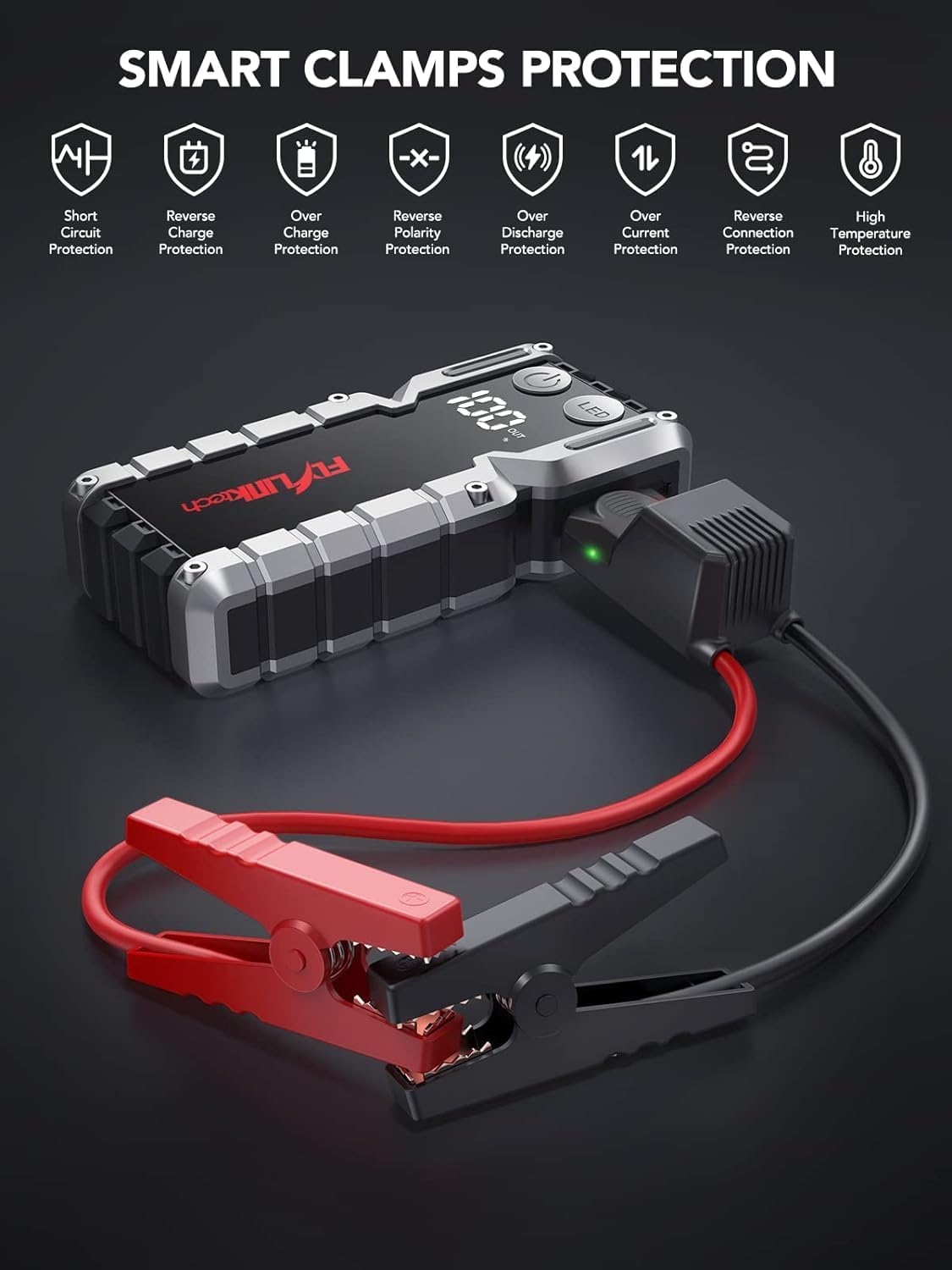
Ìomhaigh: Smart Clamps Protection. Icons represent various safety features including short circuit protection, reverse charge protection, over charge protection, reverse polarity protection, over discharge protection, over current protection, and high temperature protection.
5.2. A’ cleachdadh mar bhanca cumhachd
The jump starter can charge various USB-powered devices.
- Connect your device's USB charging cable to one of the USB output ports (USB1 or USB2 QC3.0) on the jump starter.
- Tòisichidh an leum-tòiseachaidh a’ cur cosgais air an inneal agad gu fèin-ghluasadach.
- The LCD display will show the remaining battery percentage den leum tòiseachaidh.
5.3. A’ cleachdadh an lòchran LED
The built-in LED flashlight has three modes: standard, SOS, and strobe.
- Press and hold the "LED" button for 3 seconds to turn on the standard flashlight mode.
- Press the "LED" button again to cycle through the modes: Standard > SOS > Strobe.
- Press and hold the "LED" button for 3 seconds to turn off the flashlight.

Image: The built-in LED flashlight of the FLYLINKTECH jump starter, demonstrating its three modes: standard flashlight, SOS signal, and strobe light.
6. Cumail suas
- Store the jump starter in its portable EVA carrying case when not in use to protect it from dust and damage.
- Recharge the unit every 3-6 months, even if not used, to maintain battery health and extend its lifespan.
- Glan an taobh a-muigh le clò bog, tioram. Na cleachd ceimigean cruaidh no innealan-glanaidh sgrìobach.
- Keep the jump starter away from direct sunlight, heat sources, and moisture.
- Do not disassemble the unit. Servicing should only be performed by qualified personnel.
7. A ’dèanamh trioblaid
| Trioblaid | Adhbhar a dh’fhaodadh a bhith ann | Fuasgladh |
|---|---|---|
| Chan eil an leum-tòiseachaidh a’ tionndadh air. | Tha am bataraidh air a dhì-luchdachadh gu tur. | Charge the jump starter fully using the provided USB-C cable. |
| Vehicle does not start after connecting. | mì-cheart clamp ceangal (polarachd cùil). Jump starter battery too low. Vehicle battery severely damaged. Cl glicamp indicator not solid green. | Dèan cinnteach gu bheil clamps are connected correctly (red to +, black to -). Luchdaich a-nuas an clàr jumpstart. Bruidhinn ri meacanaig proifeasanta. Follow indicator light instructions in Section 5.1. If flashing green, use BOOST function. |
| Cl glicamp indicator is solid red and beeping. | Ceangal polarity air ais. | Dì-cheangail cl sa bhadamps and re-attach correctly (red to +, black to -). |
| Flashlight does not work. | Tha bataraidh ro ìosal. LED button not pressed correctly. | Luchdaich a-nuas an jump starter. Press and hold the "LED" button for 3 seconds to activate. |
| Devices not charging via USB ports. | Jump starter battery too low. Cùis ceangail càball. | Luchdaich a-nuas an jump starter. Ensure USB cables are securely connected to both the jump starter and the device. Try a different cable. |
8. Sònrachaidhean
| Feart | Mion-fhiosrachadh |
|---|---|
| Modail | CF900 |
| Comas Bataraidh | 18000 mAh (66.6Wh) |
| Peak an-dràsta | 4000A |
| Toradh Tòisich leum | 12V |
| Toradh USB1 | 5V/2.4A |
| USB2 Output (QC3.0) | 5V/2.4A, 9V/2A, 12V/1.5A |
| Cuir a-steach Type-C | 5V/2A |
| Teòthachd Obrachaidh | -20 ° C gu 60 ° C (-4 ° F gu 140 ° F) |
| Meudan toraidh | 19 cm x 9 cm x 4 cm (timcheall air) |
| Cuideam nì | 820 g |
| Co-fhreagarrachd einnsean | Up to 9.0L Gas or 8.0L Diesel |
9. Barantas agus Taic
FLYLINKTECH provides the following support for this product:
- 3-Year Free Warranty: A’ còmhdach lochdan saothrachaidh agus mì-ghnìomhachd fo chleachdadh àbhaisteach.
- Taic Teicnigeach Fad-beatha: Assistance with product usage, troubleshooting, and general inquiries.
- Seirbheis teachdaiche 7/24: Available around the clock for any questions or concerns.
For support, please refer to the contact information provided in your product packaging or visit the official Flylinktech weblàrach.