
Makeid L1
Leabhar-làimhe Cleachdaiche Inneal Dèanadair Leubail Makeid L1
Model: L1 | Brand: Makeid
Ro-ràdh
This manual provides detailed instructions for the setup, operation, maintenance, and troubleshooting of your Makeid L1 Portable Wireless Sticker Label Maker Machine. Please read this manual thoroughly before using the device to ensure proper function and longevity.
Dè th' anns a' Bhocsa
Dèan cinnteach gu bheil na pàirtean uile anns a’ phacaid:
- Makeid L1 Label Maker Machine
- 4-meter roll of label tape
- Càball cosgais USB
- Leabhar-làimhe cleachdaiche (an sgrìobhainn seo)
Bathar seachadview
Familiarize yourself with the key components of your Makeid L1 Label Maker.

Ìomhaigh: Thairisview of the Makeid L1 Label Maker, highlighting the power button, the lid for tape replacement, and the integrated cutter for crisp labels.
- Putan Cumhachd: Located on the side, used to turn the device on/off.
- Mullach: Opens to access the tape compartment for loading and replacing label rolls.
- Cutter togte: Ensures clean and precise cuts of printed labels.
- Label Output Slot: Where printed labels emerge.
- Port cosgais: USB port for recharging the device.
Suidhich
1. A 'cur cosgais air an inneal
Before first use, ensure the label maker is fully charged. Connect the provided USB charging cable to the device's charging port and a compatible USB power source (e.g., computer USB port, USB wall adapter). The indicator light will show charging status (refer to device specific light indicators for full/charging status).
2. A’ luchdachadh teip leubail
The Makeid L1 supports various label tape widths (9mm, 12mm, 16mm) and types (continuous, die-cut, transparent, white, colored, pattern). Ensure the tape is correctly oriented.
- Open the lid of the label maker.
- Insert the label roll into the compartment, ensuring the tape feeds out from the bottom and through the output slot.
- Dùin am mullach gu tèarainte.
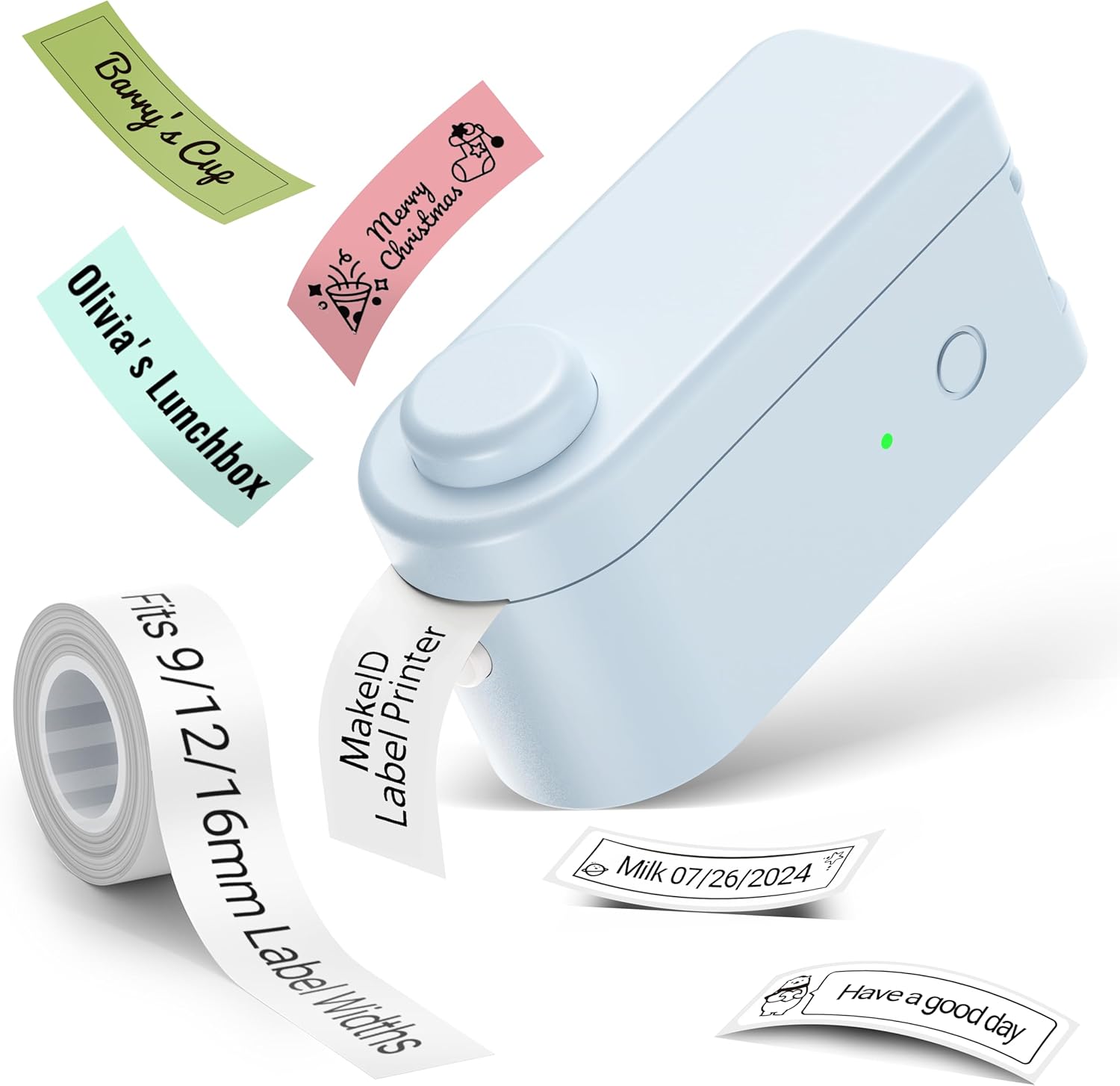
Ìomhaigh: The Makeid L1 Label Maker demonstrating the label tape roll and examples of printed labels, including continuous and die-cut types.
3. Downloading and Installing the App
The Makeid L1 operates via a dedicated mobile application. Lorg airson "MakeID-Life" on your device's app store.

Ìomhaigh: Screenshots showing the "Get it on Google Play" and "Download on the App Store" buttons, indicating where to find the MakeID-Life application.
4. Càraid Bluetooth
The label maker connects to your smartphone via Bluetooth.
- Dèan cinnteach gu bheil Bluetooth air a chomasachadh air an fhòn-smart agad.
- Turn on the Makeid L1 Label Maker by pressing the power button. The indicator light will flash, indicating it's ready for pairing.
- Open the "MakeID-Life" app. The app will automatically search for nearby devices.
- Select "L1" from the list of available devices to connect. Once connected, the indicator light on the label maker will become solid.

Ìomhaigh: A visual guide demonstrating the three steps for Bluetooth connection: turning on Bluetooth, selecting the L1 model within the app, and confirming the device connection.
Stiùireadh Obrachaidh
1. Designing Your Label
The "MakeID-Life" app offers extensive customization options:
- Cuir a-steach teacsa: Sgrìobh an teacsa a tha thu ag iarraidh.
- Cruthan-clò: Choose from 88 different font styles.
- Icons & Symbols: Access over 600 icons and various symbols.
- Teamplaidean: Utilize over 400 pre-designed templates for various purposes (e.g., kitchen, office, school).
- Borders & Frames: Add decorative borders.
- Feartan Eile: Create barcodes, QR codes, tables, dates, and patterns.
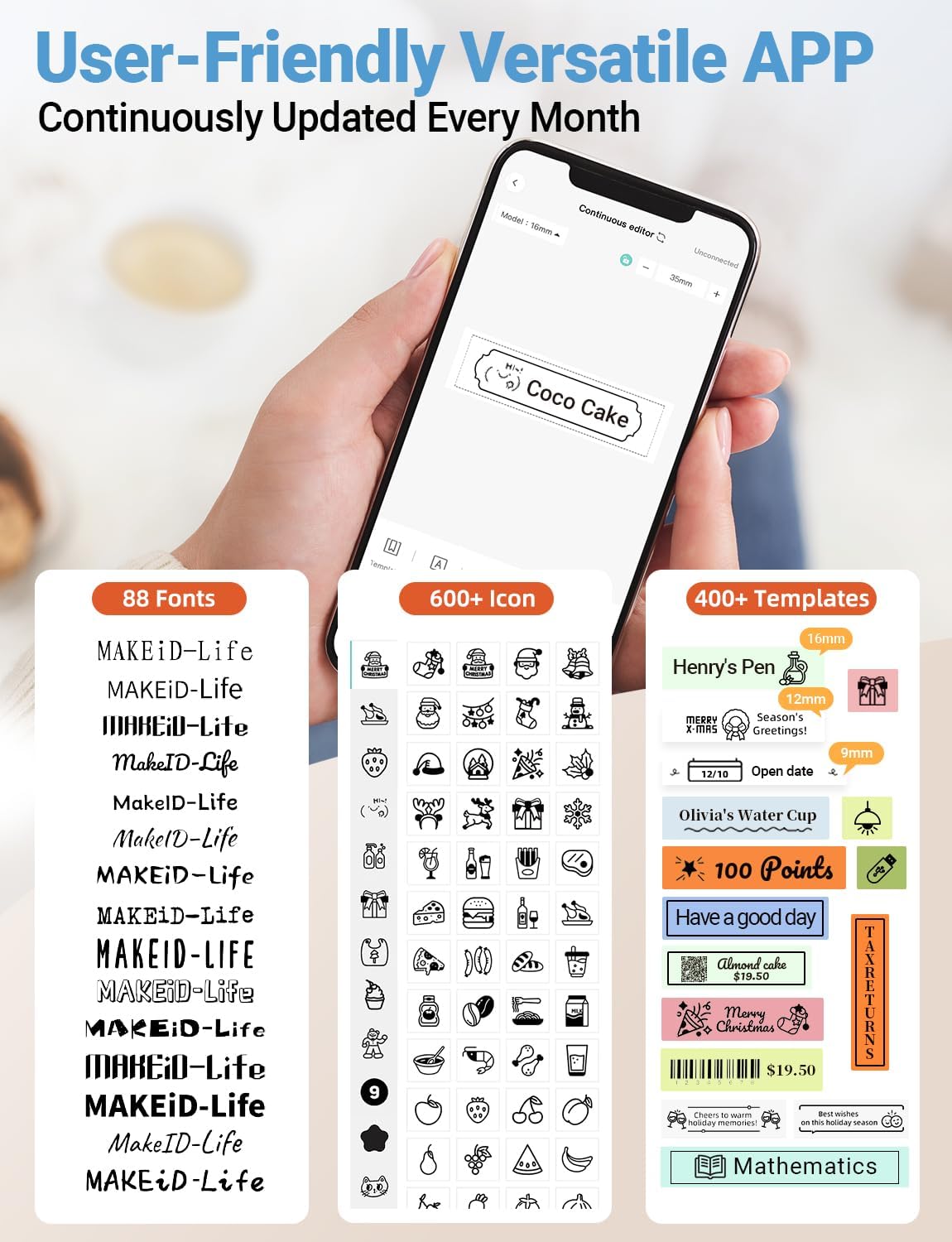
Ìomhaigh: A mionaideach view of the MakeID-Life app interface, showcasing the wide selection of 88 fonts, over 600 icons, and more than 400 templates available for label customization.
2. Clò-bhualadh Labels
Once your design is complete in the app:
- Review your label design on the app screen.
- Tap the "Print" button within the app.
- The label will be thermally printed and emerge from the output slot.
3. Gearradh Leubail
The Makeid L1 features a built-in cutter for clean edges.
- After printing, gently pull the label forward slightly.
- Press the cutting button (refer to the Product Overview image for location) to cleanly cut the label.

Ìomhaigh: Illustration of the Makeid L1's built-in cutter, demonstrating how it provides professional and safe cutting of labels, eliminating messy torn edges.
4. Types of Label Printing
The L1 supports two primary types of label printing:
- Continuous Labels: Ideal for custom lengths, allowing you to print text of any length and cut it precisely.
- Die-Cut Labels: Pre-sized labels with specific shapes, perfect for consistent labeling of items like jars or files.

Ìomhaigh: Visual representation of continuous labels, which can be cut to any length, and die-cut labels, which are pre-shaped for specific applications.
Cumail suas
A ’glanadh a’ chinn clò-bhualaidh
To ensure optimal print quality, periodically clean the thermal print head.
- Turn off the label maker and disconnect it from the power source.
- Open the lid and remove the label tape.
- Gently wipe the print head with a soft, lint-free cloth dampair a lìonadh le deoch-làidir isopropyl. Na cleachd uisge no innealan-glanaidh sgrìobach.
- Allow the print head to dry completely before reinserting the tape and closing the lid.
Stòradh
Store the label maker in a cool, dry place away from direct sunlight and extreme temperatures. Remove the label tape if storing for extended periods.
Fuasgladh thrioblaidean
Thoir sùil air a’ chlàr gu h-ìosal airson cùisean cumanta agus na fuasglaidhean aca.
| Trioblaid | Adhbhar a dh’fhaodadh a bhith ann | Fuasgladh |
|---|---|---|
| Cha bhith inneal a ’tionndadh air. | Bataraidh ìosal. | Cuir cosgais air an inneal a’ cleachdadh a’ chàball USB a chaidh a thoirt seachad. |
| Chan urrainnear ceangal a dhèanamh tro Bluetooth. | Tha Bluetooth dheth air a’ fòn; chan eil an inneal ann am modh càraideachaidh; duilgheadas leis an aplacaid. | Ensure Bluetooth is enabled on your phone. Turn the label maker off and on again to re-enter pairing mode. Restart the "MakeID-Life" app. |
| Poor print quality / Faded prints. | Print head dirty; incorrect label tape; low battery. | Clean the print head. Ensure you are using Makeid compatible thermal label tape. Charge the device. |
| Label tape not feeding. | Tape incorrectly loaded; tape jammed. | Open the lid and re-insert the label tape correctly, ensuring it's not jammed. |
| Labels are not cutting cleanly. | Cutter blade dull or obstructed. | Ensure no debris is obstructing the cutter. If issues persist, contact customer support. |
Sònrachaidhean
Detailed technical specifications for the Makeid L1 Label Maker Machine:
| Feart | Mion-fhiosrachadh |
|---|---|
| Brand | Makeid |
| Ainm Modail | L1 |
| Teicneòlas ceangail | Bluetooth |
| Teicneòlas clò-bhualaidh | Teirmeach |
| Toradh Clò-bhualadair | Monochrome |
| Fuasgladh | 203 x 203 DPI (also 300 x 300 DPI for other variants) |
| Meud as motha de na meadhanan | 0.63 òirleach (16mm) |
| Innealan co-fhreagarrach | Fònaichean sgairteil (Android & iOS) |
| Modh smachd | App |
| Eadar-aghaidh bathar-cruaidh | USB |
| Stòr cumhachd | 1 bataraidh lithium-ion (air a ghabhail a-steach) |
| Meudan toraidh | 3.93"D x 1.6"L x 1.96"À (10 x 4.06 x 4.98 cm) |
| Cuideam nì | 4.4 unnsa (126 gram) |
| Feartan sònraichte | Continuous & Pre-cut Label Tapes, Waterproof, Oil-proof, Friction Resistant, Light Resistant, No Fading, Rich Font Icon Pattern, Portable, Inkless, Wireless, Rechargeable, Creative Print Functions (Barcode, Text, Picture, QR 2D Code, Table, Date, Border, Icon, Shape, Pattern, Template) |
Barantas agus Taic
The Makeid L1 Label Maker comes with a Barantas fad-beatha. For technical support, warranty claims, or further assistance, please contact Makeid customer service through the official Makeid weblàrach-lìn no am fiosrachadh conaltraidh a tha air a thoirt seachad ann am pasgan an toraidh agad.
Airson goireasan a bharrachd agus Ceistean Cumanta, tadhail air Makeid Store on Amazon.
Fiosrachadh Sàbhailteachd
- Na cuir às do chèile no na feuch ris an inneal a chàradh thu fhèin.
- Cùm an inneal air falbh bho uisge agus àrd taiseachd.
- Use only original or certified compatible label tapes and charging cables.
- Cùm a-mach à ruigsinn chloinne.
- Seachain an inneal a nochdadh gu fìor theodhachd no solas dìreach.
Ask a question about this manual
Ask about setup, troubleshooting, compatibility, parts, safety, or missing instructions. Manuals+ will review the question and use this page’s manual context to help answer it.