
1. Ro-ràdh
The WARSUN H882 Searchlight Flashlight is a high-performance, portable lighting device designed for various applications including outdoor activities, camping, and emergency situations. It features advanced LED and Xenon lighting technology, durable construction, and multiple operating modes to provide reliable illumination.
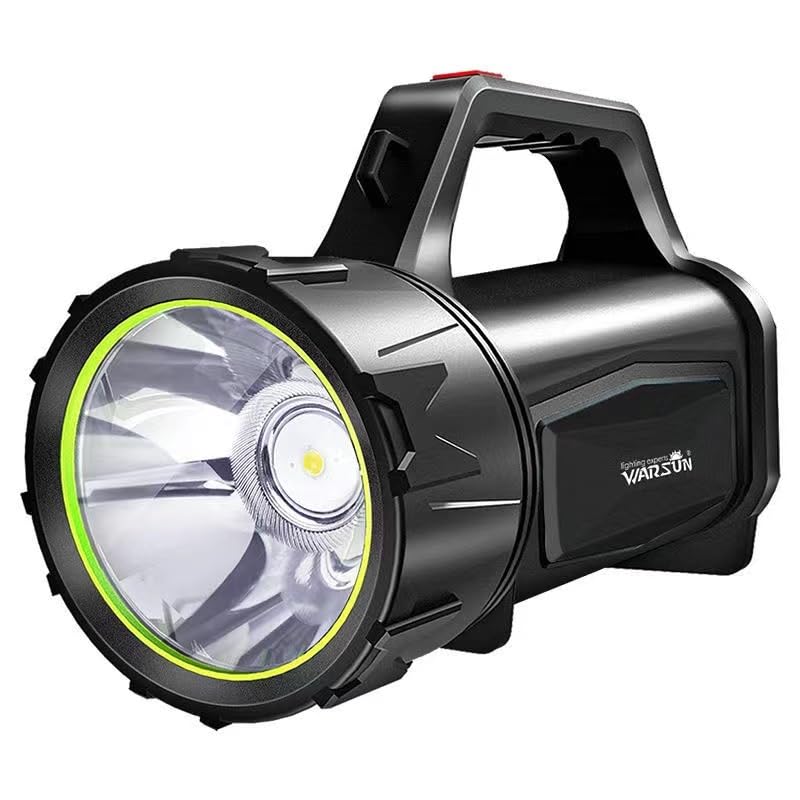
Dealbh 1.1: Aghaidh view of the WARSUN H882 Searchlight Flashlight.
2. Feartan toraidh
- Soillseachadh cumhachdach: Delivers up to 3000 lumens for bright and clear lighting.
- Beatha bataraidh maireannach: Operates continuously for up to 48 hours on a single charge.
- Astar Beam Leudaichte: Capable of illuminating targets up to 1 kilometer away.
- Modhan solais ioma-chruthach: Includes high, low, and strobe modes to suit different requirements.
- Seasmhachd agus earbsachd: Features shock resistance, anti-drop design, and IP5 water resistance for use in challenging environments.

Image 2.1: The WARSUN H882 Searchlight Flashlight demonstrating its waterproof design.
3. Pasgan-susbaint
Thoir sùil air a’ phacaid airson nan nithean a leanas:
- WARSUN H882 Searchlight Flashlight
- Càball cosgais USB
- Bataraidh Lithium Ion air a thogail a-steach
4. Suidhich
4.1 Cìs tòiseachaidh
Before first use, fully charge the WARSUN H882 Searchlight Flashlight. Connect the provided USB charging cable to the charging port on the device and to a standard USB power adapter (not included) or a computer USB port. The charging indicator will show the charging status.

Image 4.1: Connecting the USB cable for charging the flashlight.
5. Stiùireadh Obrachaidh
5.1 Cumhachd air / dheth
Press the power button located on the handle to turn the flashlight on. Press it again to cycle through the different lighting modes (High, Low, Strobe). To turn off the flashlight, continue pressing the power button until the light switches off, or press and hold the button for a few seconds.
5.2 Atharrachadh Mhodhan
With the flashlight on, short press the power button repeatedly to switch between High, Low, and Strobe modes. Select the mode appropriate for your lighting needs.
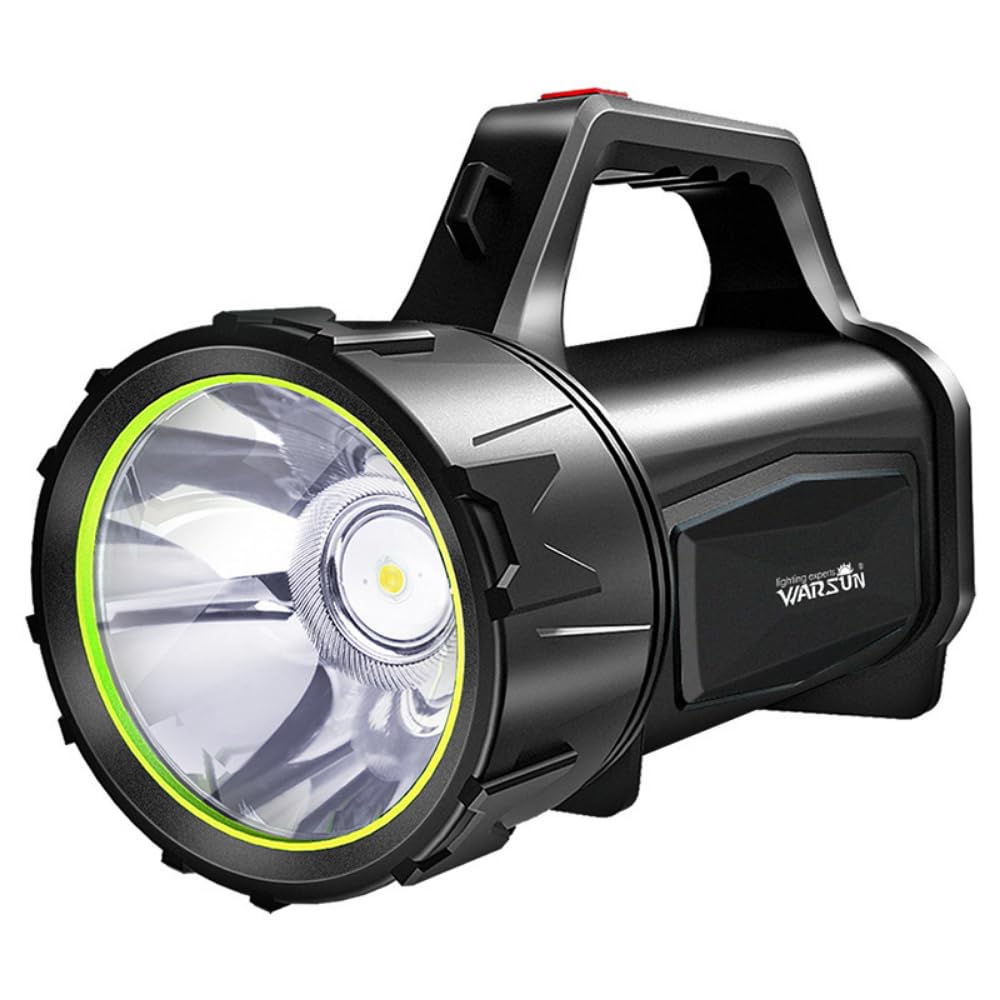
Image 5.1: The WARSUN H882 Searchlight Flashlight in operation, showing its powerful beam.
6. Stiùireadh mu chìsean
6.1 A’ cur cosgais air an inneal
To charge the H882, locate the USB charging port, typically protected by a rubber cover to maintain water resistance. Plug the smaller end of the USB cable into the flashlight's port and the larger end into a compatible USB power source. The indicator lights will show charging progress. A full charge can take several hours.
6.2 Gnìomh a’ Bhanca Cumhachd
The WARSUN H882 also features a power bank function, allowing you to charge other USB-powered devices. Connect your device's charging cable to the flashlight's output USB port. This feature is useful for charging mobile phones or other small electronics in emergency situations.
7. Cumail suas
7.1 Glanadh
Sguab às an flashlight le inneal bog, damp cloth to remove dirt and debris. Do not use abrasive cleaners or solvents, as these may damage the surface or internal components. Ensure the charging port cover is securely closed after cleaning to maintain water resistance.
7.2 Stòradh
Store the flashlight in a cool, dry place away from direct sunlight and extreme temperatures. For long-term storage, it is recommended to charge the battery every 3-6 months to maintain battery health.
8. A ’dèanamh trioblaid
- Chan eil an lòchran a’ tionndadh air:
- Ensure the battery is charged. Connect to a power source and allow it to charge for at least 30 minutes before attempting to turn it on again.
- Dèan cinnteach a bheil am putan cumhachd ag obrachadh ceart.
- Tha an solas lag no a’ priobadh:
- Dh’fhaodadh ìre a’ bhataraidh a bhith ìosal. Ath-lìon an lòchran gu tur.
- Dèan cinnteach gu bheil an lionsa glan agus saor bho bhacaidhean.
- Chan eil cosgais ag obair:
- Verify that the USB cable is securely connected to both the flashlight and the power source.
- Feuch ri càball USB no inneal-atharrachaidh cumhachd eadar-dhealaichte a chleachdadh gus faighinn a-mach nach eil goireasan lochtach ann.
- Thoir sùil air a’ phort cosgais airson sprùilleach no milleadh sam bith.
If issues persist after attempting these troubleshooting steps, please contact customer support.
9. Sònrachaidhean
| Feart | Sònrachadh |
|---|---|
| Modail Àireamh | H882 |
| Brand | WARSUN |
| Seòrsa Stòr Solais | LED, Xenon |
| Gile | 3000 Lumen |
| Astar Beam | Up to 1 Kilometer |
| Beatha bataraidh | Suas ri 48 uair a thìde (Modh ìosal) |
| Stòr cumhachd | Bataraidh le cumhachd (bataraidh 1 Lithium Ion air a thoirt a-steach) |
| Co-chruinneachadh cealla bataraidh | Ion Lithium |
| Ìre an aghaidh uisge | IP5 (dìon-uisge) |
| Stuth | ABS |
| Meudan toraidh | 20D x 10W x 15H ceudameatairean |
| Cuideam nì | 0.55 cileagram (550 g) |

Image 9.1: Detailed performance specifications of the WARSUN H882 Searchlight.
10. Fiosrachadh Sàbhailteachd
- Na seall gu dìreach a-steach don ghath solais gus dochann sùla a sheachnadh.
- Cùm a-mach à ruigsinn chloinne.
- Na cuir às a chèile no na atharraich an lòchran, oir dh’ fhaodadh seo am barantas a dhèanamh neo-dhligheach agus cunnartan sàbhailteachd adhbhrachadh.
- Cleachd dìreach an càball USB a chaidh a thoirt seachad airson cosgais.
- Avoid exposing the flashlight to extreme heat or fire.
- Cuir às do bataraidhean a rèir riaghailtean ionadail.
11. Barantas agus Taic
This WARSUN H882 Searchlight Flashlight comes with a standard manufacturer's warranty. For specific warranty terms and conditions, please refer to the product packaging or contact your retailer. For technical support, troubleshooting assistance, or to inquire about replacement parts, please contact WARSUN customer service through their official weblàrach-lìn no am fiosrachadh conaltraidh a chaidh a thoirt seachad leis a’ cheannach agad.