
1. Setup agus Ceangalachd
The ATTACK SHARK K6 Wireless Mechanical Keyboard offers versatile connectivity options and is compatible with multiple operating systems.
1.1 Susbaint a’ phacaid
- ATTACK SHARK K6 Wireless Mechanical Keyboard
- Cloud Keyboard Wrist Rest
- 2-in-1 USB Cable (Type-C to USB-A)
- 2-in-1 Keycap & Switch Puller
- Glacadair 2.4GHz

Image: All components included with the ATTACK SHARK K6 Wireless Mechanical Keyboard.
1.2 Modhan Ceangail
The keyboard supports three connection modes: Bluetooth 5.0, 2.4GHz wireless, and USB-C wired.
- Modh Bluetooth: Brùth FN+1, FN+2, or FN+3 to switch between three different Bluetooth devices.
- Modh gun uèir 2.4GHz: Brùth FN+4. Insert the 2.4GHz receiver into your device's USB port.
- Modh Uèirle USB-C: Brùth FN+5. Connect the keyboard to your device using the provided USB-C to USB-A cable.
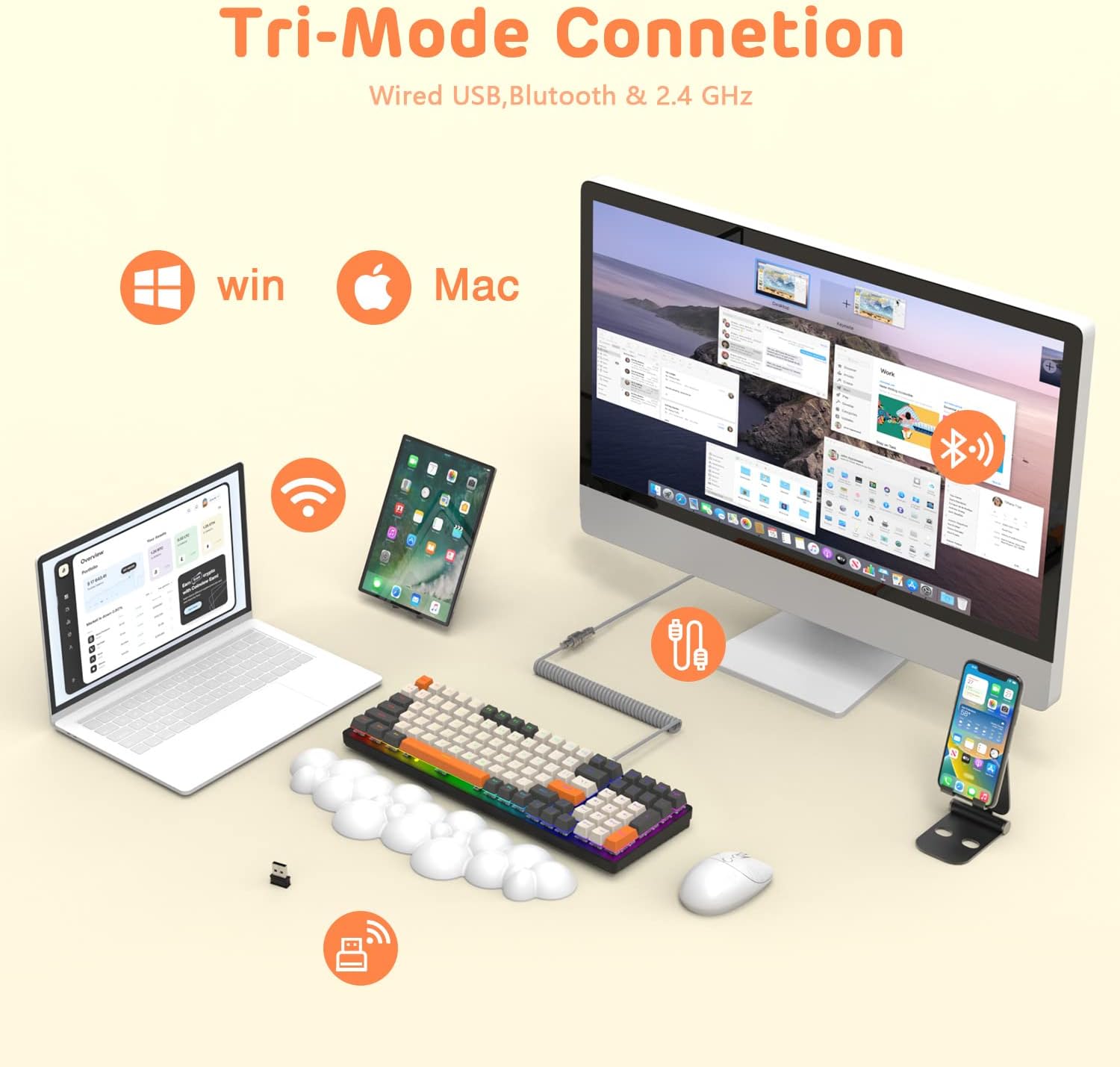
Image: The keyboard demonstrating its tri-mode connection capabilities with various devices.
1.3 A’ cur cosgais air a’ mheur-chlàr
The keyboard features a 4000mAh battery. Connect the USB-C cable to the keyboard and a power source to charge. Indicator lights (blue, purple, cyan, green) will display the charging status and low voltage rabhaidhean.

Image: Visual representation of the keyboard's 4000mAh lithium battery capacity.

Image: The custom coiled USB-C to USB-A cable for charging and wired use.
2. Stiùireadh Obrachaidh
This section details the various functions and features of your ATTACK SHARK K6 keyboard.
2.1 Keyboard Layout and Ergonomics
The keyboard features a 96% compact layout with 100 keys, including a numpad, optimizing workspace while retaining full functionality. It also includes a cloud-shaped memory foam wrist rest for enhanced comfort.

Image: The 100-key compact layout of the K6 keyboard.

Image: Ergonomic design with adjustable two-stage tripod feet.

Image: The K6 keyboard with its ergonomic wrist rest and key features.

Image: Benefits of the ergonomic wrist rest for wrist pain relief.
2.2 Gnàthachadh Solais RGB
The keyboard features customizable RGB backlighting. You can adjust the color, brightness, and flow rate of each key to create personalized lighting effects.
- Atharraich am modh backlight: Brùth FN + INS to cycle through 9 different RGB backlight modes.
- Atharraich soilleireachd / astar: Cleachd FN + Arrow Keys (Up/Down for brightness, Left/Right for speed) to fine-tune the lighting effects.

Ìomhaigh: Tharview of the 9 RGB rainbow backlight modes and control keys.
2.3 Suidsichean a ghabhas iomlaid gu teth
The K6 keyboard features a hot-swappable PCB, allowing you to easily replace 3-pin mechanical switches without soldering. This extends the lifespan of the switches and offers customization possibilities.

Image: Detail of the hot-swappable PCB and mechanical switches.
Video: A short demonstration of the K6 keyboard's retro design, PBT keycaps, and easy-to-type switches, including a close-up of a red switch.
Video: Demonstration of the K6 keyboard's RGB backlighting and typing sound, showcasing its triple-mode connectivity and mechanical switches.
3. Cumail suas
Nì deagh chumail suas cinnteach gum mair am meur-chlàr agad fad-beatha agus gum bi e ag obair gu math.
3.1 Glanadh a’ Mheur-chlàir
- Ceapan-iuchrach: Use the provided keycap puller to remove keycaps. Clean them with a soft, damp clò agus siabann tlàth ma tha sin riatanach. Dèan cinnteach gu bheil iad gu tur tioram mus cuir thu iad air ais.
- Corp a' Mheur-chlàir: Wipe the keyboard surface with a soft, lint-free cloth. For stubborn dirt, slightly dampen the cloth with water or a gentle electronics cleaner.
- Under Keycaps: Cleachd èadhar teannaichte gus duslach agus sprùilleach a thoirt air falbh bho eadar na suidsichean.
3.2 Ath-chur Suidse
Thanks to the hot-swappable design, individual switches can be replaced if they become faulty or if you wish to customize your typing experience.
- Use the switch puller to carefully grip and pull out the desired switch.
- Cuir prìnichean an suidse 3-prìne ùr còmhla ris na tuill air a’ PCB.
- Brùth an suidse ùr gu socair na àite gus an cliog e gu tèarainte. Dèan cinnteach nach eil na prìnichean lùbte.
3.3 Wrist Rest Care
The wrist rest is made of durable and washable PU material. Clean it with a damp cloth and mild soap as needed to maintain hygiene and appearance.
4. A ’dèanamh trioblaid
If you encounter issues with your keyboard, refer to the following common solutions.
4.1 Cùisean Ceangail
- No Connection (Wireless): Ensure the keyboard is in the correct wireless mode (Bluetooth or 2.4GHz). Check if the 2.4GHz receiver is properly inserted or if Bluetooth is enabled on your device and the keyboard is paired.
- Ceangal eadar-amail: Move the keyboard closer to your device to reduce interference. Ensure the keyboard is sufficiently charged.
- Ceangal uèirleas nach eil ag obair: Verify the USB-C cable is securely connected to both the keyboard and your device. Try a different USB port or cable.
4.2 Duilgheadasan Solais RGB
- Lights Not On: Ensure the keyboard is powered on and charged. Adjust brightness using FN + saighead suas.
- Incorrect Mode/Color: Rothaich tro mhodhan a’ cleachdadh FN + INS.
4.3 Key Functionality Issues
- Iuchraichean gun fhreagairt: Check for debris under the keycap or switch. If a specific switch is faulty, consider replacing it using the hot-swappable feature.
- Keys Double-Typing or Sticking: This can sometimes be resolved by cleaning the switch or replacing the affected switch. Ensure the switch is fully seated.
5. Sònrachaidhean
| Feart | Mion-fhiosrachadh |
|---|---|
| Modail | Meur-chlàr meacanaigeach gun uèir K6 |
| Teicneòlas ceangail | Bluetooth 5.0, 2.4GHz RF, USB-C Wired |
| Tuairisgeul meur-chlàr | Meacanaigeach |
| Seòrsa Switch | Clicky Blue Switches (Hot-Swappable 3-pin) |
| Cruth | 96% (100 iuchraichean) |
| Comas Bataraidh | 4000 mAh |
| Cùl-sholais | RGB (9 modh) |
| Innealan co-fhreagarrach | Laptop, PC, Tablet (Mac/Win dual systems) |
| Feartan sònraichte | Ergonomic, Hot-Swap, Custom Coiled Aviator Keyboard Cable, Backlit, Wrist Rest, Rechargeable, Keycap and Switch Puller, N-Key Rollover |
| Stuth | Polyurethane (PU) for wrist rest |
| Cuideam nì | 2.97 not |
| Meud pacaid | 17.09 x 6.46 x 2.68 òirleach |
6. Fiosrachadh Barantais
Feuch an toir thu sùil air fiosrachadh oifigeil an neach-dèanamh website or product packaging for detailed warranty information regarding your ATTACK SHARK K6 Wireless Mechanical Keyboard.
7. Taic teachdaiche
For further assistance, technical support, or inquiries about your ATTACK SHARK K6 Wireless Mechanical Keyboard, please contact ATTACK SHARK customer support or visit their official weblàrach.