
1. Fiosrachadh Sàbhailteachd Cudromach
Please read all safety instructions carefully before using the BYINTEK P70 Smart WiFi Projector. Keep this manual for future reference.
- Stòr cumhachd: Cleachd an inneal-atharrachaidh cumhachd a tha air a thoirt seachad a-mhàin. Dèan cinnteach gu bheil an tomhas-lìonaidhtagtha e a’ freagairt ri riatanasan a’ phròiseictar.
- Sàbhailteachd bataraidh: The projector contains a built-in lithium-ion battery. Do not expose to extreme temperatures, puncture, or disassemble.
- Fionnarachadh: Dèan cinnteach gu bheil fionnarachadh ceart timcheall air a’ phròiseictar gus casg a chur air cus teasachadh. Na cuir bacadh air fosglaidhean fionnarachaidh.
- Teas: The projector may become warm during operation. This is normal. Avoid touching the lens or vents immediately after use.
- Taisbeanadh solais: Na seall gu dìreach a-steach do lionsa a’ phròiseictar nuair a bhios an lamp air, oir faodaidh an solas soilleir cuideam no milleadh a dhèanamh air na sùilean.
- Uisge agus Taiseachd: Cùm am proiseactair air falbh bho uisge, uisge, agus cus taiseachd. Na cleachd e le làmhan fliuch.
- Glanadh: Dì-cheangail an cumhachd mus glan thu e. Cleachd clò bog, tioram. Na cleachd innealan-glanaidh leaghaidh no aerosol.
- Clann: Keep the projector and its accessories out of reach of children.
2. Toradh thallview
The BYINTEK P70 is a portable smart DLP projector designed for versatile entertainment and presentation needs. It features an 8000mAh built-in battery, Android 9.0 operating system, auto-focus, and 3D support.
2.1 Susbaint a’ phacaid
- BYINTEK P70 Projector x 1
- Smachd Iomallach x 1
- Adaptor cumhachd x 1
- Tripod beag x 1
- Bag stòraidh x 1
- Leabhar-làimhe cleachdaiche x 1
2.2 Prìomh fheartan
- Dealbhadh so-ghiùlain: Compact agus aotrom airson còmhdhail furasta.
- Bataraidh air a thogail a-steach: 8000mAh battery provides 1.5 to 3 hours of playback.
- Siostam-obrachaidh Android snasail: Android 9.0 for app downloads, online streaming, and gaming.
- Fòcas fèin-ghluasadach: Automatic focus adjustment for clear images.
- 6D Keystone Correction: Advanced keystone correction for flexible placement.
- Taic 3D: Enjoy immersive 3D content.
- Ceangal gun uèir: Supports wireless screen mirroring from Android, iOS, and PC devices.
- Ceangal Wired: USB data cable sync for iOS and select Android devices.
- Meud ro-mheasaidh mòr: Up to 200 inches.
- 4K Playback: Supports up to 4K video input.
- LED Fada Lamp Beatha: 30,000 uairean.
- Luchd-labhairt Stereo Dùbailte: Integrated 2x5W speakers for clear audio.

Image: Infographic detailing the BYINTEK P70's features including 4K support, DLP display, 6D keystone, 8000mAh battery, 3D, Type-C charge, 2G+32G memory, Android OS, and stereo speakers.
3. Suidhich
3.1 Charging the Projector
Before first use, fully charge the projector. Connect the provided power adapter to the projector's Type-C port and plug it into a power outlet. The charging indicator will show the charging status.

Image: The BYINTEK P70 projector connected to a power bank via a Type-C cable, illustrating its portable charging capability.
3.2 Suidheachadh Tùsail
Cuir am proiseactair air uachdar seasmhach, rèidh. Airson an ìre as fheàrr viewing, position it directly in front of your projection screen or wall. The included mini tripod can be used for angle adjustments.
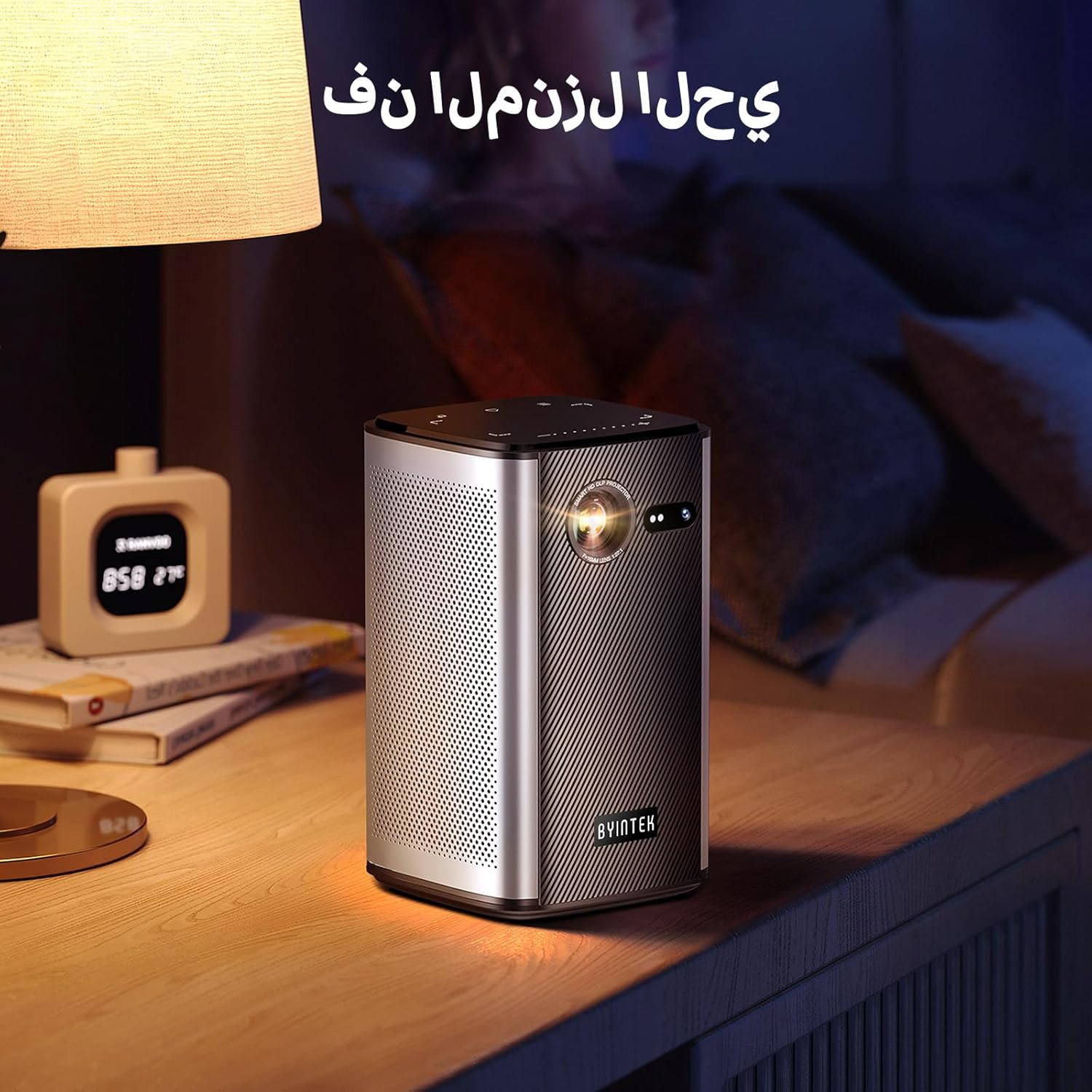
Image: The BYINTEK P70 projector placed on a bedside table, ready for indoor use.
3.3 A’ cur cumhachd air/dheth
Press and hold the power button on the projector or remote control to turn the device on or off.
3.4 Ceartachadh Fòcas agus Keystone
The BYINTEK P70 features automatic focus. For keystone correction, navigate to the settings menu using the remote control. The 6D keystone correction allows for precise image adjustment, even with side projection.

Image: A visual representation of the projector's auto-focus feature, showing a clear image projected onto a wall.
4. Stiùireadh Obrachaidh
4.1 A’ seòladh siostam-obrachaidh Android
Use the remote control to navigate the Android 9.0 interface. The home screen provides access to pre-installed apps and settings. You can download additional applications from the app store.

Image: The projector displaying its Android operating system interface with various application icons like Miracast, Settings, AirPlay, Market, File Explorer, YouTube, and Netflix.
4.2 Sgàthan-sgàthan gun uèir
The projector supports wireless screen mirroring for Android, iOS, and PC devices. Access the 'Miracast' or 'AirPlay' app on the projector's home screen and follow the on-screen instructions to connect your device.
4.3 Wired Screen Mirroring
For iOS devices and some Android devices, you can use a USB data cable for wired screen synchronization. Connect your device to the projector's USB port using its original data cable.
4.4 Ath-chluich 3D
The BYINTEK P70 supports 3D content. To enjoy 3D movies, ensure your media file is in a compatible 3D format (e.g., Blu-ray 3D, SBS, TNB) and use active shutter 3D glasses (sold separately).

Image: A family wearing 3D glasses, enjoying a 3D movie projected by the BYINTEK P70, showcasing its 3D capability.
4.5 Sùm didseatach
Adjust the image size from 50% to 100% using the digital zoom function on the remote control. This allows you to fit the image perfectly to your screen without moving the projector.
5. Cumail suas
5.1 Glanadh an Lionsa
Cleachd clò bog, gun lint, a chaidh a dhealbhadh gu sònraichte airson lionsan optigeach, gus lionsa a’ phròiseictar a sguabadh gu socair. Seachain stuthan sgrìobach no ceimigean cruaidh a chleachdadh.
5.2 Glanadh an taobh a-muigh
Sguab taobh a-muigh a’ phròiseictar le clò bog, tioram. Na cleachd innealan-glanaidh leaghaidh no spraeirean gu dìreach air an inneal.
5.3 Stòradh
When not in use, store the projector in a cool, dry place, away from direct sunlight and extreme temperatures. Use the provided storage bag to protect it from dust and scratches.
5.4 Cùram Bataraidh
Gus beatha a’ bhataraidh a leudachadh, seachain a bhith a’ dì-luchdachadh a’ bhataraidh gu tric. Ma bhios tu ga stòradh airson ùine mhòr, cuir cosgais air a’ bhataraidh gu timcheall air 50% agus ath-luchdaich e a h-uile beagan mhìosan.
6. A ’dèanamh trioblaid
| Trioblaid | Adhbhar a dh’fhaodadh a bhith ann | Fuasgladh |
|---|---|---|
| Gun ìomhaigh air a taisbeanadh | Projector not powered on; input source not selected; cable not connected. | Ensure projector is on. Select correct input source (HDMI, USB, Wireless). Check cable connections. |
| Tha an ìomhaigh blurry | Out of focus; projector too close/far from screen; lens dirty. | Allow auto-focus to adjust. Adjust projector distance. Clean the lens. |
| Chan eil smachd iomallach ag obair | Batteries low/dead; remote not paired; obstruction. | Replace remote batteries. Ensure line of sight to projector's IR receiver. Re-pair remote if necessary (refer to specific pairing instructions in the full manual). |
| Gun fhuaim | Volume too low; external audio device connected; audio format not supported. | Increase projector volume. Disconnect external audio devices. Check audio format compatibility. |
| Cùisean sgàthanachaidh gun uèir | Poor Wi-Fi signal; device compatibility; firewall settings. | Ensure strong Wi-Fi signal. Check device compatibility with Miracast/AirPlay. Disable firewalls temporarily for testing. |
| Bidh proiseactair a’ teasachadh cus | Blocked ventilation; prolonged use in hot environment. | Ensure vents are clear. Operate in a well-ventilated area. Allow projector to cool down. |
7. Sònrachaidhean
| Feart | Sònrachadh |
|---|---|
| Brand | BYINTEK |
| Modail Àireamh | P70 |
| Meudan toraidh | 8.2 x 8.2 x 14.2 cm |
| Cuideam nì | 1.58 cileagram |
| Bataraidh | 1 Lithium Ion battery (included), 8000mAh, 29.6 Wh |
| Siostam-obrachaidh | Android |
| Fuasgladh Taisbeanaidh | 960 x 540 |
| Rùn Taisbeanaidh as àirde | 4K Ultra HD Megapixel |
| Teicneòlas ceangail | Wi-Fi |
| Feartan sònraichte | Auto-focus, 3D Ready, Built-in Wi-Fi Receiver |
| Cleachdaidhean Molta | Taigh-dhealbh |
| Seòrsa Taisbeanaidh | DLP |
| Factor foirm | So-ghiùlain |
| Seòrsa stàladh | Mount Tripod |
| Puirt USB 3.0 | 1 |
| puirt HDMI | 1 |
| Voltage | 12 Volt |
| Dètage | 25 watt |
| Stòr cumhachd | AC & Bataraidh |
8. Barantas agus Taic
The BYINTEK P70 Smart WiFi Projector comes with a standard manufacturer's warranty. For specific warranty details, please refer to the warranty card included in your product packaging or contact BYINTEK customer support.
If you encounter any issues or have questions regarding your projector, please contact BYINTEK customer support through their official website or the contact information provided in your product documentation. Please have your model number (P70) and purchase details ready when contacting support.