
1. Ro-ràdh
The HJC Smart 50B Bluetooth Communication System is a high-end, fully integrated communication solution designed specifically for HJC helmets. Developed in collaboration with Sena, this system offers an optimal balance of weight and aerodynamic performance, enhancing your riding experience.
Am measg nam prìomh fheartan tha:
- Dealbhadh Amalaichte: All-in-one system seamlessly integrates into compatible HJC helmets.
- Bluetooth 5.0 & MESH Intercom: Based on the BT 5.0 Low Power system, the 50B supports both MESH intercom and Bluetooth 4-way intercom functions.
- Càileachd Fuaim Àrdaichte: Features audio multitasking, sound balance, and advanced noise reduction for clear communication.
- HD Speakers: Equipped with HD speakers to enrich mid and bass range sounds.
- Co-fhreagarrachd clogaid: Compatible with HJC RPHA 71, RPHA 91, RPHA 31, and i71 helmets.
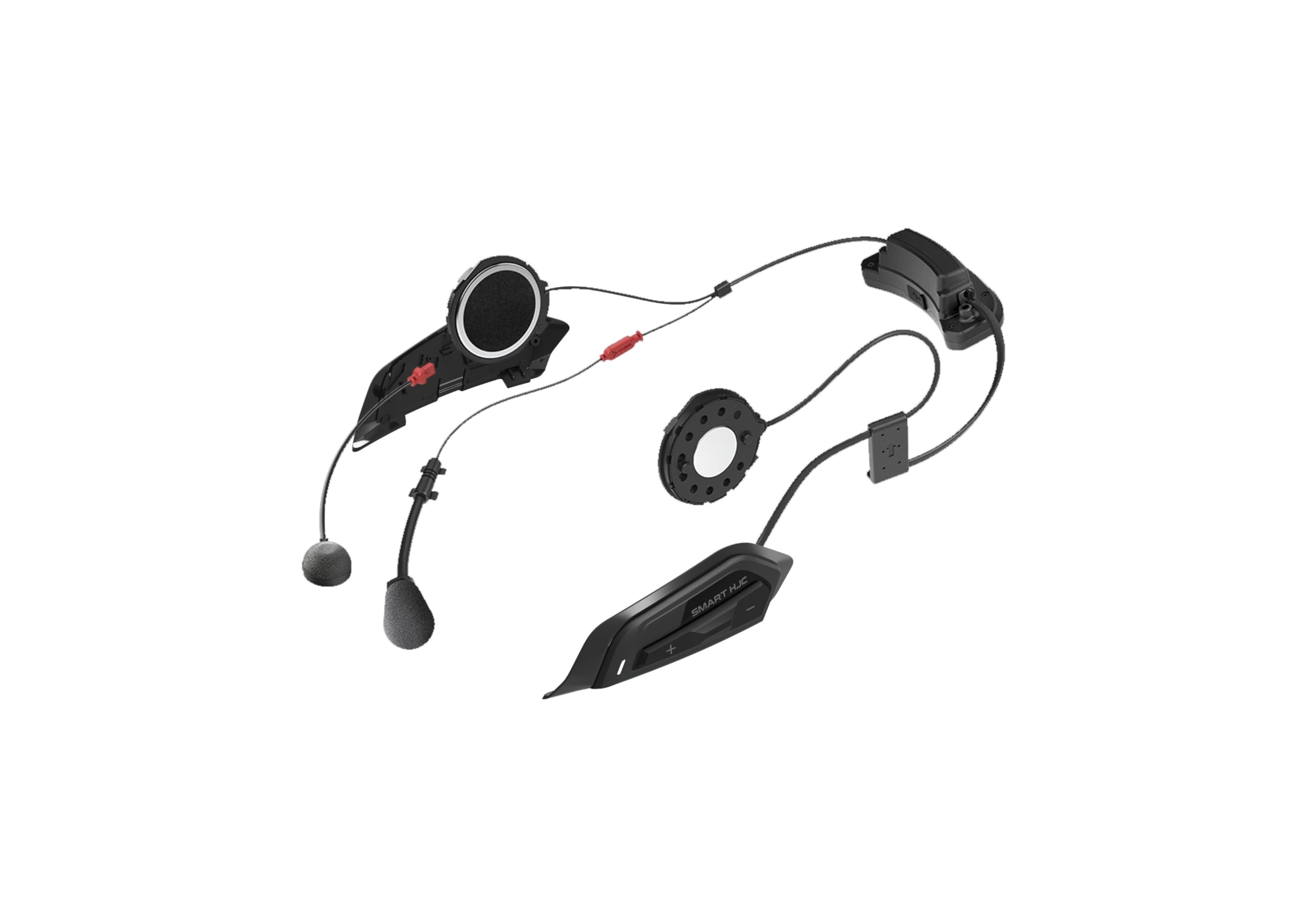
Figure 1: HJC Smart 50B Bluetooth Communication System unit.
2. Setup agus Stàladh
Proper installation of the Smart 50B system is crucial for optimal audio performance and comfort. Follow these steps for a successful setup:
2.1 Suidheachadh Neach-labhairt
The correct positioning of the speakers directly over your ears is vital for achieving the best sound quality and volume. Many helmets feature designated speaker pockets, which serve as a good starting point. However, individual ear positions vary, so fine-tuning may be necessary.
- Ensure all speaker connections are fully plugged in. Loose connections can lead to poor audio.
- With the speakers detached from the helmet interior, play music through the Smart 50B at full volume.
- Hold the speakers directly over your ears to determine the ideal loudness and clarity. This helps you understand the system's full audio potential.
- Place the helmet on your head and gently move it to identify if the speakers are positioned correctly relative to your ears. If the sound improves when you shift your head slightly, adjust the speaker's position.
- If your helmet has speaker pockets, use them as a guide. If the speakers are too far back or forward, or if they cause discomfort, adjust their position.
- Utilize speaker spacers (if provided or available) to bring the speakers closer to your ears, ensuring a snug fit without discomfort. Even a small adjustment can significantly improve sound quality.
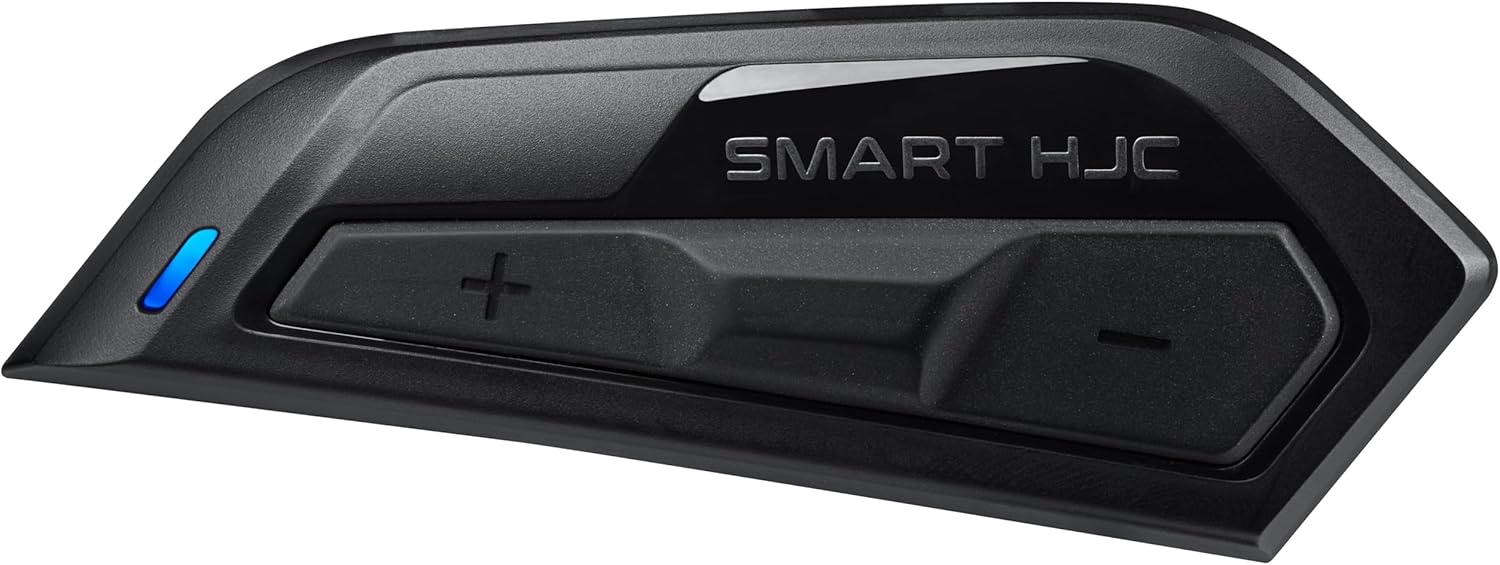
Figure 2: HJC Smart 50B unit showing control buttons.

Figure 3: HJC Smart 50B installed on the side of a white motorcycle helmet.

Figure 4: HJC Smart 50B installed on the side of a black motorcycle helmet.
3. Stiùireadh Obrachaidh
The HJC Smart 50B offers various functions for communication and entertainment while riding. Refer to the full user manual for detailed instructions on each feature.
3.1 Cumhachd air / dheth
To power on or off the device, press and hold the main button for a few seconds until the LED indicator changes or an audible prompt is heard.
3.2 Bluetooth Intercom
The Smart 50B supports 4-way Bluetooth intercom. To pair with other devices, enter pairing mode and follow the instructions in the full manual. Once paired, you can initiate and manage intercom conversations with other riders.
3.3 MESH Intercom
For larger groups, the MESH intercom feature provides a more robust and flexible connection. Activate MESH mode to automatically connect with nearby MESH-enabled devices. Consult the detailed manual for MESH group management.
3.4 Phone Connectivity
Pair your smartphone via Bluetooth to make and receive calls, listen to music, and access GPS navigation audio. The system supports voice control for hands-free operation.
3.5 Ioma-obair claisneachd
Enjoy seamless transitions between intercom conversations, music, and GPS instructions with the audio multitasking feature. Adjust sound balance to prioritize different audio sources as needed.
4. Cumail suas
To ensure the longevity and optimal performance of your HJC Smart 50B, follow these maintenance guidelines:
- Glanadh: Cleachd bog, damp cloth to clean the exterior of the unit. Avoid harsh chemicals or abrasive materials.
- A' cur cosgais: Charge the unit using the provided USB cable. Ensure the charging port is dry before connecting.
- Stòradh: Store the unit in a dry, cool place when not in use. Avoid extreme temperatures.
- Ùrachaidhean bathar-bog: Regularly check for and install software updates via the Cardo Connect-app (as mentioned in a related video, though the product is HJC/Sena, this is a common practice for such devices). Keeping the firmware updated ensures the best performance and access to new features.
5. A ’dèanamh trioblaid
If you encounter issues with your HJC Smart 50B, try the following common troubleshooting steps:
- Gun Fhuaim/Meud Ìosal:
- Check all speaker connections to ensure they are fully seated.
- Verify speaker placement within the helmet; adjust them directly over your ears.
- Increase the volume on both the Smart 50B and your connected device.
- Cùisean Ceangail Intercom:
- Ensure all devices are within range.
- Re-pair the devices if the connection is unstable.
- Check for firmware updates on all connected units.
- Inneal nach eil a’ cur cumhachd air:
- Dèan cinnteach gu bheil am bataraidh air a luchdadh. Ceangail ri charger agus feith beagan mhionaidean mus feuch thu ri cumhachd a chur air.
- Dèan ath-shuidheachadh factaraidh (faic an leabhar-làimhe slàn airson stiùireadh sònraichte).
For persistent issues, contact HJC customer support.
6. Sònrachaidhean
| Feart | Mion-fhiosrachadh |
|---|---|
| Brand | HJC |
| Modail | Smart Hjc 50b |
| Meudan toraidh | 15 x 12 x 9 cm |
| Cuideam nì | 300 g |
| Tionndadh Bluetooth | 5.0 Low Power System |
| Seòrsa Intercom | MESH Intercom, Bluetooth 4-way Intercom |
| Seòrsa neach-labhairt | Luchd-labhairt HD |
| Lùghdachadh Fuaim | Lùghdachadh Fuaim Adhartach |
| Smachd guth | Le taic |
| Clogaid co-fhreagarrach | RPHA 71, RPHA 91, RPHA 31, i71 |
| A’ chiad cheann-latha ri fhaighinn | 13 Màrt 2023 |
7. Barantas agus Taic
For warranty information and customer support, please refer to the official HJC website or contact your authorized HJC dealer. Keep your proof of purchase for warranty claims.