
1. Ro-ràdh
Thank you for choosing the MAGIC SELECT B2222 Portable 4-in-1 Air Pump and Vacuum Cleaner. This versatile device combines a cordless air compressor, a car and home vacuum cleaner, a tire pressure detection system, and an integrated SOS LED flashlight. Designed for convenience and efficiency, it is ideal for inflating car, motorcycle, and bicycle tires, as well as balls and other inflatables, and for quick cleaning tasks.
Leugh an leabhar-làimhe seo gu faiceallach mus cleachd thu an toradh gus dèanamh cinnteach à coileanadh sàbhailte agus aig an ìre as fheàrr. Cùm an leabhar-làimhe seo airson fiosrachadh san àm ri teachd.
2. Dè tha sa bhogsa
- 1 x Cordless Air Compressor / Vacuum Cleaner Unit
- 1 x Inflation Tube
- 1 x LED Emergency Light (integrated)
- 1 x càball cosgais USB Type-C
- Various inflation nozzles/adapters
- Vacuum cleaner attachments (e.g., brush nozzle)

3. Feartan toraidh
- Gnìomhachd 4-in-1: Air compressor, vacuum cleaner, tire pressure detection, and SOS LED light.
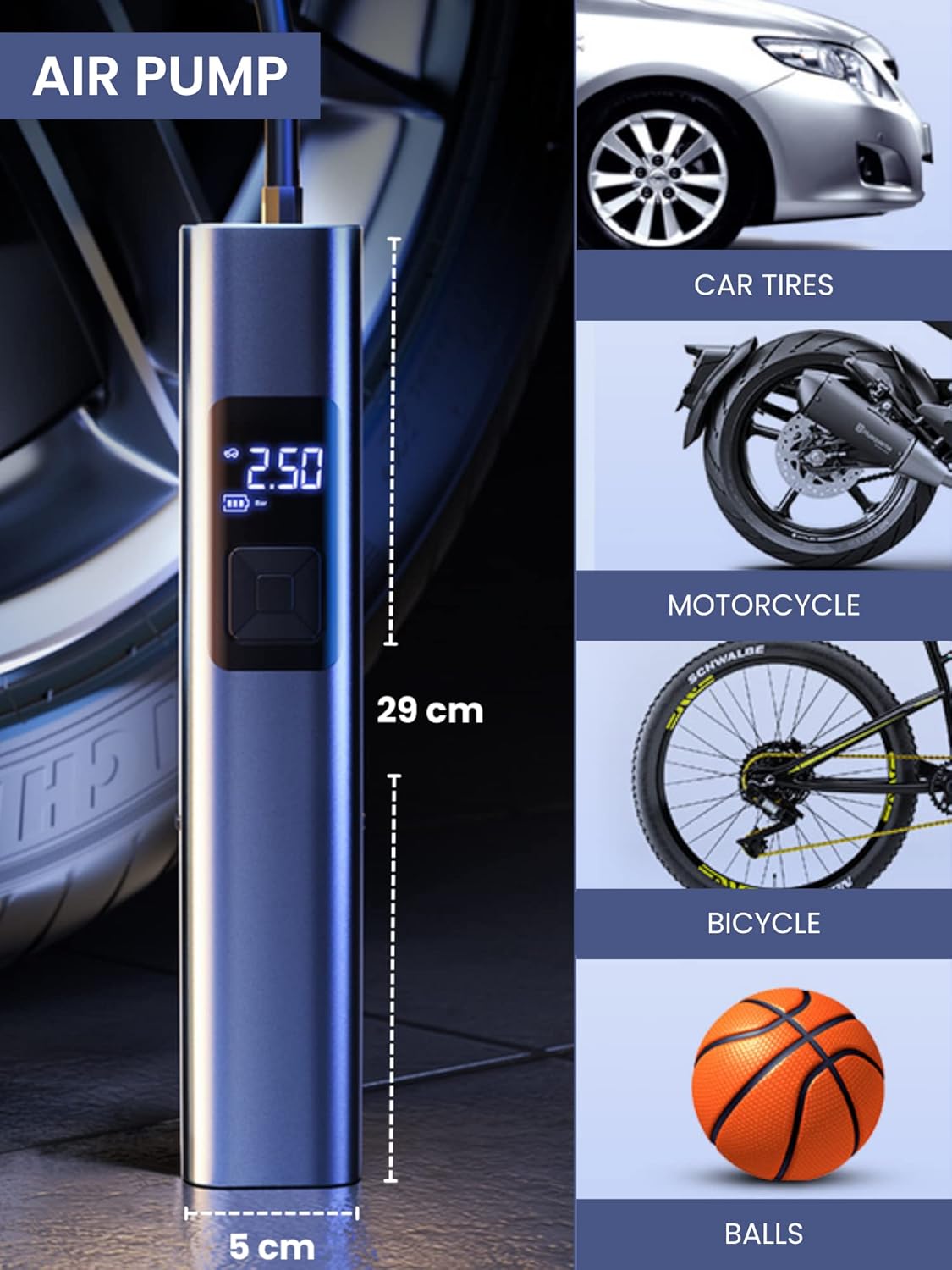
- Atmhorachd chumhachdach: Suitable for car, motorcycle, bicycle tires, and various balls/inflatables.
- Smart Induction Chip: Automatically stops inflation once the preset pressure is reached, ensuring safety and preventing over-inflation.
- Vacuum aonaichte: Efficiently cleans car interiors and small areas in the home.
- Solas èiginn LED: Features 3 lighting modes: steady light, medium-speed flashing, and alternating medium/high-speed flashing for emergency situations.
- Bataraidh maireannach: Equipped with a 4400mAh lithium-ion battery, rechargeable via USB Type-C.
- Taisbeanadh didseatach: Clear digital screen to monitor tire pressure and settings.
- Dealbhadh Compact: Gluasadach agus furasta a stòradh.


4. Suidhich
4.1 A’ cur cosgais air an inneal
- Locate the USB Type-C charging port on the upper side of the compressor.
- Ceangail an càball USB Type-C a tha air a thoirt seachad ris an inneal.
- Cuir ceann eile a’ chàball USB a-steach do inneal-atharrachaidh cumhachd USB co-chòrdail (nach eil air a ghabhail a-steach) no do phort USB air coimpiutair.
- The digital display will indicate the charging status. Ensure the device is fully charged before first use for optimal battery life.
4.2 A 'ceangal Accessories
- Airson Atmhorachd: Screw the inflation tube into the designated hole at the top of the unit. Attach the appropriate nozzle for your item (car tire, bicycle valve, ball needle, etc.) to the other end of the inflation tube.
- Airson Vacuuming: Insert the vacuum attachment into the hole located at the bottom of the unit.

5. Stiùireadh Obrachaidh
5.1 Pannal Smachd Os a chionnview
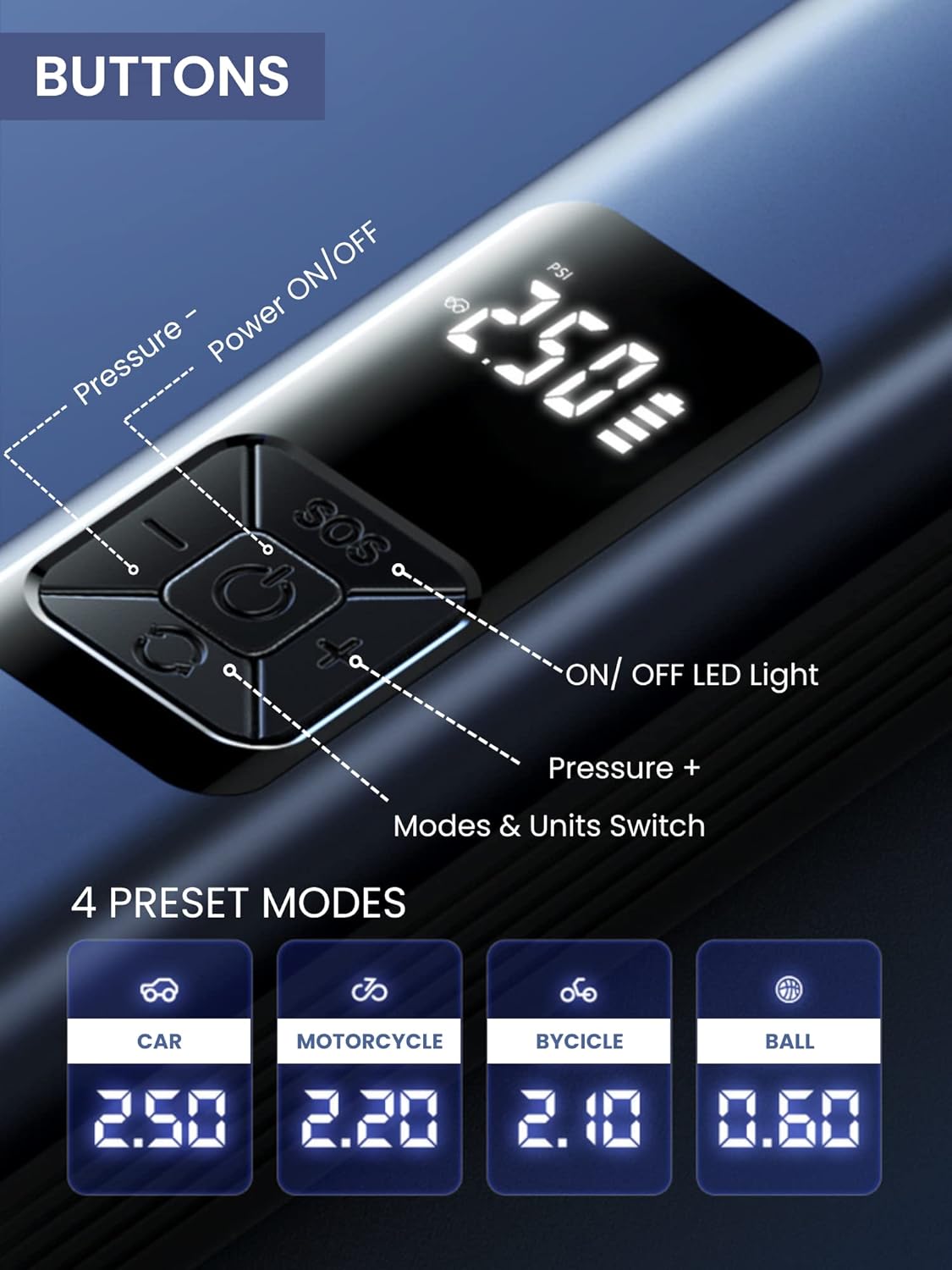
The device features a digital display and 5 control buttons:
- Putan Cumhachd ON / OFF: Central button to turn the device on/off and start/stop inflation or vacuuming.
- Pressure - Button: A’ lughdachadh cuideam an targaid.
- Pressure + Button: A’ meudachadh cuideam an targaid.
- Putan solais LED AIR / OFF: Activates and cycles through LED light modes.
- Mode & Units Switch Button: Changes between preset inflation modes (Car, Motorcycle, Bicycle, Ball) and switches pressure units (e.g., PSI, Bar).
5.2 Using the Air Compressor (Inflation)
- ceangail: Screw the inflation tube onto the device and attach the correct nozzle to the item you wish to inflate.
- Cumhachd air: Press the Power ON/OFF button to turn on the device. The digital display will show the current tire pressure.
- Tagh Modh: Press the Mode & Units Switch button to cycle through preset modes (Car, Motorcycle, Bicycle, Ball) or to change pressure units (PSI, Bar).
- Suidhich cuideam: Use the Pressure + and Pressure - buttons to set your desired target pressure.
- Tòisich an atmhorachd: Press the Power ON/OFF button again to begin inflation. The device will automatically stop when the preset pressure is reached.
- Disconnect: Once inflation is complete, disconnect the nozzle from the item and then unscrew the inflation tube from the device.
5.3 A’ cleachdadh an inneal-glanaidh falamh
- Ceangail: Insert the desired vacuum attachment into the vacuum port at the bottom of the device.
- Cumhachd air: Press the Power ON/OFF button to activate the vacuum function.
- Glan: Use the device to vacuum dust, crumbs, and small debris from car interiors (seats, trunk, center console) or small areas in your home (sofas, lamp tables, windowsills, keyboards).
- Cumhachd dheth: Press the Power ON/OFF button again to turn off the vacuum.

5.4 Using the LED Emergency Light
- Cuir an gnìomh: Press the LED Light ON/OFF button to turn on the light.
- Modhan Rothaireachd: Press the LED Light ON/OFF button repeatedly to cycle through the three lighting modes:
- First press: Steady light
- Second press: Medium-speed flashing light
- Third press: Alternating medium/high-speed flashing light (SOS signal)
- Tionndaidh dheth: Continue pressing the LED Light ON/OFF button until the light turns off, or hold the button for a few seconds.
6. Cumail suas
6.1 A ’glanadh an inneal
- Sguab taobh a-muigh an inneil le bog, damp aodach. Na cleachd ceimigean cruaidh no innealan-glanaidh sgudail.
- For the vacuum function, regularly empty the dust collection bin and clean the filter to maintain optimal suction power. The filter is washable; ensure it is completely dry before reinserting.
6.2 Stòradh
- Stòraich an inneal agus na goireasan aige ann an àite fionnar, tioram, air falbh bho sholas dìreach na grèine agus teòthachd anabarrach.
- Dèan cinnteach gu bheil an inneal làn-chosgais mus tèid a stòradh san fhad-ùine gus slàinte a’ bhataraidh a ghleidheadh.
7. A ’dèanamh trioblaid
| Trioblaid | Adhbhar a dh’fhaodadh a bhith ann | Fuasgladh |
|---|---|---|
| Cha bhith inneal a ’tionndadh air. | Bataraidh ìosal. | Cuir cosgais air an inneal leis a’ chàball USB Type-C a tha air a thoirt seachad. |
| Chan eil an compressor adhair a’ lìonadh. | Inflation tube or nozzle not properly connected. Incorrect pressure setting. | Ensure all connections are secure. Check and adjust the target pressure. |
| Vacuum suction is weak. | Dust bin full. Filter clogged. | Empty the dust bin. Clean or replace the filter. |
| Device stops unexpectedly during operation. | Overheat protection activated. Battery low. | Allow the device to cool down. Recharge the battery. |
8. Sònrachaidhean
| Feart | Mion-fhiosrachadh |
|---|---|
| Modail Àireamh | B2222 |
| Brand | ROGHAL MHAIC |
| Comas Bataraidh | Lithium-ion 4400mAh |
| Motor Speed (Vacuum) | 30000r / min |
| Meudan (L x W x H) | 29 x 6 x 5.5 cm (timcheall air) |
| Cuideam | 850 g |
| Port luchdadh a-nuas | USB Type-C |
| Feartan sònraichte | LED Emergency Light, Digital Display, Automatic Shut-off (Inflation) |
9. Barantas agus Taic
For warranty information and customer support, please refer to the documentation provided with your purchase or contact MAGIC SELECT customer service directly. Keep your proof of purchase for warranty claims.
For further assistance or inquiries, please visit the official MAGIC SELECT website or contact their support team through the contact details provided on their packaging or product page.