
1. Ro-ràdh
The Audio Array AI-04 is a professional 2x2 USB audio interface designed for high-fidelity recording and playback. It features premium mic pre-amps, 48V phantom power support, and 24-bit/192kHz audio resolution, making it suitable for various audio production needs. This manual provides essential information for setting up, operating, and maintaining your AI-04 audio interface.
2. Pasgan-susbaint
Mus tòisich thu, dèan cinnteach gu bheil a h-uile rud anns a’ bhogsa:
- 1 x Audio Array AI-04 Audio Interface
- 1 x USB 2.0 B-Male to A-Male Cable
- 1 x USB 2.0 A-Male to Type-C adapter
- 1 x Type-C to USB A-Male Cable
- 1 x Leabhar-làimhe Cleachdaiche (an sgrìobhainn seo)
Image: Contents of the Audio Array AI-04 package, showing the red audio interface, various USB cables, and the user manual.
3. Suidhich
3.1 A’ ceangal ris a’ choimpiutair agad
The Audio Array AI-04 is a plug-and-play device, requiring no additional drivers for most operating systems. It is compatible with Mac OS and Windows XP+.
- Connect the AI-04 to your computer using the provided USB cable. Use the appropriate adapter (USB-A to USB-C) if your computer only has USB-C ports.
- The device will be automatically recognized by your operating system.
3.1.1 Connecting with Windows
- From your Windows taskbar, right-click the Sound Icon and open Sound Settings.
- Choose your output device: 'Headphones (HD USB Audio Device)'.
- Choose your input device: 'Microphone (HD USB Audio Device)'.

Image: Visual guide for configuring the Audio Array AI-04 as the input and output device in Windows Sound Settings.
3.1.2 Connecting with Mac
- On your Mac, choose Apple menu > System Preferences, then select Sound.
- Click Input, then select the 'Microphone (HD USB AUDIO DEVICE)' in the list of sound input devices.
- Click Output, then select the 'Headphones (HD USB AUDIO DEVICE)' in the list of sound output devices.

Image: Visual guide for configuring the Audio Array AI-04 as the input and output device in Mac Sound Preferences.
3.2 A’ ceangal mhicreafònan agus ionnsramaidean
The AI-04 features versatile input options:
- XLR/MIC/LINE Inputs: Two combo inputs (1L and 2R) support XLR microphones, 1/4" TRS/TS line-level instruments, or Hi-Z instruments.
- Cumhachd Taibhse 48V: Activate the 48V phantom power switch for condenser microphones. Ensure phantom power is off when connecting dynamic microphones or line-level instruments.

Ìomhaigh: Aghaidh is cùl views of the Audio Array AI-04, highlighting XLR/MIC/LINE inputs, headphone output, and TRS/TS stereo jacks.
3.3 A’ ceangal innealan toraidh
Connect your monitors, PA system, or other playback devices to the independent TRS/TS stereo jacks (1L and 2R) on the rear panel. For private listening, use the dedicated headphone output on the front panel.

Image: Rear panel of the Audio Array AI-04, detailing power input, 48V phantom power switch, and output jacks.
4. Operating the AI-04
4.1 Smachdan agus Comharran
The AI-04 features intuitive controls for managing your audio:
- Cnapan Buannachd: Separate gain controls for each input channel (1L and 2R) allow you to adjust the input level.
- Signal & Overload Indicators: LED indicators (PK) next to each gain knob show signal presence and clipping (overload). Adjust gain to avoid clipping.
- Input/DAW Mix Knob: Adjusts the balance between direct input monitoring and playback from your Digital Audio Workstation (DAW).
- Tionndadh gearradh ìosal: Engages a low-cut filter to reduce unwanted low-frequency noise.
- Hi-Z Switch: Activates high impedance mode for direct connection of guitars and other instruments.
- Suidse Lùb-thilleadh: Enables the loopback function, allowing you to record computer audio along with your microphone/instrument inputs.
- Knob Toraidh Toraidh: Controls the overall output volume to your monitors/speakers.
- Cnap meud headphone: Controls the volume for the headphone output.

Ìomhaigh: Mion-fhiosrachadh view of the Audio Array AI-04 front panel, illustrating the function of each knob and switch.
4.2 Clàradh agus Ath-chluich
The AI-04 provides 24-bit/192kHz high-fidelity recording. Use with popular recording software like Pro Tools, Ableton, Cubase, etc. Low-noise balanced outputs ensure clear audio playback. The headphone output allows for high-fidelity private listening.
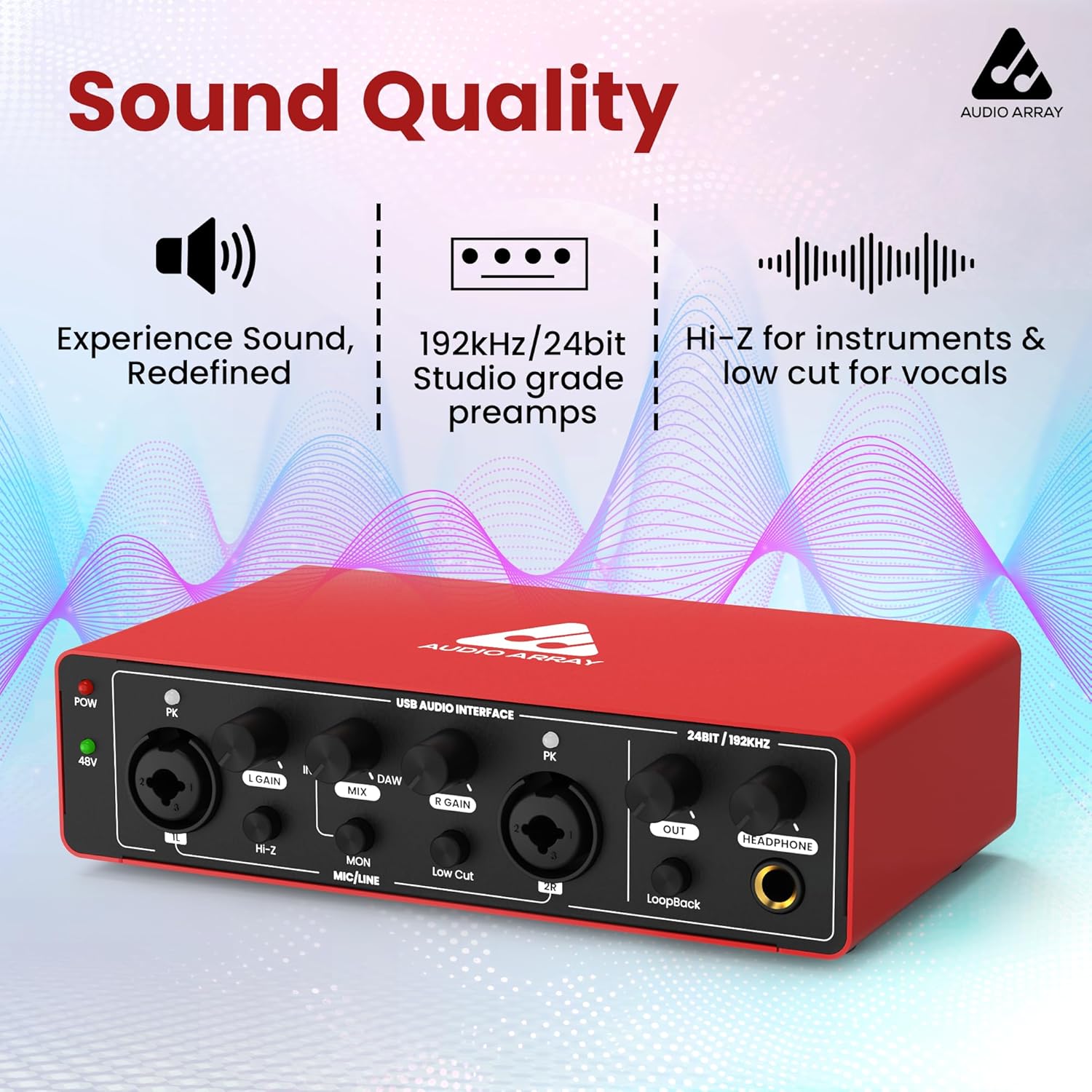
Ìomhaigh: Aghaidh view of the Audio Array AI-04, emphasizing its sound quality features like studio-grade preamps and high-resolution audio.
4.3 Bhidio Bathar Oifigeil
Watch this official video for a visual guide on the Audio Array AI-04's features and usage:
Video: Official product video for the Audio Array AI-04, demonstrating its key features and applications.
5. Cumail suas
To ensure the longevity and optimal performance of your Audio Array AI-04, follow these maintenance guidelines:
- Cùm an inneal glan le bhith ga sguabadh le clò bog, tioram. Seachain ceimigean cruaidh no stuthan sgrìobach a chleachdadh.
- Protect the interface from dust, moisture, and extreme temperatures.
- Seachain a bhith a’ cur nithean troma air mullach an aonaid.
- Dì-cheangail a h-uile càball nuair nach eilear a’ cleachdadh an inneal airson ùine mhòr.
6. A ’dèanamh trioblaid
If you encounter issues with your Audio Array AI-04, try the following steps:
- Gun chumhachd: Ensure the USB cable is securely connected to both the interface and your computer. If using a separate power source (for smartphone use), ensure it is properly connected and functional.
- No Sound Input/Output:
- Verify all cables (microphone, instrument, output, headphone) are securely connected.
- Check the gain knobs for each input and the master output/headphone volume.
- Confirm the correct input/output device is selected in your computer's sound settings (refer to Section 3.1).
- If using a condenser microphone, ensure 48V phantom power is activated.
- Fuaim air a shaobhadh:
- Reduce the input gain to prevent clipping (indicated by the PK LED).
- Check the audio levels in your recording software.
- Cùisean Latency: Ensure your DAW's buffer size is set appropriately for low-latency monitoring.
Ma mhaireas na duilgheadasan, cuir fios gu taic luchd-cleachdaidh.
7. Sònrachaidhean
| Feart | Mion-fhiosrachadh |
|---|---|
| Modail Àireamh | AI-04 |
| Fuasgladh Fuaim | 24-bit / 192kHz |
| Cur a-steach | 2 x Combo XLR/MIC/LINE inputs |
| Toraidhean | 2 x TRS/TS Stereo Jacks, 1 x Headphone Output |
| Cumhachd Taibhse | 48V switchable |
| Ceangalachd | USB 2.0 (Type-B), USB Type-C (for power) |
| Co-fhreagarrachd | Mac OS, Windows XP+ |
| Cuideam nì | 1.15 not |
| Meudan toraidh | 5.71 x 10.55 x 2.64 òirleach |
8. Barantas agus Taic
The Audio Array AI-04 is covered under a Barantas 3 bhliadhna. If you have any questions or require assistance, please feel free to contact us. Refer to the contact information provided with your product packaging or visit the official Audio Array weblàrach-lìn airson taic.