
1. Ro-ràdh
The MAUL Commercial Calculator MXL16 is designed for commercial use, offering a stable and resilient build with an extra-large case (20.5 x 15.5 cm) for comfortable operation. It features a large, angled 16-digit display for improved readability and large, distinctively colored buttons for quick and accurate input. This calculator combines precision and reliability for both desk and mobile use.
Am measg nam prìomh fheartan tha:
- 16-digit LCD display with 1 line.
- Angled display for optimal viewing.
- Solar and battery powered (LR44 battery included).
- Automatic shut-off to conserve energy.
- Comprehensive functions including tax calculation, 3-button memory, root calculation, and percentage.
- Durable plastic buttons for easy cleaning.
2. Suidhich
Stòr cumhachd 2.1
The MAUL MXL16 calculator operates using both solar power and a single LR44 battery. The solar panel provides power in well-lit environments, while the battery ensures operation when light is insufficient. An LR44 battery is included with the calculator.

Figear 2.1: Bun view of the calculator, indicating the battery compartment.
2.2 Cleachdadh tùsail
Upon first use, ensure the calculator is exposed to adequate light for solar power or that the included LR44 battery is correctly installed. The calculator features an automatic shut-off function to conserve power when not in use.

Figear 2.2: Taobh view showing the angled display for better reading.
3. Stiùireadh Obrachaidh
The MAUL MXL16 calculator provides a range of functions for commercial calculations. The buttons are color-coded for easier identification and faster operation.
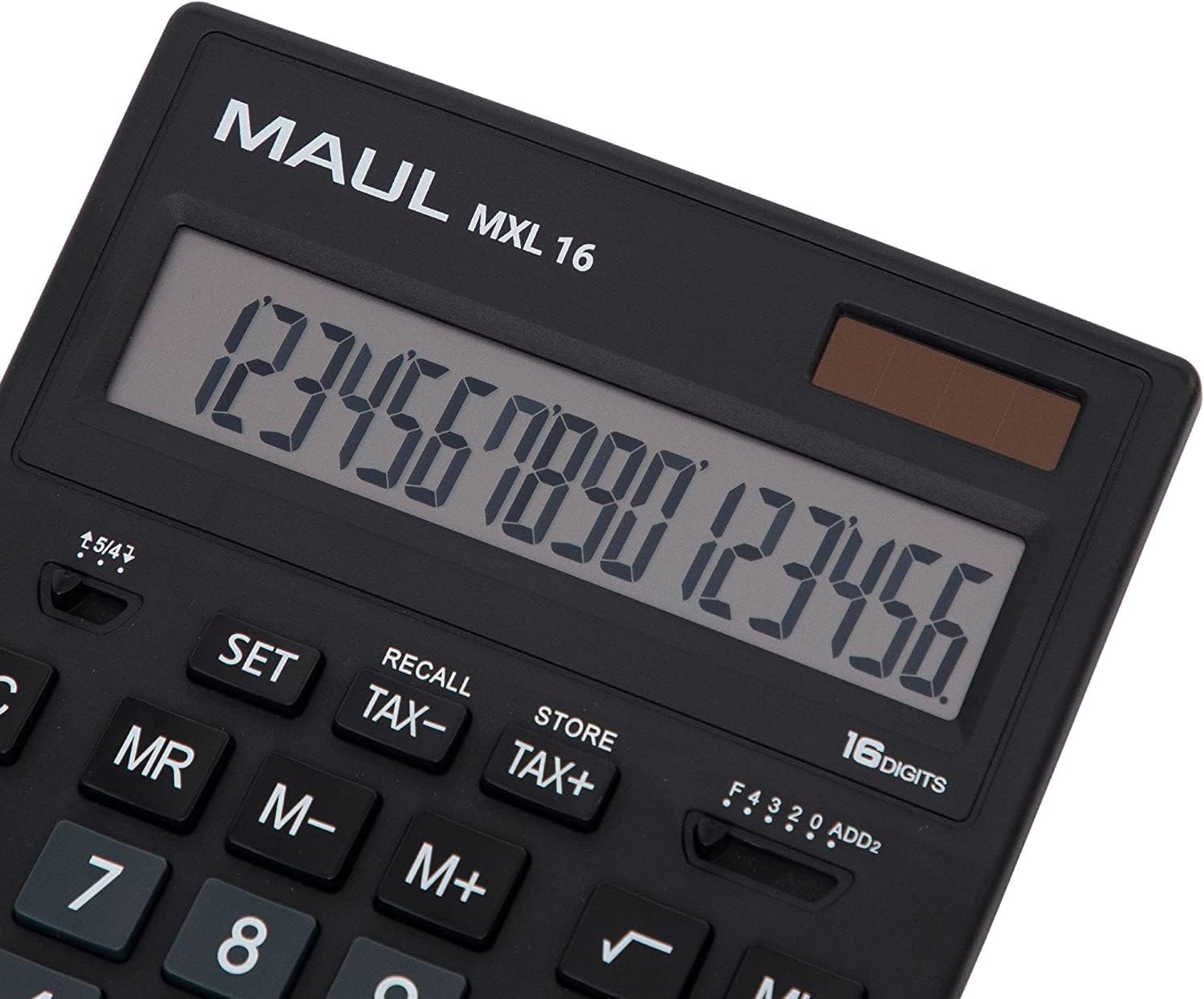
Figear 3.1: Display and key layout of the MAUL MXL16.
3.1 Gnìomhan bunaiteach
- AIR/AC: Turns the calculator on or clears all entries and memory.
- CE/C: Clears the last entered number or the current calculation without affecting memory. Pressing twice may clear all.
- Iuchraichean àireamh (0-9): Input numerical values.
- Decimal Point (.): A’ tighinn a-steach puing deicheach.
- Arithmetic Operators (+, -, ×, ÷): Dèan cur-ris, toirt-air-falbh, iomadachadh agus roinneadh.
- Co-ionann (=): Displays the result of a calculation.
3.2 Gnìomhan Sònraichte
- Tax Calculation (TAX+, TAX-): Allows for easy calculation of prices with or without tax. Use the SET button to configure the tax rate.
- Memory Functions (MR, M-, M+):
- M+: Cuiridh seo an luach a tha air a thaisbeanadh ris a' chuimhne.
- M-: A’ toirt air falbh an luach a tha air a thaisbeanadh bhon chuimhne.
- MR: A’ cuimhneachadh air an luach a chaidh a stòradh sa chuimhne.
- MC: Clears the memory (often by pressing MR twice or a dedicated MC button).
- Root Calculation (√): Obraich a-mach freumh ceàrnagach na h-àireimh a tha air a thaisbeanadh.
- Sa cheudtage (%): A’ coileanadh sa cheudtage àireamhachadh.
- Atharrachadh Soidhne (+/-): Changes the sign of the displayed number (positive to negative, or vice versa).
- Double Zero (00) / Triple Zero (000): For quick entry of multiple zeros.
- Comma Selector Switch: Adjusts the decimal point display.
- Automatic Rounding: Allows selection of how numbers are rounded (e.g., up, down, or standard).
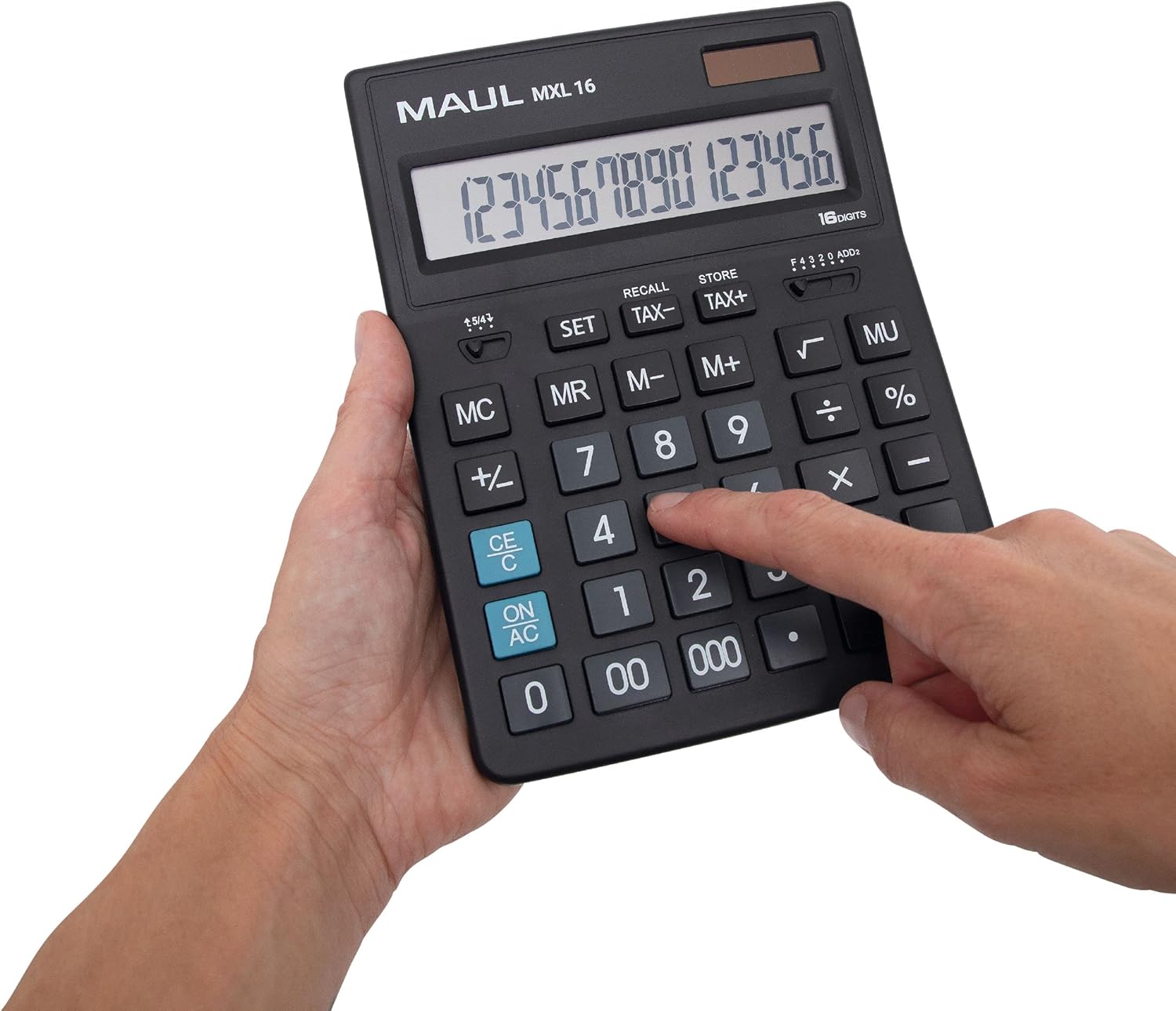
Figear 3.2: User interacting with the calculator keys.
4. Cumail suas
The MAUL MXL16 calculator is designed for durability with sturdy plastic buttons that are easy to clean.
- Glanadh: Use a soft, dry cloth to wipe the calculator's surface and keys. For stubborn dirt, a slightly damp Faodar clò le siabann tlàth a chleachdadh, gus dèanamh cinnteach nach tèid leaghan a-steach don inneal.
- Stòradh: Stòraich an àireamhair ann an àite fionnar, tioram air falbh bho sholas dìreach na grèine agus teòthachd anabarrach.
- Ath-nuadhachadh bataraidh: If the display becomes dim or the calculator functions intermittently in low light, the LR44 battery may need replacement. Refer to the battery compartment on the underside of the calculator for access.
5. A ’dèanamh trioblaid
- Calculator does not turn on:
- Dèan cinnteach gu bheil an àireamhair fosgailte do sholas gu leòr airson cumhachd na grèine.
- Check if the LR44 battery is correctly installed and has sufficient charge. Replace if necessary.
- Àireamhachadh ceàrr:
- Press the ON/AC button to clear all previous entries and memory, then re-enter the calculation.
- Verify the correct input of numbers and operations.
- Tha an taisbeanadh beag no flickering:
- Ensure adequate lighting for the solar panel.
- Cuir bataraidh LR44 na àite.
6. Sònrachaidhean
| Ainm Modail | MXL16 |
| Modail Àireamh | 7267890 |
| Taisbeanadh | 16 Digits, 1 Line LCD, Angled |
| Meudan (L x W) | 20.5 x 15.5 cm |
| Stòr cumhachd | Grèine agus 1 x Bataraidh LR44 (air a ghabhail a-steach) |
| Stuth | Plastic (housing and buttons) |
| Gnìomhan | Tax calculation, 3-button memory, Root, Percent, Sign change, Automatic rounding, Double/Triple zero buttons, Comma selector switch |
| Cuir dheth gu fèin-ghluasadach | Tha |
7. Barantas
The MAUL Commercial Calculator MXL16 comes with a Barantas 5-bliadhnaCùm dearbhadh ceannach airson tagraidhean barantais. Tha am barantas a’ còmhdach lochdan saothrachaidh fo chumhachan cleachdaidh àbhaisteach.
8. Taic
For further assistance, technical support, or warranty inquiries, please contact your retailer or the MAUL customer service department. Refer to the product packaging or the MAUL official weblàrach-lìn airson fiosrachadh conaltraidh.