
1. Ro-ràdh
Thank you for choosing the LDNIO SCW1050 WiFi Smart Plug. This manual provides essential information for the safe and efficient use of your smart plug. Please read it thoroughly before installation and operation, and retain it for future reference.
2. Toradh thallview
The LDNIO SCW1050 is a smart electric plug designed to integrate seamlessly into your smart home ecosystem. It features WiFi connectivity for remote control, a timing function for scheduled operations, and multiple safety protections. Its fire-resistant polycarbonate structure ensures durability and safety.
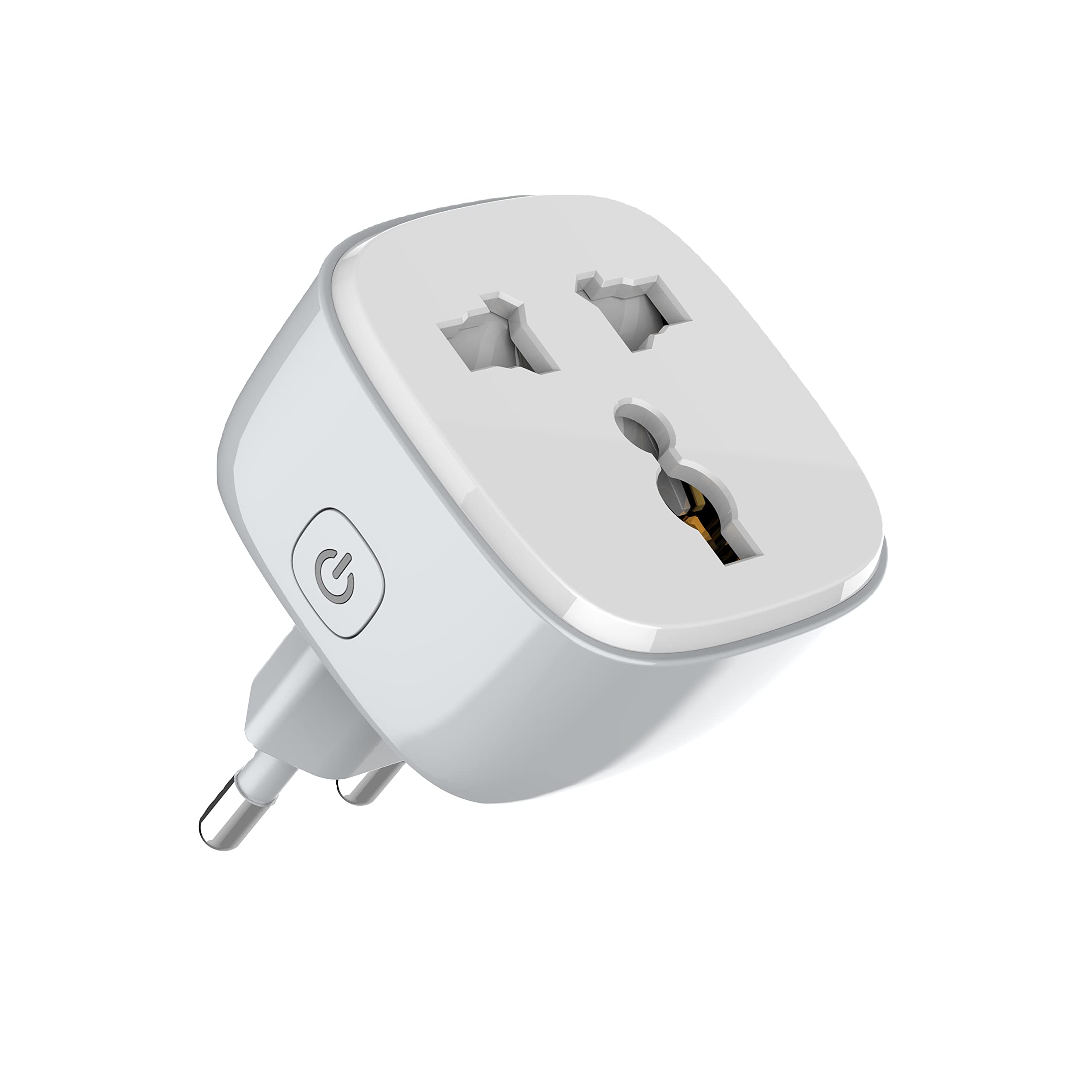
Figear 1: Aghaidh view of the LDNIO SCW1050 WiFi Smart Plug.

Figear 2: Ceàrnach view of the LDNIO SCW1050 WiFi Smart Plug, highlighting its compact design.
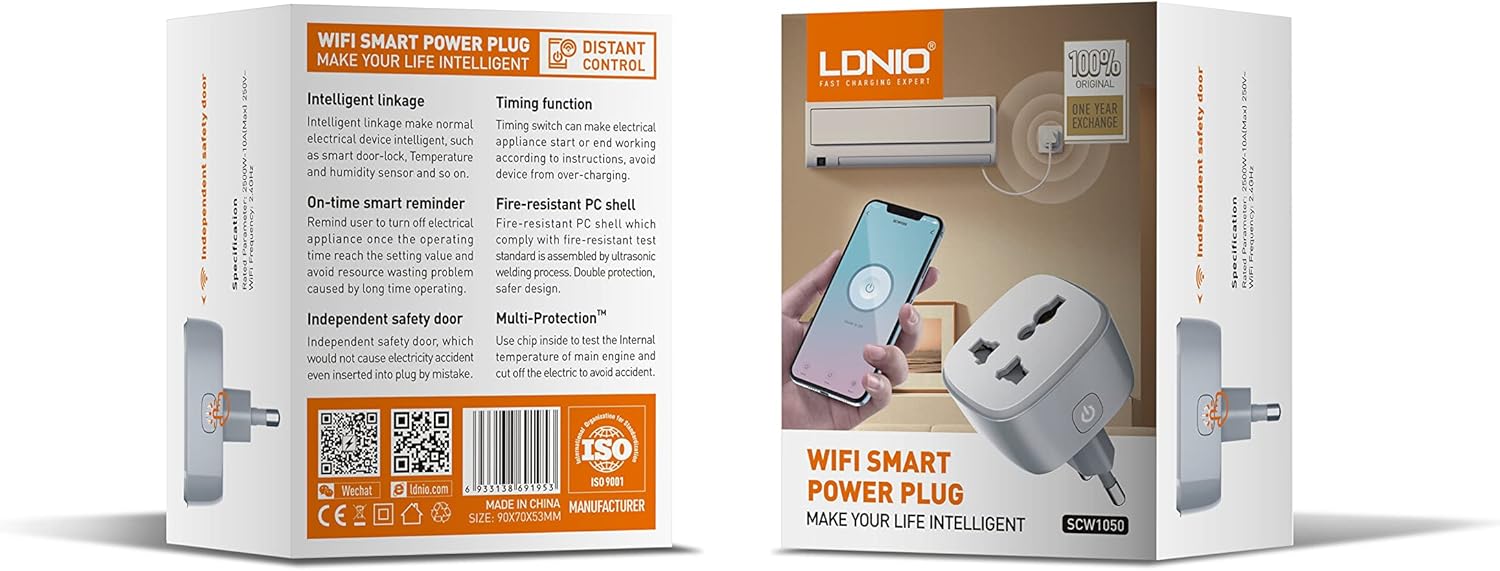
Figure 3: Product packaging illustrating key features such as intelligent linkage, timing function, on-time smart reminder, independent safety door, fire-resistant PC shell, and multi-protection. For more information, visit www.siyoteam.com.
3. Fiosrachadh Sàbhailteachd
- Na dì-stàlaich no atharraich an inneal.
- Ensure the plug is fully inserted into the wall socket.
- Do not overload the smart plug beyond its rated capacity (2500W, 10A).
- Cùm an inneal air falbh bho uisge, taiseachd agus teòthachd àrd.
- Tha an toradh seo airson cleachdadh a-staigh a-mhàin.
- If the device is damaged, discontinue use immediately and contact support.
4. Suidhich
4.1 Ceangal Tùsail
- Plug the LDNIO SCW1050 Smart Plug into a standard wall outlet.
- Ensure the indicator light on the smart plug is blinking, indicating it is in pairing mode. If not, press and hold the power button for 5-10 seconds until it blinks rapidly.
4.2 Stàladh is Paidhreachadh Aplacaidean
- Download the compatible smart home application (e.g., Tuya Smart or Smart Life app) from your mobile device's app store.
- Clàraich no log a-steach don chunntas agad taobh a-staigh an aplacaid.
- Tap air an ìomhaigh "+" no "Cuir Inneal ris" gus am pròiseas càraideachaidh a thòiseachadh.
- Tagh “Socaid Dealain” no “Pluga Glic” bhon liosta innealan.
- Follow the on-screen instructions to connect the smart plug to your 2.4GHz WiFi network. Ensure your phone is connected to the same 2.4GHz network during setup.
- Once successfully paired, you can rename the device and assign it to a room.

Figure 4: Remote control of the smart plug using a mobile application.
5. Stiùireadh Obrachaidh
5.1 Smachd làimhe
Press the power button on the smart plug to manually turn the connected appliance on or off.
5.2 Smachd App
- Air / dheth: Tap the power icon next to the device in the app to toggle power.
- Gnìomh ùine: Set schedules for the smart plug to turn on or off automatically at specific times. This is useful for managing lighting or other appliances.
- Cuimhneachain Smart: Configure smart reminders within the app to receive notifications or automate actions based on usage patterns or set conditions.
- Ceangal tuigseach: Connect your smart plug with other smart devices or sensors to create automated scenarios (e.g., turn on a lamp when a motion sensor is triggered).
6. Cumail suas
- To clean the smart plug, disconnect it from the power outlet and wipe it with a dry, soft cloth.
- Na cleachd innealan-glanaidh lionn no aerosol.
- Thoir sùil gu cunbhalach airson comharran milleadh no caitheamh.
7. A ’dèanamh trioblaid
- Inneal nach eil a’ ceangal ri WiFi: Ensure your WiFi network is 2.4GHz. Check that the smart plug is within range of your router. Restart the smart plug and your router, then try pairing again.
- Smachd aplacaid nach eil ag obair: Verify your phone has an active internet connection. Ensure the smart plug is connected to WiFi and its indicator light is solid. Update the app to the latest version.
- Inneal nach eil a’ tionndadh air/ dheth: Check if the appliance is properly plugged into the smart plug and if the appliance itself is functional. Ensure the smart plug is receiving power.
- Giùlan solais comharrachaidh:
- Blinking luath: Deiseil airson paidhir.
- Blinking mall: Disconnected from WiFi.
- Soladach: Connected to WiFi and operating normally.
8. Sònrachaidhean
| Feart | Sònrachadh |
|---|---|
| Modail Àireamh | SCW1050 |
| Cumhachd Rangaichte | 2500W |
| Rangaichte an-dràsta | 10A (Air a char as motha) |
| Rangaichte Voltage | 250V~ |
| Tricead WiFi | 2.4GHz |
| Meudan toraidh | 7.62 x 5.08 x 5.08 cm |
| Cuideam toraidh | 70 gram |
| Stuth Shell | Fire-resistant Polycarbonate |
9. Barantas agus Taic
LDNIO offers a One Year Exchange warranty for this product, as indicated on the packaging. For technical support, warranty claims, or further inquiries, please visit the official LDNIO weblàrach aig www.siyoteam.com no cuir fios chun neach-sgaoilidh ionadail agad.
You may also find additional resources and community support through the WeChat platform by scanning the QR code found on the product packaging (refer to Figure 3).