
1. Ro-ràdh
Thank you for choosing the Yoidesu 10-inch Car Radio Stereo. This manual provides essential information for the proper installation, operation, and maintenance of your new car multimedia system. Please read this manual thoroughly before use to ensure optimal performance and safety.
Bathar seachadview
This car stereo features a 10-inch display, runs on Android 10.1, and includes 2GB RAM with 32GB ROM for smooth operation and ample storage for applications. It supports navigation, Bluetooth connectivity, and mobile phone mirror link functionality.
Co-fhreagarrachd
This unit is designed as a replacement for the original car radio stereo in Honda CRV models manufactured between 2012 and 2016.

Image 1.1: The Yoidesu 10-inch Car Radio Stereo with its main interface.
2. Pasgan-susbaint
Dèan cinnteach gu bheil na nithean gu lèir a tha air an liostadh gu h-ìosal air an toirt a-steach don phacaid agad:
- 1 x Host Unit (Car Stereo)
- 1 x Uidheam Cumhachd
- 1 x càball
- 1 x GPS Antenna
- 1 x Leabhar-làimhe Cleachdaiche
- 2 x Càball Leudachaidh USB
- 1 x Camera Line
- 1 x Càball Adaptair USB
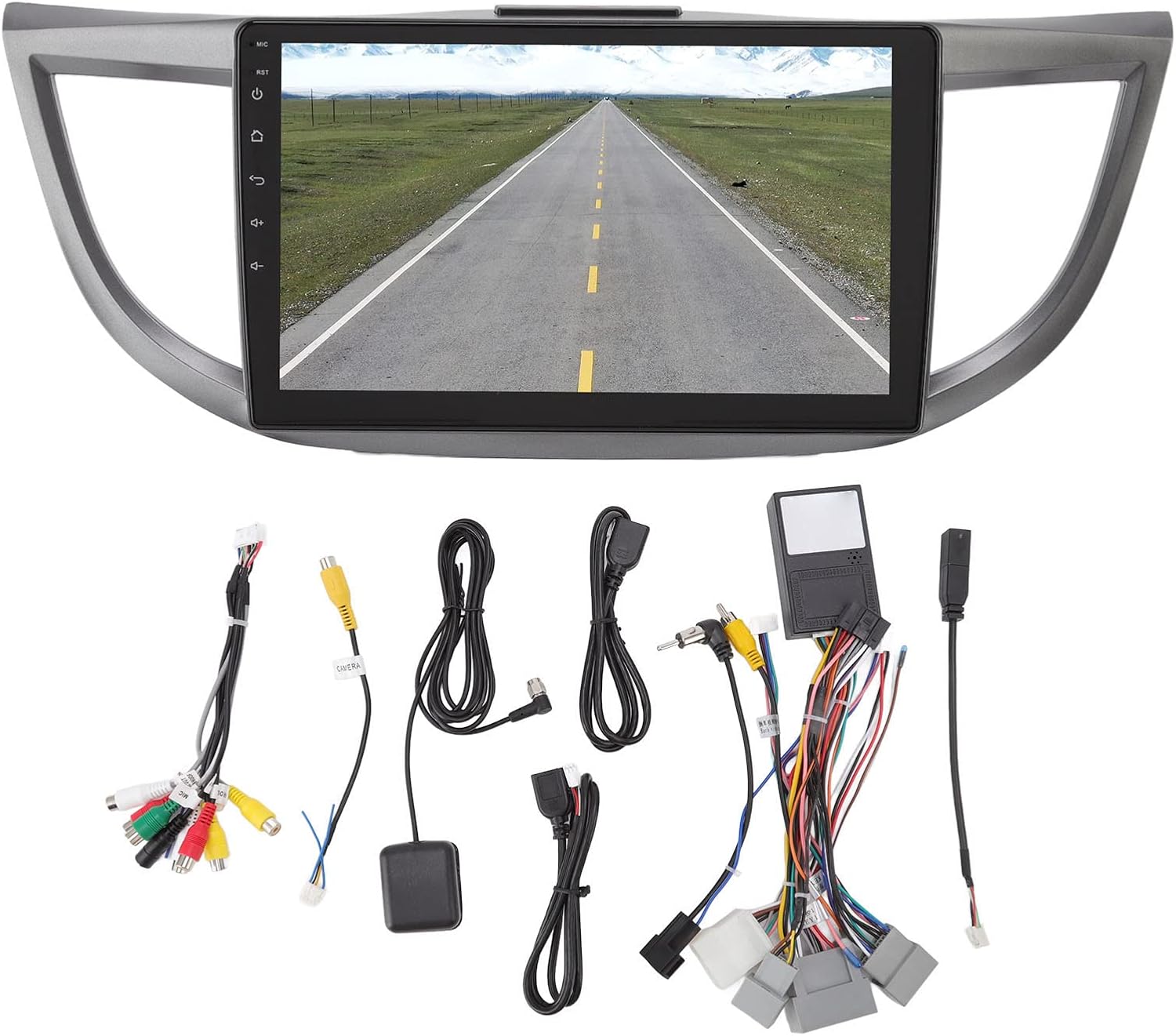
Dealbh 2.1: Thairisview of all included accessories and cables.
3. Sònrachaidhean
| Feart | Sònrachadh |
|---|---|
| Brand | Yoidesu |
| Ainm Modail | Stereo càr radio |
| Seòrsa Seirbheis Carbaid | Càr (Honda CRV 2012-2016) |
| Meud sgrion | 10 òirlich |
| Fuasgladh | 1024 x 600 |
| Siostam-obrachaidh | Android 10.1 |
| Cuimhne (RAM) | 2 GB |
| Stòradh (ROM) | 32 GB |
| Teicneòlas ceangail | USB, Wi-Fi, Bluetooth |
| Feartan sònraichte | Bluetooth, Touchscreen, Navigation, Mirror Link, Steering Wheel Control Support |
| Supported Navigation System | GPS (Online/Offline Maps) |
| Modh Toraidh Fuaim | Neach-labhairt, Stereo |
| Voltage | 12V |
4. Setup agus Stàladh
Installation of the Yoidesu Car Radio Stereo involves replacing the existing factory unit. Due to the complexity of automotive electrical systems, professional installation is highly recommended to prevent damage to the unit or your vehicle.
Ceumannan Stàlaidh Coitcheann (Bruidhinn ri proifeasanta)
- Ag ullachadh: Dì-cheangail bataraidh a’ charbaid gus casg a chur air goirid-ghoiridean dealain.
- Thoir air falbh an t-Seann Aonad: Carefully remove the existing car radio stereo and its surrounding trim.
- Ceangal Wiring: Connect the provided power harness, GPS antenna, USB extension cables, and camera line (if applicable) to the new Yoidesu unit. Ensure all connections are secure.
- Gnìomhachd deuchainn: Before fully reassembling, temporarily connect the battery and test basic functions like power, audio, and display.
- Aonad Tèarainte: Mount the new unit into the dashboard opening and secure it.
- Ath-thionndaidh: Reinstall all trim pieces removed earlier.
- Sgrùdadh deireannach: Reconnect the battery and perform a comprehensive test of all features.

Image 4.1: Before and After installation of the Yoidesu Car Radio Stereo.

Dealbh 4.2: Cùl view of the main unit with wiring connections.
5. Stiùireadh Obrachaidh
Siostam 5.1 Android 10.1
The unit runs on Android 10.1, providing a familiar interface. You can download and install various applications from the app store, similar to a smartphone or tablet. The 2GB RAM and 32GB ROM ensure smooth operation and quick application launches.
5.2 Seòladh
The car stereo supports both online and offline navigation applications. It is compatible with popular mapping services like Igo maps and Waze. After connecting to Wi-Fi, you can use online navigation anywhere. The system supports 2D and 3D map displays.
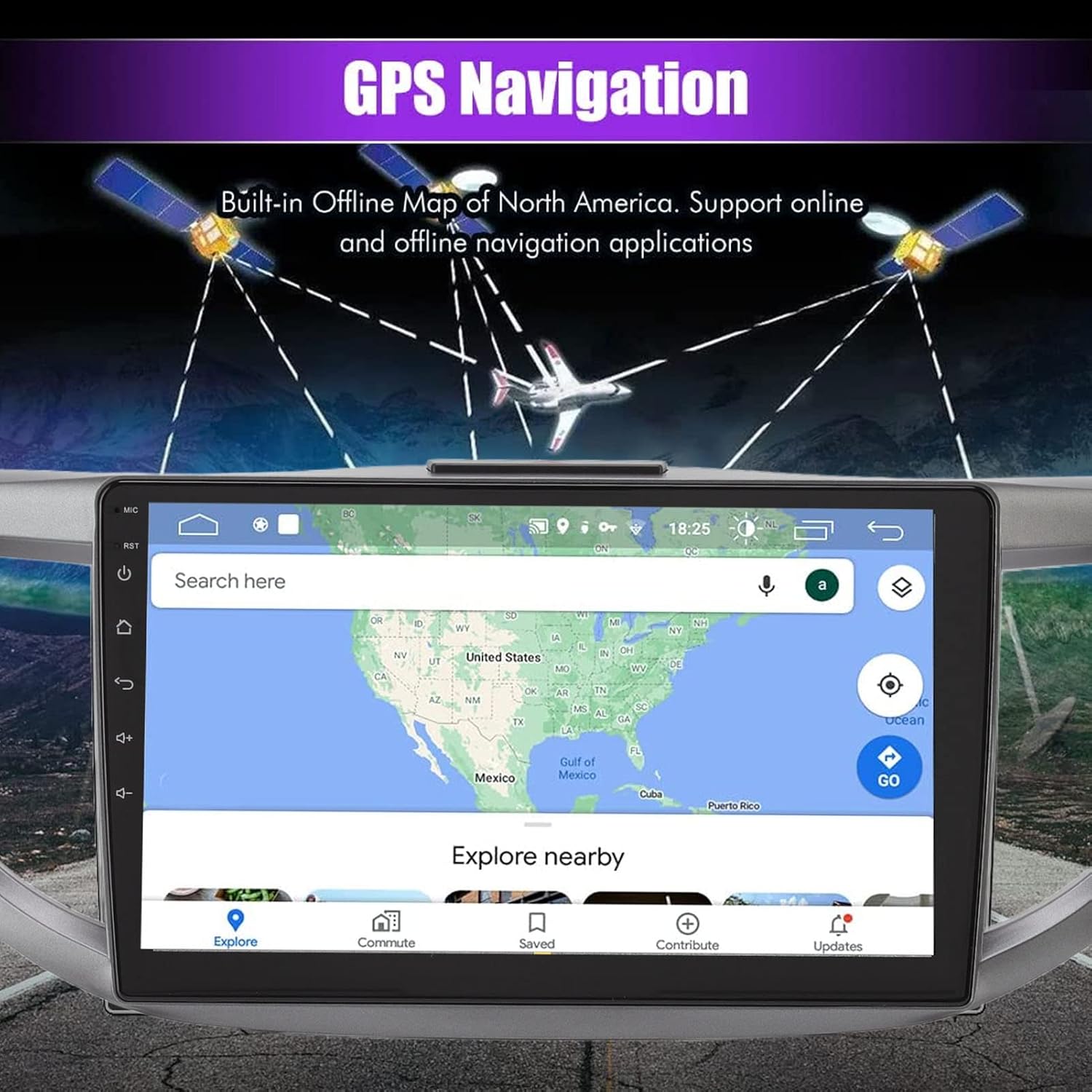
Image 5.1: GPS Navigation interface on the car stereo.
5.3 Ceangal Bluetooth
Pair your mobile phone via Bluetooth to enable hands-free calling and audio streaming. The built-in microphone captures your voice, and calls are routed through your car's speakers. To pair, go to the Bluetooth settings on the unit and search for your device.
5.4 Gnìomh Ceangal Sgàthan
The mirror link function allows you to synchronize your Android or iOS phone's screen with the car stereo display. This enables you to view maps, videos, and other content from your phone directly on the larger car stereo screen. Follow the on-screen instructions on the unit to establish the mirror link connection.
5.5 Smachdan Cuibhle Stiùiridh
The unit is designed to integrate with your vehicle's existing steering wheel controls. This allows you to manage functions such as switching songs, adjusting volume, and changing channels without taking your hands off the wheel. Configuration may be required in the unit's settings menu.
5.6 Cùl View Cuir a-steach camara
The system supports high-definition rear view camera input (camera sold separately). When the vehicle is shifted into reverse, the rear view image will automatically display on the screen, assisting with safer parking. The system offers excellent night vision capabilities.
Dealbh 5.2: Cùl view camera display with parking assistance lines.
5.7 Roghainnean fuaim
Access the sound settings to customize your audio experience. The unit provides options for adjusting equalizer settings, balance, and fade to optimize sound output through your car's speakers.
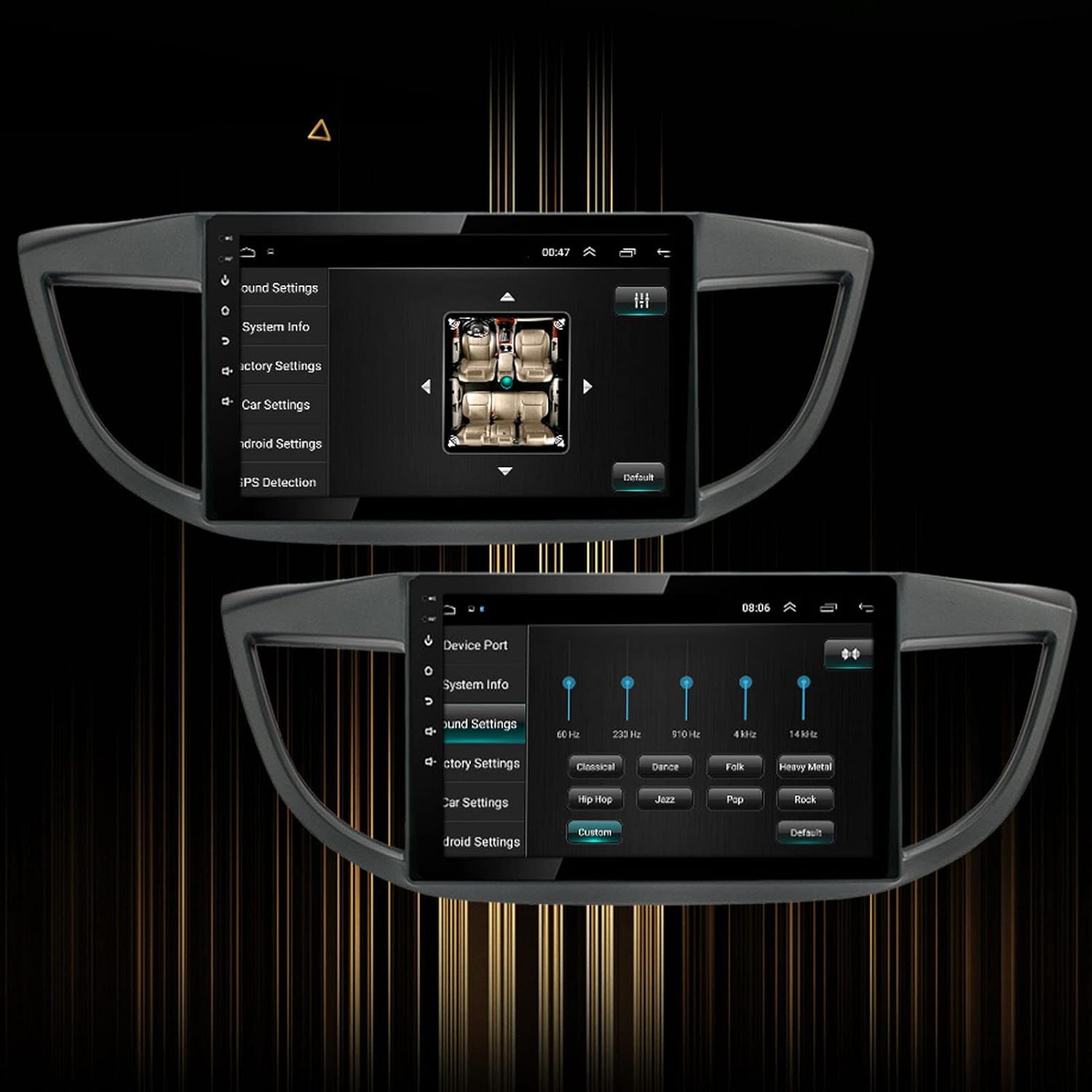
Image 5.3: Sound settings interface with equalizer options.
6. Cumail suas
To ensure the longevity and optimal performance of your Yoidesu Car Radio Stereo, follow these maintenance guidelines:
- Glanadh an sgrion: Cleachd clò bog, gun lint gus an sgrion a sguabadh gu socair. Airson smugaid stòlda, beagan dampen the cloth with water or a screen-cleaning solution specifically designed for electronics. Avoid harsh chemicals, abrasive materials, or excessive moisture.
- Glanadh coitcheann: Keep the unit and surrounding dashboard area free from dust and debris. Use a soft brush or compressed air to clean crevices.
- Ùrachaidhean bathar-bog: Thoir sùil bho àm gu àm airson ùrachaidhean bathar-bog a tha rim faighinn tro roghainnean an aonaid no tro roghainnean an neach-dèanamh. website. Updates can improve performance, add features, and fix bugs.
- Seachain Teòthachd Anabarrach: Do not expose the unit to extreme heat or cold for prolonged periods, as this can affect its electronic components and screen.
7. A ’dèanamh trioblaid
If you encounter issues with your Yoidesu Car Radio Stereo, refer to the following common problems and solutions:
| Trioblaid | Adhbhar a dh’fhaodadh a bhith ann | Fuasgladh |
|---|---|---|
| Chan eil aonad a ’toirt cumhachd air | Ceangal cumhachd sgaoilte, fiùs air a shèideadh, duilgheadas le bataraidh a’ charbaid. | Thoir sùil air na càbaill cumhachd agus na ceanglaichean uile. Thoir sùil air fiùsaichean a’ charbaid. Dèan cinnteach gu bheil bataraidh a’ charbaid air a luchdadh. |
| Gun toradh fuaim | Speaker wires disconnected, volume too low, incorrect audio source selected. | Verify speaker wire connections. Increase volume. Select the correct audio input source. |
| Call no neo-chruinneas comharra GPS | Tha antenna GPS air a bhacadh no air a stàladh gu ceàrr, aonad ann an sgìre le droch ghlacadh saideal. | Ensure GPS antenna is clear of obstructions and properly connected. Move to an open area for better reception. |
| Cùisean paidhir Bluetooth | Bluetooth not enabled on phone/unit, device too far, interference. | Ensure Bluetooth is active on both devices. Keep devices close. Restart both devices. |
| Smachdan cuibhle stiùiridh nach eil ag obair | Incorrect wiring, software configuration needed, compatibility issue. | Check wiring for steering wheel control adapter. Configure controls in the unit's settings. Note: Some users have reported potential limitations with steering wheel control functionality on specific CRV models. Ensure full compatibility before installation. |
| Touchscreen neo-fhreagairt | Software glitch, screen protector interference, physical damage. | Restart the unit. Remove any screen protectors to test. If issue persists, contact support. |
Mura rèitich na fuasglaidhean seo an duilgheadas, cuir fios gu taic luchd-cleachdaidh airson tuilleadh cuideachaidh.
8. Barantas agus Taic
Fiosrachadh Barantais
Yoidesu products are manufactured to high-quality standards. For specific warranty terms and conditions, please refer to the warranty card included with your product or contact the seller/manufacturer directly. Keep your purchase receipt as proof of purchase for any warranty claims.
Taic Luchd-cleachdaidh
For technical assistance, installation queries, or any other support needs, please contact your retailer or the Yoidesu customer service team. Contact information can typically be found on the product packaging or the official Yoidesu weblàrach.
Goireasan air-loidhne:
- Tadhail air an Yoidesu Store on Amazon airson fiosrachadh agus ùrachaidhean toraidh.