
1. Ro-ràdh
Thank you for choosing the MAIWO K2568 2.5 inch SATA HDD SSD Enclosure. This device provides a convenient and efficient way to connect your 2.5-inch SATA hard drives (HDD) or solid-state drives (SSD) to your computer via USB 3.0. It supports drives up to 6TB capacity and features UASP for faster data transfer rates. This manual will guide you through the installation, operation, and maintenance of your enclosure.
2. Pasgan-susbaint
Dèan cinnteach gu bheil a h-uile nì an làthair sa phacaid agad:
- 1x MAIWO 2.5 inch SATA Hard Drive Enclosure
- 1x Micro-B to USB-A Data Cable
- 1x Leabhar-làimhe Cleachdaiche
- 1x Anti-vibration Pad

Image: The MAIWO K2568 enclosure, USB 3.0 data cable, user manual, and an anti-vibration pad are shown on a surface next to a laptop keyboard.
3. Sònrachaidhean
| Feart | Tuairisgeul |
|---|---|
| Modail Àireamh | K2568 |
| Eadar-aghaidh bathar-cruaidh | Micro USB 3.0 Seòrsa B |
| Draibhearan Co-chòrdail | 2.5 inch SATA HDD/SSD (7mm-9.5mm thickness) |
| Comas as àirde | Suas gu 6TB |
| Ìre gluasad dàta | Up to 6Gbps (USB 3.0 with UASP) |
| Teicneòlas ceangail | SATA, USB |
| Stuth cuairteachaidh | High-Strength ABS Plastics |
| Meudan toraidh | 4.76"F x 3.07"L x 0.57"À (121mm x 78mm x 14.5mm) |
| Cuideam nì | 35 gram |
| Dath | Dubh |
| Siostaman-obrachaidh co-fhreagarrach | Windows 11/10/8.1/8/7/Vista/XP, MacOS, Linux, HarmonyOS |
4. Setup agus Stàladh
The MAIWO K2568 enclosure features a tool-free, slide-open design for easy installation of your 2.5-inch SATA HDD or SSD.
- Slide the Cover Out: Gently slide the top cover of the enclosure to open it.
- Cuir a-steach an diosc cruaidh/SSD: Carefully insert your 2.5-inch SATA HDD or SSD into the enclosure, ensuring the SATA connector aligns correctly. The built-in soft cushion helps prevent shaking and damage.
- Slide the Cover Back: Close the enclosure by sliding the cover back until it clicks into place.
- Ceangail ris a’ choimpiutair: Use the provided USB 3.0 data cable to connect the enclosure to an available USB port on your computer. No drivers or external power adapter are needed for most systems.

Image: A visual representation of the tool-free installation process for the MAIWO K2568 enclosure.
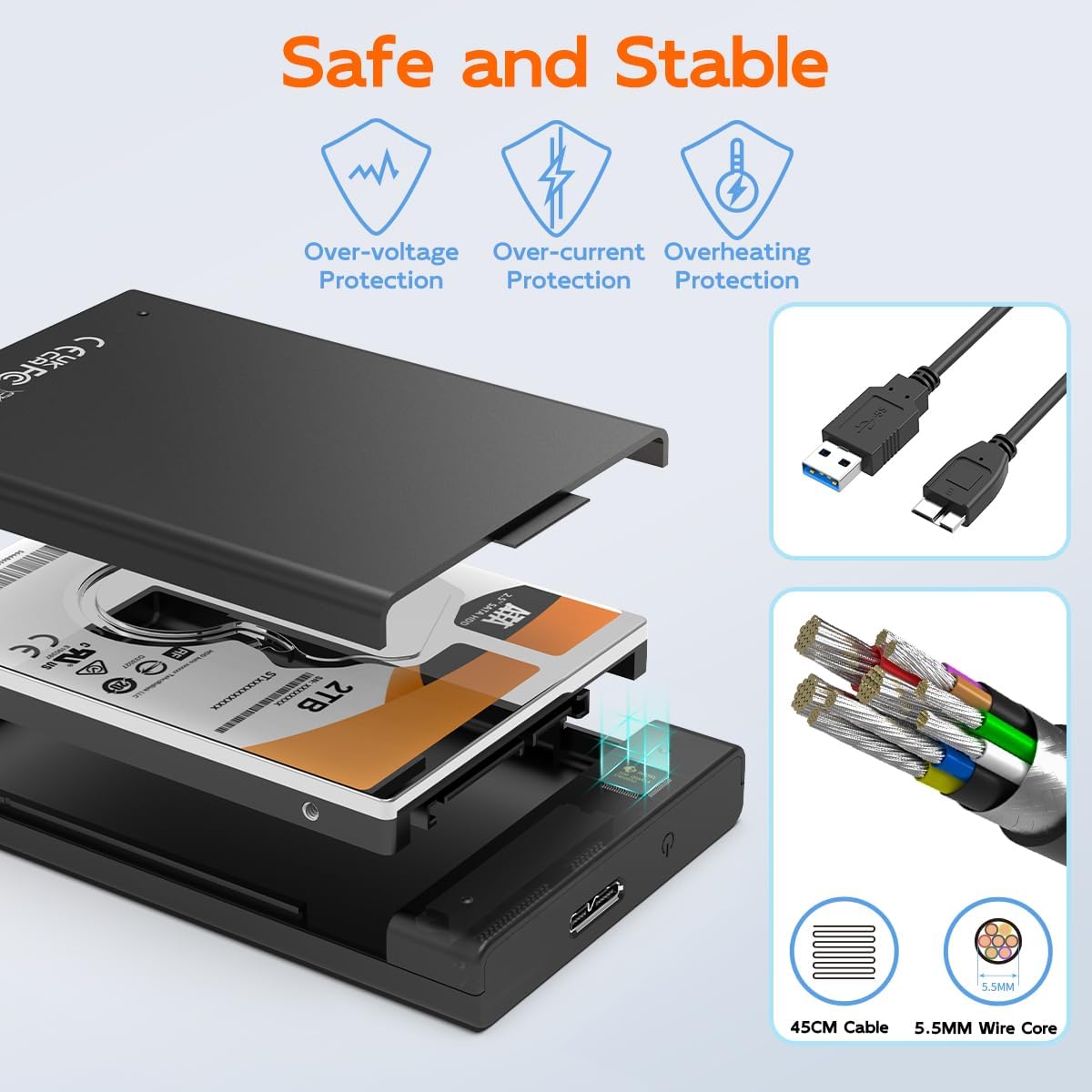
Image: The internal design of the enclosure, emphasizing safety features and the quality of the included USB cable.
Video stiùireadh airson stàladh a
Video: This official product video demonstrates the tool-free installation of a 2.5-inch SATA drive into the MAIWO enclosure, showcasing na feartan aige agus cho furasta ‘s a tha e a chleachdadh.
5. Stiùireadh Obrachaidh
Once your drive is installed and the enclosure is connected to your computer, it will be recognized as an external storage device.
Gluasad dàta
The enclosure utilizes a USB 3.0 interface, offering data transfer speeds up to 5Gbps. It is backwards compatible with USB 2.0 and USB 1.1 ports. Support for the UASP (USB Attached SCSI Protocol) further enhances transfer rates, especially with compatible operating systems and hardware.
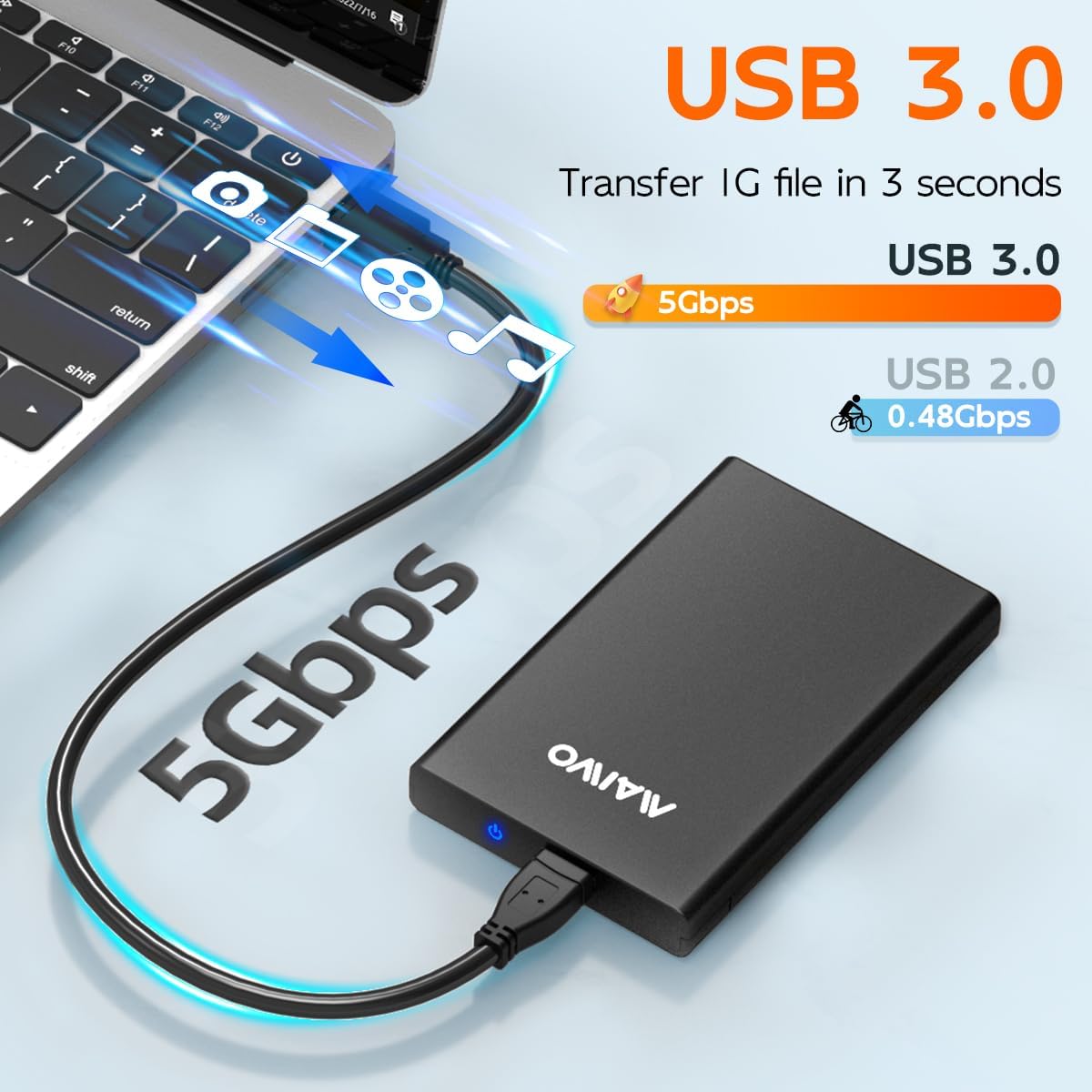
Image: This image highlights the high-speed data transfer capabilities of the USB 3.0 interface.
Comharra LED
A blue LED indicator on the enclosure provides status updates. It blinks during read or write operations, clearly indicating when the disk is active. This allows you to monitor the working state of your drive.
Intelligent Sleep Function
To prevent disk loss and conserve energy, the enclosure is designed with an intelligent sleep function. If there is no operation for more than 10 minutes, the system will automatically enter sleep mode.
6. Co-fhreagarrachd
The MAIWO K2568 enclosure is designed for broad compatibility:
- Co-fhreagarrachd Drive: Supports 2.5-inch SATA I/II/III HDD and SSD with a thickness of 7mm or 9.5mm. Note: Not compatible with 3.5-inch SATA drives or IDE (parallel) drives.
- Co-fhreagarrachd an t-siostam: Works with Windows 11/10/8.1/8/7/Vista/XP, MacOS, Linux, and HarmonyOS.
- Co-fhreagarrachd inneal: Can be used with PCs, laptops, MacBooks, Xbox, PS5/PS4/PS3, Smart TVs, routers, and phones (if they support OTG functionality).

Image: A visual guide detailing the types of 2.5-inch SATA drives supported by the enclosure and explicitly stating incompatibility with 3.5-inch SATA and IDE drives.
7. Cumail suas
To ensure the longevity and optimal performance of your MAIWO K2568 enclosure and the installed drive, consider the following maintenance tips:
- Làimhseachadh le cùram: Seachain a bhith a’ leigeil sìos no a’ toirt buaidhean làidir don chruinneachadh.
- Cùm glan: Regularly wipe the exterior with a soft, dry cloth. Avoid using liquid cleaners.
- Dì-cheangal ceart: Cuir an draibh a-mach às an t-siostam obrachaidh agad gu sàbhailte an-còmhnaidh mus dì-cheangail thu an càball USB gu corporra gus casg a chuir air truailleadh dàta.
- Stòradh: Nuair nach eilear ga chleachdadh, stòraich an cèidse ann an àite fionnar, tioram air falbh bho sholas dìreach na grèine agus teòthachd anabarrach.
8. A ’dèanamh trioblaid
If you encounter issues with your MAIWO K2568 enclosure, please refer to the following common solutions:
- Draibh gun lorg:
- Ensure the drive is correctly seated within the enclosure.
- Feuch ri ceangal a dhèanamh eadar an inneal-ceangail agus port USB eadar-dhealaichte air a’ choimpiutair agad.
- Dèan deuchainn le càball USB eadar-dhealaichte ma tha càball ri fhaighinn.
- Verify that the drive itself is functional by testing it in another enclosure or directly connecting it to a system if possible.
- Airson draibhearan ùra, dèan cinnteach gu bheil iad air an tòiseachadh agus air an cruthadh ann an Riaghladh Diosc (Windows) no Goireas Diosc (macOS) an t-siostaim obrachaidh agad.
- Astaran Gluasaid Slaodach:
- Dèan cinnteach gu bheil thu ceangailte ri port USB 3.0 air a’ choimpiutair agad. Bidh puirt USB 2.0 a’ ciallachadh gum bi astaran nas slaodaiche.
- Verify that your operating system and hardware support UASP for optimal performance.
- Thoir sùil air staid a’ chàball USB; faodaidh càball millte buaidh a thoirt air an astar.
- Bidh an cèis a’ dì-cheangal gu neo-riaghailteach:
- Dèan cinnteach gu bheil càball USB ceangailte gu tèarainte aig gach ceann.
- Feuch port USB no càball eile.
- Disable USB selective suspend settings in your computer's power options (Windows) if applicable.
9. Barantas agus Taic
Fiosrachadh Barantais
The MAIWO K2568 2.5 inch SATA HDD SSD Enclosure comes with a Barantas aon bhliadhna from the date of purchase. This warranty covers manufacturing defects and malfunctions under normal use. It does not cover damage caused by misuse, accidents, unauthorized modifications, or natural disasters.
Taic Luchd-cleachdaidh
For technical assistance, troubleshooting, or warranty claims, please contact MAIWO customer support through the official MAIWO website or your retailer's support channels. Please have your product model number (K2568) and proof of purchase ready when contacting support.