
Baseus Bowie WM02
Baseus Bowie WM02 TWS Bluetooth Earbuds
Leabhar-làimhe cleachdaiche
Ro-ràdh
Thank you for choosing the Baseus Bowie WM02 TWS Bluetooth Earbuds. These ultra-compact and lightweight earbuds are designed for comfortable, long-term wear, offering a seamless audio experience with advanced Bluetooth 5.3 technology and an impressive 25-hour battery life (with charging case). This manual will guide you through the setup, operation, and maintenance of your new earbuds.

Image: Baseus Bowie WM02 TWS Bluetooth Earbuds in white, with their charging case.
Suidhich
1. Fosgladh a’ bhogsa agus pàirtean
Mus cleachd thu an toiseach e, dèan cinnteach gu bheil na pàirtean uile anns a’ phacaid:
- Baseus Bowie WM02 TWS Earbuds
- Cùis Cìse
- Càball cosgais USB-C
- Molaidhean cluais ioma-mheud (S, M, L)
- Leabhar-làimhe cleachdaiche
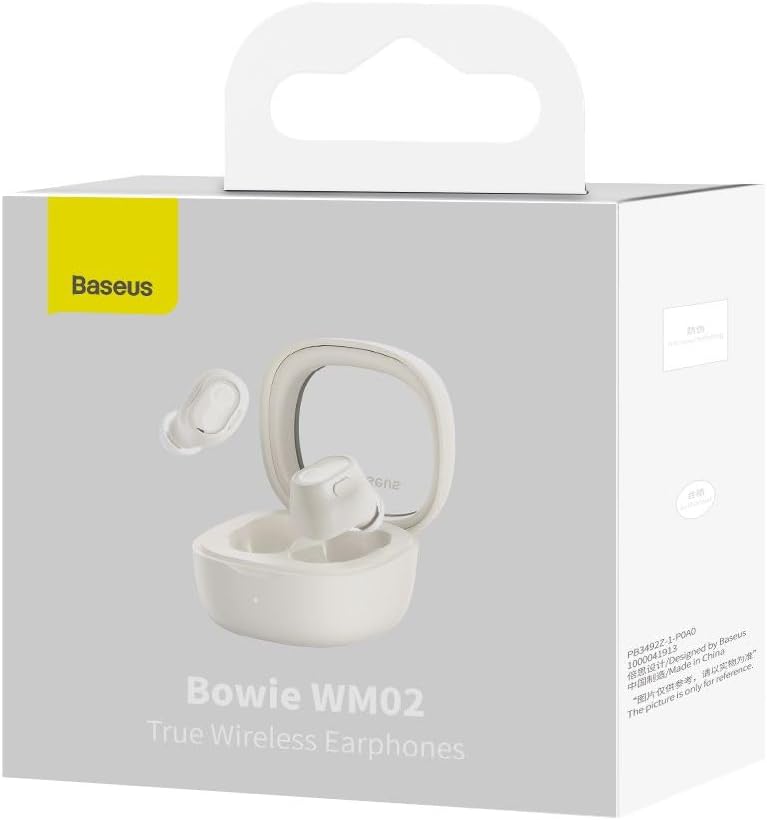
Image: The Baseus Bowie WM02 earbuds, charging case, USB-C cable, and ear tips laid out with the product packaging.
2. A’ cur cosgais air na cluasan-cluaise agus a’ chùis
For optimal performance, fully charge the earbuds and charging case before first use.
- Cuir na cluasan-cluaise anns a’ chùis cosgais. Dèan cinnteach gu bheil iad nan suidhe gu ceart anns na sliotan fa leth aca.
- Ceangail càball cosgais USB-C ris a’ phort cosgais air a’ chùis agus an ceann eile ri stòr cumhachd USB (me, coimpiutair, inneal-atharrachaidh balla).
- The indicator light on the charging case will show the charging status. Once fully charged, the light will typically turn solid or turn off.
A 10-minute quick charge provides approximately 2 hours of listening time, and a full charge offers up to 5 hours of continuous use, extending to 25 hours with the charging case.

Image: Graphic illustrating the 25-hour battery life of the Baseus Bowie WM02 earbuds and charging case.
3. Càraid Bluetooth
Lean na ceumannan seo gus na fònaichean-cluaise agad a cheangal ri inneal le comas Bluetooth:
- Fosgail a’ chùis cosgais. Thèid na fònaichean-cluaise a-steach don mhodh paidhreachaidh gu fèin-ghluasadach (bidh na solais comharrachaidh a’ priobadh).
- Air an inneal agad (fòn cliste, tablet, laptop), rach gu roghainnean Bluetooth agus cuir Bluetooth an gnìomh.
- Lorg airson available devices and select "Baseus Bowie WM02" from the list.
- Once connected, the earbud indicator lights will typically turn off or show a steady light.
The earbuds feature Bluetooth 5.3 for stable and efficient connection.

Image: A visual representation of the Wireless 5.3 chip, highlighting fast and smooth connection.
4. Baseus App Integration
Enhance your experience by downloading the official Baseus app. The app allows you to:
- Lorg na cluasan-cluaise agad.
- Check real-time battery levels.
- Gnàthaich smachdan suathaidh.
- Faigh cothrom air feartan agus ùrachaidhean a bharrachd.

Image: Screenshot of the Baseus app interface, demonstrating features like earbud location and battery status.
Stiùireadh Obrachaidh
1. A’ caitheamh nan cluasan-cluaise
The Baseus Bowie WM02 earbuds are designed for a comfortable and secure fit, even for smaller ears. They weigh only 3.8g per earbud and have a 108-degree elevation angle for ergonomic wear.
- Select the ear tips that provide the best seal and comfort for your ears.
- Gently insert each earbud into your ear canal and twist slightly to secure them.

Image: A woman demonstrating the comfortable and seamless fit of the Baseus Bowie WM02 earbuds.
2. Smachdan suathaidh
The earbuds feature intuitive touch controls. You can customize these controls via the Baseus app.
| Gnìomh | Smachd |
|---|---|
| Cluich / Stad | Tap singilte air gach earbud |
| An ath Rian | Tap dùbailte air an earbud cheart |
| Rian roimhe | Tap dùbailte air an earbud chlì |
| Freagairt / Cuir crìoch air a’ ghairm | Tap singilte air gach earbud |
| Call a dhiùltadh | Preas fada air gach cuid earbud |
| Cuir an gnìomh neach-cuideachaidh guth | Tap trì-fhillte air gach cluais-fòn |
| Tionndaidh Modh Latency Ìosal (Modh Gèam) | Long press on either earbud (check app for specific gesture) |
3. Cumhachd air / dheth
- Cumhachd air: Fosgail a’ chùis cosgais, agus tionndaidhidh na fònaichean-cluaise air gu fèin-ghluasadach agus ceanglaidh iad ris an inneal mu dheireadh a chaidh a chàradh.
- Cumhachd dheth: Cuir na cluasan-cluaise air ais anns a’ chùis cosgais agus dùin am mullach. Dì-cheanglaicheas iad gu fèin-ghluasadach agus cuiridh iad dheth an cumhachd.
4. Modh Gèam (Latency Ìosal)
The Bowie WM02 features a 60ms low-latency mode, ideal for gaming, ensuring instant response and synchronized audio. Activate this mode via the touch controls or the Baseus app for an immersive gaming experience.
Cumail suas
1. Glanadh
Bidh glanadh cunbhalach a’ cuideachadh le bhith a’ cumail suas càileachd fuaime agus slàinteachas.
- Cleachd clò bog, tioram, gun lint gus na fònaichean-cluaise agus a’ chùis cosgais a sguabadh às.
- For ear tips, remove them and clean with mild soap and water, then dry thoroughly before reattaching.
- Glan gu socair na ceanglaichean cosgais air an dà chuid na fònaichean-cluaise agus a’ chùis le swab cotain tioram.
- Seachain a bhith a’ cleachdadh innealan-glanaidh sgrìobach, deoch làidir no fuasglaidhean.
2. Stòradh
Nuair nach eilear gan cleachdadh, stòraich na fònaichean-cluaise anns a’ chùis cosgais aca gus an dìon bho dhuslach is milleadh.
3. Cùram Bataraidh
- Seachain na cluasan agus a’ chùis a nochdadh do theodhachd anabarrach (teas no fuar).
- Do not leave the battery completely drained for extended periods. Charge them regularly.
Fuasgladh thrioblaidean
If you encounter any issues with your Baseus Bowie WM02 earbuds, please refer to the following common solutions:
| Trioblaid | Fuasgladh comasach |
|---|---|
| Fòn-cluaise nach eil a’ càradh | Dèan cinnteach gu bheil na fònaichean-cluaise air an cur fo chasaid. Cuir Bluetooth an uidheim agad dheth agus air. Dìochuimhnich an inneal anns na roghainnean Bluetooth agus ath-phaidhrich. |
| Gun fhuaim bho aon earbud | Check battery level of both earbuds. Place both earbuds back in the case, close the lid, then open again. Re-pair if necessary. |
| Cùisean cosgais | Ensure charging cable is securely connected. Try a different USB port or charger. Clean charging contacts on earbuds and case. |
| Meud ìosal no càileachd fuaim bochd | Adjust volume on your device. Ensure ear tips provide a good seal. Clean earbud mesh to remove debris. |
| Chan eil smachdan suathaidh a’ freagairt | Ensure your fingers are clean and dry. Try resetting the earbuds (refer to Baseus app or online support for specific reset instructions). |
If the problem persists, please contact Baseus customer support.
Sònrachaidhean
| Feart | Mion-fhiosrachadh |
|---|---|
| Ainm Modail | Bowie WM02 |
| Àireamh modail saothraiche | NGTW180002 |
| Teicneòlas ceangail | Wireless (Bluetooth) |
| Teicneòlas conaltraidh gun uèir | Bluetooth 5.3 |
| Factar Cruth Fòn-cluaise | In-Earrach |
| Smachd fuaim | Chan eil gin |
| Cuideam toraidh | 60 gram |
| Raon tricead | 20 Hz - 20,000 Hz |
| bacadh | 140 Ach |
| Average Battery Life (Earbuds) | 5 Uairean |
| Beatha Bataraidh Iomlan (le Cùis) | Suas gu 25 uairean |
| Ùine cosgais | Mu 1.5 uair a thìde (airson làn chosgais) |
| Port luchdadh a-nuas | USB Type-C |
| Feartan sònraichte | Fast Charging, Low Latency Mode (60ms) |
| Innealan co-fhreagarrach | Bluetooth-enabled devices such as smartphones, tablets, laptops, and desktop computers. |
Barantas agus Taic
Fiosrachadh Barantais
The Baseus Bowie WM02 TWS Bluetooth Earbuds come with a 12-month manufacturer's warranty from the official Baseus Brazil store. Please retain your proof of purchase for warranty claims.
Taic Luchd-cleachdaidh
For further assistance, technical support, or warranty inquiries, please contact Baseus customer support through the official Baseus website or the Baseus app. You can also visit the Bùth Baseus air Amazon airson tuilleadh fiosrachaidh.
Ask a question about this manual
Ask about setup, troubleshooting, compatibility, parts, safety, or missing instructions. Manuals+ will review the question and use this page’s manual context to help answer it.