
Ro-ràdh
This manual provides essential information for the installation, operation, and maintenance of your Hikvision DS-2CD1043G0-IUF 4MP IP Bullet Camera. Please read it thoroughly before using the product to ensure correct and safe operation.
The Hikvision DS-2CD1043G0-IUF is a 4-megapixel IP bullet camera designed for both indoor and outdoor surveillance. It features a 2.8mm lens, built-in microphone, 30-meter night vision, and Power over Ethernet (PoE) capability for simplified installation.
Fiosrachadh Sàbhailteachd
- Dèan cinnteach gu bheil an solar cumhachd voltage is correct before connecting the camera.
- Do not expose the camera to extreme temperatures, dust, or moisture.
- Avoid pointing the lens directly at strong light sources.
- Use only Hikvision-approved accessories.
- Thoir iomradh air a h-uile seirbheis gu luchd-obrach le teisteanas.
Susbaint pacaid
Dèan cinnteach gu bheil a h-uile nì an làthair agus ann an deagh staid:
- Hikvision DS-2CD1043G0-IUF IP Bullet Camera
- Sgriothan-sreap agus Plugaichean Balla
- Ceanglaiche dìon-uisge airson càball lìonra
- Stiùireadh Tòiseachaidh Luath (mas e iomchaidh)
Bathar seachadview
The DS-2CD1043G0-IUF camera features a robust metal enclosure, suitable for various environments.
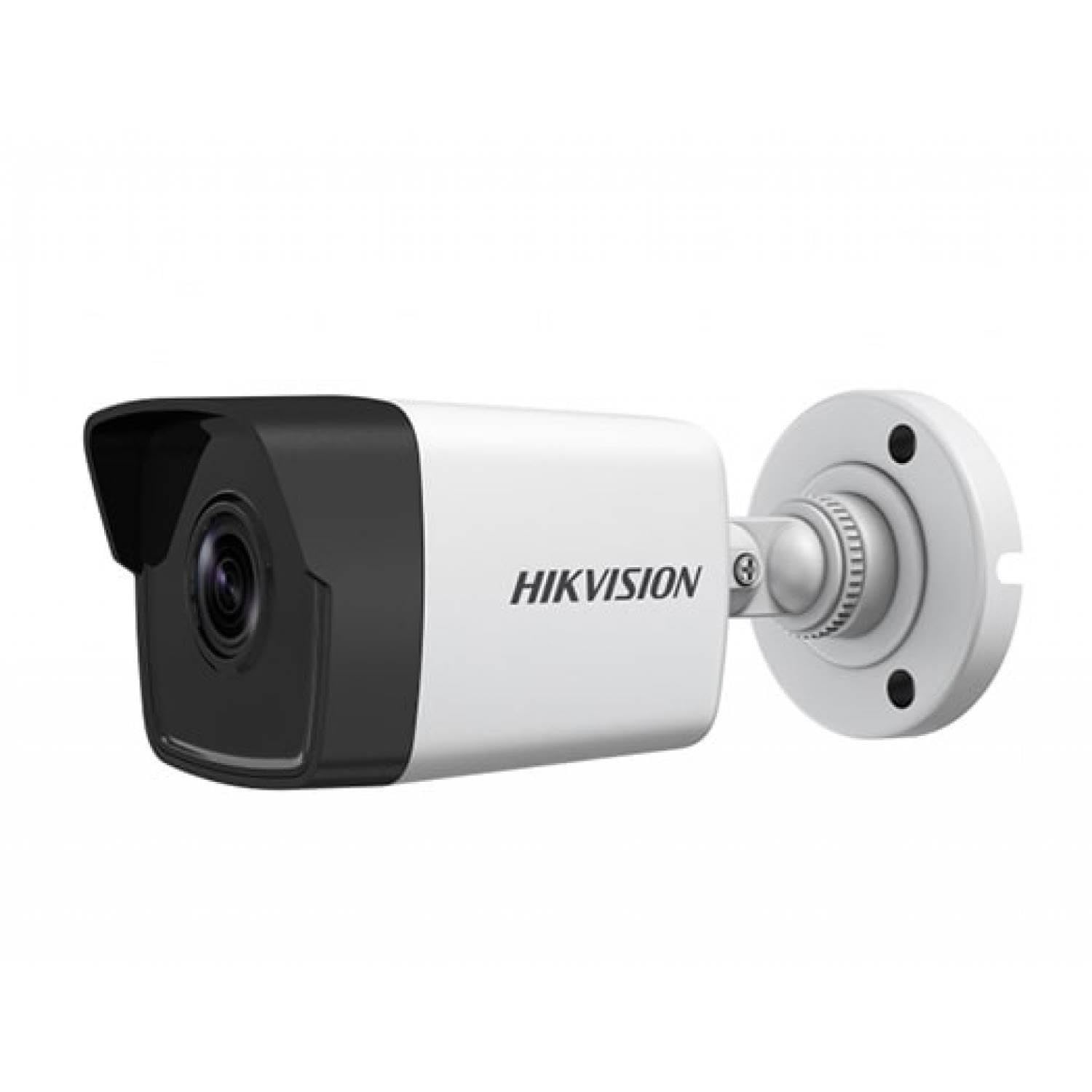
Figure 1: Hikvision DS-2CD1043G0-IUF 4MP IP Bullet Camera. This image shows the front view of the bullet-style camera, highlighting its lens and robust casing.
Prìomh cho-phàirtean:
- Lionsa: 2.8mm fixed lens for wide-angle viewing.
- LEDan fo-dhearg: For night vision up to 30 meters.
- Micreofon: Togte a-steach airson glacadh claisneachd.
- Network Port (RJ45): Supports Power over Ethernet (PoE).
- Cur a-steach cumhachd: For optional 12V DC power supply (if not using PoE).
Suidhich
1. Stàladh a 'chamara
The camera is designed for both indoor and outdoor use and has an IP67 waterproof rating. Choose a suitable location that provides the desired surveillance coverage.
- Mark the positions for drilling using the provided mounting template (if included).
- Drile tuill pìleat agus cuir plugaichean balla a-steach ma tha thu ga chur air clachaireachd.
- Daingnich bonn a’ chamara ris an uachdar sreap le bhith a’ cleachdadh nan sgriothan a tha air an toirt seachad.
- Atharraich ceàrn a’ chamara airson an ìre as fheàrr viewing.
2. Ceangal Cumhachd is Lìonra
The camera supports Power over Ethernet (PoE) for simplified installation, allowing both power and data to be transmitted over a single Ethernet cable. Alternatively, it can be powered via a 12V DC power adapter (sold separately).
- Ceangal PoE: Connect an Ethernet cable from a PoE-enabled switch or NVR to the camera's network port.
- Non-PoE Connection: Connect a 12V DC power adapter to the camera's power input and an Ethernet cable from your router/switch to the camera's network port.
- Use the waterproof connector for the network cable when installing outdoors to protect against moisture.
3. Rèiteachadh Tòiseachaidh
After connecting the camera, you will need to activate and configure it using the Hikvision client software or mobile application.
- Download and install the Hik-Connect app or iVMS-4200 client software on your device.
- Ensure your device is on the same local network as the camera.
- Follow the on-screen instructions in the app/software to discover and activate the camera. You will be prompted to set a strong password.
- Once activated, you can access the live view agus cuir air dòigh diofar shuidheachaidhean.
Ag obrachadh a 'chamara
Beò View
Access the live video feed through the Hik-Connect app or iVMS-4200 software. This allows real-time monitoring of the camera's view.
Clàradh
The camera can record video to a Network Video Recorder (NVR) or a MicroSD card (if supported by the specific model and installed). Configure recording schedules and modes (continuous, motion-triggered) via the client software or app.
Sealladh na h-oidhche
The camera automatically switches to night vision mode in low-light conditions, utilizing its infrared LEDs to provide clear black-and-white images up to 30 meters. The "Night Color" feature, if enabled and supported, may provide enhanced color images in very low light.
Dearbhadh Gluasad
Configure motion detection settings to trigger alerts and recordings only when movement is detected within the camera's field of view. Adjust sensitivity and detection zones to minimize false alarms.
Micreofon air a thogail a-steach
The integrated microphone allows for audio monitoring of the surveillance area. Ensure local regulations permit audio recording before enabling this feature.
Cumail suas
Glanadh
Glan lionsa is taigheadas a’ chamara gu cunbhalach le clò bog, tioram. Airson salachar stòlda, cleachd inneal-glanaidh tlàth agus cuir ris.amp cloth, then wipe dry. Do not use strong chemicals or abrasive cleaners.
Ùrachaidhean firmware
Thoir sùil bho àm gu àm air an oifigear Hikvision website or your client software for available firmware updates. Keeping your camera's firmware up-to-date ensures optimal performance, security, and access to new features.
Fuasgladh thrioblaidean
| Trioblaid | Adhbhar a dh’fhaodadh a bhith ann | Fuasgladh |
|---|---|---|
| Gun bhiadh ìomhaigh/bhidio | No power; Network connection issue; Incorrect IP address | Check power supply/PoE connection; Verify network cable and router; Ensure correct IP settings. |
| Càileachd droch ìomhaigh | Dirty lens; Insufficient lighting; Incorrect camera settings | Clean the lens; Ensure adequate lighting or enable night vision; Adjust image settings (brightness, contrast). |
| Chan eil lorg gluasad ag obair | Detection zone not configured; Sensitivity too low; Firmware outdated | Configure detection zones; Increase sensitivity; Update firmware. |
| Cannot connect to camera via app | Network issues; Camera not activated; Incorrect login credentials | Verify network connectivity; Activate the camera; Double-check username/password. |
Sònrachaidhean
| Feart | Mion-fhiosrachadh |
|---|---|
| Modail | DS-2CD1043G0-IUF |
| Fuasgladh glacadh bhidio | 4 BP |
| Lionsa | 2.8mm |
| Teicneòlas ceangail | Wireless (IP), Corded Electric (PoE) |
| Cleachdadh a-staigh / a-muigh | A-staigh, a-muigh |
| Raon Lèirsinn Oidhche | 30 Meatair |
| Feart sònraichte | Night Vision, Built-in Microphone |
| Stòr cumhachd | Dealain le Càball (PoE) |
| Ìre dìon-uisge | IP67 |
| Stuth cuairteachaidh | Meatailt |
| Seòrsa rabhaidh | Gluasad a-mhàin |
| Modh smachd | App |
| Teicneòlas sensor dhealbhan | CMOS |
Barantas agus Taic
For warranty information and technical support, please refer to the official Hikvision weblàrach no cuir fios chun neach-reic Hikvision ùghdarraichte agad. Cùm do chuidhteas ceannach mar dhearbhadh ceannach airson tagraidhean barantais.
Goireasan air-loidhne: Visit the official Hikvision support page for FAQs, software downloads, and additional documentation.