
Acctim Digital Bedside Mini Alarm Clock
Modail: 16231 - Leabhar-stiùiridh
Ro-ràdh
Thank you for choosing the Acctim Digital Bedside Mini Alarm Clock. This compact and functional alarm clock is designed for convenience and reliability. Please read this manual carefully to ensure proper setup and operation of your device.
Prìomh fheartan:
- Clear LCD Screen with White Backlight
- Crescendo Alarm
- Smachd tomhas-lìonaidh a ghabhas atharrachadh
- Dealbhadh Compact agus so-ghiùlain

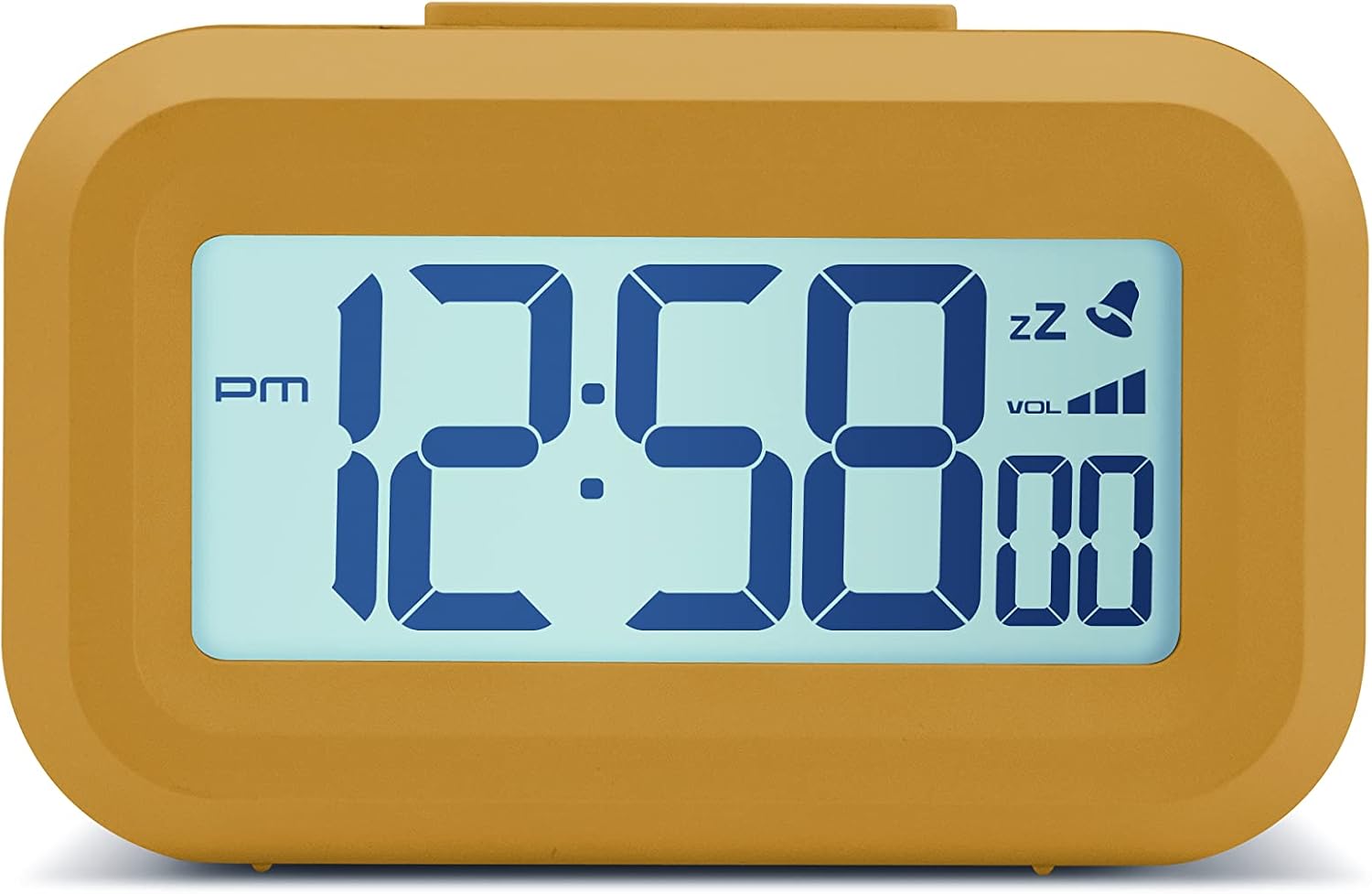
Aghaidh view of the Acctim Digital Bedside Mini Alarm Clock, displaying the time.
Suidhich
1. Stàladh bataraidh
The alarm clock requires 2 x AAA batteries (not included). To install the batteries:
- Lorg còmhdach roinn a’ bhataraidh air cùl a’ chloca.
- Sleamhnaich an còmhdach sìos gus fhosgladh.
- Cuir a-steach dà bataraidh AAA, a’ dèanamh cinnteach gu bheil am polarachd cheart (+ agus -) mar a tha air a chomharrachadh taobh a-staigh a’ bhataraidh.
- Cuir còmhdach roinn a’ bhataraidh air ais le bhith ga shleamhnadh suas gus an cliog e na àite.
Air ais view a’ chloc-rabhaidh, a’ comharrachadh roinn a’ bhataraidh agus na putanan smachd.
2. A’ chiad chumhachd air
Once batteries are correctly installed, the LCD display should activate, showing a default time or flashing digits. The clock is now ready for time and alarm settings.
Stiùireadh Obrachaidh
Gnìomhan putan:
- SET: Used to enter time/alarm setting modes and confirm selections.
- SUAS (▲): Air a chleachdadh gus luachan àrdachadh rè suidheachadh.
- SÌOS (▼): Used to decrease values during setting.
- VOL (■): Used to adjust alarm volume.
- Putan as àirde: Activates backlight and snooze function.
1. A ’suidheachadh na h-ùine
- Brùth an SET button once. The hour digits will begin to flash.
- Cleachd an UP or DOWN putanan gus an uair atharrachadh. Thoir aire don chomharra AM/PM.
- Brùth SET a-rithist. Bidh na figearan mionaid a’ priobadh.
- Cleachd an UP or DOWN putanan gus na geàrr-chunntasan atharrachadh.
- Brùth SET a third time to confirm the time setting and exit the time setting mode.
2. A ’suidheachadh an inneal-rabhaidh
- Brùth an SET button twice. The alarm hour digits will begin to flash, and an alarm icon (bell) may appear on the display.
- Cleachd an UP or DOWN putanan gus an uair rabhaidh atharrachadh.
- Brùth SET a-rithist. Bidh na figearan mionaid airson an rabhaidh a’ priobadh.
- Cleachd an UP or DOWN putanan gus mionaidean an rabhaidh atharrachadh.
- Brùth SET a third time to confirm the alarm setting. The alarm icon will remain visible, indicating the alarm is active.
- Gus an inneal-rabhaidh a dhì-ghnìomhachadh, brùth air a’ phutan SET brùth air a’ phutan gus an tèid ìomhaigh an rabhaidh à sealladh bhon taisbeanadh.
3. Gnìomh Snooze
Nuair a chluinneas tu an inneal-rabhaidh, brùth air a’ phutan mhòr Putan gu h-àrd on the clock. The alarm will temporarily stop and sound again after approximately 5 minutes. The snooze icon (zz) will typically flash on the display.
4. Gnìomhachadh Solais-cùil
To illuminate the display temporarily, press the large Putan gu h-àrd. The white backlight will activate for a few seconds, making the time visible in low-light conditions.

The alarm clock display with its white backlight activated for improved visibility.
5. Atharrachadh Meud an Alarma
The alarm features an adjustable volume control. While the alarm is sounding, or in alarm setting mode, press the VOL button (square button on the back) to cycle through available volume levels. The display may show a volume indicator.
Cumail suas
Glanadh
To clean the clock, use a soft, dry cloth. Avoid using abrasive cleaners, solvents, or chemical sprays, as these can damage the casing no taisbeanadh.
Ath-nuadhachadh bataraidh
Replace the AAA batteries when the display becomes dim, the backlight is weak, or the clock functions become erratic. Always replace both batteries at the same time with new ones.
Fuasgladh thrioblaidean
- Tha an taisbeanadh bàn no dorcha:
Check if the batteries are inserted correctly. Replace with fresh AAA batteries. - Chan eil fuaim an rabhaidh:
Ensure the alarm time is set correctly and the alarm icon is visible on the display. Check the alarm volume level. - Incorrect time displayed:
Re-enter the correct time following the 'Setting the Time' instructions. - Chan eil na putanan a’ freagairt:
Remove and reinsert the batteries to perform a soft reset. If the issue persists, replace the batteries.
Sònrachaidhean
- Brand: Acctim
- Àireamh Modail: 16231
- Seòrsa taisbeanaidh: LCD didseatach
- Feartan sònraichte: Adjustable Volume, Alarm, Illuminated (Backlight), Snooze
- Meudan toraidh: 3.54"L x 2.17"À (mu 8.8 cm L x 5.5 cm À)
- Stòr cumhachd: Cumhachdaichte le bataraidh (2 x AAA, gun a bhith air an toirt a-steach)
- Seòrsa seòmar: Seòmar-cadail
- Cruth: Ceart-cheàrnach
- Stuth: Plastaig
- Cuideam nì: 0.06 cileagram

Diagram showing the approximate dimensions of the alarm clock.
Barantas agus Taic
This Acctim product is covered by a manufacturer's warranty. For specific warranty details, technical support, or service inquiries, please refer to the warranty card included with your purchase or visit the official Acctim weblàrach. Na feuch ri an inneal a chàradh thu fhèin, oir dh’ fhaodadh seo am barantas a dhèanamh neo-dhligheach.