
Ro-ràdh
This manual provides essential information for the proper setup, operation, and maintenance of your ZEBRONICS K24 Wired USB Keyboard. Please read this manual thoroughly before using the product to ensure optimal performance and longevity.
Susbaint pacaid
- 1 x ZEBRONICS K24 Wired USB Keyboard
Stiùiridhean rèiteachaidh
- Unpack am meur-chlàr: Thoir am meur-chlàr a-mach às a phacaid gu faiceallach.

Image: ZEBRONICS K24 Wired USB Keyboard, showing the keyboard and its USB cable.
- Ceangail ris an inneal agad: Locate an available USB port on your computer or laptop. Insert the USB connector of the keyboard cable into the USB port.
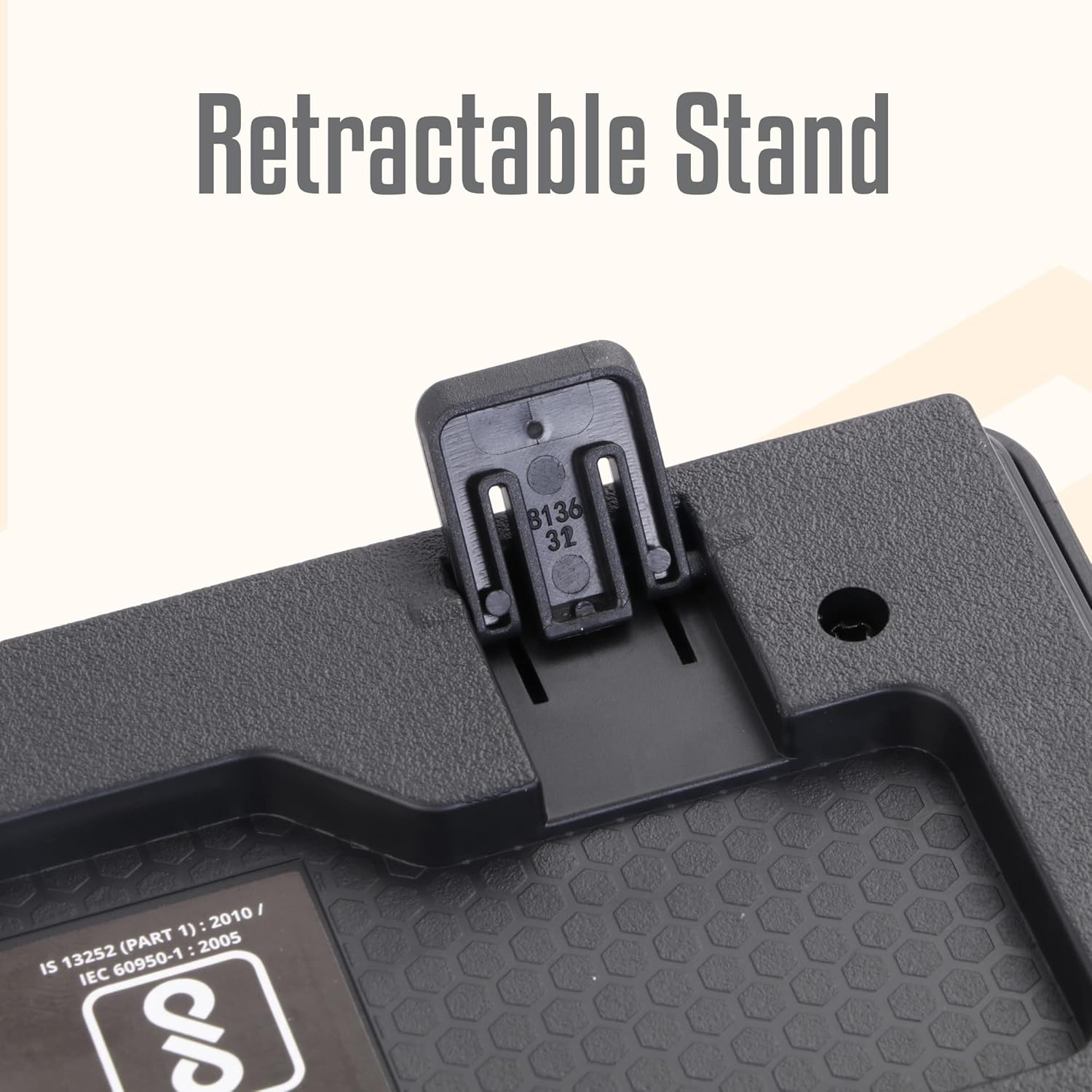
Image: A hand connecting the USB cable of the keyboard to a laptop's USB port.
- Stàladh an dràibhear: The keyboard is plug-and-play. Your operating system (Windows, macOS, Linux) will automatically detect and install the necessary drivers. No manual driver installation is required.
- Adjust the Stand (Optional): For an ergonomic typing angle, extend the retractable stands located on the underside of the keyboard.

Image: Close-up of the retractable stand on the back of the keyboard, extended for ergonomic use.
Stiùireadh Obrachaidh
The ZEBRONICS K24 keyboard operates like any standard 104-key keyboard. Simply connect it to your device, and it will be ready for use.
- A' sgrìobhadh: Use the keys for text input, data entry, and command execution.
- Iuchraichean ioma-mheadhain: The keyboard may feature integrated multimedia functions accessible via the 'Fn' key combined with function keys (F1-F12). Refer to your operating system's settings for specific key assignments if needed.
- Iuchair Rupee: The keyboard includes a dedicated Rupee key for convenient currency input.

Image: Close-up of the keyboard highlighting the Rupee symbol on a key.
Feartan
- Standard Layout with 104 Keys: Meur-chlàr làn-mheud airson comasan coileanta.
- UV Coated Keycaps: Ensures durability and prevents legend fading over time.
- Long Life 8 Million Keystrokes: Designed for extended usage and reliability.
- Silent and Comfortable Use: Provides a quiet typing experience suitable for various environments.
- Dealbhadh caol: A’ sàbhaladh àite agus a’ còrdadh ri bòidhcheadasing for any desk setup.
- Seas a ghabhas toirt air ais: Offers adjustable ergonomic typing angles.
- 1.5 Meter Textured Cable: A 'toirt seachad ample length and durability for flexible placement.
- Ceangal USB: Ensures broad compatibility with PCs and laptops.

Image: Close-up of the keyboard keys, showing their round, chiclet style and UV coating.

Image: The keyboard with its 1.5-meter textured USB cable coiled next to it.
Cumail suas
- Glanadh: Use a soft, dry cloth to wipe the keyboard surface. For deeper cleaning, use a can of compressed air to remove dust and debris from between the keys. Avoid using harsh chemicals or abrasive materials.
- Stòradh: When not in use, store the keyboard in a clean, dry place away from direct sunlight and extreme temperatures.
- Cùram càball: Seachain cus lùbadh no tionndadh a’ chàball USB gus casg a chur air milleadh.
Fuasgladh thrioblaidean
| Trioblaid | Adhbhar a dh’fhaodadh a bhith ann | Fuasgladh |
|---|---|---|
| Meur-chlàr nach eil a 'freagairt | Ceangal USB sgaoilte, port USB lochtach, duilgheadas leis an draibhear. | Dèan cinnteach gu bheil an càball USB ceangailte gu tèarainte. Feuch port USB eile. Ath-thòisich do choimpiutair. |
| Iuchraichean nach eil ag obair | Debris under keys, software conflict. | Clean the keys with compressed air. Check for any software conflicts or update keyboard drivers. |
| Incorrect characters appearing | Incorrect keyboard layout setting. | Check your operating system's keyboard language and layout settings. |
If you encounter issues not listed here, please contact ZEBRONICS customer support.
Sònrachaidhean
| Feart | Mion-fhiosrachadh |
|---|---|
| Brand | ZEBRONICS |
| Modail Àireamh | Zeb-k24 |
| Teicneòlas ceangail | Uèir (USB) |
| Àireamh de dh'Iuchraichean | 104 |
| Seòrsa Keycap | UV Coated Chiclet Keys |
| Beatha keystroke | 8 millean |
| Fad Càball | 1.5 meatairean |
| Innealan co-fhreagarrach | Laptop, PC |
| Cruth meur-chlàr | QWERTY, includes Rupee key |
| Dealbhadh | Slim, Ergonomic with Retractable Stand |
| Dath | Dubh |
| Stuth | Plastaig |
| Meudan nì L x W x H | Mu thuairmeas. 435mm x 133mm x 20mm |
| Cuideam nì | 510 gram |
Note: Keyboard dimensions are approximate.
Barantas agus Taic
Barantas: The ZEBRONICS K24 Wired USB Keyboard comes with a 1-year carry-in warranty to the service center from the date of purchase.
Taic teachdaiche: For any product-related queries, technical assistance, or warranty claims, please contact ZEBRONICS customer support. Refer to the official ZEBRONICS weblàrach-lìn airson an fhiosrachadh conaltraidh as ùire.