
1. Toradh thallview
The WOLFBOX G850 is a state-of-the-art 12-inch 4K Rear View Mirror Camera designed to enhance driving safety and recording capabilities. It features a 4K front camera and a 1080P WDR rear camera, providing clear and smooth video. Key functionalities include 5.8GHz WiFi connectivity for easy data transfer, intelligent voice control for hands-free operation, and advanced night vision for low-light conditions. The system also incorporates essential features like loop recording, G-sensor for collision detection, and parking monitoring (requires additional hardware kit) to ensure comprehensive surveillance.
2. Dè tha sa bhogsa
- 1 x 4K Mirror Dash Cam
- 1 x 1080P Rear Camera
- 1 x 64GB Card
- 1 x 11 feet Car Charger
- 1 x 20 feet Cable for the Rear Camera
- 1 x Modúl GPS
- Mounting Straps and Accessories
- Leabhar-làimhe cleachdaiche

Figure 2.1: Included components of the WOLFBOX G850 system.
3. Suidheachadh & Stàladh
3.1 A’ cur suas a’ chamara deas-bhòrd
The WOLFBOX G850 is designed to clip securely over your existing rearview mirror using the provided rubber straps. Ensure the camera lens is unobstructed and the mirror is firmly attached to prevent vibration during driving.
3.2 Cumhachd ceangail
Connect the 11-foot car charger to the dash cam's power input and plug the other end into your vehicle's 12V power outlet (cigarette lighter socket).
3.3 Stàladh camara cùil
The 1080P rear camera connects to the main unit via the 20-foot cable. For optimal functionality, especially for reverse assist, the rear camera should be mounted at the rear of your vehicle, typically above the license plate or on the rear window. If connecting for reverse assist, the red wire from the rear camera cable needs to be connected to your vehicle's reverse light power supply. This enables the dash cam to automatically display the rear view le stiùiridhean pàircidh nuair a bhios tu a’ dol air ais.
3.4 Stàladh Modúl GPS
Connect the GPS module to the designated port on the dash cam. Mount the GPS module on your dashboard or windshield where it has a clear view of the sky for accurate signal reception. This enables tracking of driving direction, speed, position, and route data.
3.5 Stiùireadh Càbaill
To maintain a tidy and safe vehicle interior, it is recommended to tuck all cables along the vehicle's trim and headliner. Use the provided cable clips and trim tool to neatly route the wires, ensuring they do not interfere with driving or vehicle operations.
Video 3.1: Demonstrates the physical installation of the WOLFBOX G850, including mounting to the rearview mirror and routing cables for a clean setup.
4. Stiùireadh Obrachaidh
4.1 Gnìomhan Bunaiteach
The dash cam automatically powers on and begins recording when your vehicle starts. To manually turn the screen on or off, briefly press the power button located on the bottom of the mirror. When the screen is off, the device functions as a traditional rearview mirror while continuing to record in the background.
4.2 Eadar-aghaidh Sgrion-suathaidh
The 12-inch touch screen allows for intuitive control. Swipe left or right to switch between front camera view, camara cùil view, or a split-screen display showing both. Swipe up or down on the screen to adjust the vertical angle of the displayed camera view. You can also adjust screen brightness by tapping the top portion of the screen and using the slider.

Figure 4.1: The 12-inch touch screen provides a clear and interactive display.
4.3 Clàradh bhidio
The G850 features loop recording, which automatically overwrites the oldest files when the memory card is full, ensuring continuous recording without manual intervention. The built-in G-sensor detects sudden collisions and automatically locks the current footage, preventing it from being overwritten in the event of an incident.
4.4 Sgrùdadh parcaidh
When the vehicle is off, the parking monitor functions as a surveillance system. If a collision is detected, the dash cam will automatically record. This feature requires continuous power, typically supplied by a separately purchased WOLFBOX hardware kit.

Figure 4.2: 24-hour parking monitoring provides continuous vehicle surveillance.
4.5 Smachd Gutha Tuigseach
Operate the dash cam hands-free using simple voice commands. Commands include: "Take picture", "Lock the video", "Turn on Wi-Fi", and "Turn on screen".

Figure 4.3: Hands-free operation with intelligent voice control.
4.6 WiFi Connectivity & App
The 5.8GHz WiFi technology allows for faster and more stable wireless connections to your smartphone. Use the WOLFBOX app to view and download videos in real-time, making it convenient to share your driving records.
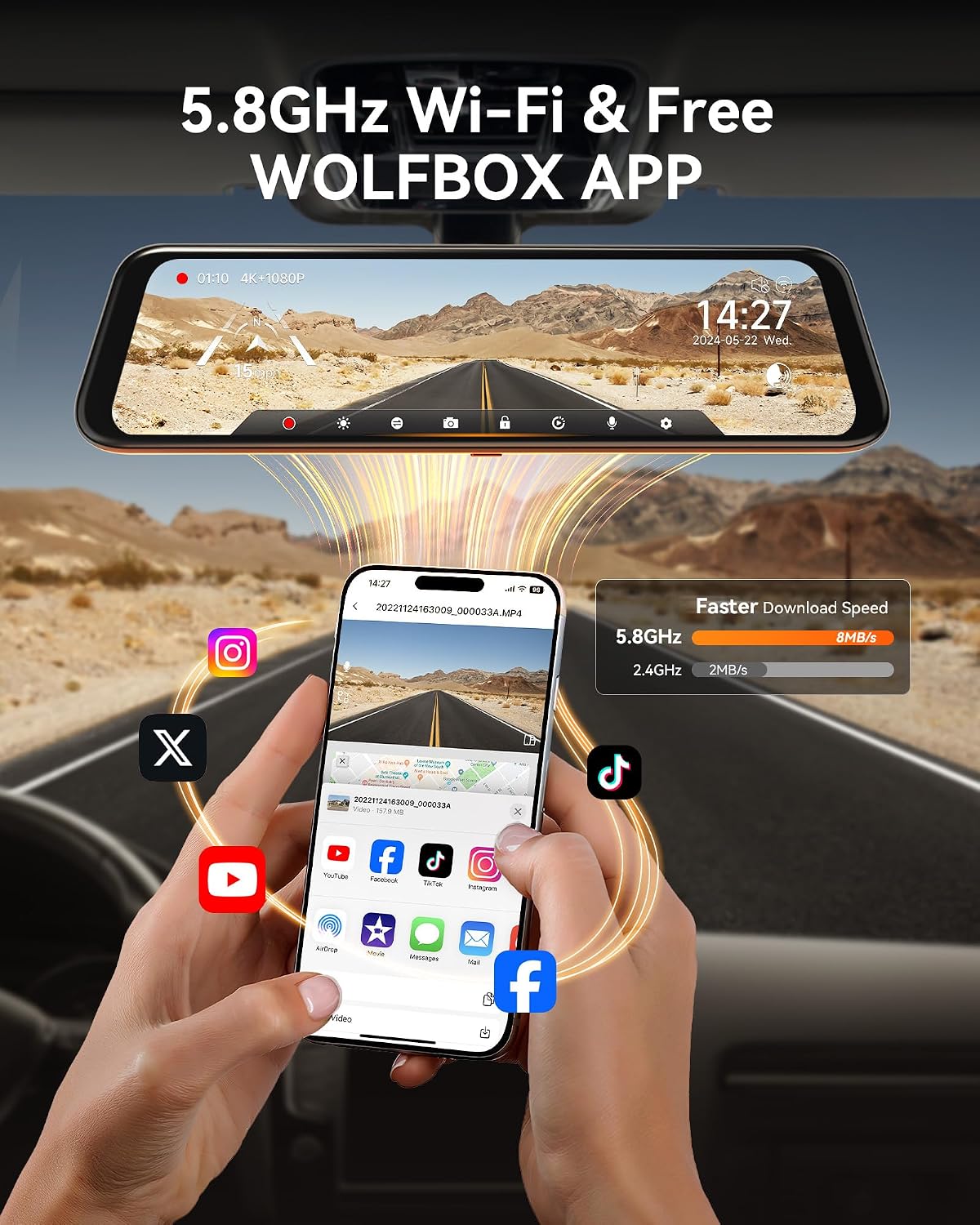
Figure 4.4: High-speed 5.8GHz WiFi for quick video downloads and sharing.
4.7 Gnìomhachd GPS
The included GPS module allows the dash cam to display and record your driving direction, speed, position, and route. This data can serve as important evidence in the event of an incident and can be reviewed using the exclusive WOLFBOX Player software.

Figure 4.5: GPS tracking provides detailed driving data.
4.8 Night Vision & WDR
Equipped with an improved low-reflectivity LCD screen and advanced WDR (Wide Dynamic Range) technology, the G850 minimizes glare and balances light levels for superior image quality. The 6-glass lens further enhances performance, making driving and recording in low-light conditions much clearer.

Figure 4.6: Enhanced night vision for safer driving in challenging light conditions.
4.9 Reverse Assist
When the vehicle is put into reverse, the dash cam automatically displays the rear camera view with adjustable parking guide lines, assisting with safe and precise parking maneuvers.

Figure 4.7: Parking assistance with visual guide lines.
5. Cumail suas
5.1 Stiùireadh cairt SD
The included 64GB SD card is pre-formatted for immediate use. To ensure optimal performance and prevent data corruption, it is recommended to format the SD card periodically (e.g., once a month) directly through the dash cam's settings menu. Always power off the device before inserting or removing the SD card.
5.2 Glanadh
Use a soft, dry microfiber cloth to clean the dash cam screen and camera lenses. Avoid using abrasive cleaners or solvents that could damage the surfaces.
6. A ’dèanamh trioblaid
- An uidheam nach eil a' cur cumhachd air: Check the power connection to the vehicle's 12V outlet. Ensure the car charger is securely plugged in and the vehicle's ignition is on.
- Cùisean clàraidh: Ensure the 64GB SD card is properly inserted and formatted. If the card is full, loop recording should automatically overwrite old files, but manual formatting can resolve persistent issues.
- Camara cùil gun taisbeanadh: Verify the rear camera cable is securely connected to both the main unit and the rear camera. Check the cable for any damage.
- Duilgheadasan le comharran GPS: Dèan cinnteach gu bheil modúl GPS soilleir view na speuran agus nach eil air a bhacadh le nithean meatailt.
- Screen glare: The G850 features a low-reflectivity LCD. Adjust screen brightness through the touch interface or use the screen-off function when not actively viewing an taisbeanadh.
Airson tuilleadh cuideachaidh, thoir sùil air an fhiosrachadh conaltraidh san earrann Barantas is Taic.
7. Sònrachaidhean
| Brand | WOLFBOX |
| Ainm Modail | G850 |
| Meudan toraidh | 11.81 x 0.63 x 2.95 òirleach |
| Cuideam nì | 2.2 not |
| Fuasgladh glacadh bhidio | 4K (Aghaidh), 1080P (Cùl) |
| Teicneòlas ceangail | USB, Wireless (5.8GHz WiFi) |
| Feartan sònraichte | Reverse Assist, Parking Monitor, Built-In Display, Touch Screen, Night Vision, Loop Recording, Built-In Supercapacitor, Built-In GPS |
| Co-phàirtean air an toirt a-steach | 4K mirror dash cam, 1080P rear camera, 64GB card, 11 feet car charger, 20 feet cable for the rear camera |
| Seòrsa stàladh | Cùlview Sliabh sgàthan |
8. Barantas & Taic
The WOLFBOX G850 comes with a 12-month guarantee. WOLFBOX provides 24/7 customer service and software upgrades. For any issues related to the product, installation, or usage, please do not hesitate to contact us. Messages are typically responded to within 12 hours.
Post-d: seirbheis@wolfbox.com
Fòn: +1 888 296 8399
For more information, visit the official WOLFBOX weblàrach: www.wolfbox.com


