
1. Ro-ràdh
Thank you for choosing the Wiko T50 smartphone. This manual provides essential information on how to set up, operate, and maintain your device. Please read this manual carefully before using your Wiko T50 to ensure proper functionality and safety.
2. Fiosrachadh Sàbhailteachd
Always follow basic safety precautions when using your Wiko T50 to reduce the risk of injury, electric shock, fire, or damage to the device.
- Na cuir an inneal fo theodhachd anabarrach, solas dìreach na grèine, no taiseachd àrd.
- Use only Wiko-approved chargers and accessories.
- Seachain an inneal a leigeil sìos no a chur fo bhuaidh throm.
- Na feuch ri an inneal a thoirt às a chèile no a chàradh thu fhèin. Cuir fios gu luchd-obrach seirbheis teisteanasach.
- Cùm an inneal air falbh bho luchd-pàisidh agus innealan meidigeach eile.
3. Pasgan-susbaint
Ensure all items are present in your Wiko T50 package:
- Wiko T50 Smartphone
- Charger
- Lithium Polymer Battery (pre-installed or included)
- Leabhar-làimhe cleachdaiche (an sgrìobhainn seo)
4. Toradh thallview
Familiarize yourself with the physical features of your Wiko T50 smartphone.
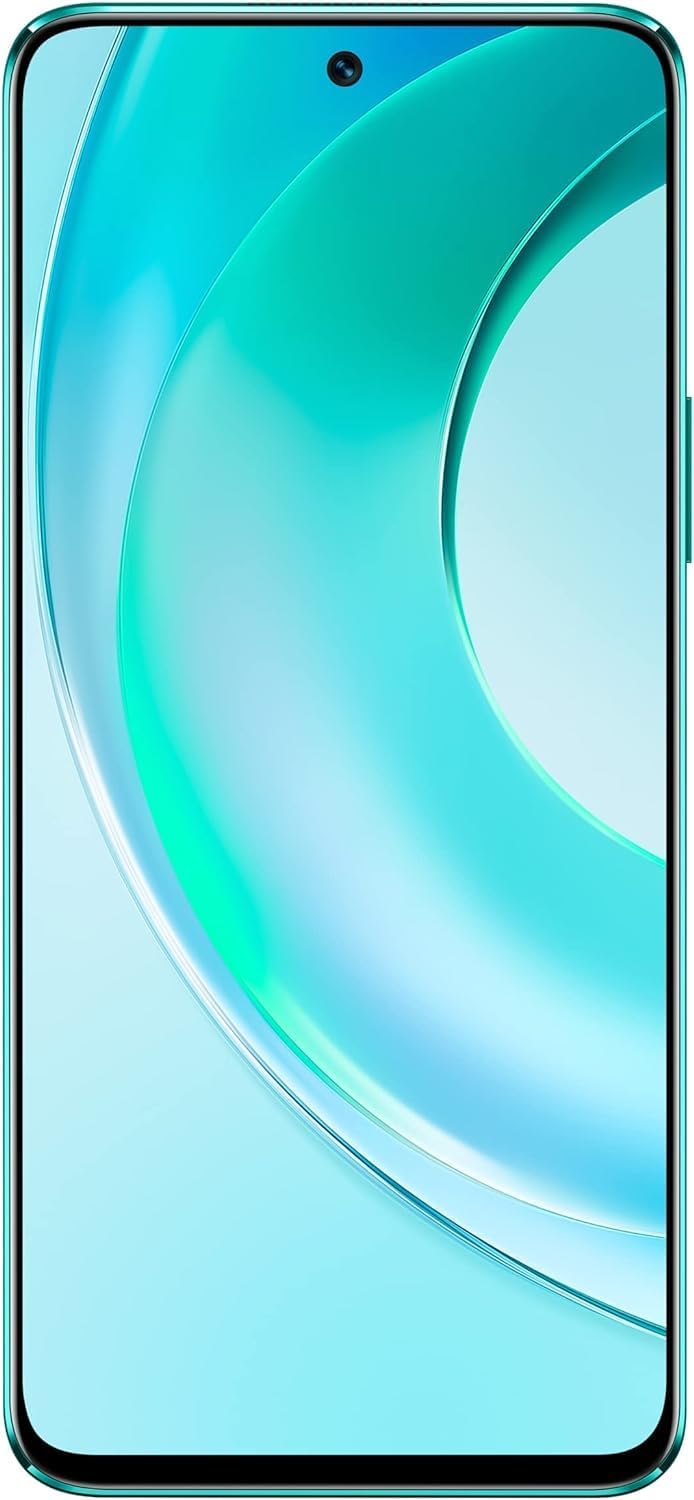
Figear 4.1: Aghaidh view of the Wiko T50 smartphone, showcasinan taisbeanadh mòr agus a’ chamara aghaidh aige.

Figear 4.2: Cùl view of the Wiko T50 smartphone in Aqua Green, highlighting the triple camera module and Wiko branding.

Figear 4.3: Taobh deas view of the Wiko T50 smartphone, showing the power button and volume rocker.

Figear 4.4: Taobh chlì view of the Wiko T50 smartphone, showing the SIM tray.
Prìomh cho-phàirtean:
- Taisbeanadh: 6.6-inch FHD+ borderless display for immersive viewing.
- Camara: 64MP AI Triple Camera system on the rear, featuring a 120-degree ultra-wide angle lens. Front camera for selfies and video calls.
- Putanan: Power button and volume rocker located on the right side for easy access.
- Puirt: Port USB airson cosgais agus gluasad dàta.
- Treidhe SIM: Dual SIM support for flexible connectivity.
5. Suidhich
5.1 A’ cur a-steach cairtean SIM
- Lorg an treidhe SIM air taobh clì an inneil.
- Cleachd an inneal tilgeil a-mach SIM a tha air a thoirt seachad gus an treidhe fhosgladh.
- Carefully place your Nano-SIM cards into the designated slots. Ensure the gold contacts are facing down.
- Gently push the SIM tray back into the slot until it clicks into place.
5.2 A’ cur cosgais air a’ bhataraidh
- Connect the charger to the USB port at the bottom of your Wiko T50.
- Plug an charger a-steach don ionad cumhachd.
- The device supports 40W fast charging. The battery indicator on the screen will show charging progress.
- Aon uair ‘s gu bheil e làn chosgais, dì-cheangail an charger.
5.3 A’ cur cumhachd air/dheth
- Gus cumhachd a thoirt air: Press and hold the Power button on the right side until the Wiko logo appears.
- Gus cumhachd a thoirt dheth: Brùth is cum sìos am putan Cumhachd, agus an uair sin tagh ‘Cumhachd dheth’ bho na roghainnean air an sgrion.
6. Obrachadh
6.1 Seòladh Bunasach (Android 11.0)
- Sgrion-touch: Navigate the device using touch gestures such as tap, swipe, pinch-to-zoom.
- Sgrion Dachaigh: Am prìomh ionad airson na h-aplacaidean agus na widgets agad.
- Brathan: Swipe sìos bho mhullach na sgrìn gu view fiosan agus roghainnean luath.
- Drathair an aplacaid: Swipe suas bho bhonn na sgrìn gus faighinn gu na h-aplacaidean stàlaichte uile.
6.2 Cleachdadh Camara
Your Wiko T50 features a 64MP AI Triple Camera system.
- Fosgail an aplacaid Camara bhon sgrìn dachaigh no drathair nan aplacaidean agad.
- Tagh am modh a tha thu ag iarraidh (Dealbh, Bhidio, Portrat, Proifeasanta, msaa.).
- Tap air a’ phutan còmhlaiche gus dealbh a thogail no gus tòiseachadh/stad a’ clàradh bhidio.
- Switch between the main lens and the 120-degree ultra-wide lens for different perspectives.
6.3 Ceangalachd
- Wi-Fi: Rach gu Roghainnean > Lìonra is eadar-lìon > Wi-Fi gus ceangal ri lìonraidhean Wi-Fi a tha rim faighinn.
- Bluetooth: Go to Settings > Connected devices > Connection preferences > Bluetooth to pair with Bluetooth devices.
- Dàta Gluasadach (4G LTE): Dèan cinnteach gu bheil a’ chairt SIM agad gnìomhach agus gu bheil dàta gluasadach air a chomasachadh ann an Roghainnean > Lìonra is eadar-lìon > Lìonra gluasadach.
- USB: Connect your device to a computer using a USB cable for file gluasad no cosgais.
7. Cumail suas
- Glanadh: Use a soft, lint-free cloth to clean the screen and body of the device. Avoid using harsh chemicals or abrasive materials.
- Ùrachaidhean bathar-bog: Thoir sùil gu cunbhalach airson ùrachaidhean bathar-bog agus stàlaich iad gus dèanamh cinnteach à coileanadh agus tèarainteachd aig an ìre as fheàrr. Rach gu Roghainnean > Siostam > Ùrachadh siostaim.
- Cùram Bataraidh: To prolong battery life, avoid fully discharging the battery frequently. Charge the device before the battery level drops too low.
- Stiùireadh Stòraidh: Glanadh neo-riatanach bho àm gu àm fileagus aplacaidean gus àite stòraidh a shaoradh agus astar an inneil a chumail suas.
8. A ’dèanamh trioblaid
Seo fuasglaidhean airson cùisean cumanta a dh’ fhaodadh tu a bhith a’ tighinn tarsainn orra:
| Trioblaid | Fuasgladh |
|---|---|
| Chan eil cumhachd aig an inneal | Dèan cinnteach gu bheil am bataraidh air a luchdadh. Ceangail an charger agus feith beagan mhionaidean mus feuch thu ri a chumhachdachadh a-rithist. |
| Bidh bataraidh a’ drèanadh gu sgiobalta | Close unused apps, reduce screen brightness, disable Wi-Fi/Bluetooth when not in use. Check for background app activity. |
| Chan urrainn dhuinn ceangal a dhèanamh ri Wi-Fi | Restart your Wi-Fi router and the phone. Ensure you have entered the correct Wi-Fi password. |
| Tha aplacaidean a’ tuiteam no a’ reothadh | Restart the device. Clear the cache of the problematic app (Settings > Apps > [App Name] > Storage & cache > Clear cache). |
| Chan eil comharra lìonra ann | Ensure SIM card is properly inserted. Check if airplane mode is off. Try restarting the device. Contact your network provider if the issue persists. |
9. Sònrachaidhean
Detailed technical specifications for the Wiko T50 smartphone:
| Feart | Sònrachadh |
|---|---|
| Ainm Modail | T50 |
| Àireamh Modail Nì | W-P861-03 |
| Siostam-obrachaidh | Android 11.0 |
| Meud RAM Stàlaichte | 6 GB |
| Comas stòraidh cuimhne | 128 GB |
| Modail CPU | Snapdragon |
| Luas CPU | 2 GHz |
| Meud sgrion | 6.6 òirlich |
| Fuasgladh | 1080 x 2400 |
| Ìre Ath-nuadhachaidh | 60 Hz |
| Dath | Uaine Aqua |
| Ìre cumhachd bataraidh | 4000 mAh (unspecified rating) |
| Factor foirm | Bàrr |
| Teicneòlasan Conaltraidh gun Uèir | Ceallach |
| Teicneòlasan ceangail | Bluetooth, Wi-Fi, USB |
| GPS | GLONASS |
| Feartan Camara Eile | Cùl |
| Device Interface_Primary | Micreofon, Sgrion-suathaidh |
| Cuideam nì | 260 g |
| Meud pacaid | 27.8 x 24.4 x 10.2 cm |
| Ceann-latha Ri fhaighinn an-toiseach | 15 an Cèitean, 2022 |
10. Barantas agus Taic
Wiko provides a limited warranty for its products. Please refer to the warranty card included with your purchase for specific terms and conditions. For technical support, service, or further inquiries, please visit the official Wiko weblàrach-lìn no cuir fios chun t-seirbheis teachdaiche aca.
Cùm do dhearbhadh ceannach airson tagraidhean barantais.