
1. Ro-ràdh
This manual provides detailed instructions for the setup, operation, and maintenance of your Odokee Digital Dual Alarm Clock, Model UE218-Wood-1. Please read this manual thoroughly before using the product to ensure proper function and longevity.

Figure 1: Odokee Digital Dual Alarm Clock (Model UE218-Wood-1)
2. Feartan toraidh
- Easy Setup & Dimmable Display: Intuitive controls with clearly labeled buttons. Large 1.6-inch white LED digits with 0-100% adjustable brightness via a dimmer dial.
- Customizable Dual Alarms: Set two independent alarms with 7-5-2 alarm modes (every day, weekdays, or weekends).
- 5 Alarm Sounds: Choose from Beep, Birds Chirping, Buzzer, Soft Music, or Siren. Alarm volume is adjustable from 30dB to 110dB.
- Easy Snooze: A large, accessible snooze button provides an additional 9 minutes of rest.
- Port Cìsean USB: Integrated USB port for charging mobile devices.
- Cùl-taic Bataraidh: Requires 3 AAA batteries (not included) to maintain time and alarm settings during power outagtha.
- Taisbeanadh ùine: A’ toirt taic do chruthan ùine 12-uair agus 24-uair.
3. Suidhich
3.1 Ceangal cumhachd
- Connect the provided AC adapter to the DC 5V input port on the back of the alarm clock.
- Plug the AC adapter into a standard wall outlet. The display will light up.

Figure 2: Powering the Alarm Clock
3.2 Stàladh Cùl-taic Bataraidh
For battery backup functionality, install 3 AAA batteries (not included) into the battery compartment located on the bottom of the clock. This ensures time and alarm settings are retained during a power outage. Note that the display will not remain continuously lit and the USB charging port will not function when operating solely on battery backup.
4. Stiùireadh Obrachaidh

Figure 3: Rear Controls Overview
4.1 A ’suidheachadh na h-ùine
- Brùth agus cùm an SEANN TIOMNAIDH button on the back of the clock. The hour digits will begin to flash.
- Cleachd an UAIR agus MIN buttons on the top of the clock to adjust the hour and minute respectively.
- Brùth SEANN TIOMNAIDH a-rithist gus an ùine a dhearbhadh.
- To set the day of the week, press the LATHA NA SEACHDAIN button repeatedly until the correct day is displayed.
Cruth 4.2 12/24 Uair
Brùth an 12/24 HR button on the back of the clock to switch between 12-hour (with AM/PM indicator) and 24-hour time formats.

Figure 4: 12-Hour vs. 24-Hour Display
4.3 A’ suidheachadh innealan-rabhaidh (Alarm 1 & Alarm 2)
The clock features two independent alarms. The setup process is identical for both.
- Brùth agus cùm an ALARM 1 SET or ALARM 2 SET putan. Bidh na figearan uair an rabhaidh a’ priobadh.
- Cleachd an UAIR agus MIN putanan gus an ùine rabhaidh a tha thu ag iarraidh a shuidheachadh.
- Brùth air a’ phutan iomchaidh SET ALARM brùth a-rithist gus an ùine a dhearbhadh.
- Next, the alarm mode will flash. Use the URNUIGH ALARM button to cycle through the 7-5-2 alarm modes:
- Disathairne-Didòmhnaich: Weekend alarm (Saturday and Sunday only).
- LUAN-AOINE: Weekday alarm (Monday to Friday only).
- LUAN-DIDÒMHNAICH: All 7 days alarm.
- Brùth air a’ phutan iomchaidh SET ALARM button again to confirm the alarm mode.
- To activate or deactivate an alarm, press the AIR/DHETH button located on the front side of the clock corresponding to Alarm 1 or Alarm 2. An alarm icon (1 or 2) will appear on the display when active.

Figure 5: Dual Alarms with 7-5-2 Modes

Figure 6: Alarm 1 and Alarm 2 Indicators
4.4 Selecting Alarm Sounds
After setting the alarm time and mode, you can select one of five alarm sounds:
- During alarm setting, after confirming the alarm mode, the current alarm sound will flash.
- Brùth an URNUIGH ALARM button repeatedly to cycle through the available sounds: Beep, Birds Chirping, Buzzer, Soft Music, or Siren.
- Brùth air a’ phutan iomchaidh SET ALARM putan gus do thaghadh a dhearbhadh.

Figure 7: Selectable Alarm Sounds
4.5 Atharrachadh Meud an Alarma
The alarm volume can be adjusted from 30dB (low) to 110dB (high) using the LUACHMHOR dial located on the left side of the clock.
4.6 Gnìomh Snooze
Nuair a chluinneas tu inneal-rabhaidh, brùth air a’ phutan mhòr SNOZE button on the top of the clock to temporarily silence the alarm for 9 minutes. The alarm will sound again after 9 minutes.
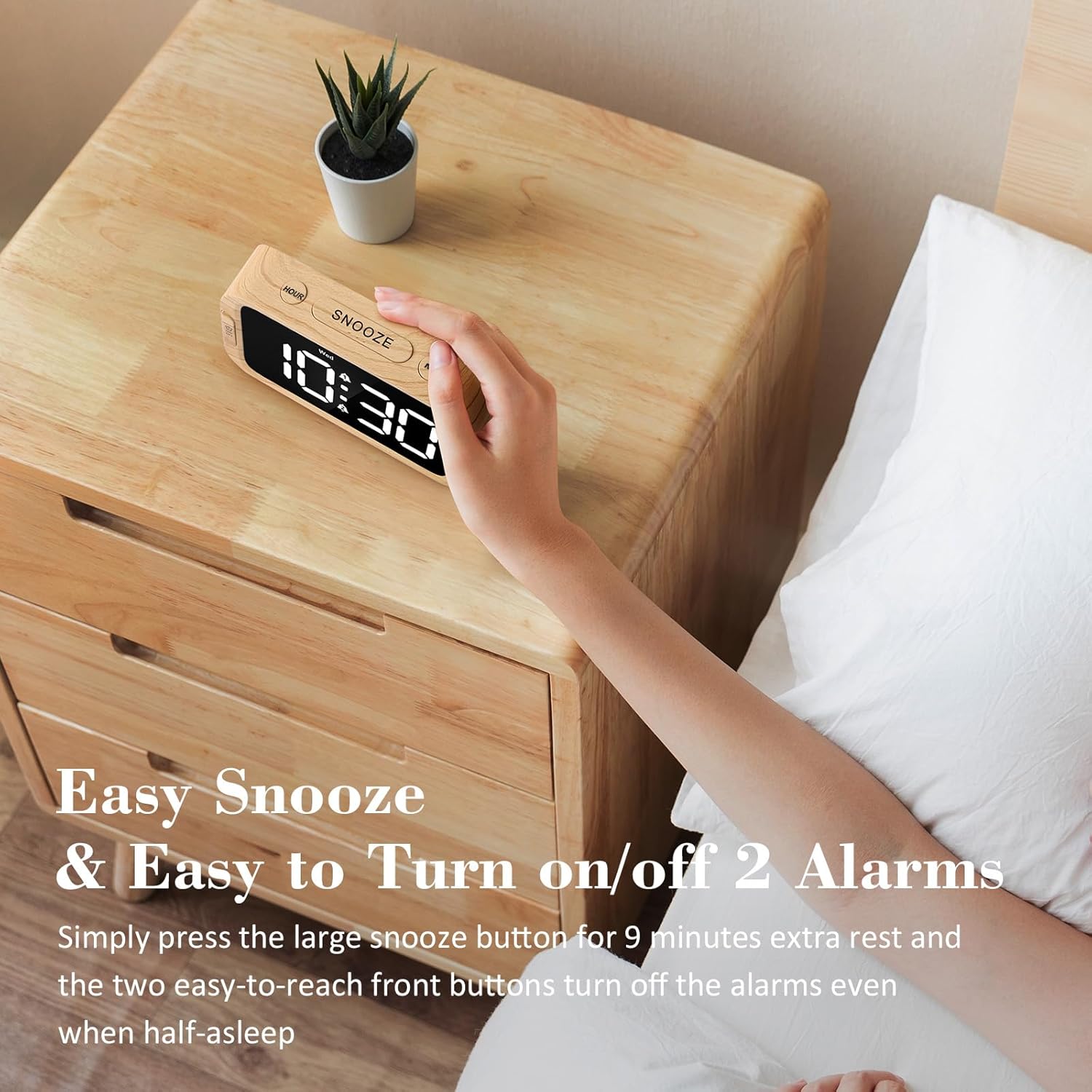
Figure 8: Using the Snooze Function
4.7 Adjusting Display Brightness (Dimmer)
The display brightness can be adjusted from 0% (fully dark) to 100% (very bright) using the DIMMHOR dial located on the right side of the clock.

Figure 9: Display Brightness Adjustment
4.8 Port USB Charging
A USB charging port is located on the back of the clock. Connect your mobile device's USB cable to this port to charge it. This port is active only when the clock is powered by the AC adapter.

Figure 10: USB Charging Port in Use
5. Battery Backup Functionality
The battery backup feature requires 3 AAA batteries (not included). When AC power is interrupted, the batteries will preserve the time and alarm settings. The display will turn off to conserve battery power, but the internal clock will continue to run, and alarms will still activate at the set time. The USB charging port will not function during battery backup mode. It is recommended to use the battery backup only for power outage situations, as continuous use on batteries will drain them quickly.
6. A ’dèanamh trioblaid
| Trioblaid | Adhbhar a dh’fhaodadh a bhith ann | Fuasgladh |
|---|---|---|
| Tha an taisbeanadh bàn no chan eil e a’ lasadh suas. | Gun chumhachd, cumhachd a-machtage, or dimmer set to 0%. | Ensure AC adapter is securely plugged in. Check power outlet. Adjust the DIMMER dial. If on battery backup, press any button to briefly illuminate the display. |
| Chan eil an inneal-rabhaidh a’ fuaimeachadh. | Alarm not activated, volume too low, or incorrect alarm mode. | Ensure the alarm is activated (alarm icon visible). Adjust the VOLUME dial. Verify the alarm mode (7-5-2) is set correctly for the current day. |
| Tha an t-àm ceàrr. | Time not set correctly, or power interruption without battery backup. | Re-set the time using the TIME SET button. Install fresh AAA batteries for backup. |
| Chan eil cosgais USB ag obair. | Clock is on battery backup, or cable/device issue. | Ensure the clock is connected to AC power. Try a different USB cable or device to rule out external issues. |
7. Sònrachaidhean
- Brand: Odaich
- Àireamh Modail: UE218-Wood-1
- Seòrsa taisbeanaidh: LED didseatach (geal)
- Meud taisbeanaidh: 1.6 inches (digit height)
- Meudan toraidh: 5.3"W x 2.9"H x 1.95"D (approximate, based on image a7e9cdcf-2bbb-4f2d-b58e-081cedcaeaaa)
- Stòr cumhachd: Corded Electric (AC adapter included), 3x AAA batteries for backup (not included)
- Fuaimean Alarm: 5 selectable (Beep, Birds Chirping, Buzzer, Soft Music, Siren)
- Meud an rabhaidh: Adjustable (30dB-110dB)
- Gile taisbeanaidh: 0-100% adjustable dimmer
- Ùine snooze: 9 mionaid
- Cruth ùine: 12/24 uair a thìde air a thaghadh
- Stuth: Plastaig (Acrylonitrile Butadiene Styrene)
- Cuideam nì: 6.3 unnsa (178.6 gram)

Figear 11: Meudan an toraidh
8. Barantas agus Taic
Odokee products come with a hassle-free 18-month warranty. For any questions, issues, or warranty claims, please contact Odokee customer service. Odokee is dedicated to providing functional and stylish products and values customer feedback.
You can visit the official Odokee store for more information: Odokee Store on Amazon.