
Star Micronics BSH-HR2081BT BLK
Star Micronics BSH-HR2081BT Wireless Bluetooth 1D/2D Barcode Scanner User Manual
Model: BSH-HR2081BT BLK
1. Ro-ràdh
This manual provides comprehensive instructions for the setup, operation, maintenance, and troubleshooting of your Star Micronics BSH-HR2081BT Wireless Bluetooth 1D/2D Barcode Scanner. Designed for efficiency and durability, this scanner is a reliable solution for various point-of-sale and inventory management applications.
The BSH-HR2081BT scanner is equipped with a high-power CPU, enabling it to effortlessly capture high-density, high-volume, and even distorted barcodes from both printed materials and digital screens. Its robust design, coupled with advanced wireless capabilities, ensures seamless integration into your workflow.
2. Prìomh fheartan
- Sganadh àrd-choileanadh: Powerful CPU captures high-density, high-volume, and distorted 1D/2D barcodes on paper or screen.
- Beatha bataraidh leudaichte: Offers up to 12 hours of continuous operation (one scan every six seconds) with its 2200mAh battery.
- Ceangal ioma-ghnèitheach: Connects directly to the host device via Bluetooth Low Energy (BLE) or wirelessly to a Star printer using the included USB dongle.
- Reliable Wireless Range: Maintains a stable wireless connection to transmit data, with communication distances up to 50 meters (approximately 164 feet).
- Togail seasmhach: Features an IP42-rated design and a drop-resistant housing, capable of withstanding drops from up to 1.2 meters (approximately 4 feet).
3. Stiùirich rèiteachaidh
3.1. Unboxing agus Sgrùdadh Tòiseachaidh
Thoir a h-uile pàirt a-mach às a’ phacaid gu faiceallach. Dèan cinnteach gu bheil na nithean a leanas an làthair:
- Star Micronics BSH-HR2081BT Barcode Scanner
- Càball cosgais USB
- USB Dongle (for wireless connection to Star printers)
- Seasamh Scanner

Figure 3.1: Barcode scanner and its USB dongle.
3.2. A’ cur cosgais air an sganair
Before first use, fully charge the scanner. Connect the USB charging cable to the scanner's charging port (located at the bottom of the handle) and plug the other end into a USB power adapter (not included) or a computer's USB port. The charging indicator light will show the charging status.

Figure 3.2: USB charging port at the base of the scanner handle.
3.3. A’ ceangal an sganair
The BSH-HR2081BT scanner offers two primary connection methods:
3.3.1. Bluetooth Connection (Direct to Host Device)
- Dèan cinnteach gu bheil an sganair air a chumhachdachadh.
- On your host device (smartphone, tablet, or computer), enable Bluetooth.
- Lorg airson available Bluetooth devices. The scanner should appear as "Star Micronics BSH-HR2081BT" or similar.
- Tagh an sganair airson paidhreachadh. Lean stiùireadh sam bith air an sgrion gus am pròiseas paidhreachaidh a chrìochnachadh.
3.3.2. Wireless Connection (via USB Dongle to Star Printer)
- Insert the provided USB dongle into an available USB port on your compatible Star printer (e.g., mC-Print, mPOP).
- Power on the scanner. The scanner and dongle should automatically establish a connection.
- Refer to your Star printer's manual for specific instructions on connecting external devices.

Figure 3.3: Barcode scanner placed in its included stand.
4. Stiùireadh Obrachaidh
4.1. Obrachadh Sganaidh Bunasach
To scan a barcode, point the scanner's window at the barcode and press the trigger button. A successful scan will typically be indicated by an audible beep and/or a visual confirmation light.
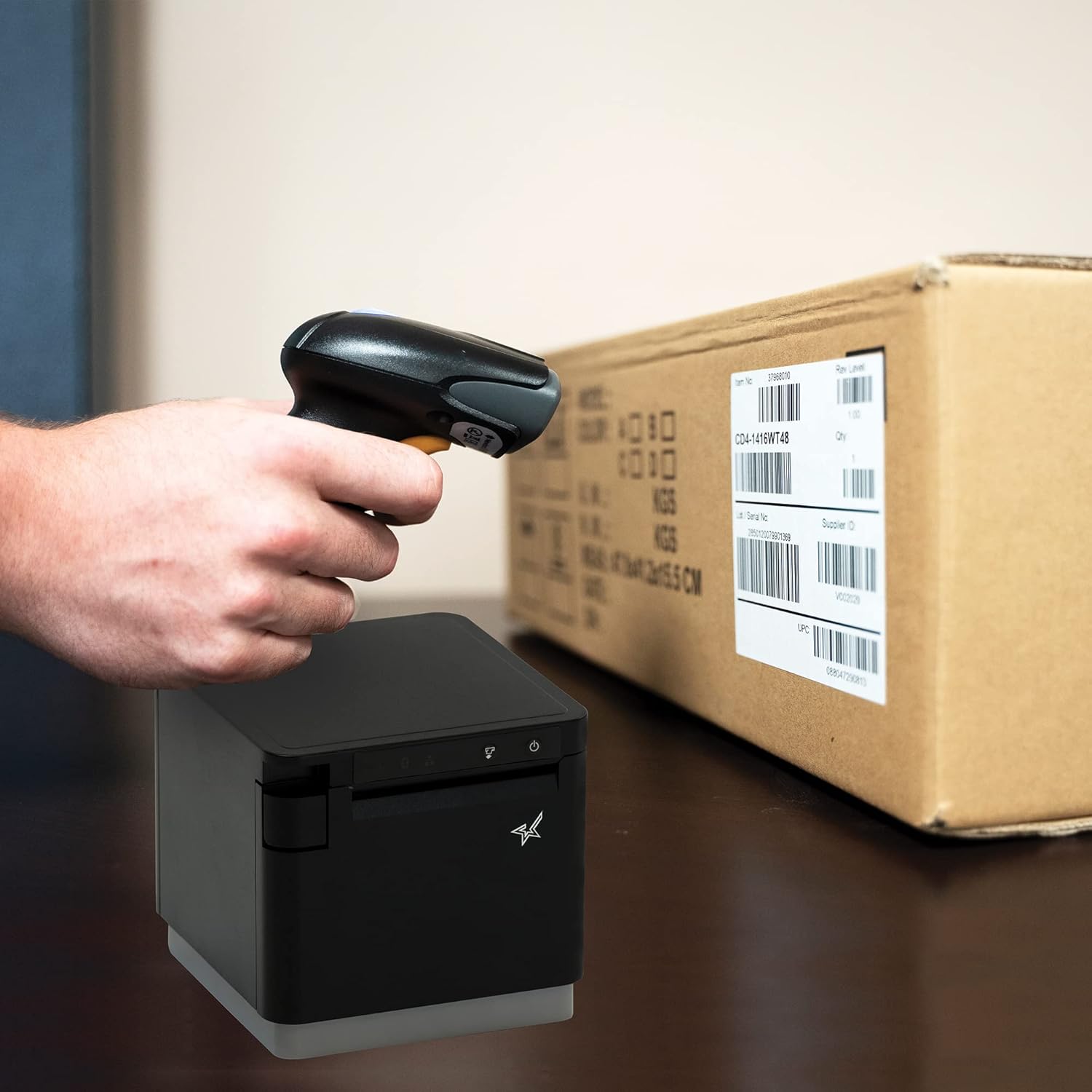
Figear 4.1: Example of scanning a barcode on a package.
4.2. Modhan Sganaidh
The BSH-HR2081BT scanner supports six different scanning modes to accommodate various operational needs:
- Modh ìre: The scanner's trigger will activate the decode session.
- Modh brosnachaidh: A trigger pull activates a decode session.
- Modh mothachaidh: The scanner activates a decode session every time it detects a barcode.
- Modh leantainneach: The scanner automatically starts one decode session after another.
- Modh Pulse: When the trigger is pulled and released, scanning is activated until a barcode is decoded or the decode session timeout expires.
- Modh Baidse: When the trigger is pulled and released, scanning is activated until the trigger is released.
Refer to the full user guide (link in Section 7) for detailed instructions on how to switch between these modes and configure specific settings.
5. Cumail suas
5.1. Glanadh an Sganair
To maintain optimal performance, keep the scanner's window clean. Use a soft, lint-free cloth lightly dampened with water or a mild, non-abrasive cleaner. Do not use harsh chemicals or abrasive materials, as they may damage the scanner's surface or optical components.
5.2. Cùram Bataraidh
The scanner is equipped with a Lithium Ion battery. To prolong battery life:
- Seachain a bhith a’ leigeil às a’ bhataraidh gu tur gu tric.
- Stòraich an sganair ann an àite fionnar, tioram nuair nach eilear ga chleachdadh airson ùine mhòr.
- Charge the battery regularly, even if the scanner is not in frequent use.
6. A ’dèanamh trioblaid
6.1. Scanner Not Connecting
- Thoir sùil air cumhachd: Ensure the scanner is fully charged and powered on.
- Càraid Bluetooth: For Bluetooth connections, ensure Bluetooth is enabled on your host device and the scanner is in pairing mode. Try unpairing and re-pairing the device.
- USB Dongle: If using the USB dongle, ensure it is securely plugged into the Star printer and the printer is powered on.
- Raon: Ensure the scanner is within the effective communication range (up to 50m) of the host device or dongle.
6.2. Chan eil an sganair a’ leughadh chòdan-barra
- Barcode Condition: Dèan cinnteach gu bheil am bàr-còd soilleir, gun a bhith air a shalach, air a reubadh, no ro fhaileasach.
- Astar agus ceàrn: Adjust the distance and angle of the scanner to the barcode. Try different scanning modes if applicable.
- Solais: Ensure adequate lighting. Avoid direct glare on the barcode.
- Scanner Window: Clean the scanner's reading window as described in the Maintenance section.
6.3. Beatha Bataraidh Goirid
- Cosgais iomlan: Ensure the scanner is charged until the indicator shows a full charge.
- Usage Pattern: Continuous heavy usage will deplete the battery faster.
- Aois bataraidh: Over time, rechargeable batteries naturally lose capacity.
7. Sònrachaidhean Teicnigeach
| Sònrachadh | Mion-fhiosrachadh |
|---|---|
| Meudan toraidh | 5.7 x 4 x 2.7 òirleach |
| Cuideam nì | 1.06 not |
| Modail Àireamh | BSH-HR2081BT BLK |
| Bataraidhean | 1 Bataraidh Lithium Ion a dhìth (air a ghabhail a-steach) |
| Dèanadair | Rionnag Micronics |
| Innealan co-fhreagarrach | Fòn-smart, tablet |
| Stòr cumhachd | Cumhachd bataraidh |
| Teicneòlas ceangail | Bluetooth, càball USB |
| Rangachadh IP | IP42 |
| Drop Resistance | Suas gu 1.2 meatair |
8. Barantas agus Taic
For warranty information and technical support, please contact Star Micronics directly or visit their official weblàrach. Cùm do chuidhteas ceannach mar dhearbhadh ceannach airson tagraidhean barantais.
A detailed User Guide in PDF format is available for download:
Ask a question about this manual
Ask about setup, troubleshooting, compatibility, parts, safety, or missing instructions. Manuals+ will review the question and use this page’s manual context to help answer it.