
Dzees D3K
Leabhar-làimhe Cleachdaiche Camara Tèarainteachd Grèine Dzees D3K
Model: D3K
Brand: Dzees
Thank you for choosing the Dzees Solar Security Camera. This manual provides essential information for setting up, operating, and maintaining your device. Please read it thoroughly before use to ensure optimal performance and safety.
1. Ro-ràdh
The Dzees D3K Solar Security Camera is an advanced wireless outdoor surveillance solution designed for comprehensive home security. It features 2K resolution for clear imaging, 360° pan and 90° tilt capabilities for wide coverage, and is powered by an efficient solar panel for continuous operation. Equipped with intelligent AI detection, color night vision, and an IP66 weather-resistant design, the D3K provides reliable monitoring in various environmental conditions.
Prìomh fheartan:
- 2K PTZ Camera: Supports 355° horizontal and 90° vertical rotation with 4X digital zoom for comprehensive coverage.
- Solar-cumhachd: High-efficiency solar panel ensures continuous power supply, reducing the need for manual charging.
- Lorgaidh AI Smart: Accurately distinguishes between individuals, packages, vehicles, and animals, minimizing false alarms.
- Feartan rabhaidh: Features a loud siren, spotlight, and sound alerts to deter intruders.
- Sealladh oidhche dath: A’ toirt seachad bhidio soilleir, làn-dathte eadhon ann an suidheachaidhean solais ìosal.
- IP66 Dìon-sìde: Designed to withstand various weather conditions, ensuring year-round protection.
- Stòradh sùbailte: Supports up to 128GB memory card (not included) and offers 2 years of free 3-day loop cloud storage.
2. Pasgan-susbaint
Thoir sùil air susbaint a’ phacaid nuair a dh’fhosglas tu am bogsa gus dèanamh cinnteach gu bheil a h-uile pàirt ann:
- Dzees Solar Security Camera
- Pannal grèine
- Bracaid sreap
- A 'stàladh sgriothan agus acraichean
- Càball cosgais USB
- Leabhar-làimhe cleachdaiche (an sgrìobhainn seo)
3. Toradh thallview
Familiarize yourself with the main components of your Dzees Solar Security Camera:

Figure 3.1: Dzees Solar Security Camera D3K and accompanying solar panel.
- Lionsa camara: A’ glacadh bhidio le rùn 2K.
- Solais: Provide illumination for color night vision and deterrence.
- Sensor PIR: Detects motion based on infrared heat signatures.
- Micreofon: A’ glacadh claisneachd airson conaltradh dà-shligheach.
- Neach-labhairt: A’ cur a-mach claisneachd airson conaltradh dà-shligheach agus sirean.
- Port Pannal Grèine: Connects the solar panel for continuous charging.
- Putan Ath-shuidheachadh: Air a chleachdadh gus an camara ath-shuidheachadh gu roghainnean factaraidh.
- Slot cairt Micro SD: Airson stòradh bhidio ionadail (a’ toirt taic do suas ri 128GB, chan eil cairt air a ghabhail a-steach).
- Antennas: For stable Wi-Fi connectivity.
4. Stiùirich rèiteachaidh
4.1 Cìs tòiseachaidh
Before initial use, fully charge the camera using the provided USB cable. Connect the USB cable to the camera's charging port and a standard 5V/2A USB power adapter (not included). A full charge typically takes several hours.
4.2 Stàladh App
Download and install the "Dzees Home" app on your smartphone or tablet. The app is available on both the Apple App Store and Google Play Store.

Figure 4.1: The Dzees Home app interface, displaying multiple camera feeds and control options.
- Lorg airson "Dzees Home" in your device's app store.
- Luchdaich sìos agus stàlaich an aplacaid.
- Clàraich cunntas ùr no log a-steach ma tha fear agad mu thràth.
4.3 Paidhreachadh Camara
Follow these steps to connect your camera to your Wi-Fi network and the Dzees Home app:
- Open the Dzees Home app and tap the "+" icon to add a new device.
- Tagh modail do chamara bhon liosta.
- Power on the camera. The camera will emit a voice prompt indicating it's ready for pairing.
- Lean an stiùireadh san aplacaid gus an camara a cheangal ris an lìonra Wi-Fi 2.4GHz agad. Note: This camera only supports 2.4GHz Wi-Fi.
- Sgan an còd QR a tha air a thaisbeanadh air scrion an fhòn agad leis an lionsa camara.
- Aon uair ‘s gu bheil e ceangailte, dearbhaidh an camara gu bheil am paidhir soirbheachail.

Figure 4.2: Illustration of the solar-powered, wire-free setup, emphasizing 2.4GHz WiFi connectivity and solar charging efficiency.
4.4 A ’dìreadh a’ chamara
Choose a suitable location for mounting your camera, ensuring it has a clear view of the area you wish to monitor and that the solar panel receives adequate direct sunlight throughout the day.
- Comharraich na spotan drileadh a’ cleachdadh a’ bhracaid sreap mar theamplaid.
- Drile tuill agus cuir acair balla a-steach ma tha thu ga chur air clachaireachd no bòrd-gips.
- Daingnich am bracaid sreap ris a’ bhalla a’ cleachdadh nan sgriothan a tha air an toirt seachad.
- Ceangail a’ chamara ris a’ bhracaist-shuidheachaidh.
- Connect the solar panel cable to the camera's solar panel port. Position the solar panel to maximize sun exposure.
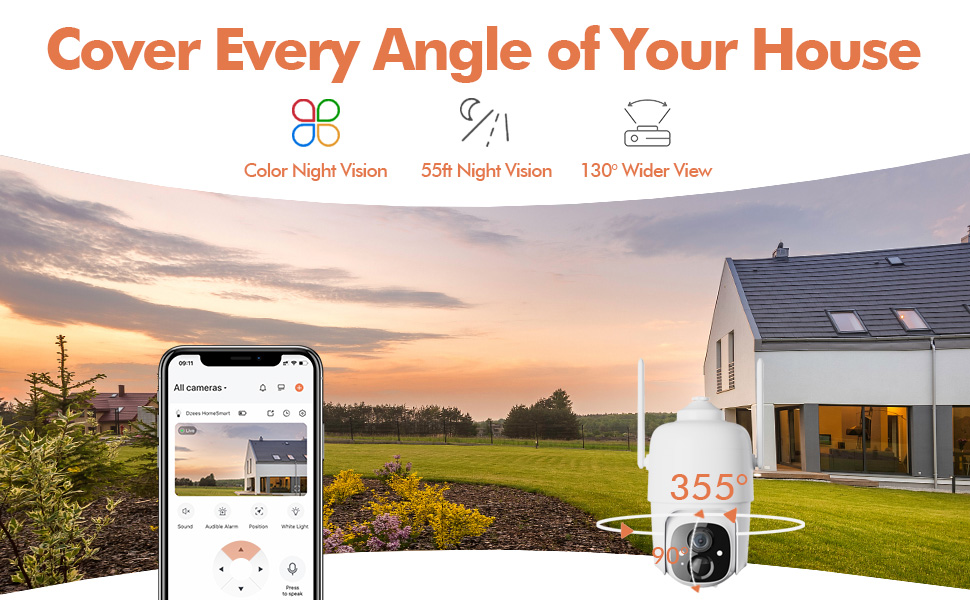
Figure 4.3: The Dzees camera mounted outdoors, showcasing its IP66 weather-resistant design, capable of operating in various weather conditions.

Figure 4.4: The camera's advanced PIR motion detection in action, highlighting its ability to detect movement within a specified zone.
5. A’ cleachdadh a’ chamara
5.1 Beò View agus Playback
Access the live video feed and review recorded events through the Dzees Home app.
- From the app's home screen, tap on the camera's thumbnail to enter the live view eadar-aghaidh.
- Use the timeline or event list to navigate and play back recorded footage.

Figure 5.1: The Dzees Home app displaying live camera feed with controls for pan, tilt, digital zoom, and night vision settings.
5.2 Pan, Tilt, agus Zoom (PTZ)
Stiùirich a’ chamara viewing angle directly from the app:
- Ann an beò view, use the directional controls to pan (355° horizontal) and tilt (90° vertical) the camera.
- Pinch to zoom in or out for 4X digital zoom. Note: This is digital zoom, not optical zoom.
- Set up to 5 preset points for quick navigation to frequently monitored areas.

Figure 5.2: Illustration of setting up and utilizing up to 5 preset positions for rapid camera view rèiteachadh.
5.3 Lorgaireachd Gluasaid agus Rabhaidhean
Customize your detection settings to receive relevant alerts:
- Seòl gu roghainnean a’ chamara san aplacaid.
- Enable AI detection to differentiate between people, packages, vehicles, and animals.
- Define custom activity zones to focus detection on specific areas and ignore others.
- Adjust detection sensitivity to reduce unwanted notifications.
- Faigh fiosan putaidh sa bhad air an fhòn agad nuair a lorgar gluasad.
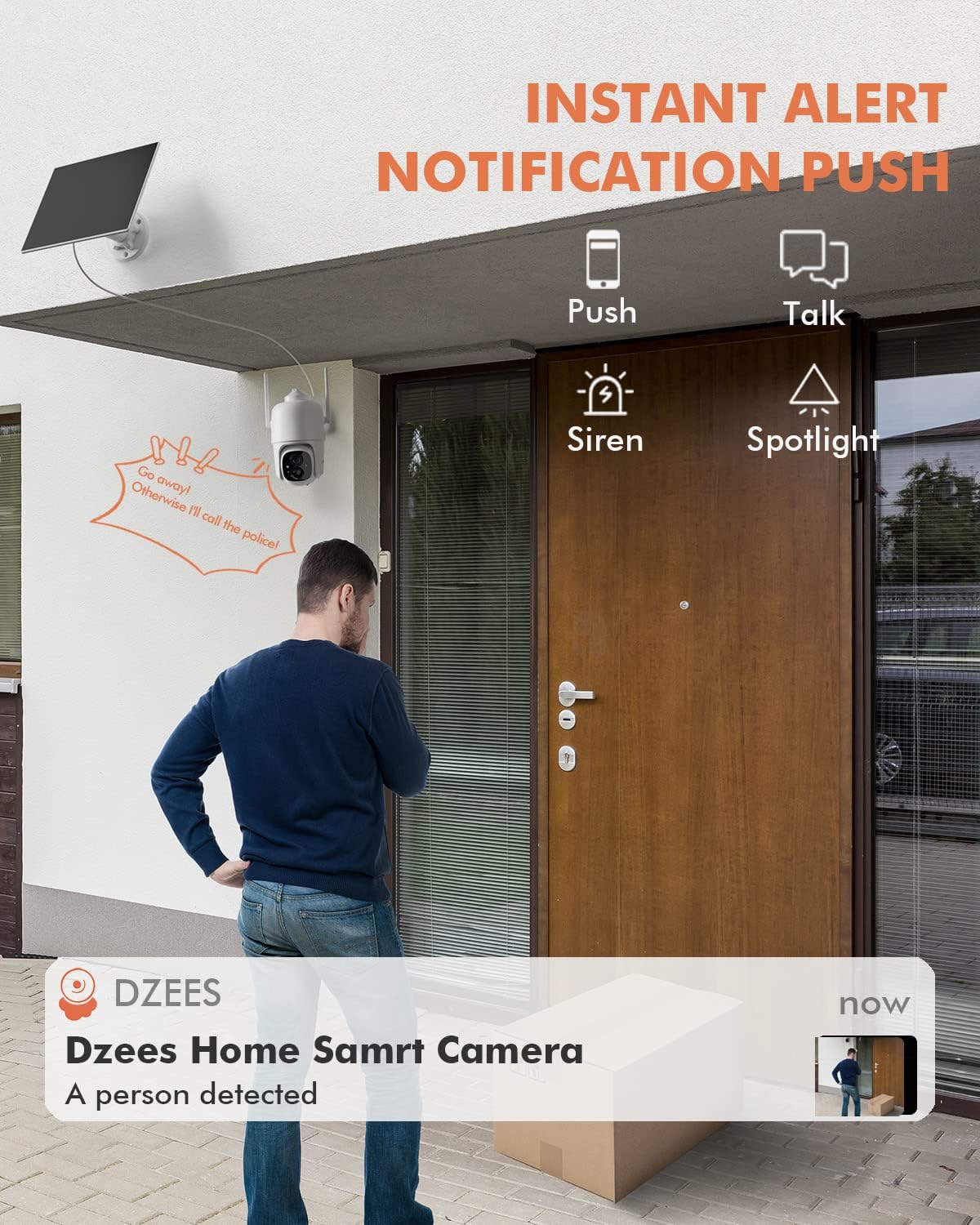
Figear 5.3: Example of an instant push notification received on a smartphone when the camera detects a person.
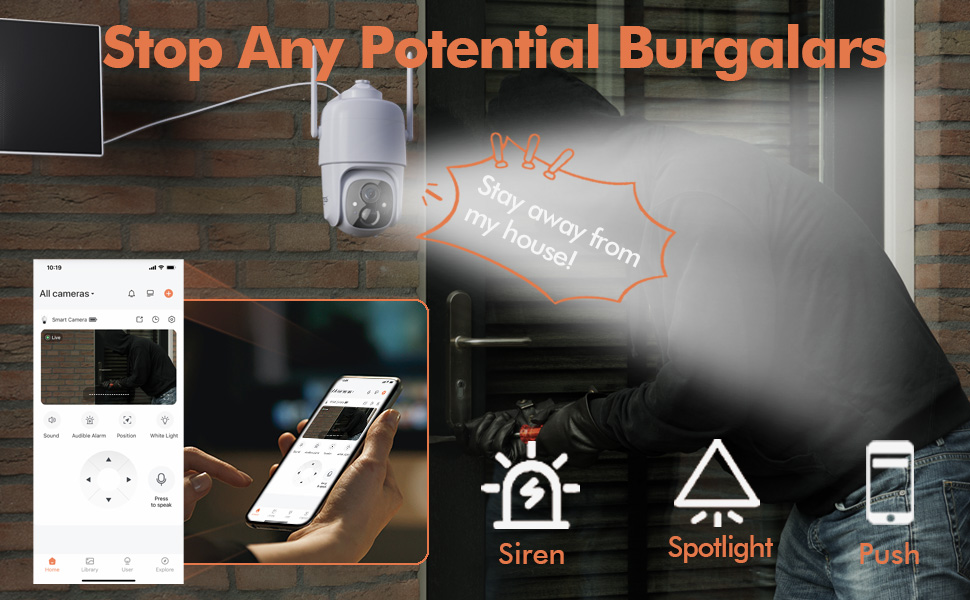
Figure 5.4: Detailed motion detection settings within the Dzees app, allowing for customization of detection zones and sensitivity.
5.4 Fuaim Dà-shligheach
Communicate with visitors or deter intruders using the camera's built-in microphone and speaker:
- Ann an beò view, tap air ìomhaigh a’ mhaicreafòin gus bruidhinn tron chamara.
- Tap air ìomhaigh an neach-labhairt gus èisteachd ri claisneachd bhon àite far a bheil a’ chamara.
5.5 Solas-solais agus Sirean
Enhance security with active deterrence features:
- Manually activate the spotlight or siren from the live view interface in the app.
- Configure automatic activation of the spotlight or siren upon motion detection in the camera settings.
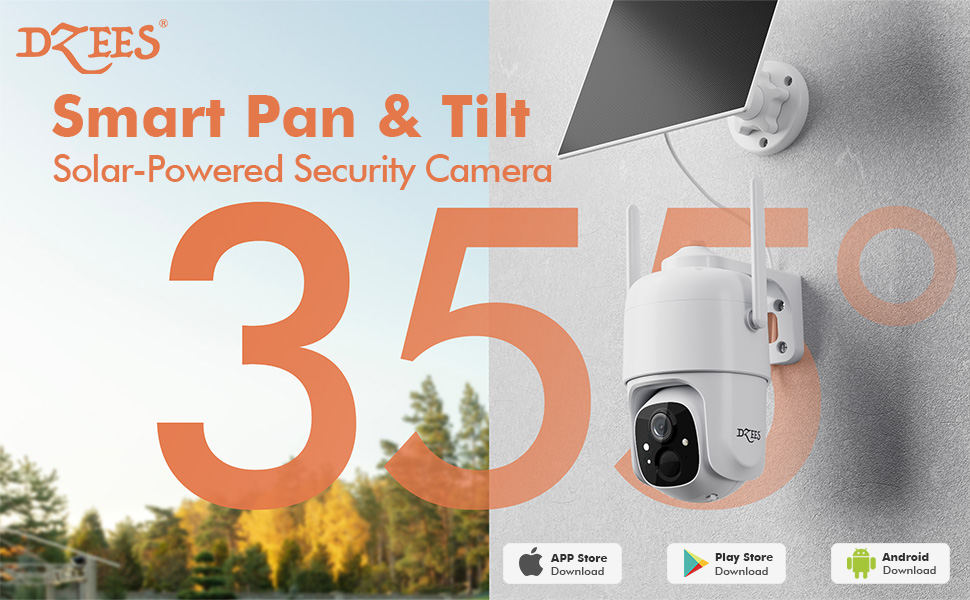
Figure 5.5: The camera's active deterrence features, including siren, spotlight, and instant push notifications, designed to deter potential intruders.
5.6 Roghainnean Stòraidh
Your Dzees camera offers flexible storage solutions for your recordings:
- Stòradh Ionadail: Insert a Micro SD card (up to 128GB, not included) into the camera's SD card slot for continuous or event-based recording.
- Stòradh Cloud: Enjoy 2 years of free 3-day loop cloud storage. A 30-day trial of the Plus Plan is available for new users, offering upgraded cloud storage and advanced AI features.

Figure 5.6: The camera's support for both local Micro SD card storage (up to 128GB) and free 3-day cloud storage.
6. Cumail suas
Regular maintenance ensures the longevity and optimal performance of your Dzees Solar Security Camera:
- Cleaning the Lens and Solar Panel: Glan lionsa a’ chamara agus am pannal grèine bho àm gu àm le clò bog, tioram.amp cloth to remove dust, dirt, or debris. This ensures clear video quality and efficient solar charging.
- A’ sgrùdadh inbhe bataraidh: Monitor the battery level in the Dzees Home app. Ensure the solar panel is receiving sufficient direct sunlight to maintain charge.
- Ùrachaidhean firmware: The Dzees Home app will notify you of available firmware updates. It is recommended to update the camera's firmware to ensure you have the latest features and security enhancements. Follow the in-app instructions for updating.
7. A ’dèanamh trioblaid
If you encounter issues with your Dzees Solar Security Camera, refer to the following common problems and solutions:
7.1 Camara gun cheangal ri Wi-Fi
- Dèan cinnteach gu bheil an lìonra Wi-Fi agad 2.4GHz. Chan eil an camara a’ toirt taic do Wi-Fi 5GHz.
- Check the Wi-Fi signal strength at the camera's location. Move the camera closer to the router if the signal is weak.
- Dearbhaich gu bheil thu air am facal-faire Wi-Fi ceart a chuir a-steach.
- Try resetting the camera by pressing and holding the reset button for 5 seconds until you hear a prompt. Then, attempt pairing again.
7.2 Bataraidh gun a bhith a’ cur cosgais no a’ drèanadh gu luath
- Dèan cinnteach gu bheil am pannal grèine ceangailte gu tèarainte ris a’ chamara.
- Verify that the solar panel is positioned to receive direct sunlight for several hours daily, without any obstructions (e.g., trees, eaves).
- Clean the surface of the solar panel regularly to remove dirt or dust that may hinder charging efficiency.
- In prolonged cloudy or rainy weather, the battery may drain. Consider temporarily charging the camera via USB if needed.
7.3 Excessive False Alarms
- Adjust the motion detection sensitivity in the Dzees Home app to a lower setting.
- Utilize the activity zone feature to exclude areas with frequent irrelevant motion (e.g., busy streets, swaying trees).
- Enable AI detection to filter out non-human movements.
7.4 Droch Chàileachd Ìomhaigh
- Glan lionsa a’ chamara le clò bog gun lint.
- Ensure a strong Wi-Fi connection for optimal streaming quality.
- Check for any physical obstructions in front of the lens.
7.5 No Night Vision
- Verify that night vision mode is enabled in the Dzees Home app settings.
- Ensure the camera's spotlights are not obstructed.
If the issue persists after trying these solutions, please contact Dzees customer support for further assistance.
8. Sònrachaidhean Teicnigeach
| Feart | Sònrachadh |
|---|---|
| Modail Àireamh | D3K |
| Fuasgladh bhidio | 2K / 3MP |
| Ceàrn Pan | 355° |
| Ceàrn Teilt | 90° |
| Zoom didseatach | 4X |
| Raon Lèirsinn Oidhche | Up to 55 feet (Color Night Vision supported) |
| Cur an aghaidh na h-aimsire | IP66 |
| Stòr cumhachd | Solar Powered (with built-in rechargeable battery) |
| Ceangalachd | Wi-Fi 2.4GHz, Bluetooth |
| Stòradh Ionadail | Cairt Micro SD (suas ri 128GB, gun a bhith air a ghabhail a-steach) |
| Stòradh Cloud | Free 3-day loop storage (2 years included) |
| Meudan (L x W x H) | 5.8 x 7 x 8 òirleach |
| Cuideam | 1.06 not (480 gram) |
| Stuth | Styrene acrylonitrile butadiene (ABS) |
9. Barantas agus Taic
Dzees is committed to providing high-quality products and excellent customer service.
- Barantas: Your Dzees Solar Security Camera comes with 2 years of after-sales support, ensuring peace of mind.
- Taic Teicnigeach: An experienced technical team is available for 24/7 lifetime support. For any inquiries or assistance, please contact Dzees customer service.
- Goireasan air-loidhne: Visit the official Dzees Store for more product information, FAQs, and support resources: Dzees Store on Amazon.