
1. Toradh thallview
The Oladance OWS1 Open Ear Headphones offer a unique open-ear design for comfort and situational awareness. These wireless Bluetooth 5.2 headphones feature dual 16.5mm drivers for high-quality sound and extended battery life, making them suitable for various activities.
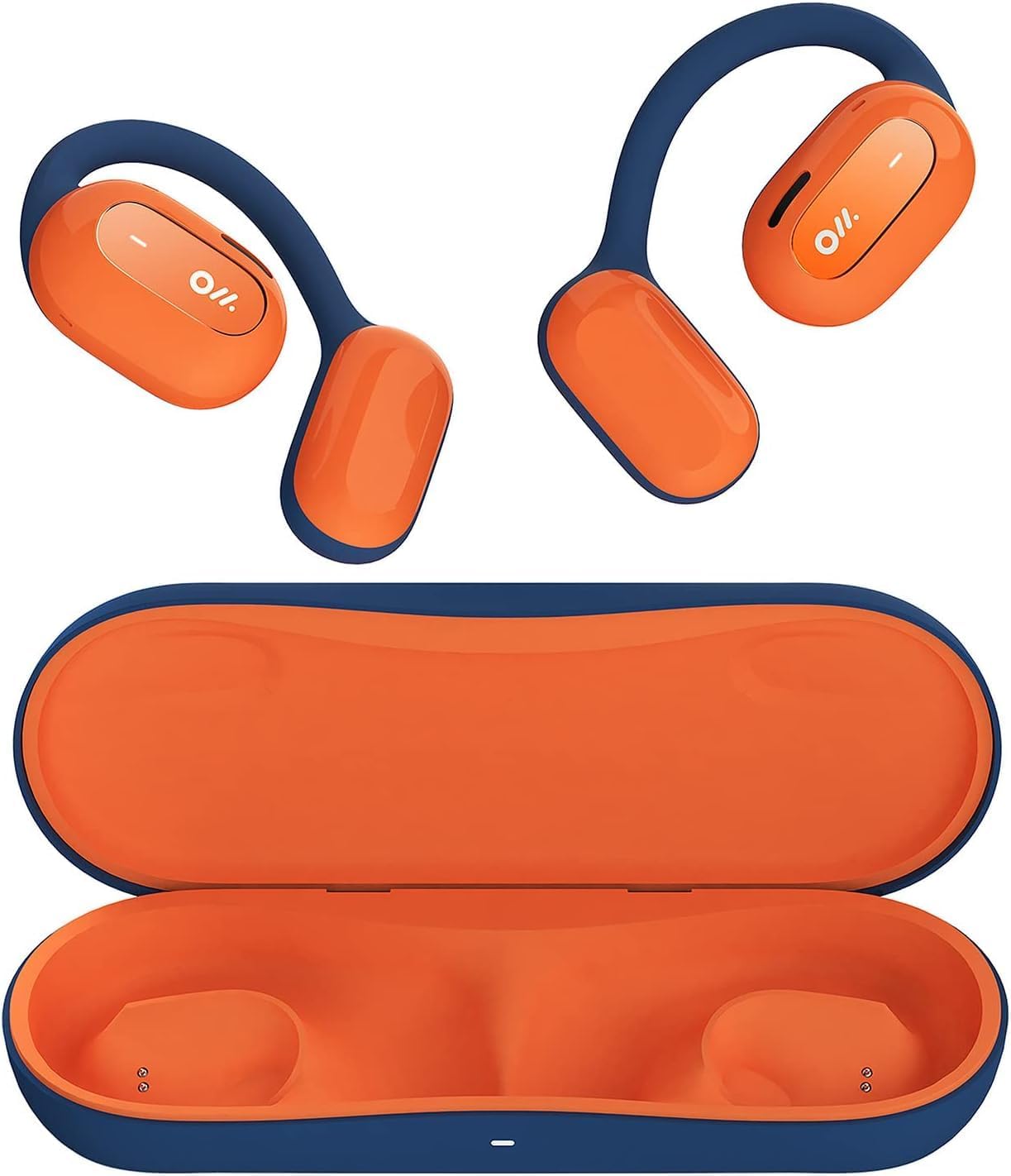
Image 1: Oladance OWS1 Open Ear Headphones and their carry case.
2. Dè tha sa bhogsa
- 1 × Oladance Wearable Stereo (Pair of Open Ear Headphones)
- 1 × Non-charging Carry Case
- 1 × Càball Type-C
- 1 × Leabhar-làimhe Cleachdaiche
3. Prìomh fheartan
- Dealbhadh Fìor Chluais Fosgailte: Earbuds rest gently on top of the ear, avoiding insertion into the ear canal for enhanced comfort and situational awareness.
- 360° Superior Sound: Equipped with dual powerful 16.5mm dynamic drivers and bio-diaphragm technology for rich, clear audio across all volume levels.
- Anti-Hearing Loss Focus: Designed to prevent common health issues associated with traditional earbuds by not blocking the ear canal, reducing pressure and potential hearing damage.
- Extended 16-Hour Playtime: Features a built-in 160mAh battery and low-consumption algorithms, providing up to 16 hours of continuous playback on a single charge. Note: A separate charging case is required for extended playtime beyond the included carry case.
- Suidheachadh sàbhailte agus comhfhurtail: Multi-point support system distributes weight evenly across the ear, ensuring a stable and comfortable fit for various activities.

Image 2: The Oladance OWS1 headphones are designed for a secure and comfortable fit, ideal for activities like yoga.
4. Stiùirich rèiteachaidh
4.1 Cìs tòiseachaidh
Before first use, fully charge your Oladance OWS1 headphones. Connect the provided Type-C cable to the charging port on the headphones and a compatible USB power source. The LED indicator will show charging status.
4.2 A’ cur cumhachd air/dheth
- Gus cumhachd a thoirt air: Press and hold the power button (location typically on one of the earbud units) for approximately 2-3 seconds until you hear an audible prompt or see an LED indicator light up.
- Gus cumhachd a thoirt dheth: Press and hold the power button for approximately 3-5 seconds until you hear an audible prompt or the LED indicator turns off.
4.3 Pairing Bluetooth
- Dèan cinnteach gu bheil na fònaichean-cluaise air an cuir dheth.
- Press and hold the power button for approximately 5-7 seconds until the LED indicator flashes red and blue alternately. This indicates the headphones are in pairing mode.
- Air an inneal agad (fòn cliste, tablet, coimpiutair), rach gu na roghainnean Bluetooth.
- Lorg airson "Oladance OWS1" in the list of available devices.
- Select "Oladance OWS1" to connect. Once connected, the LED indicator will typically flash blue slowly or turn off, and you will hear a confirmation tone.

Image 3: The Oladance OWS1 headphones are designed for an ergonomic and stable fit during various activities.
5. Stiùireadh Obrachaidh
5.1 Smachdan Bunaiteach
| Gnìomh | Gnìomh |
|---|---|
| Cluich / Stad Ceòl | Brùth aon uair air a’ phutan ioma-ghnìomhach. |
| An ath Rian | Brùth dà uair air a’ phutan ioma-ghnìomhach. |
| Rian roimhe | Brùth trì tursan air a’ phutan ioma-ghnìomhach. |
| Tomhais Suas | Brùth aon uair air a’ phutan Meud +. |
| Meud Sìos | Brùth aon uair air a’ phutan Meud -. |
| Freagairt / Cuir crìoch air a’ ghairm | Single press the Multi-function button during an incoming call or active call. |
| Call a dhiùltadh | Brùth agus cum sìos am putan ioma-ghnìomhach airson 2 dhiog rè gairm a tha a’ tighinn a-steach. |
| Cuir an gnìomh neach-cuideachaidh guth | Brùth agus cum am putan Ioma-ghnìomh airson 2 dhiog. |
5.2 Ceangal ioma-phuing
The Oladance OWS1 headphones support multi-point connection, allowing them to be connected to two Bluetooth devices simultaneously. This enables seamless switching between devices without re-pairing.
- Ensure the headphones are paired with the first device.
- Put the headphones into pairing mode again (usually by holding the power button until the LED flashes red and blue).
- On the second device, search for "Oladance OWS1" in the Bluetooth settings and connect.
- The headphones should now be connected to both devices. Audio will automatically switch to the device playing content or receiving a call.

Image 4: The open-ear design allows for comfortable extended wear, even during work or calls.
6. Cùram agus Cumail suas
- Glanadh: Use a soft, dry cloth to wipe the headphones. Avoid using harsh chemicals or abrasive materials.
- Stòradh: Store the headphones in their provided non-charging carry case when not in use to protect them from dust and damage.
- Seasmhachd uisge: The headphones are water-resistant (IPX4 rated). Avoid submerging them in water or exposing them to high-pressure water jets. Dry thoroughly if they get wet.
- Teòthachd: Seachain na fònaichean-cluaise a nochdadh do theodhachd anabarrach (teas no fuar) no taiseachd àrd.

Image 5: The included carry case protects your Oladance OWS1 headphones during transport and storage.
7. A ’dèanamh trioblaid
- Chan urrainn cumhachd a chuir air
- Ensure the headphones are fully charged. Connect them to a power source using the Type-C cable.
- Chan urrainn dha paidhir leis an inneal
- Dèan cinnteach gu bheil na fònaichean-cluaise ann am modh paidhreachaidh (tha an LED a’ priobadh dearg is gorm).
- Cuir dheth agus air Bluetooth an uidheim agad.
- Glan ceanglaichean Bluetooth roimhe air an inneal agad.
- Gluais na fònaichean-cluaise nas fhaisge air an inneal agad.
- Gun fhuaim no tomhas ìseal
- Thoir sùil air na h-ìrean fuaim air na fònaichean-cluaise agus an inneal ceangailte agad.
- Dèan cinnteach gu bheil na fònaichean-cluaise ceangailte gu ceart ris an inneal agad.
- Feuch ri claisneachd a chluich bho aplacaid no stòr eadar-dhealaichte.
- Ceangal Eadar-amail
- Dèan cinnteach nach eil bacadh sam bith eadar na fònaichean-cluaise agus an inneal agad.
- Seachain bacadh electromagnetic làidir.
- Keep the headphones within the effective Bluetooth range (typically 10 meters).
8. Sònrachaidhean Bathar
| Feart | Mion-fhiosrachadh |
|---|---|
| Modail Àireamh | OLA02 |
| Brand | Olaidh |
| Teicneòlas ceangail | Gun Uèir (Bluetooth 5.2) |
| Suidheachadh cluais | Cluas Fosgailte |
| Factor foirm | Cluas Fosgailte |
| Meud driver | Dual 16.5mm Dynamic Drivers |
| Beatha Bataraidh (Cuibheasach) | Suas gu 16 uairean |
| Ùine cosgais | Mu 2 uair a thìde |
| Ìre an aghaidh uisge | Seasmhach uisge (IPX4) |
| Cruth Micreofon | Air a thogail a-steach |
| Seòrsa smachd | Smachd nam Meadhanan (Putanan) |
| Stuth | Plastaig |
| Meudan toraidh | 13 x 11 x 457.2 cm |
| Cuideam nì | 260 g |

Image 6: A close-up of the Oladance OWS1 headphones, highlighting their design and color.
9. Barantas agus Taic
Oladance products are covered by a limited warranty. For detailed warranty information, product support, or service inquiries, please refer to the official Oladance weblàrach-lìn no cuir fios chun t-seirbheis teachdaiche aca gu dìreach. Cùm dearbhadh do cheannach airson tagraidhean barantais.
Airson tuilleadh cuideachaidh, tadhal air: www.oladance.com