
Ro-ràdh
Thank you for choosing the mcdodo MC-7051 Magnetic Fast Wireless Power Bank. This device is designed to provide convenient and efficient charging for your compatible smartphones and other devices. Please read this manual carefully before use to ensure proper operation and to maximize the lifespan of your product.
Feartan toraidh
- Comas bataraidh 5000mAh: A 'toirt seachad ample power for on-the-go charging.
- Cìs luath gun uèir 15W: Offers quick and efficient wireless power delivery.
- Ceangal magnetach: Securely attaches to compatible devices for stable wireless charging.
- Seasamh Amalaichte: Features a foldable stand for comfortable viewaig àm cosgais.
- Port USB Type-C: For recharging the power bank and wired charging of devices.
- Comas cosgais dùbailte: Supports both wireless and wired charging.
- Dealbhadh sgiobalta agus so-ghiùlain: Easy to carry for daily use and travel.
Susbaint pacaid
- mcdodo MC-7051 Magnetic Fast Wireless Power Bank
- Càball Cìsean USB Type-C
- Leabhar-làimhe cleachdaiche
Suidhich
Banca cumhachd a luchdadh a-nuas
- Connect the provided USB Type-C charging cable to the USB Type-C port on the power bank.
- Ceangail ceann eile a’ chàball ri inneal-atharrachaidh cumhachd USB co-chòrdail (nach eil air a ghabhail a-steach) no ri port USB coimpiutair.
- Lasaidh na comharran LED air a’ bhanca cumhachd gus an inbhe cosgais a shealltainn. Chithear làn-chosgais nuair a bhios na solais LED uile seasmhach.
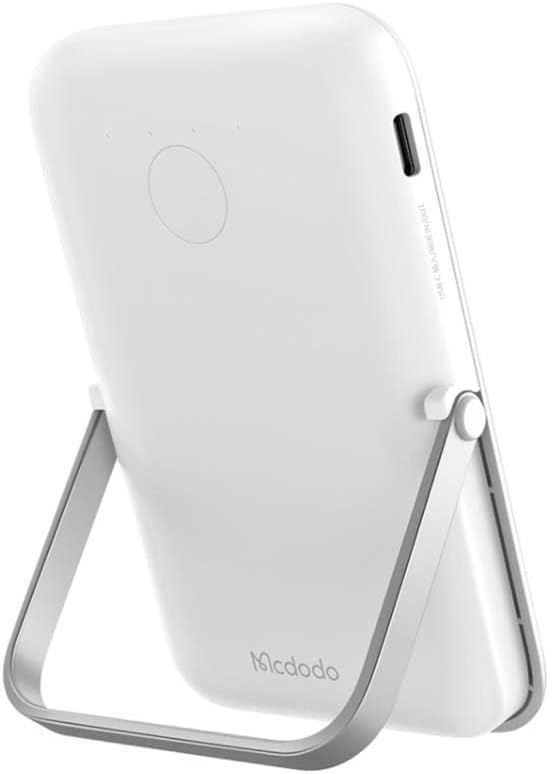
Image: The mcdodo MC-7051 Power Bank, viewed from the side, highlighting the USB Type-C charging port for recharging the device.
Cleachdadh tùsail
For optimal performance, fully charge the power bank before its first use.
Stiùireadh Obrachaidh
Cìs gun uèir
- Ensure your smartphone is compatible with magnetic wireless charging (e.g., iPhone 12 series or newer, or other phones with magnetic cases).
- Align the back of your compatible smartphone with the magnetic charging area on the power bank. The magnets will automatically snap into place.
- The power bank will automatically begin wireless charging. Check your phone's screen for the charging indicator.
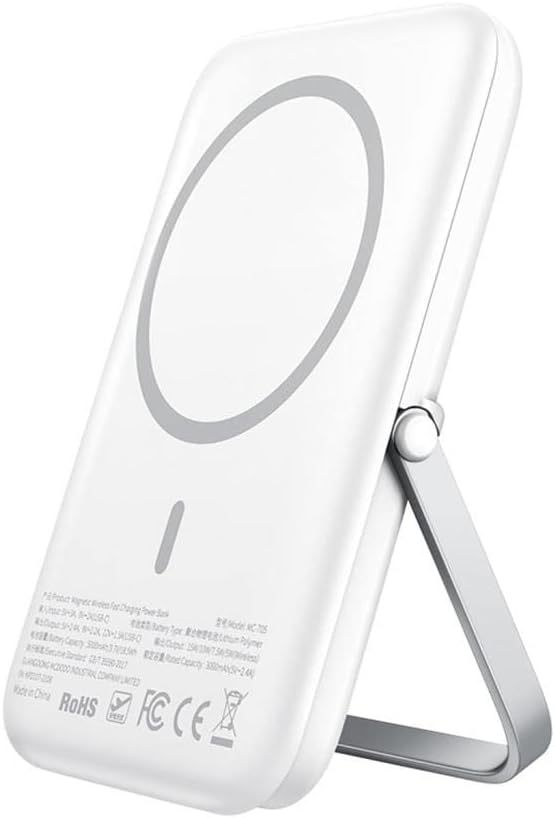
Image: The mcdodo MC-7051 Power Bank shown magnetically attached to the back of a smartphone, with its integrated kickstand extended to support the phone in an upright position.
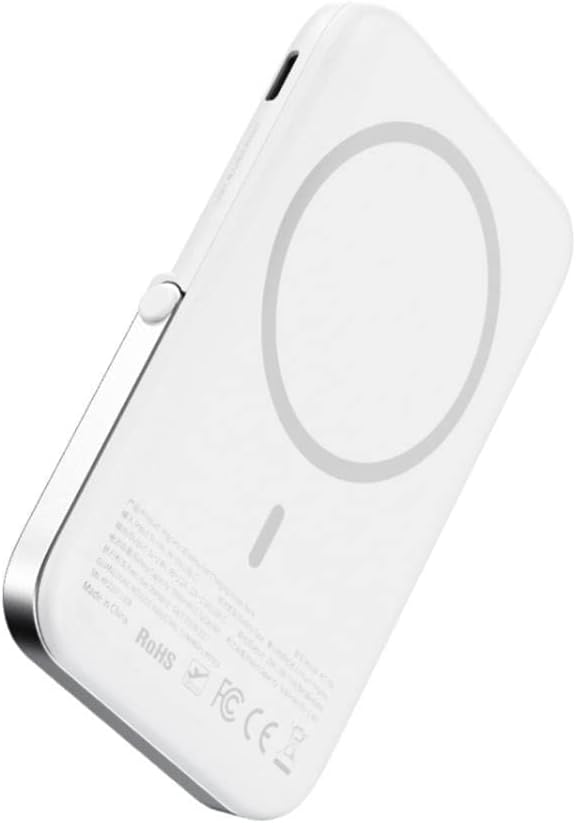
Ìomhaigh: Sealladh dlùth view of the mcdodo MC-7051 Power Bank's back surface, clearly displaying the circular magnetic charging area and product labels.
Cìs Wired
To charge a device via cable:
- Connect one end of a compatible USB Type-C cable (or your device's charging cable) to the power bank's USB Type-C port.
- Ceangail ceann eile a ’chàball ris an inneal agad.
- Tòisichidh am banca cumhachd gu fèin-ghluasadach a’ cur cosgais air an inneal agad.
Using the Integrated Stand
The power bank features a foldable stand for convenient viewing:
- Gently pull out the stand from the back of the power bank.
- Atharraich an seasamh a rèir do mhiann viewceàrn ing.
- Place your magnetically attached smartphone on a flat surface using the stand.
Cumail suas
- Glanadh: Sguab am banca cumhachd le clò bog, tioram. Na cleachd ceimigean cruaidh no stuthan sgrìobach.
- Stòradh: Stòraich am banca cumhachd ann an àite fionnar, tioram air falbh bho sholas dìreach na grèine agus teòthachd anabarrach.
- Cùram Bataraidh: To prolong battery life, fully charge the power bank at least once every three months if not in regular use. Avoid completely draining the battery frequently.
- Seachain Drops: Na leig leis a’ bhanca cumhachd a bhith air a leigeil sìos agus na cuir buaidhean làidir air.
Fuasgladh thrioblaidean
- Banca cumhachd gun a bhith a’ cur cosgais: Ensure the charging cable is securely connected to both the power bank and the power adapter. Try a different cable or adapter.
- Inneal nach eil a’ cur cosgais gun uèir: Ensure your device is compatible with magnetic wireless charging and is properly aligned with the power bank's charging area. Remove any thick phone cases that may interfere with wireless charging.
- Cìs slaodach: Ensure you are using a fast-charging compatible adapter for the power bank and that your device supports fast wireless charging.
- Magnetic attachment is weak: Ensure your phone or case has magnetic compatibility. Foreign objects between the power bank and phone can also weaken the magnetic connection.
- Comharran LED nach eil ag obair: If the power bank is completely drained, it may take a few minutes for the LEDs to light up after connecting to power. If the issue persists, contact support.
Sònrachaidhean
| Modail Àireamh | MC-7051 |
| Brand | mcdodo |
| Comas Bataraidh | 5000 mAh |
| Toradh cìs gun uèir | Suas gu 15W |
| Seòrsa ceangail | USB Type-C |
| Àireamh de phuirt | 2 (1x USB Type-C for input/output, 1x Wireless Charging) |
| Feartan sònraichte | Fast Charge, Wireless Charge, Magnetic Attachment, Integrated Stand |
| Modalan fòn co-fhreagarrach | Smartphones (with magnetic wireless charging capability for optimal use) |
| Stòr cumhachd | Cumhachd bataraidh |
| Ath-chleachdadh | Ath-phàigheadh |
| Meudan toraidh | 6 x 6 x 2 cm |
Fiosrachadh Sàbhailteachd
- Na cuir am banca cumhachd ann an teòthachd anabarrach (os cionn 45°C no fo 0°C).
- Keep away from water, moisture, and flammable liquids.
- Na dèan dì-chruinneachadh, tolladh agus atharrachadh air an inneal.
- Cùm a-mach à ruigsinn chloinne.
- Avoid placing metal objects between the power bank and your device during wireless charging, as this may cause overheating.
- If the power bank swells, emits an odor, or becomes excessively hot during use or charging, discontinue use immediately and contact support.
- Cuir às don bhanca cumhachd gu ciallach a rèir riaghailtean ionadail. Na cuir às dha le sgudal taighe.
Barantas agus Taic
This mcdodo product is covered by a standard manufacturer's warranty. For specific warranty terms and conditions, please refer to the warranty card included with your purchase or visit the official mcdodo website. If you encounter any issues or require technical assistance, please contact mcdodo customer support through their official channels.