
Ro-ràdh
This manual provides detailed instructions for the safe and effective use of your pxton PX-8S-01 two-way radio. Please read this manual thoroughly before operating the device to ensure optimal performance and longevity.
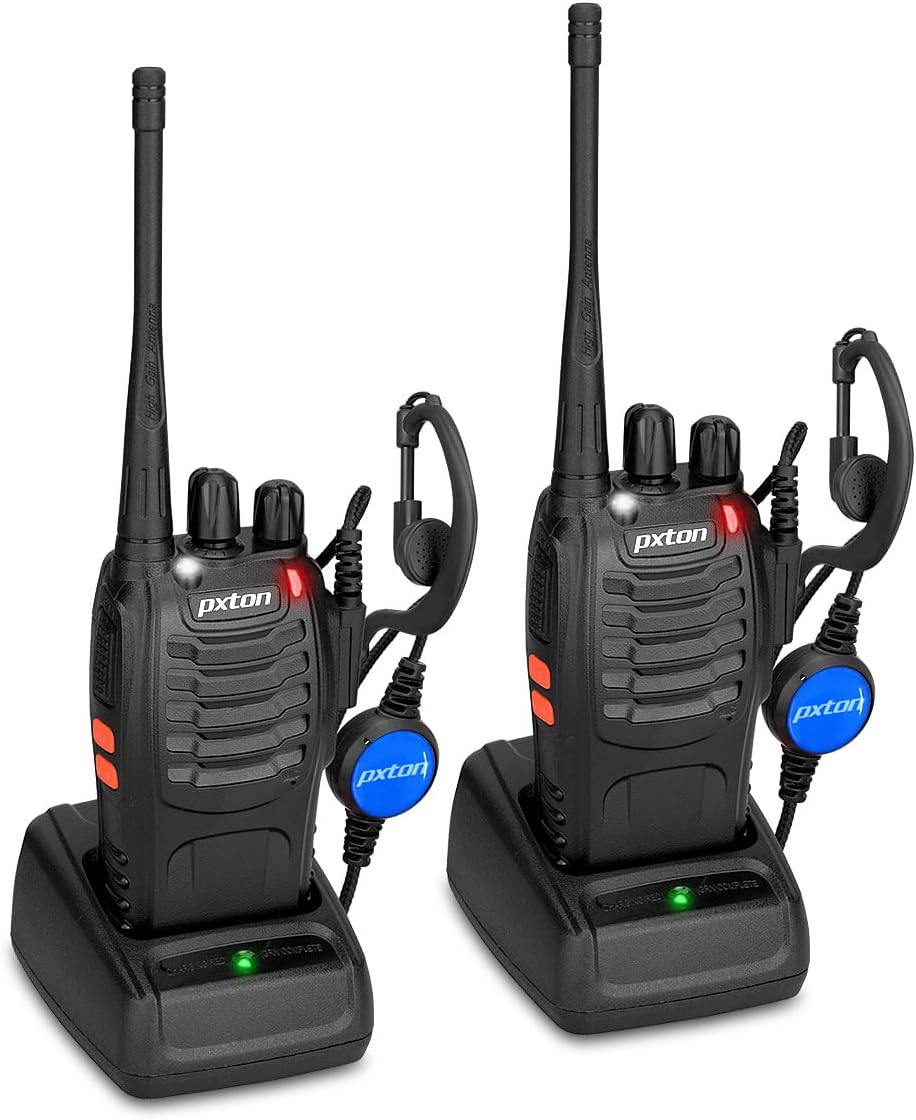
Image: Two pxton PX-8S-01 two-way radios with charging bases and earpieces.
Susbaint pacaid
Dèan cinnteach gu bheil a h-uile rud anns a’ phacaid agad:
- pxton PX-8S-01 Two-Way Radio (2 units)
- Lithium-Ion Battery (2 units)
- USB Charger (2 units)
- Upgraded Earpiece (2 units)
- Clip crios (2 aonad)
- Wrist Strap (2 units)
- Antenna (2 units)
- Leabhar-làimhe Cleachdaiche (1 aonad)

Image: Contents of the pxton PX-8S-01 package.
Bathar seachadview
Familiarize yourself with the components of your pxton PX-8S-01 two-way radio:

Image: Labeled diagram of the pxton PX-8S-01 two-way radio components.
- Integrated Sensitive Antenna: Airson comharran a thar-chur agus fhaighinn.
- Tionndadh seanail: Cnap rothlach gus aon de na 16 seanalan a tha rim faighinn a thaghadh.
- Atharrachadh cumhachd / smachd tomhas-lìonaidh: Cnap rothlach gus an rèidio a thionndadh air/dheth agus an tomhas-lìonaidh atharrachadh.
- Flashlight: Solas LED togte a-steach airson soillseachadh.
- Comharra LED: A’ taisbeanadh inbhe an rèidio (m.e., a’ tar-chur, a’ faighinn, a’ cur cosgais).
- Putan PTT (Put-gu-Bruidhinn): Brùth is cum sìos gus tar-chur, leig às gus faighinn.
- MONI Button (Monitor): Press to temporarily disable squelch and listen for weak signals.
- Putan Flashlight: Cuiridh e an lòchran togte an gnìomh.
- Seicichean SP/MIC: Ports for connecting external audio accessories like earpieces or speaker microphones.
- Clear Speaker: Toraidhean claisneachd a fhuaireadh.
- Micreofon togte: A’ glacadh do ghuth airson a thar-chuir.
Suidhich
1. Stàladh bataraidh
- Dèan cinnteach gu bheil an rèidio dheth.
- Cuir am pasgan bataraidh còmhla ris na claisean air cùl an rèidio.
- Sleamhnaich am pasgan bataraidh suas gus an cliog e na àite.
- Gus a thoirt air falbh, brùth air a’ chlais-sgaoilidh (ma tha i ann) agus sleamhnaich am bataraidh sìos.
2. A 'cur cosgais air a' Bhataraidh
- Ceangail an charger USB ri stòr cumhachd.
- Place the radio with the battery installed into the charging cradle.
- The LED indicator on the charger will show the charging status (e.g., red for charging, green for fully charged).
- A full charge from 0 capacity typically takes 3-4 hours.
3. A’ ceangal ghoireasan
- Antena: Sgriub an antenna deiseal air a’ cheangail air mullach an rèidio gus am bi e teann le do mheur. Na teannaich ro mhòr e.
- Clip crios: Attach the belt clip to the designated slot on the back of the radio using the provided screws.
- Earball: Insert the earpiece plug into the SP/MIC jacks on the side of the radio. Ensure it is fully inserted for proper connection.
Stiùireadh Obrachaidh
1. Cumhachd Air/Dheth agus Atharrachadh Meud-fhuaime
- To power on the radio, rotate the Power Switch/Volume Control knob clockwise. You will hear a "click" and a voice prompt indicating the current channel.
- Lean ort a’ tionndadh a’ chnaip deiseal gus an tomhas-lìonaidh a mheudachadh, agus tuathal gus a lùghdachadh.
- To power off, rotate the knob counter-clockwise until you hear a "click."
2. Taghadh seanail
- Cuairtich am putan Suidsiche Seanail gus aon de na 16 seanalan a tha rim faighinn a thaghadh.
- Cuiridh an rèidio an àireamh seanail a chaidh a thaghadh an cèill.
- Dèan cinnteach gu bheil na rèidiothan uile sa bhuidheann agad air an aon seanal airson conaltraidh.
3. A’ cur agus a’ faighinn
- Gus craoladh, brùth is cum sìos am putan PTT (Push-to-talk) button. Speak clearly into the microphone. The LED indicator will illuminate red.
- Leig às am putan PTT gus stad a chur air an tar-chur agus tilleadh gu modh glacaidh. Bidh an comharra LED a’ tionndadh uaine nuair a gheibhear comharra.
4. VOX (Voice Operated Exchange) Function
The VOX function allows hands-free operation. When activated, the radio will automatically transmit when it detects your voice, without needing to press the PTT button.
- VOX settings are typically programmed via software. Refer to advanced programming instructions if available.
- When using VOX, ensure the microphone is positioned correctly to pick up your voice effectively.
Image: VOX/Handfree function icon.
5. Gnìomh an t-Solais-làimhe
- Brùth air an fhear sònraichte Putan Flashlight to turn the built-in LED flashlight on or off.
Image: Flashlight function icon.
6. Gnìomh sganaidh
The scan function allows the radio to automatically scan through channels to find active transmissions.
- To activate the scan function, typically this is done via a programmed side key or by selecting a specific channel. Refer to your radio's programming guide for details.
- When scanning, the radio will stop on an active channel until the transmission ends, then resume scanning.
7. Alarm Èiginn
The radio features an emergency alarm function for critical situations.
- To activate the emergency alarm, press the designated Emergency Alarm button (if programmed) or a specific key combination. This will typically emit a loud siren sound and/or transmit an alert signal.

Image: Emergency Alarm function icon.
8. Atharrachadh Squelch
Squelch suppresses background noise when no signal is being received. The PX-8S-01 has an adjustable squelch feature.
- Squelch levels are typically set via programming software. A higher squelch level requires a stronger signal to open the receiver, reducing static but potentially missing weak signals.
- The MONI button can be used to temporarily override the squelch and listen to all signals, including weak ones or background noise.
Image: Squelch adjustment icon.
9. Còdan Prìobhaideachd (CTCSS/DCS)
The radio supports 165 privacy codes (50 CTCSS / 210 DCS) per programmable channel to help filter out unwanted conversations.
- When a CTCSS/DCS code is set, you will only hear transmissions from other radios using the same channel and the same CTCSS/DCS code.
- Similarly, other radios will only hear your transmissions if they are on the same channel and using the same code.
- These codes are typically programmed using specialized software.
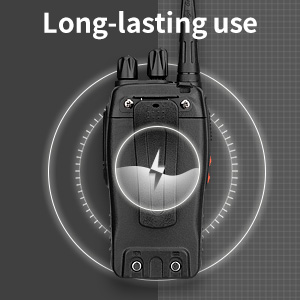
Image: CTCSS/DCS privacy codes icon.
Cumail suas
- Glanadh: Cleachd bog, damp clò airson taobh a-muigh an rèidio a ghlanadh. Na cleachd ceimigean cruaidh no fuasglaidhean.
- Cùram Bataraidh:
- Seachain cus cosgais no dì-luchdachadh a’ bhataraidh gu tur.
- Cùm bataraidhean ann an àite fionnar, tioram nuair nach eilear gan cleachdadh.
- Mura tèid an rèidio a chleachdadh airson ùine mhòr, thoir air falbh am bataraidh.
- Stòradh: Stòraich an rèidio ann an àrainneachd thioram, gun duslach air falbh bho theodhachd anabarrach.
- Antena: Na lùb no na atharraich an antenna, oir faodaidh seo buaidh a thoirt air a choileanadh.
Fuasgladh thrioblaidean
| Trioblaid | Adhbhar a dh’fhaodadh a bhith ann | Fuasgladh |
|---|---|---|
| Chan eil an rèidio a’ dol air. | Tha am bataraidh air a leigeil sìos no chan eil e air a chuir a-steach gu ceart. | Cuir cosgais air a’ bhataraidh. Dèan cinnteach gu bheil am bataraidh air a stàladh gu tèarainte. |
| Chan urrainnear a thar-chur no fhaighinn. | Incorrect channel selected. Battery low. Radio out of range. | Verify both radios are on the same channel. Charge battery. Move closer to the other radio. |
| Droch chàileachd claisneachd no statach. | Weak signal. Squelch level too low/high. Interference. | Move to an area with fewer obstructions. Adjust squelch level (if programmable). Check for sources of interference. |
| Raon conaltraidh goirid. | Bacadh (togalaichean, talamh). Bataraidh ìosal. | Gluais gu àite fosgailte. Dèan cinnteach gu bheil am bataraidh làn-luchdaichte. |
| Earpiece not working. | Earpiece not fully inserted. Faulty earpiece. | Ensure earpiece plug is fully inserted into the SP/MIC jack. Try a different earpiece if available. |
Sònrachaidhean
- Modail: PX-8S-01
- ID FCC: 2AX68PX-888S
- Àireamh de shianalan: 16
- Raon tricead: UHF
- Raon labhairt as àirde: Up to 5 miles (unobstructed)
- Còdan prìobhaideachd: 165 (50 CTCSS / 210 DCS)
- Seòrsa bataraidh: Lithium Ion (air a ghabhail a-steach)
- Bataraidh Voltage: 3.7 bholt (DC)
- Beatha bataraidh: 8-96 hours standby, 8-12 hours continuous use (actual time varies with usage)
- Ùine cosgais: 3-4 hours (from 0 capacity)
- Ìre an aghaidh uisge: Frith-uisge
- Meudan toraidh: 1.1"D x 1.89"W x 8.34"H
- Cuideam nì: 1.34 not (airson a’ chàraid)
- Feartan sònraichte: Rechargeable, VOX, TOT, Emergency Alarm, Battery Low Alert, Flashlight, Scan Function

Image: Size comparison of the pxton PX-8S-01 radio.
Fiosrachadh Sàbhailteachd
Your pxton PX-8S-01 walkie-talkie has been granted FCC transmission and reception certification and authorization (FCC ID: 2AX68PX-888S). This device is intended for use only within the frequency points authorized by the FCC certification range.
Feuch an cùm thu ris an stiùireadh sàbhailteachd a leanas:
- Na cleachd an rèidio ann an àile spreadhaidh (me, gasaichean lasanta, mìrean duslach, pùdar meatailteach).
- Do not modify the radio or its accessories. Unauthorized modifications can void your warranty and violate FCC regulations.
- Cùm an rèidio agus na goireasan a th’ aige a-mach à ruigsinneachd chloinne.
- Use only pxton-approved batteries and chargers. Using unapproved accessories can cause damage or injury.
- Avoid exposing the radio to extreme temperatures, direct sunlight, or moisture for prolonged periods.
- If the radio emits smoke or an unusual odor, immediately turn off the power and remove the battery. Contact customer support.
Barantas agus Taic
pxton provides lifetime customer service for its walkie-talkies. If you encounter any questions or issues with your PX-8S-01 radio, please contact pxton customer support through the platform where you purchased the product. Our professional team is available to assist you with troubleshooting and support.
For further assistance, please refer to the official pxton weblàrach-lìn no cuir fios chun t-seirbheis teachdaiche aca gu dìreach.