
1. Ro-ràdh
Tapadh leibh airson ceannachasing the Comix S360A Cross Cut Paper Shredder. This manual provides essential information for the safe and efficient operation, maintenance, and troubleshooting of your shredder. Please read these instructions carefully before use and retain them for future reference.
The Comix S360A is designed for secure disposal of sensitive documents, credit cards, and CDs. It features a cross-cut mechanism for enhanced security and includes a jam-proof system with reverse and forward functions to clear paper jams. An energy-saving mode ensures optimal efficiency during operation.
2. Stiùireadh Sàbhailteachd Cudromach
RABHADH: Dh’fhaodadh fàilligeadh ann a bhith a’ leantainn nan stiùiridhean sàbhailteachd seo teine, clisgeadh dealain no dochann adhbhrachadh.
- Cùm clann is peataichean air falbh bhon inneal shredder.
- Keep loose clothing, jewelry, hair, and ties away from the paper entry slot.
- Do not insert fingers or other body parts into the paper entry slot.
- Na spraeadh stuthan lasanta no bealaidh sam bith a-steach don inneal-reubaidh.
- Do not shred metal objects, wet paper, or adhesive labels.
- Tarraing a-mach am pluga an-còmhnaidh nuair nach eilear ga chleachdadh no mus glan thu e.
- Na cleachd an inneal-sgriosaidh ma tha an càball cumhachd millte. Cuir fios gu taic luchd-cleachdaidh airson cuideachadh.
- Dèan cinnteach gu bheil an inneal-reubaidh air uachdar seasmhach, rèidh.
- Do not overload the shredder beyond its specified sheet capacity.
3. Pasgan-susbaint
Thoir sùil air a’ phacaid airson nan nithean a leanas:
- Comix S360A Shredder Head
- Waste Bin (13 Liter capacity)
- Leabhar-stiùiridh (an sgrìobhainn seo)
4. Suidhich
- Unpack the Shredder: Thoir air falbh na pàirtean gu lèir bhon phacaid gu faiceallach.
- Place the Waste Bin: Position the waste bin on a flat, stable surface.
- Mount the Shredder Head: Carefully place the shredder head onto the top of the waste bin, ensuring it is securely seated. The shredder will not operate if the head is not correctly positioned.
- Ceangal cumhachd: Plug an sreang cumhachd a-steach do ionad dealain àbhaisteach.
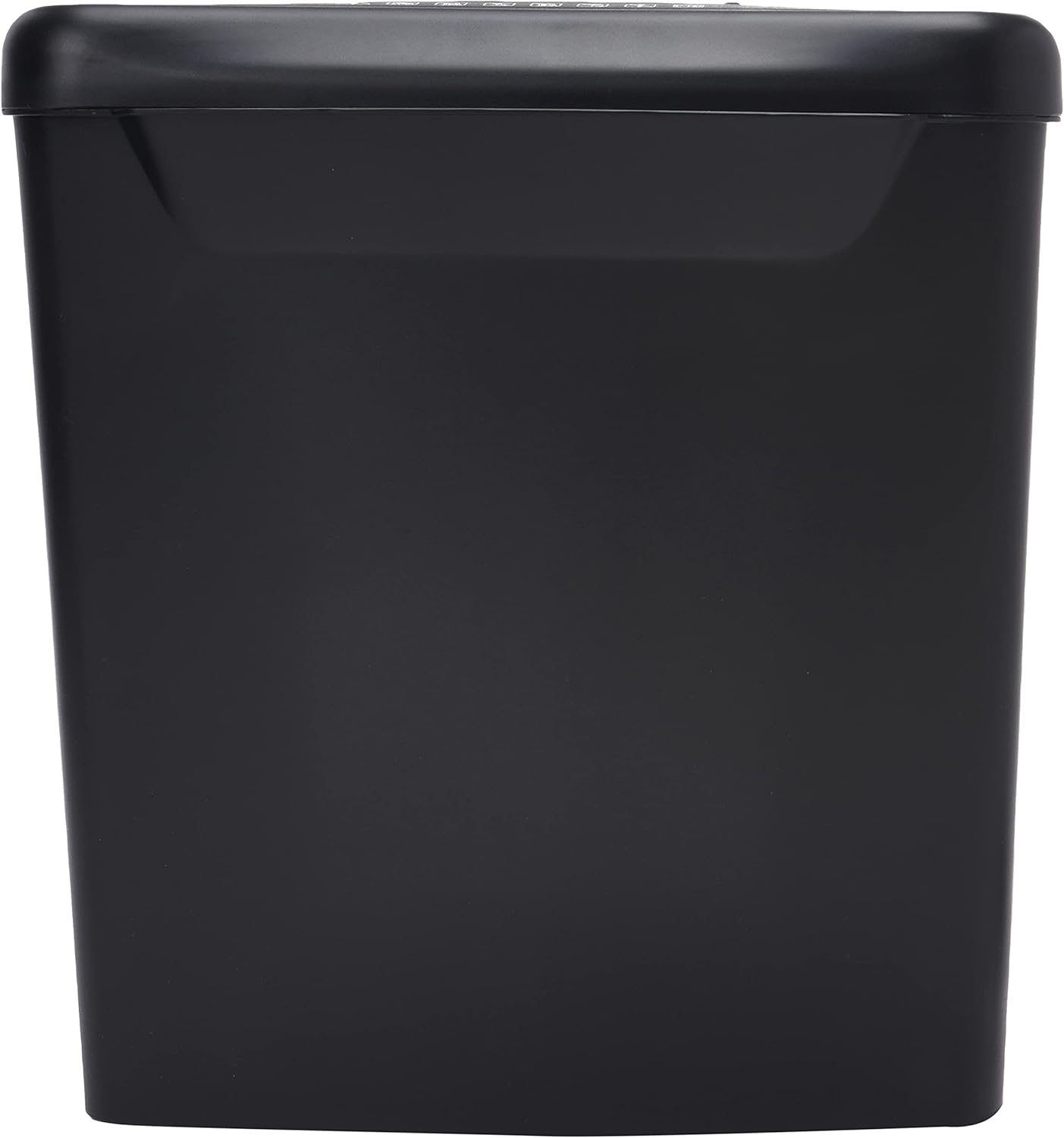
Ìomhaigh: Taobh view of the Comix S360A shredder bin, showing its black exterior and compact design. The shredder head is not visible in this image.
5. Stiùireadh Obrachaidh
Tionndadh smachd 5.1
The shredder features a slide switch with three positions:
- AUTO: The shredder will automatically start when paper is inserted and stop when shredding is complete. This is the normal operating mode.
- OFF: The shredder is powered off. Always set the switch to OFF when emptying the bin or when the shredder is not in use.
- REV (Cùl-taic): This position reverses the shredder blades to help clear paper jams.

Ìomhaigh: Mullach view of the shredder head, highlighting the paper entry slot, the three-position control switch (Rev, OFF, Auto), and various safety warning icons.
5.2 Sgrìobhainnean a’ Rùsgadh
- Ensure the shredder head is securely placed on the waste bin.
- Plug an sreang cumhachd a-steach don ionad dealain.
- Suidhich an suidse smachd gu AUTO.
- Insert up to 8 sheets of 70gsm A4 paper into the paper entry slot. The shredder will start automatically.
- For credit cards or CDs, use the dedicated slot if available (refer to product specifications for capability).
- The shredder will stop automatically once the shredding process is complete.
5.3 Cearcall Dleasdanas
The Comix S360A has a continuous run time of 2 mionaid, followed by a rest time of 40 mionaid. Exceeding the run time may cause the shredder to overheat and automatically shut off. Allow the shredder to cool down for the specified rest time before resuming operation.
6. Cumail suas
6.1 A ’falmhachadh a’ bhiona sgudail
- Suidhich an suidse smachd gu AIRSON.
- Unplug the shredder from the power outlet.
- Lift the shredder head off the waste bin.
- Dispose of the shredded paper.
- Replace the shredder head securely onto the waste bin.
- Plug the shredder back into the power outlet.
6.2 Oiling the Shredder Blades
Regular oiling of the shredder blades is recommended to maintain optimal performance and extend the life of your shredder. Use shredder oil specifically designed for paper shredders.
- Cuir loidhne thana de dh’ola an inneal-sgriosaidh thairis air an t-sloc inntrigidh pàipeir.
- Suidhich an suidse smachd gu AUTO.
- Insert a sheet of paper to distribute the oil evenly across the blades.
- Repeat this process periodically, especially after emptying a full waste bin or if the shredder's performance decreases.
6.3 Glanadh
Sguab taobh a-muigh an inneal-sgriosaidh le clò bog, tioram. Na cleachd innealan-glanaidh sgrìobach no fuasglaidhean. Dèan cinnteach gu bheil am pluga air a dhì-phlugadh mus glan thu e.
7. A ’dèanamh trioblaid
| Trioblaid | Adhbhar a dh’fhaodadh a bhith ann | Fuasgladh |
|---|---|---|
| Chan eil an inneal-sgrios a’ tòiseachadh. |
|
|
| Suim pàipeir. |
|
|
| Stad an inneal-sgriosaidh rè obrachadh. |
|
|
8. Sònrachaidhean
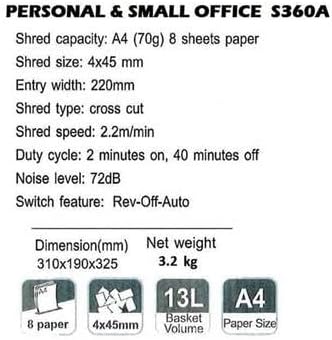
Image: Technical specifications sheet for the Comix S360A, detailing performance metrics and physical attributes.
- Modail: S360A
- Seòrsa sgoltadh: Gearradh croise
- Meud Shred: 4 x 45 mm
- Shred Capacity (A4, 70g): 8 duilleagan
- Leud an inntrigidh: 220 mm
- Luas Shred: 2.2 m / min
- Comas biona sgudail: 13 liotair
- Cearcall dleastanais: 2 mionaidean air adhart / 40 mionaidean dheth
- Ìre fuaim: 72 dB
- Switch Feature: Rev-Off-Auto
- Meudan toraidh: 310 x 190 x 325 mm (L x W x H)
- Cuideam lom: 3.2 kg
- Feartan sònraichte: Energy Saving Mode, Jam Pro, Quiet Operation
9. Barantas agus Taic
For warranty information or technical support, please refer to the warranty card included with your product or contact Comix customer service through their official website or the retailer where the product was purchased. Please have your model number (S360A) and purchase date available when contacting support.