
1. Ro-ràdh
This manual provides essential information for the safe and efficient installation, operation, and maintenance of your LEDVANCE ORBIS SPARKLE SMART+ WiFi Ceiling Light. Please read these instructions carefully before use and retain them for future reference.
The LEDVANCE ORBIS SPARKLE SMART+ WiFi Ceiling Light is a smart, dimmable LED luminaire designed for indoor use, offering tunable white light (2700K to 6500K) and a decorative sparkle effect. It integrates seamlessly with smart home systems via WiFi, allowing control through the LEDVANCE SMART+ WiFi app, Amazon Alexa, or Google Assistant.
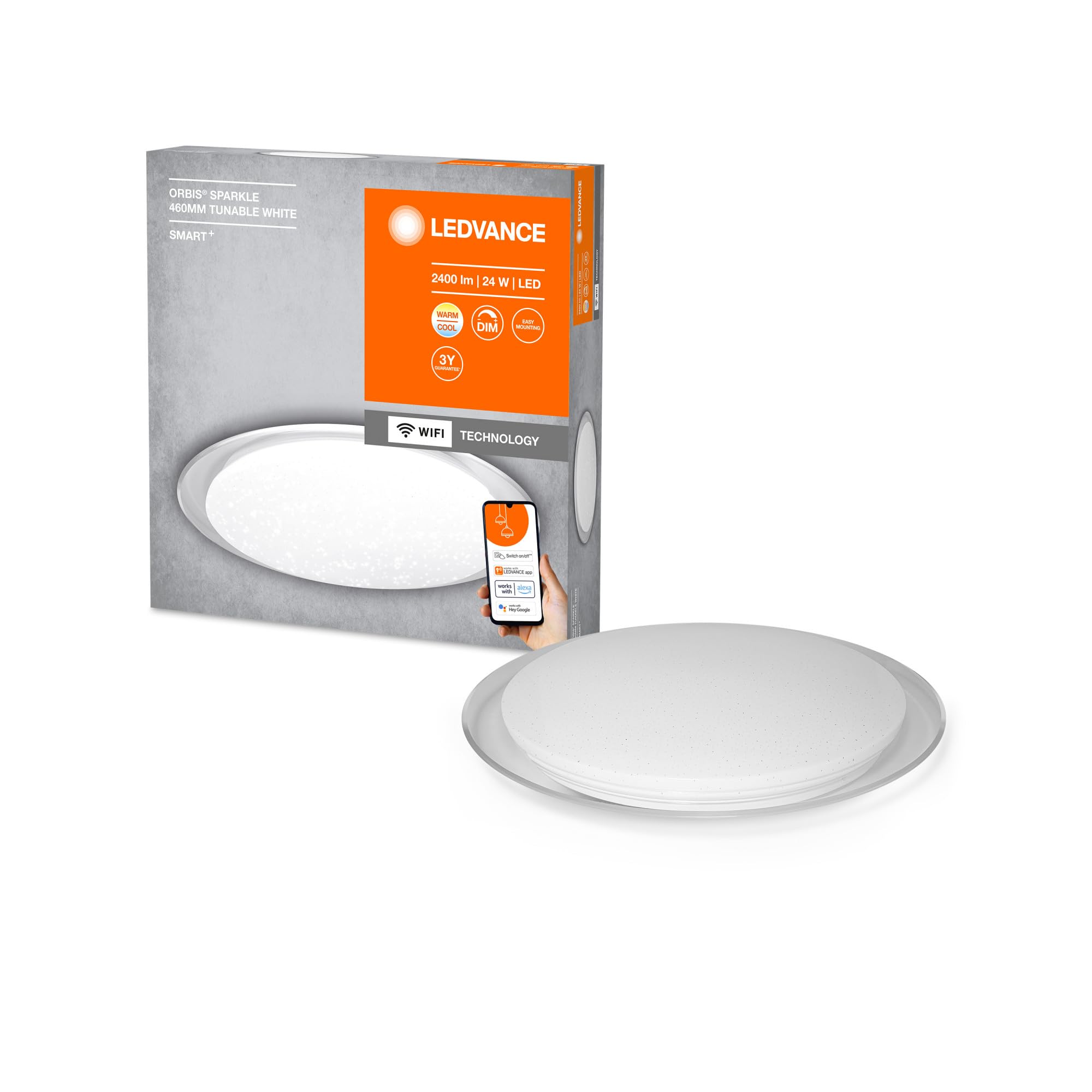
Image: The LEDVANCE ORBIS SPARKLE SMART+ WiFi Ceiling Light providing illumination in a room.
2. Fiosrachadh Sàbhailteachd
- Sàbhailteachd dealain: Installation must be performed by a qualified electrician in accordance with local wiring regulations. Always switch off the power supply at the main fuse box before installation or maintenance.
- Cleachdadh a-staigh a-mhàin: This product is designed exclusively for indoor applications. Do not expose to moisture or extreme temperatures.
- Làimhseachadh: Handle the luminaire with care to avoid damage. Do not attempt to modify the product.
- Glanadh: Dì-cheangail an cumhachd mus glan thu e. Cleachd clò bog, tioram. Na cleachd innealan-glanaidh sgrìobach no fuasglaidhean.
- Stòr solais: The LED light source is non-replaceable. If the light source reaches its end of life, the entire luminaire must be replaced.
3. Pasgan-susbaint
Dèan cinnteach gu bheil na pàirtean uile an làthair mus tòisich an stàladh.
- 1 x LEDVANCE ORBIS SPARKLE SMART+ WiFi Ceiling Light
- Meur sreap
- Sgriothan cur suas agus plugaichean balla
- Leabhar-stiùiridh (an sgrìobhainn seo)
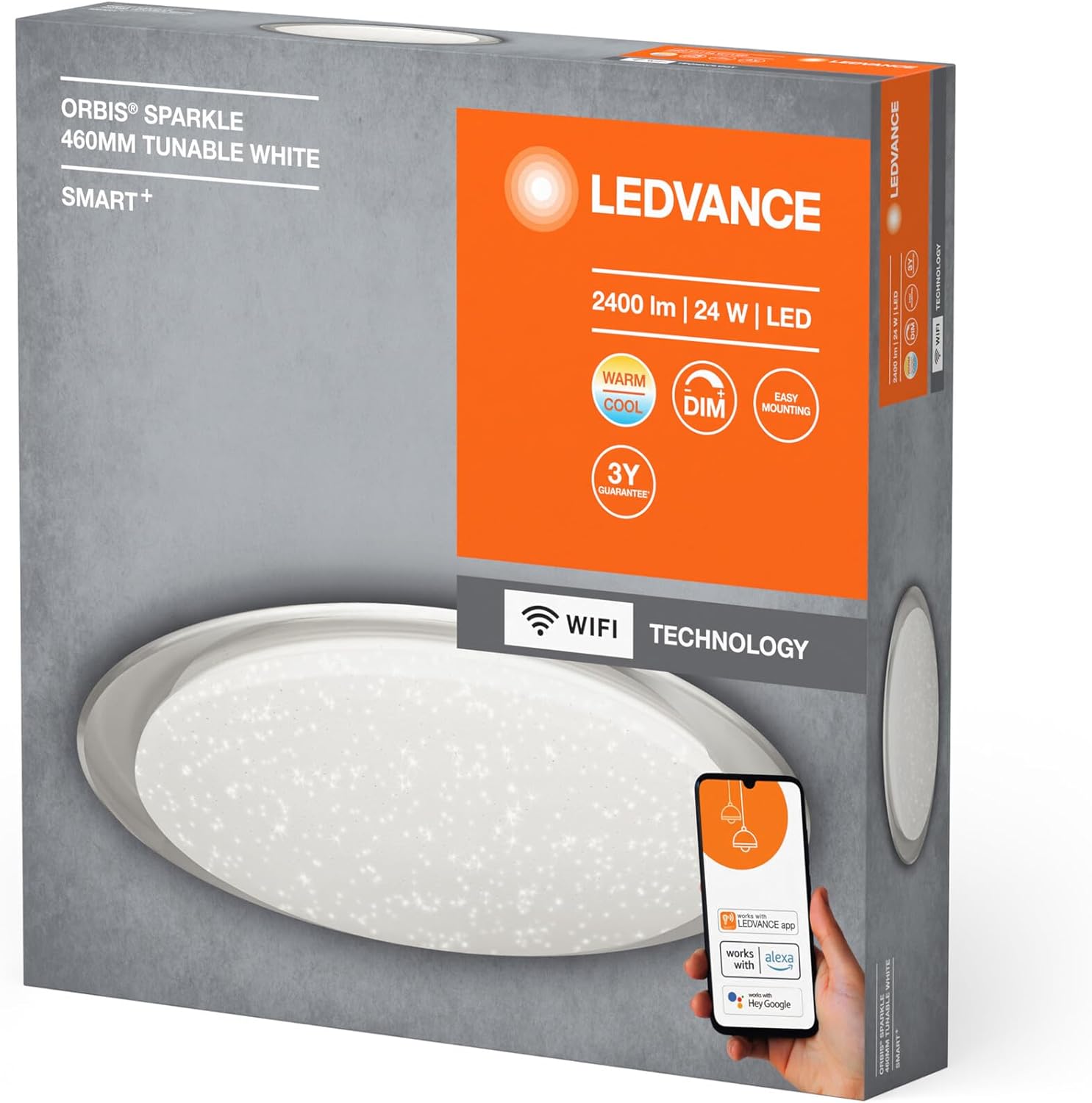
Image: Product packaging showing the LEDVANCE ORBIS SPARKLE SMART+ WiFi Ceiling Light and its features.
4. Setup agus Stàladh
Follow these steps for proper installation. Ensure power is OFF before starting.
- Dèan ullachadh airson an stàladh: Switch off the main power supply at the circuit breaker to prevent electrical shock.
- Bracaid sreap: Secure the mounting bracket to the ceiling using the provided screws and wall plugs. Ensure the bracket is firmly attached to a suitable surface.
- Ceangal dealain: Connect the household electrical wires to the terminals on the luminaire. Ensure correct polarity (Live, Neutral, Earth) as per local regulations.
- Cuir a-steach an Luminaire: Carefully attach the LEDVANCE ORBIS SPARKLE SMART+ WiFi Ceiling Light to the mounting bracket. Ensure it is securely fastened.
- Thoir air ais cumhachd: Once the luminaire is securely installed and wired, restore power at the circuit breaker.

Image: Technical drawing showing the dimensions of the LEDVANCE ORBIS SPARKLE SMART+ WiFi Ceiling Light (Ø 460mm, height 76mm).
5. Stiùireadh Obrachaidh
5.1 Smart Home Integration (LEDVANCE SMART+ WiFi App)
To control your LEDVANCE ORBIS SPARKLE SMART+ WiFi Ceiling Light, you need to connect it to the LEDVANCE SMART+ WiFi app.
- Luchdaich sìos an aplacaid: Download the LEDVANCE SMART+ WiFi app from the App Store (iOS) or Google Play Store (Android). The app requires at least Android 4.4 or iOS 9.0.
Luchdaich sìos an aplacaid LEDVANCE SMART+ WiFi - Clàraich/Log a-steach: Fosgail an aplacaid agus lean an stiùireadh air-sgrion gus cunntas a chruthachadh no log a-steach.
- Cuir inneal ris: Follow the app's instructions to add a new device. Ensure your smartphone or tablet is connected to a 2.4 GHz WiFi network.
- Modh paidhir: The light will enter pairing mode automatically when first powered on. If not, cycle the power switch OFF-ON three times until the light blinks.
- Smachd: Once paired, you can control the light's brightness, color temperature (2700K-6500K), and activate the sparkle effect directly from the app.

Image: Product packaging highlighting compatibility with the LEDVANCE SMART+ app, Amazon Alexa, and Google Assistant.
5.2 Voice Control (Amazon Alexa / Google Assistant)
After successful integration with the LEDVANCE SMART+ WiFi app, you can link your light to Amazon Alexa or Google Assistant for voice control.
- Cunntas Ceangail: Open your Amazon Alexa or Google Home app. Navigate to the "Skills" or "Works with Google" section.
- Lorg airson LEDVANCE SMART+: Lorg airson and enable the "LEDVANCE SMART+" skill/service.
- ceangail: Ceangail do chunntas LEDVANCE SMART+ ris a’ chunntas Alexa no Google agad.
- Faigh a-mach innealan: Ask Alexa or Google Assistant to "discover devices" or manually add the light through the app.
- Òrdughan gutha: Faodaidh tu a-nis òrdughan gutha a chleachdadh leithid:
- "Alexa/Hey Google, turn on [Light Name]"
- "Alexa/Hey Google, dim [Light Name] to 50%"
- "Alexa/Hey Google, set [Light Name] to warm white"
- "Alexa/Hey Google, change [Light Name] to cool white"
6. Cumail suas
- Glanadh: Ensure the power is off before cleaning. Wipe the surface of the luminaire with a soft, dry, or slightly damp clò. Na cleachd ceimigean cruaidh, innealan-glanaidh sgrìobach, no spraeirean gu dìreach air an t-solas.
- Gun phàirtean le seirbheis cleachdaiche: The LED light source is integrated and cannot be replaced by the user. Do not attempt to open or repair the luminaire.
- Sgrùdaidhean cunbhalach: Periodically check the mounting for security.
7. A ’dèanamh trioblaid
| Trioblaid | Adhbhar a dh’fhaodadh a bhith ann | Fuasgladh |
|---|---|---|
| Cha bhith solas a ’tionndadh. | No power supply; incorrect wiring; faulty luminaire. | Check power supply at the circuit breaker. Verify wiring connections. If problem persists, contact support. |
| Chan urrainn dhomh ceangal ri WiFi/aplacaid. | Incorrect WiFi password; not on 2.4 GHz network; light not in pairing mode; app issues. | Ensure correct WiFi password. Connect phone to 2.4 GHz WiFi. Cycle power OFF-ON three times to enter pairing mode. Restart app or phone. |
| Chan eil smachd gutha ag obair. | Not linked to Alexa/Google Assistant; incorrect device name; internet connectivity issues. | Ensure LEDVANCE SMART+ skill is enabled and accounts are linked. Verify device name in Alexa/Google Home app. Check internet connection. |
| Bidh solas a’ priobadh no ag obair gu mì-rianail. | Unstable power supply; interference; internal fault. | Check power supply stability. Ensure no strong interference sources nearby. If problem persists, contact support. |
8. Sònrachaidhean
| Modail Àireamh | 4058075573475 |
| Brand | LEDVANCE |
| Seòrsa Bathar | Smart WiFi Dimmable LED Ceiling Light |
| Meudan (L x W x H) | 46 x 46 x 7.6 cm |
| Cuideam | 800 gram |
| Stuth | Alloy Steel, Polycarbonate |
| Stòr cumhachd | AC |
| Voltage | 240 Volt |
| Dètage | 24 watt |
| Luminous Flux | 2500 Lumen |
| Teòthachd dath | 2700 - 6500 Kelvin (Tunable White) |
| Dimmable | Tha |
| Ceangalachd | Wi-Fi (2.4GHz) |
| Modh smachd | Application (LEDVANCE SMART+ WiFi), Voice (Amazon Alexa, Google Assistant) |
| Fad-beatha | 25,000 uairean |
| Clas Èifeachdas Cumhachd | F |
| Cleachdadh a-staigh / a-muigh | A-staigh |
9. Barantas
LEDVANCE provides a 3-year guarantee for this product. Please refer to the official LEDVANCE website or your purchase documentation for detailed warranty terms and conditions. Retain your proof of purchase for warranty claims.
10. Taic
For technical assistance, troubleshooting beyond this manual, or warranty inquiries, please contact LEDVANCE customer support through their official weblàrach-lìn no am fiosrachadh conaltraidh a chaidh a thoirt seachad leis an toradh agad.
You can also visit the LEDVANCE brand store on Amazon for more product information: Bùth Amazon LEDVANCE