
Ro-ràdh
This manual provides essential instructions for the safe and effective operation, setup, and maintenance of your iFlight Nazgul Evoque F5D 6S HD FPV Drone. Please read this manual thoroughly before operating the drone to ensure proper usage and to prevent damage or injury.
Stiùireadh Sàbhailteachd
- Cleachd an dròn an-còmhnaidh ann an àiteachan fosgailte, air falbh bho dhaoine, bheathaichean agus chnapan-starra.
- Cùm astar sàbhailte bhon dròn fhad ’s a tha e ag obrachadh.
- Dèan cinnteach gu bheil na propeilean uile ceangailte gu tèarainte agus gun mhilleadh mus tèid thu air itealan.
- Na bi ag itealaich faisg air puirt-adhair no àite-adhair cuibhrichte.
- Dì-cheangail am bataraidh an-còmhnaidh an dèidh a chleachdadh agus rè còmhdhail.
- Never attempt to catch a flying drone.
- Cùm ri gach riaghailt agus lagh ionadail a thaobh obrachadh drònaichean.
- Na cleachd ach bataraidhean agus cargairean a tha air am moladh.
Susbaint pacaid
Dèan cinnteach gu bheil a h-uile rud anns a’ phacaid agad:
- iFlight Nazgul Evoque F5D 6S HD FPV Drone
- Propellers (set)
- Antennas
- Battery Strap(s)
- Càball USB
- Remote Control (check specific package contents for inclusion)

Ìomhaigh: Suas is sìos view of the iFlight Nazgul Evoque F5D 6S HD FPV Drone, showcasing its carbon fiber frame, propellers, and central electronics stack.
Suidhich
1. Stàladh Propeller
Attach the propellers to the motors. Ensure correct rotation direction for each motor as indicated in the flight controller software or on the motor bells. Secure them firmly with the provided nuts or screws.

Ìomhaigh: Dlùth-shealladh view of a drone motor with a propeller attached, highlighting the secure mounting.
2. Ceangal Bataraidh
Connect your 6S LiPo battery to the integrated XT60 connector on the drone. Ensure the battery is fully charged before flight. Use the provided battery strap to secure the battery to the drone's top plate.
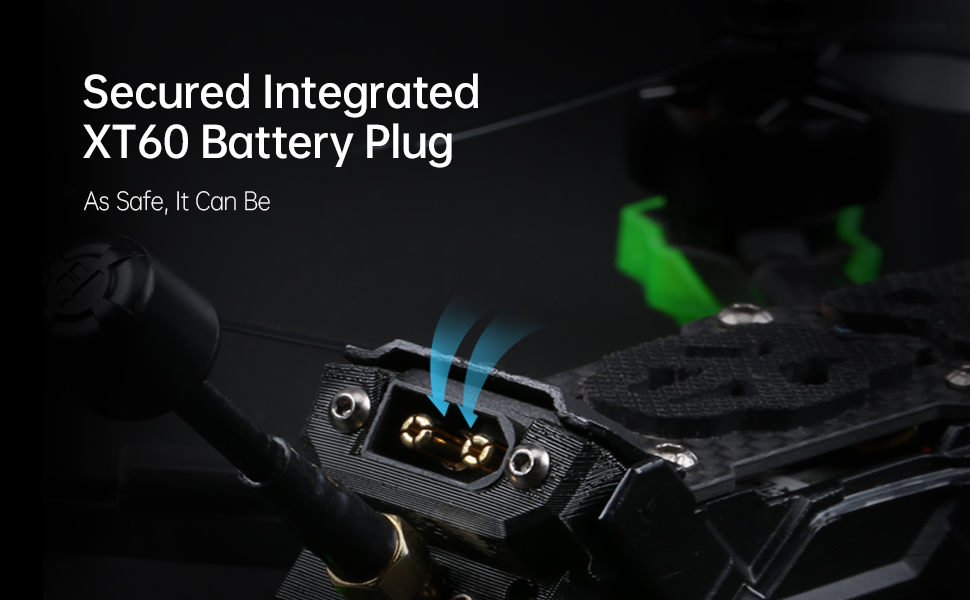
Image: Detail of the secured integrated XT60 battery plug, designed for safe and reliable power connection.
3. Binding to Remote Controller
Refer to your specific remote controller's manual for binding instructions. Typically, this involves putting both the drone's receiver and the remote controller into binding mode. Ensure successful binding before proceeding.
4. Rèiteachadh Smachdair Itealaich (Betaflight)
The Nazgul Evoque F5D comes pre-configured with Betaflight. For advanced settings or calibration, connect the drone to your computer via the USB port and use the Betaflight Configurator software. Ensure all sensor calibrations (accelerometer, gyroscope) are performed and check motor directions.

Ìomhaigh: View of the high-performance F7 55A Power Stack, which includes the flight controller and electronic speed controller, located within the drone's frame.
Stiùireadh Obrachaidh
1. Sgrùdaidhean Ro-itealaich
- Inspect propellers for damage and ensure they are secure.
- Check battery charge level on both drone and remote controller.
- Verify FPV video feed in your DJI FPV Goggles.
- Ensure no loose wires or components on the drone.
- Confirm clear flight area.

Image: Components of the Caddx Polar digital HD FPV system, which provides high-definition video transmission to compatible FPV goggles.
2. Armachadh agus Dì-armachadh
To arm the drone, move the throttle stick to its lowest position and activate the designated arming switch on your remote controller. The motors will spin slowly. To disarm, activate the arming switch again. Always disarm immediately after landing or in an emergency.
3. Smachdan itealain
Dèan eòlas ort fhèin air smachdan àbhaisteach dròn FPV:
- Throttle: A’ cumail smachd air an àirde (bata clì suas/sìos).
- siud: A’ tionndadh an dròin gu còmhnard (bata clì clì/deas).
- pitch: A’ teannadh an dròin air adhart/air ais (bata deas suas/sìos).
- Rolla: A’ teannadh an dròin gu clì/deas (bata deas clì/deas).
Practice in a simulator before your first real flight if you are new to FPV drones.
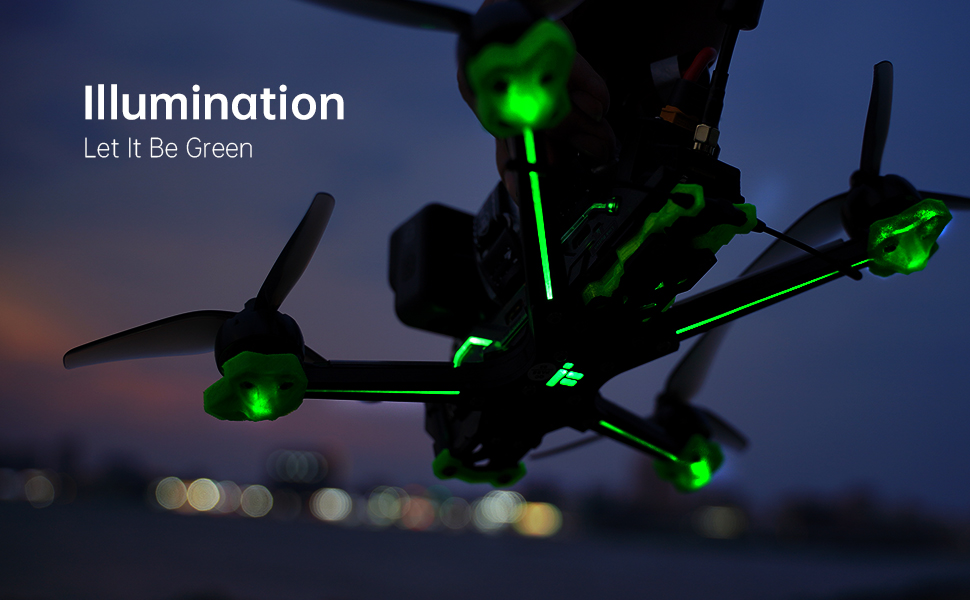
Image: The iFlight Nazgul Evoque F5D drone illuminated with green LEDs, visible during low-light conditions or for aesthetic purposes.
Cumail suas
- Sgrùdadh Propeller: Regularly check propellers for cracks, bends, or nicks. Replace damaged propellers immediately.
- Glanadh: Keep the drone free from dirt, dust, and debris. Use a soft brush or compressed air. Avoid moisture.
- Ùrachaidhean firmware: Periodically check the iFlight website for firmware updates for the flight controller and ESCs. Follow update instructions carefully.
- Sgrùdadh co-phàirt: After any crash or hard landing, inspect the frame, motors, camera, and antennas for damage. Ensure all screws are tight.
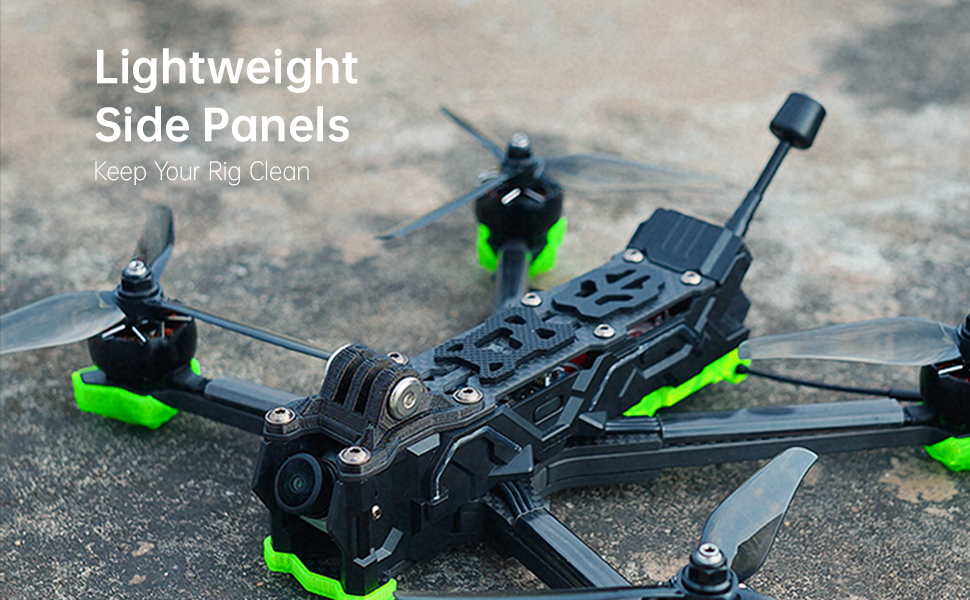
Image: The lightweight side panels of the drone, designed to protect internal components and keep the electronics clean.
Fuasgladh thrioblaidean
| Trioblaid | Adhbhar a dh’fhaodadh a bhith ann | Fuasgladh |
|---|---|---|
| Chan eil an dròn ag armachd. | Throttle not at lowest position, arming switch not activated, safety pre-arm conditions not met (e.g., no receiver signal, low battery). | Ensure throttle is at zero. Check arming switch. Verify receiver is bound and connected. Check battery voltage. Connect to Betaflight Configurator to check pre-arm flags. |
| Gun bhiadhadh bhidio FPV. | Caddx Polar not powered, antenna disconnected, incorrect channel selected on DJI FPV Goggles, damaged VTX/camera. | Ensure drone battery is connected. Check antenna connections. Verify goggles are on the correct channel. Inspect VTX and camera for physical damage. |
| Bidh dròn a’ gluasad rè itealaich. | Uncalibrated accelerometer, unbalanced propellers, bent motor shaft. | Perform accelerometer calibration in Betaflight. Inspect and replace unbalanced or damaged propellers. Check motors for smooth rotation. |
| Ùine itealaich goirid. | Degraded battery, incorrect battery type, aggressive flying style. | Use a healthy, fully charged 6S LiPo battery. Adjust flying style. Consider a higher capacity battery if compatible. |
Sònrachaidhean
| Feart | Mion-fhiosrachadh |
|---|---|
| Brand | iFlight |
| Ainm Modail | Nazgul Evoque |
| Feart sònraichte | HD FPV Capability, Integrated Long-Range Transmission System |
| Raon Aois (Tuairisgeul) | Inbheach |
| Fuasgladh glacadh bhidio | 4K |
| Teicneòlas ceangail | USB |
| Co-phàirtean air an toirt a-steach | Remote Control (check specific package) |
| Ìre Sgilean | Beginner (with learning curve for FPV) |
| Comas Bataraidh (A-staigh) | 450 mìleamp Hours (for internal components, main flight battery sold separately) |
| Cruth glacadh bhidio | MP4 |
| Teicneòlas smachd iomallach | RF |
| Seòrsa smachd | Smachd Iomallach |
| Raon as àirde | 0.75 Miles (approx. 1.2 km, depends on environment and FPV system) |
| Teicneòlas conaltraidh gun uèir | Tricead rèidio |
| A bheil bataraidhean air an toirt a-steach | No (main flight battery) |
| Fuasgladh Toradh Bhidio | 4K |
| Teicneòlas mothachaidh optigeach | CMOS |
| Cuideam nì | 1.54 notaichean (timcheall air 698g) |
| Meud pacaid | 10.63 x 8.9 x 2.76 òirleach |
| Ceann-latha Ri fhaighinn an-toiseach | 21 Lùnastal, 2021 |

Image: The iFlight Nazgul Evoque F5D drone placed on a digital scale, displaying a weight of 414.1 grams (without battery).
Barantas agus Taic
Fiosrachadh Barantais
iFlight products typically come with a limited warranty covering manufacturing defects. Please retain your proof of purchase. For detailed warranty terms and conditions, refer to the official iFlight website or contact their customer service directly. Damage due to crashes, improper use, or unauthorized modifications is generally not covered.
Taic Luchd-cleachdaidh
For technical assistance, troubleshooting, or spare parts, please visit the official iFlight website for their support resources, FAQs, and contact information. You may also find community forums helpful for general FPV drone support.
Official iFlight Store: iFlight Amazon Store