
Groov-e GVBT750BK
Leabhar-stiùiridh airson Fònaichean-cluaise Bluetooth gun Uèir Groov-e Ultra GVBT750BK
Ro-ràdh
Tapadh leibh airson ceannachasing the Groov-e Ultra Wireless Bluetooth Headphones. These headphones are designed to provide a superior audio experience with features such as wireless connectivity, extended battery life, and comfortable design. This manual will guide you through the setup, operation, and maintenance of your new headphones.
Susbaint pacaid
Please ensure all items are present in your Groov-e Ultra headphone package:
- Groov-e Ultra Wireless Bluetooth Headphones
- Càball cosgais USB
- Càball claisneachd 3.5mm
- Leabhar-làimhe cleachdaiche (an sgrìobhainn seo)
Bathar seachadview
Familiarize yourself with the various components of your Groov-e Ultra headphones.
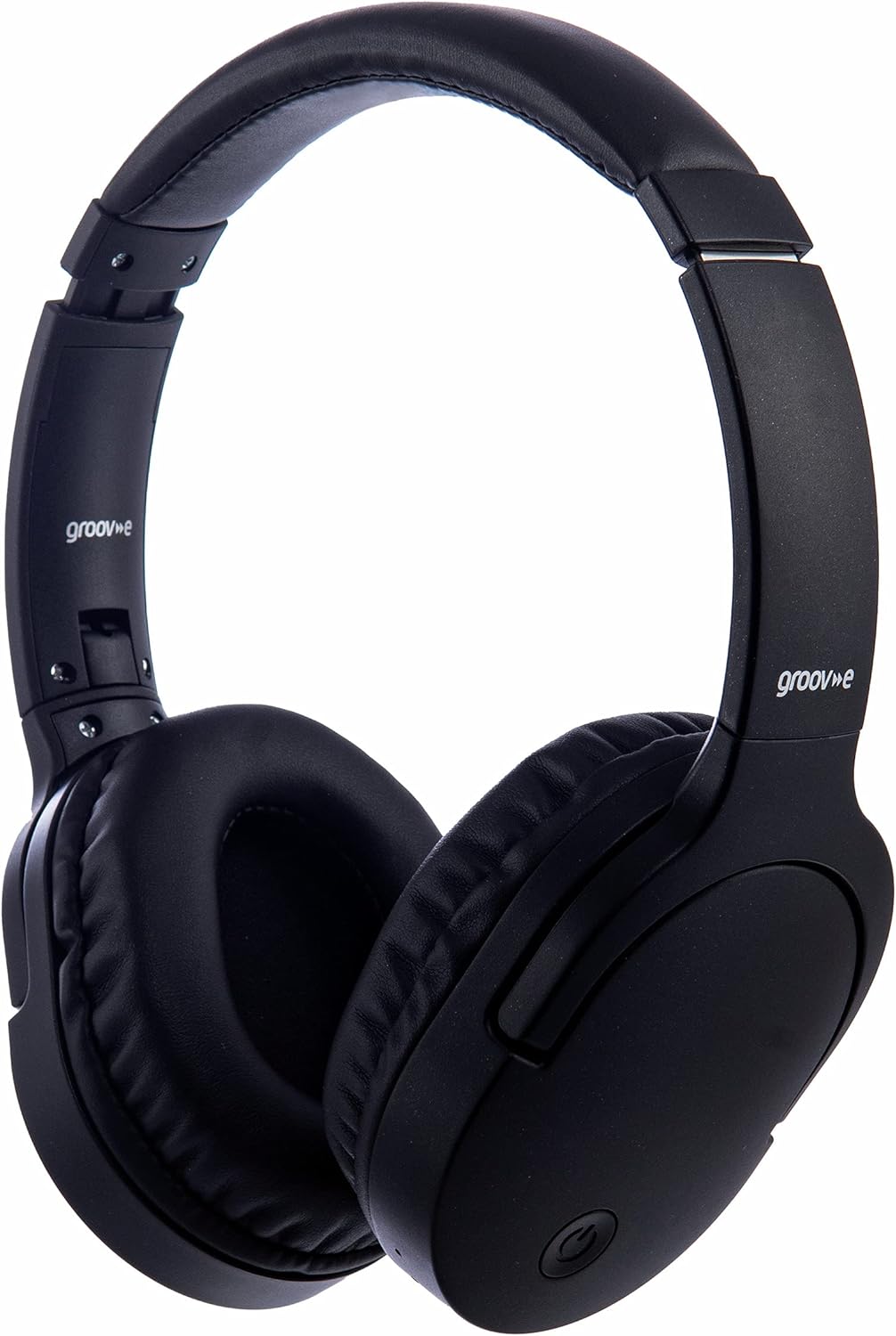
Ìomhaigh: Aghaidh view of the Groov-e Ultra Wireless Bluetooth Headphones in black.
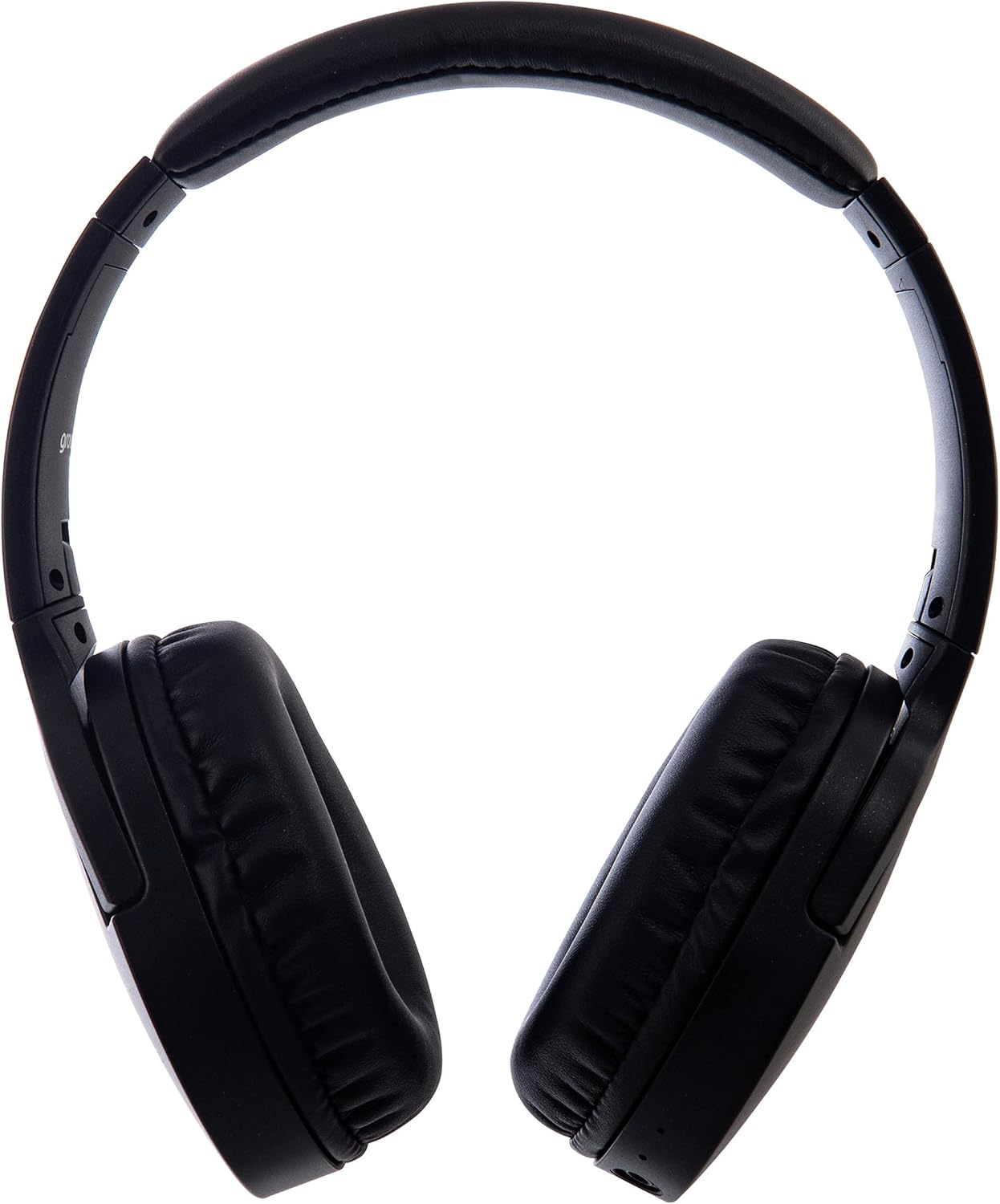
Ìomhaigh: Taobh view of the Groov-e Ultra Wireless Bluetooth Headphones, showing the earcups and headband.
Key features and controls include:
- Putan Cumhachd: Located on the earcup, used for powering on/off and initiating pairing mode.
- Smachdan Volume: Putanan airson meud an fhuaim atharrachadh.
- Putan ioma-ghnìomh: For play/pause, answer/end calls, and activating voice assistant.
- Micreofon: Amalaichte airson gairmean gun làmhan.
- Jack claisneachd 3.5mm: For wired connection to audio sources.
- Port Cìsean USB: For charging via the included USB cable.
- Raon Cosgais gun Uèir: Located on the right earcup for compatible wireless charging pads.
- Comharra LED: Displays power, charging, and Bluetooth pairing status.
Suidhich
1. Cosgais Tùsail
Before first use, fully charge your headphones. The Groov-e Ultra headphones support both wired and wireless charging.
Cìsean le sreang:
- Connect the supplied USB charging cable to the headphone's charging port.
- Ceangail ceann eile a’ chàball USB ri stòr cumhachd USB co-chòrdail (me, port USB coimpiutair, inneal-atharrachaidh balla USB).
- Lasaidh an comharra LED suas fhad ’s a bhios e a’ cur cosgais agus tionndaidhidh e dheth no atharraichidh e dath nuair a bhios e làn-chosgais.
Cìs gun uèir:
- Place the right earcup of the headphones onto a compatible Qi-certified wireless charging pad.
- Ensure the headphones are correctly positioned on the charging pad for optimal contact.
- Lasaidh an comharra LED suas fhad ’s a bhios e a’ cur cosgais agus tionndaidhidh e dheth no atharraichidh e dath nuair a bhios e làn-chosgais.
Mar as trice bheir làn chosgais timcheall air 2 uairean.
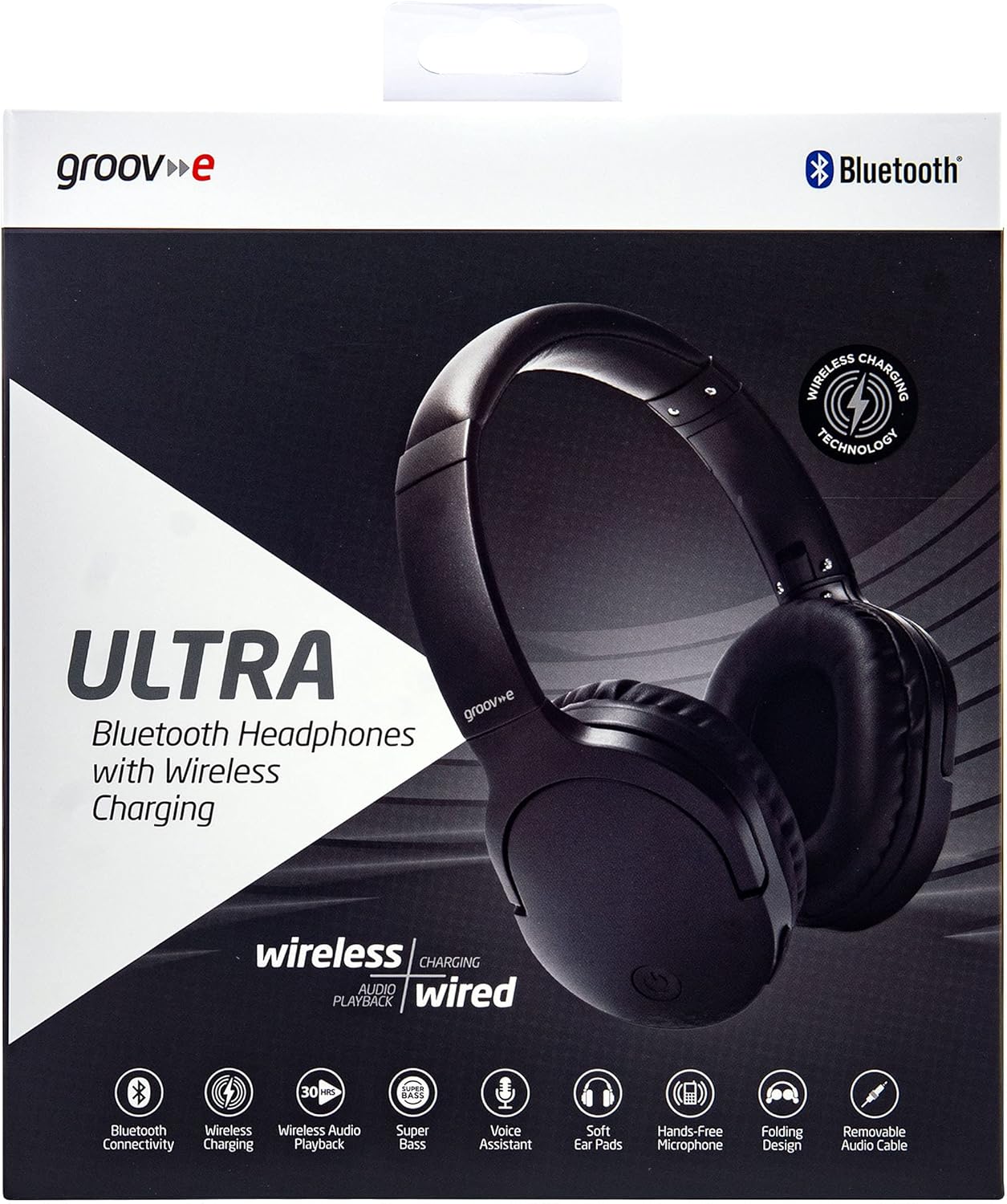
Image: Groov-e Ultra headphones charging wirelessly on a pad, with a laptop in the background.
Stiùireadh Obrachaidh
1. Cumhachd air / dheth
- Cumhachd air: Brùth agus cum sìos am putan Cumhachd airson timcheall air 3 diogan gus an las an comharra LED.
- Cumhachd dheth: Brùth is cum sìos am putan Cumhachd airson timcheall air 3-5 diogan gus an tèid an comharra LED dheth.
2. Càraid Bluetooth
- Dèan cinnteach gu bheil na fònaichean-cluaise air an cuir dheth.
- Brùth is cum sìos am putan Cumhachd airson timcheall air 5-7 diogan gus am bi an comharra LED a’ priobadh dearg is gorm mu seach, a’ comharrachadh modh càraideachaidh.
- Air an inneal agad (fòn cliste, tablet, laptop), cuir Bluetooth an gnìomh agus rannsaich airson innealan a tha rim faighinn.
- Select "Groov-e Ultra" from the list of found devices.
- Once paired, the LED indicator will flash blue slowly, and you may hear an audible confirmation.
- Ma thèid iarraidh ort facal-faire a thoirt seachad, cuir a-steach “0000”.
Feuchaidh na fònaichean-cluaise gu fèin-ghluasadach ri ath-cheangal ris an inneal mu dheireadh a chaidh a chàradh nuair a thèid an cur air.
3. Ceangal Uèirichte (Càball Fuaime 3.5mm)
For devices without Bluetooth or to conserve battery, you can use the supplied 3.5mm audio cable.
- Ceangail aon cheann den chàball claisneachd 3.5mm ris an t-seacaid claisneachd air na fònaichean-cluaise.
- Ceangail an ceann eile ri toradh claisneachd 3.5mm an inneil agad.
- Bidh na fònaichean-cluaise ag obair ann am modh fulangach, agus bidh comas-gnìomh Bluetooth air a dhì-chomasachadh.
4. Cluich Ciùil
- Cluich / Stad: Brùth air a ’phutan Ioma-ghnìomh aon uair.
- An ath cheum: Brùth is cum sìos am putan Meud suas.
- Rian roimhe: Brùth agus cum sìos am putan Volume Down.
- Meud suas: Brùth air a’ phutan Meudaich gu goirid.
- Meud sìos: Brùth air a’ phutan Lùghdaich an tomhas-lìonaidh goirid.
5. Riaghladh Call
- Freagairt/Cuireadh Call: Brùth air a ’phutan Ioma-ghnìomh aon uair.
- Call a dhiùltadh: Brùth agus cum am putan Ioma-ghnìomh airson 2 dhiog.
- Neach-taic Guth: Brùth dà uair air a’ phutan Ioma-ghnìomhach gus neach-cuideachaidh gutha an uidheim agad a ghnìomhachadh (me, Siri, Neach-cuideachaidh Google).
Cumail suas
To ensure the longevity and optimal performance of your Groov-e Ultra headphones, follow these maintenance guidelines:
- Glanadh: Use a soft, dry cloth to clean the earcups and headband. Do not use abrasive cleaners or solvents.
- Stòradh: Nuair nach eilear gan cleachdadh, stòraich na fònaichean-cluaise ann an àite fionnar, tioram, air falbh bho sholas dìreach na grèine agus teòthachd anabarrach. Leigidh an dealbhadh fillte leotha a bhith gan stòradh gu teann.
- Cùram Bataraidh: Gus beatha bataraidh a ghleidheadh, seachain na fònaichean-cluaise a dhì-luchdachadh gu tur gu tric. Cuir cosgais orra gu cunbhalach, eadhon ged nach eil iad gan cleachdadh gu cunbhalach.
- Seasmhachd uisge: The headphones are rated as "waterproof" (as per specifications), but this typically refers to resistance against splashes or light rain. Avoid submerging them in water.
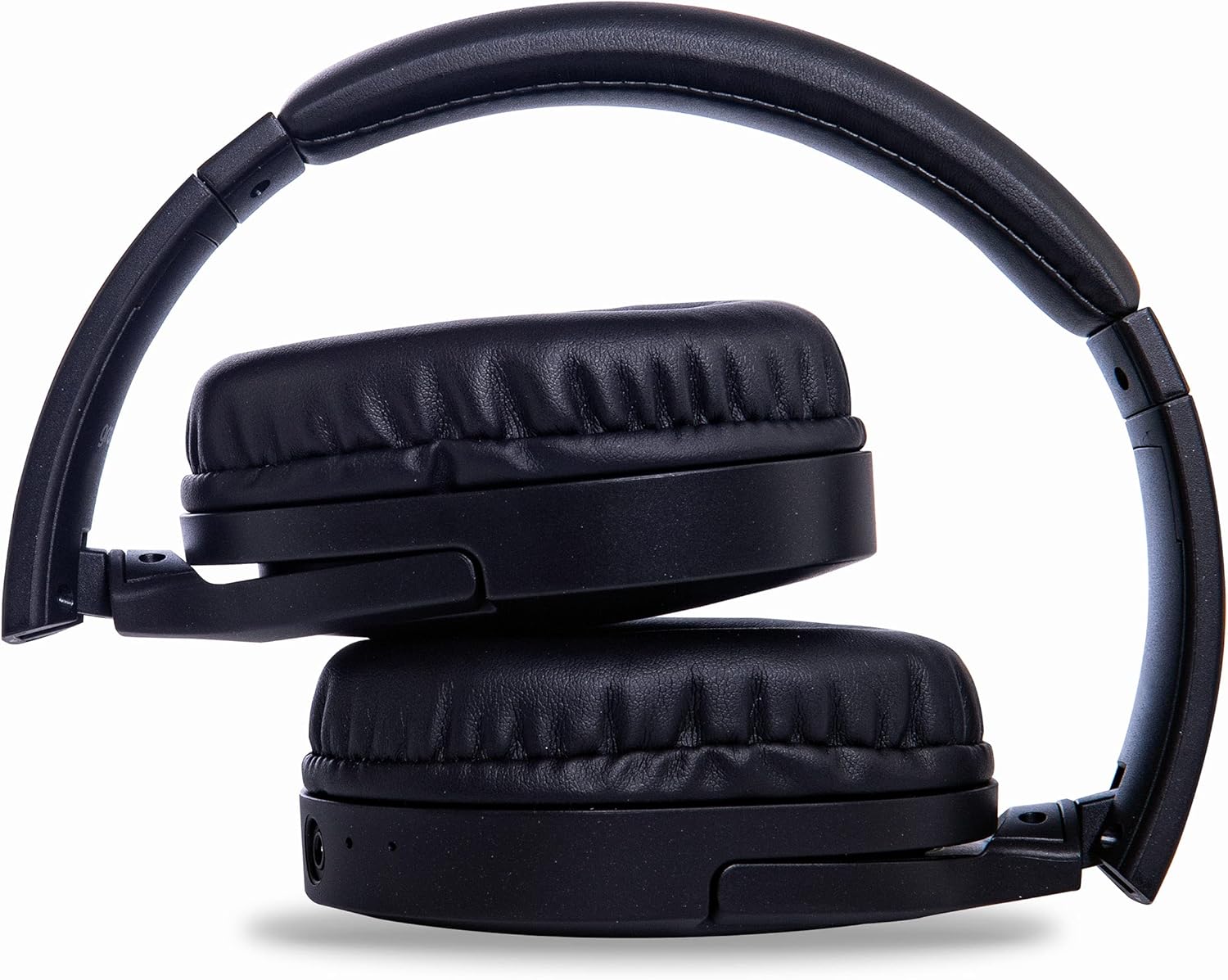
Image: Groov-e Ultra headphones folded, demonstrating their compact storage design.
Fuasgladh thrioblaidean
Ma thachras duilgheadasan leat leis na fònaichean-cluaise agad, thoir sùil air na fuasglaidhean cumanta a leanas:
| Trioblaid | Adhbhar a dh’fhaodadh a bhith ann | Fuasgladh |
|---|---|---|
| Chan eil fònaichean-cluaise a’ dol air. | Bataraidh ìosal. | Charge the headphones fully using either wired or wireless charging. |
| Chan urrainnear paidhir a dhèanamh tro Bluetooth. | Fònaichean-cluaise gun a bhith ann am modh càraideachaidh; Bluetooth an inneil dheth; bacadh. | Ensure headphones are in pairing mode (flashing red/blue). Turn Bluetooth off and on on your device. Move closer to the device. |
| Gun fhuaim no droch chàileachd fuaim. | Volume too low; incorrect source; loose wired connection; Bluetooth interference. | Increase volume on headphones and device. Check if the correct audio output is selected. Ensure 3.5mm cable is fully inserted. Re-pair Bluetooth. |
| Chan eil cosgais gun uèir ag obair. | Headphones not positioned correctly; incompatible charging pad. | Adjust headphone position on the charging pad. Ensure the charging pad is Qi-certified and functioning. |
| Buzzing or too loud on Bluetooth. | Bluetooth signal issue; volume settings. | Try moving closer to the source device. Adjust volume levels on both the headphones and the connected device. |
| Cannot connect to Apple Mac Book Pro. | Compatibility issue or specific Bluetooth driver problem. | Ensure your Mac's Bluetooth drivers are up to date. Try resetting Bluetooth on your Mac. Consult Apple support or Groov-e support for specific compatibility advice. |
Sònrachaidhean
| Feart | Mion-fhiosrachadh |
|---|---|
| Ainm Modail | Ultra |
| Modail Àireamh | GVBT750BK |
| Brand | Grobh-e |
| Teicneòlas ceangail | Wireless (Bluetooth) |
| Teicneòlas conaltraidh gun uèir | Bluetooth |
| Factor foirm | Supra-Aural (Over-ear) |
| Suidheachadh cluais | Supra-auriculaire |
| Iomallach fuaim | Cur às do fhuaim gnìomhach |
| Jack headphone | 3.5 mm Jack |
| Feartan sònraichte | Microphone included, Sweat resistant |
| Beatha bataraidh | Up to 30 hours (wireless audio playback) |
| Ùine cosgais | Mu 2 uair a thìde |
| Modh smachd | Tactile (Suathadh) |
| Raon tricead | 20 Hz - 20,000 Hz (Possible) |
| Ìre an aghaidh uisge | Uisge-dhìonach |
| Innealan co-fhreagarrach | Smartphones, laptops, tablets, car audio systems, music production equipment, televisions |
| Stuth | Leathar |
Fiosrachadh Sàbhailteachd
Please read and follow these safety guidelines to prevent damage to your headphones or personal injury:
- Do not expose headphones to extreme temperatures, humidity, or corrosive environments.
- Seachain na fònaichean-cluaise a leigeil sìos no a bhith fo bhuaidhean làidir.
- Na feuch ri na fònaichean-cluaise a thoirt às a chèile no atharrachadh. Cuiridh seo às don bharantas.
- Cùm air falbh bho chlann is peataichean.
- Faodaidh èisteachd fad-ùine aig fuaimean àrda milleadh a dhèanamh air an èisteachd. Atharraich an tomhas-lìonaidh gu ìre shàbhailte.
- Exercise caution when using headphones in situations requiring awareness of your surroundings (e.g., driving, cycling, walking in traffic).
- Cleachd càbaill cosgais agus innealan-atharrachaidh cumhachd ceadaichte a-mhàin.
Barantas agus Taic
Groov-e products are designed and manufactured to the highest standards. For warranty information, please refer to the warranty card included with your purchase or visit the official Groov-e weblàrach.
For technical support, troubleshooting assistance, or general inquiries, please contact Groov-e customer service through their official channels. Contact details can typically be found on the product packaging or the Groov-e weblàrach.
Taic air-loidhne: www.groov-e.co.uk/support
Ask a question about this manual
Ask about setup, troubleshooting, compatibility, parts, safety, or missing instructions. Manuals+ will review the question and use this page’s manual context to help answer it.