
Ro-ràdh
Thank you for choosing the mDesign L-Shape Home Office Corner Desk. This manual provides essential information for the safe assembly, proper use, and maintenance of your new desk. Please read all instructions carefully before beginning assembly and retain this manual for future reference.

Image: The mDesign L-Shape Home Office Corner Desk, featuring a gray wash wood top and black metal frame, set up in a home office with a laptop, lamp, and decorative items.
Fiosrachadh Sàbhailteachd
- Cuir an deasg ri chèile an-còmhnaidh air uachdar bog, glan gus casg a chur air sgrìoban.
- Dèan cinnteach gu bheil na sgriothan agus na ceanglaichean uile air an teannachadh gu tèarainte mus cleachd thu iad. Thoir sùil orra bho àm gu àm agus teannaich a-rithist mar a dh’ fheumar.
- Do not overload the desk or shelves. Refer to specifications for weight limits.
- Cùm pàirtean beaga agus stuthan pacaidh air falbh bho chloinn is pheataichean gus casg a chur air cunnart tachdadh.
- Seachain seasamh no suidhe air a’ bhòrd.
- Bi faiceallach nuair a bhios tu a’ gluasad an deasg cruinnichte gus casg a chuir air dochann no milleadh.
Susbaint pacaid
Please verify that all components and hardware are present before beginning assembly. If any parts are missing or damaged, please contact customer support.

Ìomhaigh: Soilleir view of the mDesign L-Shape Home Office Corner Desk, showing its gray wash wood top and black metal frame structure with two integrated shelves.
Stiùireadh Co-chruinneachadh
Assembly is required for this product. It is recommended to have two people for easier and safer assembly. Please follow these steps:
- Dì-phacaich na co-phàirtean: Carefully remove all parts from the packaging and lay them out on a clean, soft surface. Identify each component using the provided parts list (if applicable).
- Cruinnich frèam: Begin by connecting the metal frame pieces according to the diagrams. Ensure all connections are aligned before tightening screws.
- Ceangail sgeilpichean: Secure the two integrated shelves to the designated frame sections.
- Install Desktop: Place the L-shaped desktop onto the assembled frame, aligning the pre-drilled holes. Secure the desktop with the provided screws.
- Teannachadh deireannach: Once all parts are in place, gently tighten all screws and fasteners. Do not overtighten.
- Deasc Suidheachaidh: Carefully move the assembled desk to its desired location.
Video: An official mDesign video showcasing various metal and wood workspace solutions, including the L-Shape Home Office Corner Desk, demonstrating its features and potential arrangements.
Stiùireadh Obrachaidh
The mDesign L-Shape Home Office Corner Desk is designed for versatile use in various settings. Its L-shape configuration maximizes corner space, providing ample surface area for a computer, monitor, and other office essentials. The integrated shelves offer convenient storage for books, files, no nithean sgeadachaidh.
- Suidheachadh: Position the desk in a corner to optimize space. Ensure it is on a level surface to prevent wobbling.
- Uachdar-obrach: Utilize the spacious desktop for your computer, writing tasks, or crafting.
- Stòradh: The two open shelves provide easy access storage for office supplies, books, or personal items.
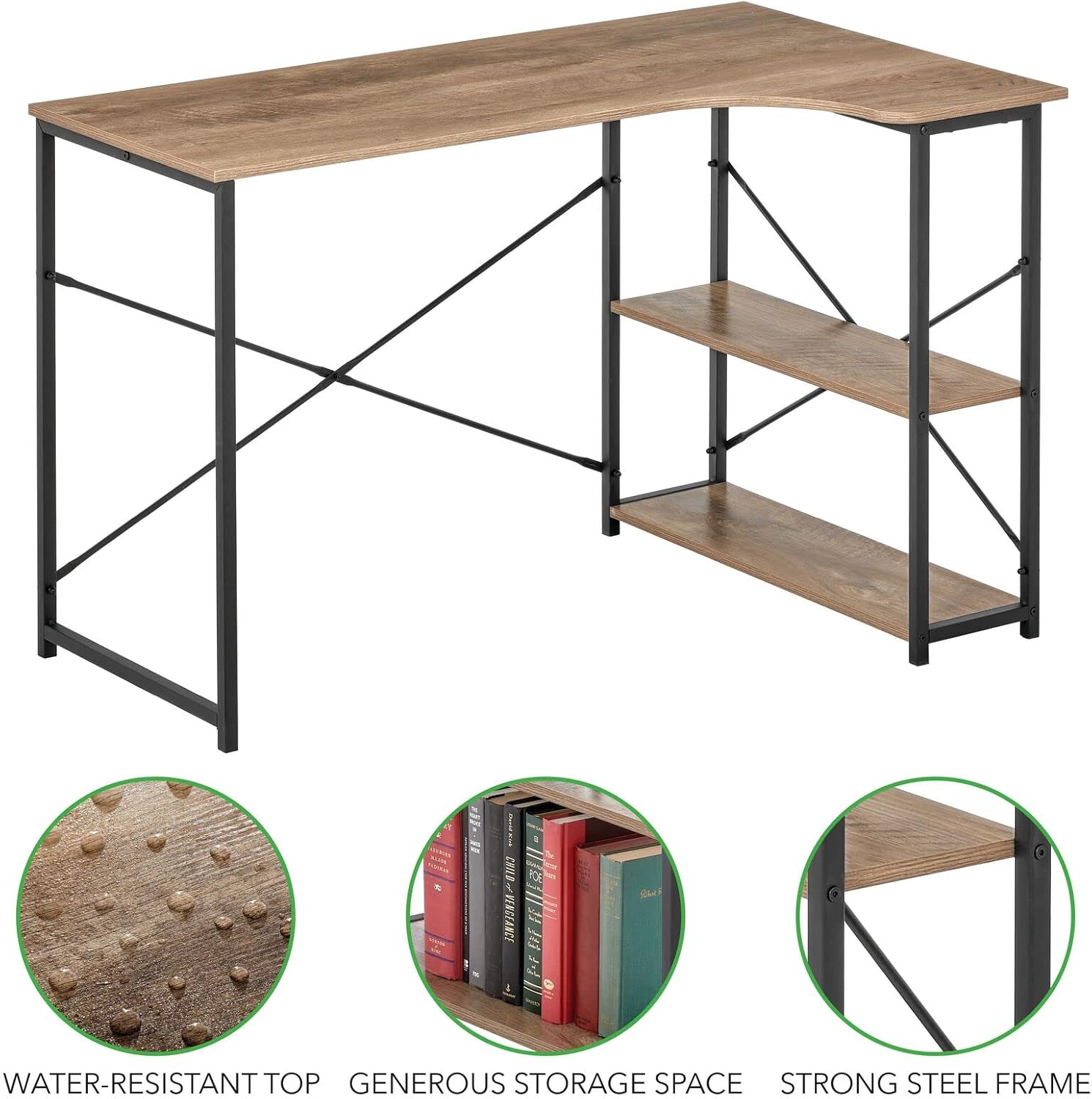
Image: The mDesign L-Shape Home Office Corner Desk, showcasing its functional design with books and a desk lamp on the shelves and main surface.
Cùram agus cumail suas
To ensure the longevity and appearance of your mDesign L-Shape Home Office Corner Desk, follow these care instructions:
- Glanadh: Sguab uachdar a’ bhùird le clò bog, tioramamp clò. Seachain ceimigean cruaidh no innealan-glanaidh sgrìobach, a dh’ fhaodadh milleadh a dhèanamh air a’ chrìochnachadh.
- Dòrtadh: Immediately wipe up any spills to prevent staining, especially on the wood top. The top is water-resistant, but prolonged exposure to liquids should be avoided.
- Sgrùdadh: Thoir sùil bho àm gu àm air na sgriothan agus na ceanglaichean uile gus dèanamh cinnteach gu bheil iad fhathast teann. Teannaich a-rithist ma tha sin riatanach.
- Solas na grèine: Avoid prolonged exposure to direct sunlight to prevent fading or warping of the wood finish.
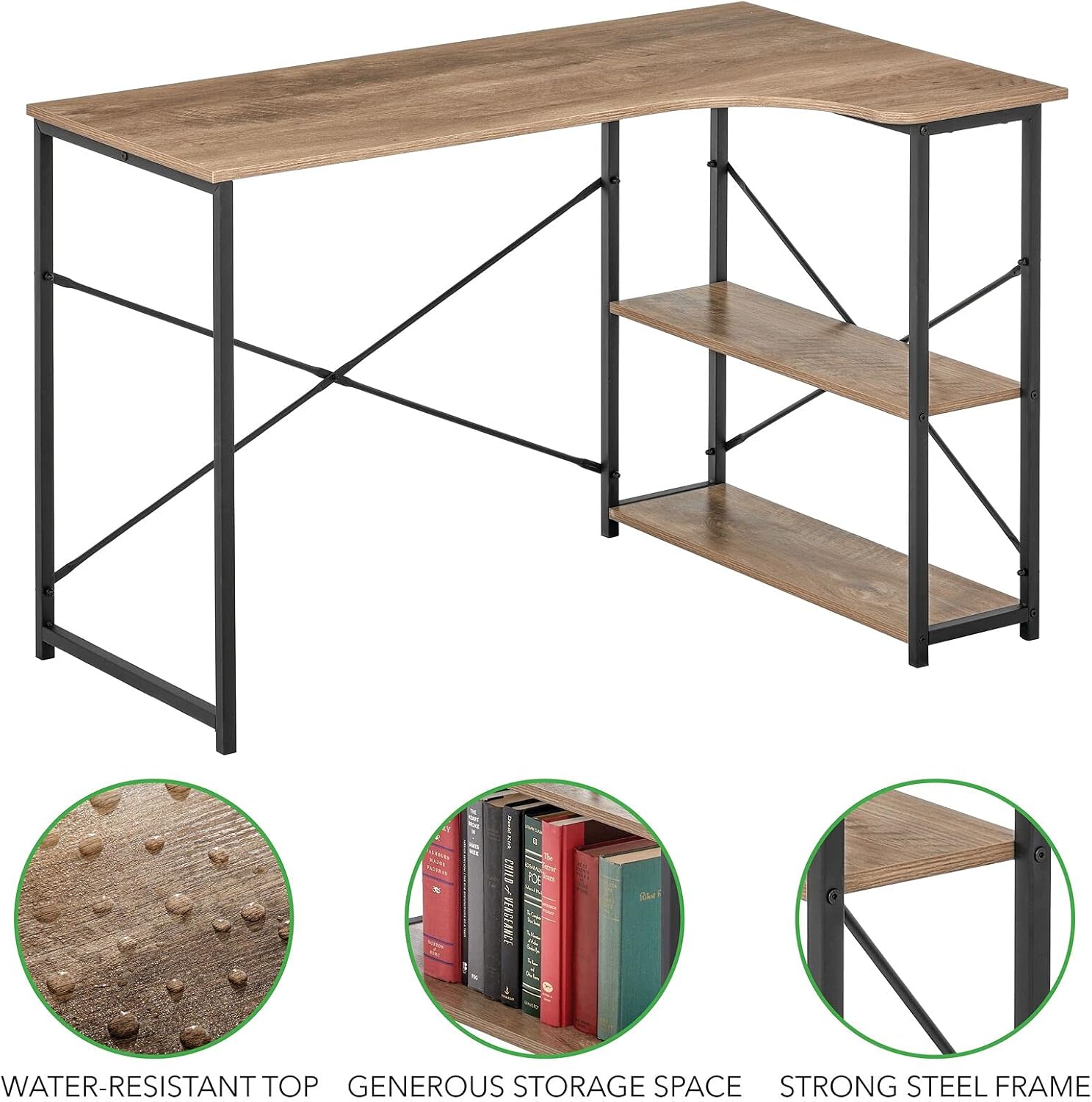
Ìomhaigh: Mion-fhiosrachadh view highlighting the water-resistant top, generous storage space, and strong steel frame of the mDesign L-Shape Home Office Corner Desk.
Fuasgladh thrioblaidean
Ma thachras tu ri duilgheadasan sam bith leis a’ bhòrd agad, thoir sùil air na molaidhean cumanta airson fuasgladh dhuilgheadasan a leanas:
- Tha an Deasg gu suaimhneach:
- Dèan cinnteach gu bheil na sgriothan agus na ceanglaichean uile air an teannachadh gu tur.
- Verify the desk is placed on a flat, even surface. Adjust floor glides if present.
- Chan eil pàirtean a’ tighinn còmhla aig àm co-chruinneachaidh:
- Double-check that you are using the correct parts for each step as per the assembly diagrams.
- Loosen all screws slightly, adjust the alignment, and then re-tighten.
- Bathar-cruaidh a dhìth:
- Thoir sùil gheur air a h-uile stuth pacaidh. Faodar pàirtean beaga a dhìochuimhneachadh uaireannan.
- Cuir fios gu taic teachdaiche airson pàirtean ùra.
Sònrachaidhean
| Brand | mDeilbh |
| Modail Àireamh | 17125MDHS |
| Meudan (D x W x H) | 28.74" x 47.27" x 29.53" (73cm x 120cm x 75cm) |
| Stuth | Meatailt, Fiodh |
| Dath | Black/Gray Wash |
| Dealbhadh Deasg | Deasc Coimpiutair Cruth-L |
| Co-chruinneachadh a dhìth | Tha |
| Stiùireadh cùraim | Sguab le Damp Aodach |

Image: A technical diagram illustrating the precise dimensions of the mDesign L-Shape Home Office Corner Desk in both inches and centimeters.
Barantas agus Taic
For warranty information or customer support, please refer to the product packaging or visit the official mDesign website. If you have any questions or require assistance with your product, do not hesitate to contact our customer service team.