
1. Ro-ràdh
Thank you for choosing the KALINCO P96 Smartwatch. This device is designed to help you monitor your health, track your fitness activities, and stay connected. This manual provides essential information for setting up, operating, and maintaining your smartwatch to ensure optimal performance and longevity.
2. Toradh thallview
The KALINCO P96 Smartwatch features a 1.69-inch TFT display and offers a wide range of functionalities:
- Sgrùdadh Slàinte: Continuous monitoring of heart rate, blood oxygen (SpO2), blood pressure, and sleep patterns. Includes a menstrual cycle tracking function for women.
- Gnàthachadh: Split-screen mode for quick access to frequently used functions and over 100 stylish watch faces available via the GloryFit app. You can also upload personal photos as watch faces.
- Modhan spòrs: Over 100 sports modes (running, cycling, rope skipping, dancing, yoga, etc.) with activity tracking for steps, calories burned, distance, heart rate, and blood oxygen during exercise.
- Fiosan snasail: Receive text messages and notifications from apps like WhatsApp, Messenger, Facebook, and Instagram directly on your watch. Notifications can be individually deleted from the watch.
- Durability & Battery Life: IP67 water resistance for daily use (hand washing, rain). Equipped with a 260 mAh battery, providing 5-7 days of active use and 15-20 days of standby time with a 2-hour charge.
- Feartan a bharrachd: Features include phone/watch finder, screen brightness adjustment, breathing training, remote photography, music control, sedentary reminder, alarm clock, timer, stopwatch, and weather forecasts.

Image: The KALINCO P96 Smartwatch displaying its 1.69-inch screen with multiple customizable watch faces and user interface elements.
3. Suidhich
3.1. A’ cur cosgais air an uaireadair-smart
Before initial use, fully charge your smartwatch. Connect the magnetic charging cable to the charging contacts on the back of the watch and plug the USB end into a standard USB power adapter (not included). A full charge typically takes approximately 2 hours.
3.2. Downloading and Installing the App
The KALINCO P96 Smartwatch requires the GlòirFit application for full functionality and data synchronization. You can download the app from:
- The Apple App Store (for iOS devices)
- Google Play Store (for Android devices)
- Scan the QR code provided in the quick start guide (if available).
The GloryFit app is compatible with smartphones running Android 5.0 or iOS 9.0 and above.
3.3. A’ paidhreachadh leis an fhòn-smart agad
- Dèan cinnteach gu bheil Bluetooth an fhòn-smart agad air a chomasachadh.
- Open the GloryFit app on your smartphone.
- Follow the in-app instructions to search for and connect to your KALINCO P96 Smartwatch. The watch will typically appear as 'P96' or a similar device name.
- Dearbhaich an t-iarrtas paidhreachaidh air an fhòn-smart agad agus air an uaireadair smart agad ma thèid iarraidh ort.
Aon uair ‘s gu bheil e air a chàradh, sioncronaicheas an uaireadair an ùine agus an dàta leis an fhòn agad.
4. Stiùireadh Obrachaidh
4.1. Seòladh Bunaiteach
- Swipe Up / Down: Seòl tro chlàran-taice agus fiosan.
- Swipe clì/deas: Faigh cothrom air gnìomhan luath no diofar scrionaichean dàta.
- Tap: Tagh nì no dearbhaich gnìomh.
- Putan Taobh: Brùth gus an sgrion a dhùsgadh, tilleadh chun sgrion dachaigh, no faighinn chun phrìomh chlàr-taice.
4.2. Sgrùdadh Slàinte
The smartwatch continuously monitors several health metrics:
- Ìre cridhe: Provides 24-hour heart rate monitoring. View real-time data on the watch or detailed trends in the GloryFit app.
- Ocsaidean fala (SpO2): Monitors blood oxygen levels using infrared technology. Access readings on the watch or app.
- Bruthadh-fala: Measures blood pressure. For accurate readings, ensure the watch is worn correctly and remain still during measurement. Consult a medical professional for precise medical data.
- Rianachd cadail: Automatically tracks your sleep patterns, including deep sleep, light sleep, and awake times. Review your sleep quality analysis in the GloryFit app.
- Rianachd baidhsagal menstrual: A dedicated feature for women to record and track menstrual cycles within the GloryFit app.

Image: The smartwatch interface showing health monitoring features such as blood oxygen, blood pressure, heart rate, and a visual representation of sleep tracking data.
4.3. Modhan Spòrs agus Tracadh Gnìomhachd
The P96 Smartwatch supports over 100 sports modes. To use:
- Navigate to the 'Sports' section on your watch.
- Select your desired activity (e.g., running, cycling, yoga).
- Start the activity. The watch will track metrics like steps, calories, distance, and heart rate.
- End the activity to save your data. Detailed reports are available in the GloryFit app.

Image: A visual representation of the smartwatch's 100+ sports modes icons and a smartphone screen displaying detailed daily activity tracking data including steps, distance, and calories.
4.4. Fiosan Smart
Once paired with your phone, the watch can display notifications:
- Ensure app notifications are enabled in the GloryFit app settings.
- Incoming calls, text messages, and app alerts will vibrate the watch and display content on the screen.
- You can dismiss or delete notifications directly from the watch.

Image: The smartwatch showing icons for various smart notifications (calls, Facebook, Line, Instagram, etc.) and illustrations of vibration reminders for calls, sedentary alerts, and alarms.
4.5. Gnàthachadh
- Coimhead air Faces: In the GloryFit app, browse and select from over 100 watch faces. You can also upload your own photos to personalize the watch face.
- Modh Sgrion-roinnte: Swipe right on the main screen to access the split-screen area, allowing quick selection of frequently used functions.
4.6. Gnìomhan a bharrachd
Explore other useful features:
- Stopwatch: Use the built-in stopwatch for timing activities.
- Aimsir na sìde: View suidheachaidhean sìde agus ro-aithrisean gnàthach (feumaidh sioncronachadh aplacaid).
- Smachd Ciùil: Smachd air ath-chluich ciùil air an fhòn-smart agad (cluich, stad, leum slighean).
- Atharrachadh soilleireachd: Adjust screen brightness for optimal visibility in different lighting conditions.
- Lorg Fòn/Uaireadair: Lorg am fòn no an uaireadair paidhir agad ma tha e air chall.
- Trèanadh anail: Eacarsaichean anail stiùirichte airson fois a ghabhail.
- Dealbhan Iomallach: Cleachd an uaireadair agad mar inneal-camara iomallach airson camara an fhòn agad.
- Cuimhneachan sedentary: Faigh rabhaidhean gus gluasad ma tha thu air a bhith neo-ghnìomhach ro fhada.
- Cloc rabhaidh & timer: Set alarms and timers directly from your watch.
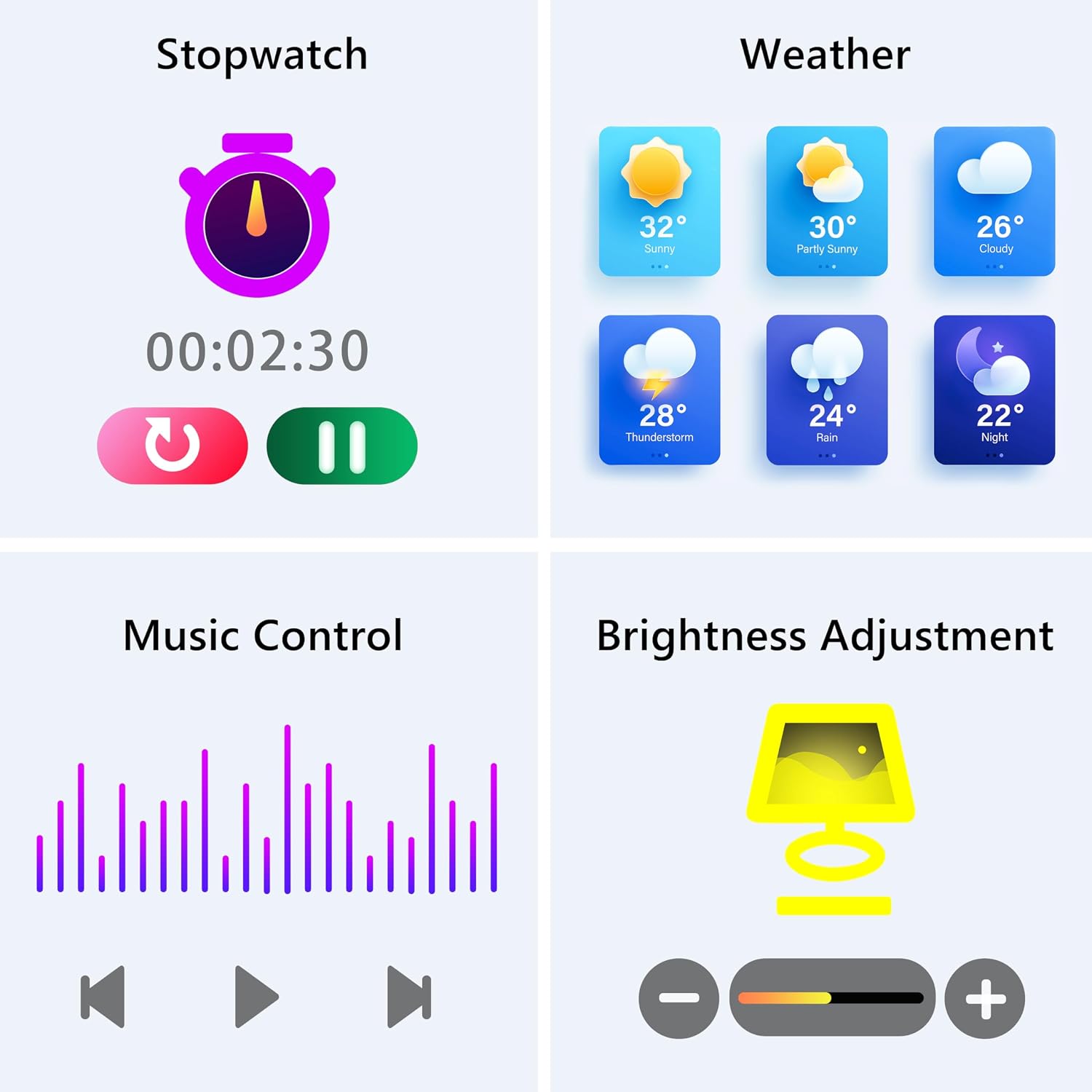
Image: The smartwatch screen showing various utility functions including a stopwatch, weather forecast, music control interface, and brightness adjustment slider.
5. Cumail suas
- Glanadh: Regularly clean your smartwatch and strap with a soft, dry cloth. Avoid using harsh chemicals or abrasive materials.
- Seasmhachd Uisge (IP67): The watch is IP67 water-resistant, meaning it can withstand splashes, hand washing, and rain. It is chan eil suitable for swimming, showering with hot water, or diving. Avoid prolonged exposure to water.
- Cùram Bataraidh: Charge the battery fully when indicated. Avoid completely draining the battery frequently to prolong its lifespan. Store the watch in a cool, dry place when not in use for extended periods.
- Ùrachaidhean bathar-bog: Keep the GloryFit app updated to ensure your smartwatch has the latest features and performance improvements.
6. A ’dèanamh trioblaid
If you encounter issues with your KALINCO P96 Smartwatch, try the following solutions:
- Uaireadair nach eil a’ tionndadh air: Ensure the watch is fully charged. Connect it to the charger for at least 10-15 minutes.
- Chan urrainnear paidhir a dhèanamh leis a’ fòn:
- Dèan cinnteach gu bheil Bluetooth air a chomasachadh air an fhòn agad.
- Dèan cinnteach gu bheil an uaireadair taobh a-staigh raon Bluetooth (mar as trice 10 meatairean).
- Ath-thòisich an dà chuid am fòn agad agus an uaireadair smart.
- Thoir sùil a bheil an aplacaid GloryFit air ùrachadh chun dreach as ùire.
- If previously paired, try unpairing and re-pairing the device through the GloryFit app.
- Fiosan nach deach fhaighinn:
- Verify that notifications are enabled for specific apps in the GloryFit app settings.
- Ensure your phone's notification settings allow the GloryFit app to display alerts.
- Check if the watch is properly connected via Bluetooth.
- Dàta slàinte neo-mhearachdach:
- Dèan cinnteach gu bheil an uaireadair air a chaitheamh gu teann air do chaol-dùirn, gun a bhith ro theann no ro sgaoilte.
- For blood pressure readings, remain still and follow instructions. Note that smartwatch blood pressure measurements are for reference only and should not replace professional medical equipment.
- Glan an sensor air cùl an uaireadair.
- Beatha bataraidh goirid:
- Lùghdaich soilleireachd sgrion.
- Cuir dheth sgrùdadh leantainneach ìre cridhe mura h-eil feum air 24/7.
- Cuir crìoch air an àireamh de aplacaidean a chuireas fiosan chun uaireadair.
Ma mhaireas na duilgheadasan, thoir sùil air an earrann taic airson fiosrachadh conaltraidh.
7. Sònrachaidhean
| Feart | Mion-fhiosrachadh |
|---|---|
| Brand | CALINCO |
| Modail Àireamh | P96 |
| Meud sgrion | 1.69 òirlich |
| Siostam-obrachaidh | Multiple Versions of Both iOS and Android |
| Teicneòlas ceangail | Bluetooth 4.0 |
| Comas Bataraidh | 260 mAh (Lithium-polymer) |
| Frith-aghaidh uisge | IP67 |
| Innealan co-fhreagarrach | Smartphone (Android 5.0+ / iOS 9.0+) |
| Feartan sònraichte | Text Messaging, Notification, Health Monitoring |
| GPS | GPS tro fhòn-làimhe |
8. Barantas agus Taic
KALINCO is committed to providing exceptional products. Your KALINCO P96 Smartwatch comes with a Barantas 12 mìosan bhon cheann-latha ceannach.
If you encounter any problems, have suggestions, or require assistance, please do not hesitate to contact KALINCO customer support. We are dedicated to providing you with satisfactory solutions at all times.
For support, please refer to the contact information provided with your product packaging or visit the official KALINCO weblàrach.