
Ro-ràdh
The VOX VFS3 is a dedicated 3-button footswitch designed to enhance the functionality and control of your VOX Mini Go series amplifier. This footswitch allows for hands-free operation of various amplifier features, such as program switching, effect on/off, or looper control, depending on your specific Mini Go amplifier model. This manual provides essential information for the proper setup, operation, and maintenance of your VFS3 footswitch.
Fiosrachadh Sàbhailteachd
- Na nochd an aonad gu uisge no taiseachd.
- Seachain an aonad a chur faisg air stòran teas no ann an solas dìreach na grèine.
- Na feuch ri an aonad a thoirt às a chèile no atharrachadh. Thoir aire do luchd-obrach teisteanasach airson a h-uile seirbheiseachadh.
- Use only with compatible VOX Mini Go ampluchd-losgaidh.
- Cùm a-mach à ruigsinn chloinne.
Susbaint pacaid
- VOX VFS3 3-Button Footswitch (with integrated cable)
- Leabhar-làimhe cleachdaiche (an sgrìobhainn seo)
Bathar seachadview
The VFS3 footswitch features three robust buttons, each with an associated LED indicator, and an integrated cable for connection to your amplosgadair.
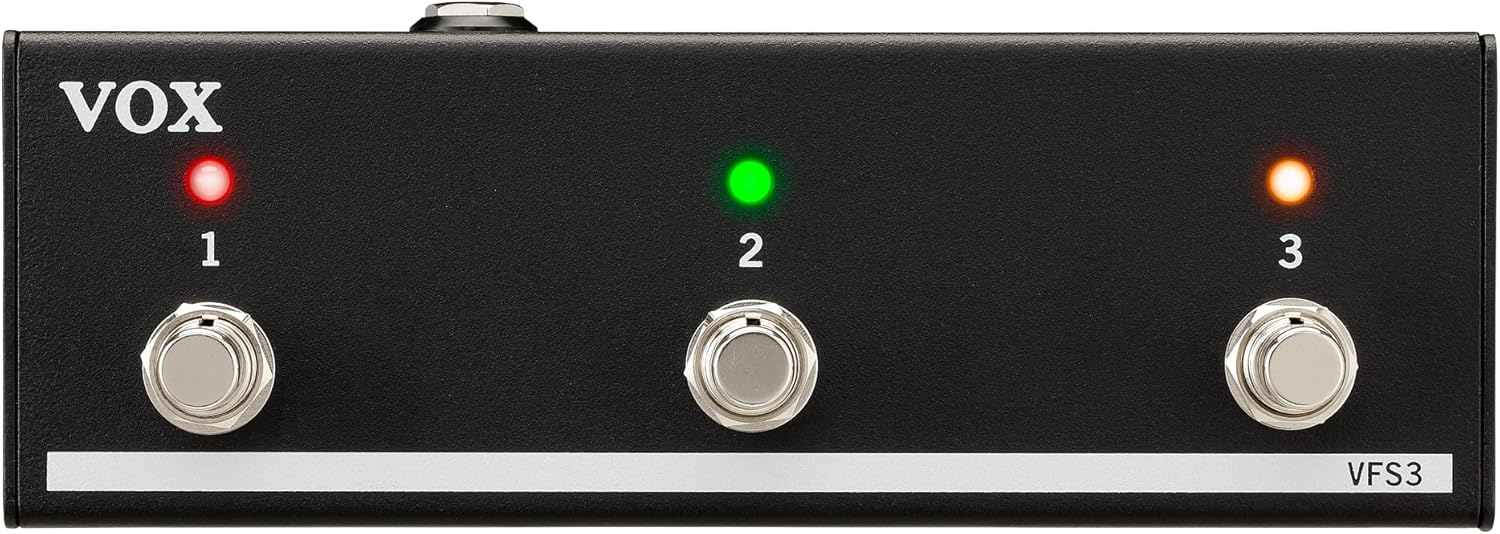
Aghaidh view of the VOX VFS3 3-Button Footswitch. It features three silver footswitches labeled 1, 2, and 3, each with a corresponding LED indicator above it. The VOX logo is on the left, and 'VFS3' is on the bottom right.
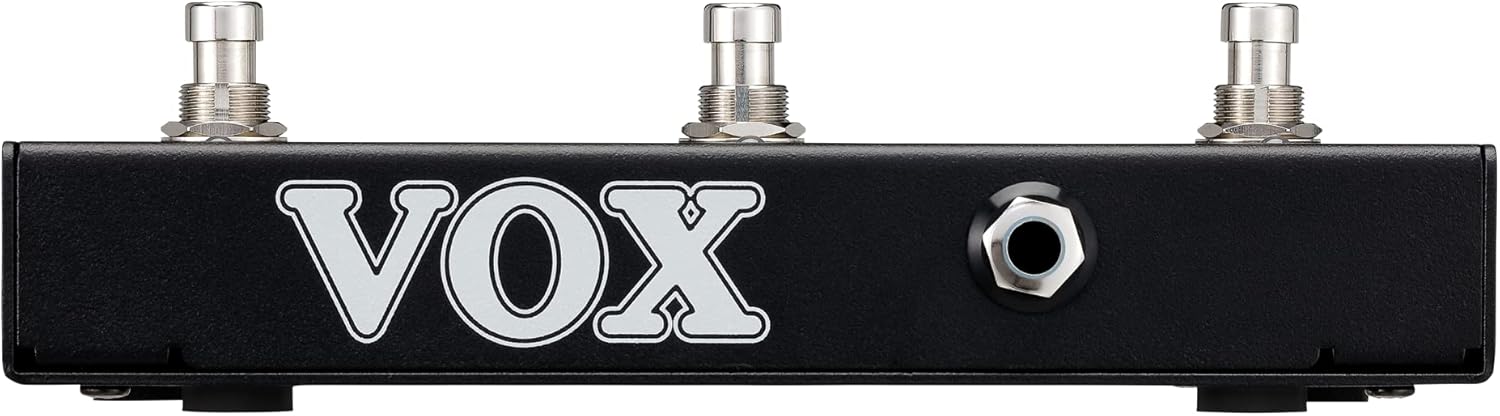
Taobh view of the VOX VFS3 footswitch, highlighting its compact and durable metal casing.

Air ais view of the VOX VFS3 footswitch, displaying the integrated cable that connects to the amplifier. The VOX logo is prominently featured.
Suidhich
- Ceangail an Cois-luidse: Locate the footswitch input jack on your VOX Mini Go amplifier. This is typically a 3.5mm (1/8-inch) stereo jack.
- Insert the Cable: Firmly insert the integrated 3.5mm cable from the VFS3 footswitch into the footswitch input jack on your Mini Go amplosgadair.
- Cumhachd air: Turn on your VOX Mini Go amplifier. The footswitch is powered by the amplifier, so no external power supply is needed for the VFS3.
- Dearbhaich an ceangal: Tha an amplifier should recognize the footswitch. Refer to your Mini Go amplifier's manual for specific indications or settings related to footswitch connection.

The VOX VFS3 footswitch connected to a VOX Mini Go amplifier, illustrating the proper connection of the cable to the amplifier's input jack.
Stiùireadh Obrachaidh
The specific functions controlled by the VFS3 footswitch buttons (1, 2, and 3) are determined by the connected VOX Mini Go amplifier model and its current settings. Please consult the user manual for your specific VOX Mini Go amplifier for detailed information on footswitch assignments and configuration.
Common Functions (May Vary by Amplifier Model):
- Program/Preset Switching: Buttons may be assigned to switch between amplifier programs or presets (e.g., Clean, Overdrive, Distortion).
- Buaidh Air/Dheas: Control individual effects (e.g., Reverb, Delay, Chorus) by toggling them on or off.
- Looper Control: For Mini Go models with a built-in looper, the buttons often control looper functions such as:
- Putan 1: Clàr/Cluich
- Putan 2: Stad
- Putan 3: Clear/Undo
- Tap Tempo: cuid amplifiers may allow one of the buttons to be used for tap tempo functionality for time-based effects.
The LEDs above each button indicate the status of the assigned function (e.g., effect on/off, selected program). Refer to your amplifier's manual for the meaning of specific LED colors or states.
Cumail suas
- Glanadh: Sguab an aonad le clò bog, tioram. Na cleachd innealan-glanaidh sgrìobach, cèir no fuasglaidhean.
- Stòradh: When not in use for extended periods, store the footswitch in a clean, dry environment away from extreme temperatures.
- Cùram càball: Avoid sharp bends or kinks in the integrated cable to prevent damage.
Fuasgladh thrioblaidean
| Trioblaid | Adhbhar a dh’fhaodadh a bhith ann | Fuasgladh |
|---|---|---|
| Chan eil an suidse-coise a’ freagairt | Cable not fully inserted; Amplifier not powered on; Incorrect amproghainnean lìonaidh. | Ensure the 3.5mm cable is securely connected to the amplifier. Verify the amplifier is powered on. Check your Mini Go amplifier's settings to ensure footswitch control is enabled and configured correctly. |
| LEDs nach eil a’ lasadh suas | No power from amplifier; Faulty connection. | Dearbhaich an amplifier is on and the cable is properly connected. The footswitch draws power from the amplosgadair. |
| Buttons perform unexpected functions | Footswitch assignments are incorrect on the amplosgadair. | Refer to your VOX Mini Go amplifier's manual to reconfigure the footswitch button assignments. |
Sònrachaidhean
- Modail: VFS 3
- Innealan co-fhreagarrach: VOX Mini Go Ampluchd-losgaidh
- Seòrsa ceangail: 3.5mm Jack (integrated cable)
- Stuth: Metal chassis
- Meudan (L x W x H): Mu 7.9 x 3 x 2.5 òirleach (20.1 x 7.6 x 6.4 cm)
- Cuideam: Mu thuairmeas 1.1 punnd (0.5 kg)
- Stòr cumhachd: Powered by connected amplosgadair
Barantas agus Taic
For warranty information and technical support, please refer to the documentation provided with your VOX Mini Go amplifier or visit the official VOX weblàrach. Cùm do chuidhteas ceannach mar dhearbhadh ceannach.