
Ro-ràdh
This user manual provides detailed instructions for the setup, operation, maintenance, and troubleshooting of your iFFALCON 43K71 4K Ultra HD Smart Android LED TV. Please read this manual thoroughly before using the television and retain it for future reference.

Ìomhaigh: Aghaidh view of the iFFALCON 43K71 4K Ultra HD Smart Android LED TV, showcasinan dealbhadh caol agus an taisbeanadh beòthail aige.
Fiosrachadh Sàbhailteachd
Cùm ris na ceumannan sàbhailteachd a leanas an-còmhnaidh gus casg a chur air teine, clisgeadh dealain no leòn:
- Na nochd an telebhisean gu uisge no taiseachd.
- Dèan cinnteach gu bheil fionnarachadh ceart ann; na cuir bacadh air fosglaidhean fionnarachaidh.
- Cleachd an càball cumhachd a tha air a thoirt seachad leis an telebhisean a-mhàin.
- Na fosgail caibineat an telebhisean; thoir air luchd-obrach teisteanasach a h-uile seirbheiseachadh.
- Cùm an telebhisean air falbh bho sholas dìreach na grèine, stòran teas, agus raointean magnetach làidir.
- Cuir an telebhisean air uachdar seasmhach, rèidh no croch e gu tèarainte ri balla.
Dè th' anns a' Bhocsa
Dèan cinnteach gu bheil na pàirtean uile an làthair nuair a dh’fhosglas tu am pasgan:
- 1 x iFFALCON 43K71 LED TV
- 1 x Smachdadair Iomallach (le 2 bataraidh AAA)
- 2 x Table Stand components
- 1 x Leabhar-làimhe Cleachdaiche
- 1 x Cairt Barantais
- 1 x Càball Fuaim
Suidhich
1. Stàladh Corporra
You can install your TV using the included table stands or by wall-mounting (wall mount bracket sold separately).
Stàladh Seasamh Bùird:
- Cuir an telebhisean gu faiceallach le aghaidh sìos air uachdar bog, còmhnard gus casg a chur air milleadh air an sgrion.
- Attach the two table stand components to the designated slots on the bottom of the TV using the provided screws. Ensure they are securely fastened.
- Tog an telebhisean gu faiceallach gu suidheachadh dìreach air uachdar seasmhach, rèidh.
Stàladh balla-balla:
For wall mounting, consult a professional installer. Ensure the wall mount bracket is compatible with the TV's VESA mounting pattern and can support the TV's weight (approximately 6.9 kg).

Ìomhaigh: Mullach view of the iFFALCON 43K71 TV, showing its slim profile agus puingean ceangail seasamh.
2. Cumhachd tùsail air agus ceangal lìonra
- Ceangail an càball cumhachd ris an telebhisean agus an uair sin ri socaid cumhachd.
- Brùth am putan cumhachd air an telebhisean no an smachd iomallach gus an telebhisean a thionndadh air.
- Lean an stiùireadh air an sgrion gus an rèiteachadh tùsail a chrìochnachadh, a’ gabhail a-steach taghadh cànain, dùthaich, agus ceangal lìonra (Wi-Fi no Ethernet).
- Log a-steach leis a’ chunntas Google agad gus faighinn gu feartan Android TV agus aplacaidean a luchdachadh sìos.
Ag obrachadh an telebhisean
Smachd Iomallach
The supplied remote control allows you to navigate the TV's interface and access various functions.
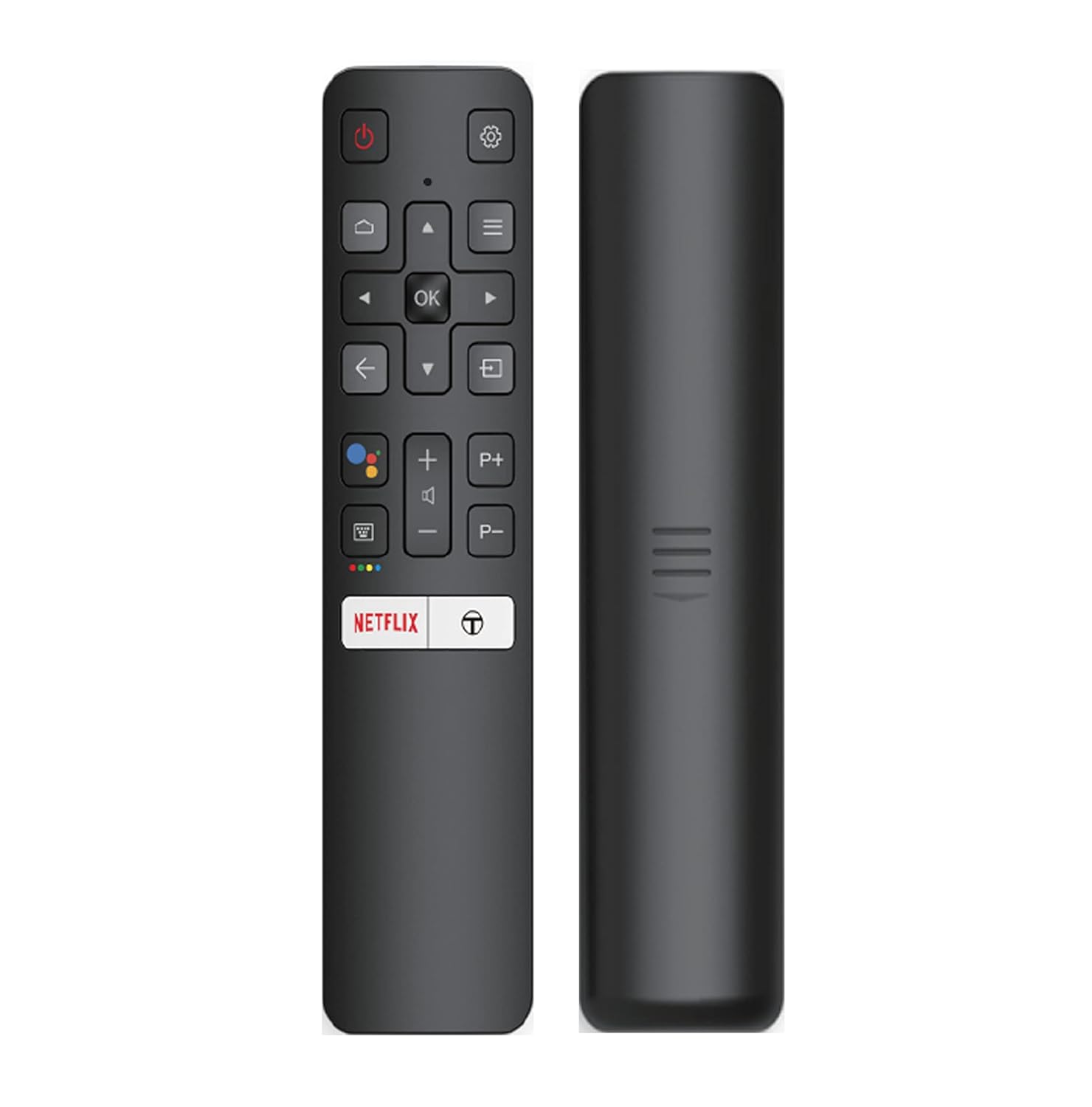
Image: The iFFALCON 43K71 remote control, featuring dedicated buttons for Netflix, Amazon Prime Video, Zee5, and Google Assistant.
Tha na prìomh phutanan a’ gabhail a-steach:
- Cumhachd: Tionndaidh an telebhisean air / dheth.
- Seòladh (Suas/Sìos/Clì/Deas/Ceart gu leòr): A’ seòladh clàran-bìdh agus a’ dearbhadh roghainnean.
- Air ais: Tilleadh chun sgrion roimhe.
- Dachaigh: A’ faighinn cothrom air scrion dachaigh Android TV.
- Leabhar +/-: Ag atharrachadh tomhas-lìonaidh.
- Channel P+/P-: Ag atharrachadh sianalan.
- Neach-taic Google: A’ cur smachd gutha an gnìomh.
- Netflix, Prime Video, Zee5: Putanan ruigsinneachd dhìreach airson seirbheisean sruthadh.
Feartan Tbh Smart (Android TV)
Your iFFALCON 43K71 TV runs on Android 9.0, providing access to a wide range of applications and smart functionalities.

Image: The Android TV home screen on the iFFALCON 43K71, displaying various streaming apps like Netflix, YouTube, and Prime Video.
- Aplacaidean: Download and install apps from the Google Play Store, including Netflix, YouTube, Prime Video, Disney+Hotstar, and more.
- Smachd guth gun làmhan: Use the built-in Google Assistant to control your TV, search for content, and manage smart home devices by speaking commands directly to the TV.
- Chromecast air a thogail a-steach: Tilg susbaint bhon fhòn-smart, tablet no coimpiutair agad gu dìreach chun sgrion Tbh.
- AI-A-STEACH: iFFALCON's AI-IN technology integrates with Google Assistant for enhanced smart home connectivity and personalized recommendations.
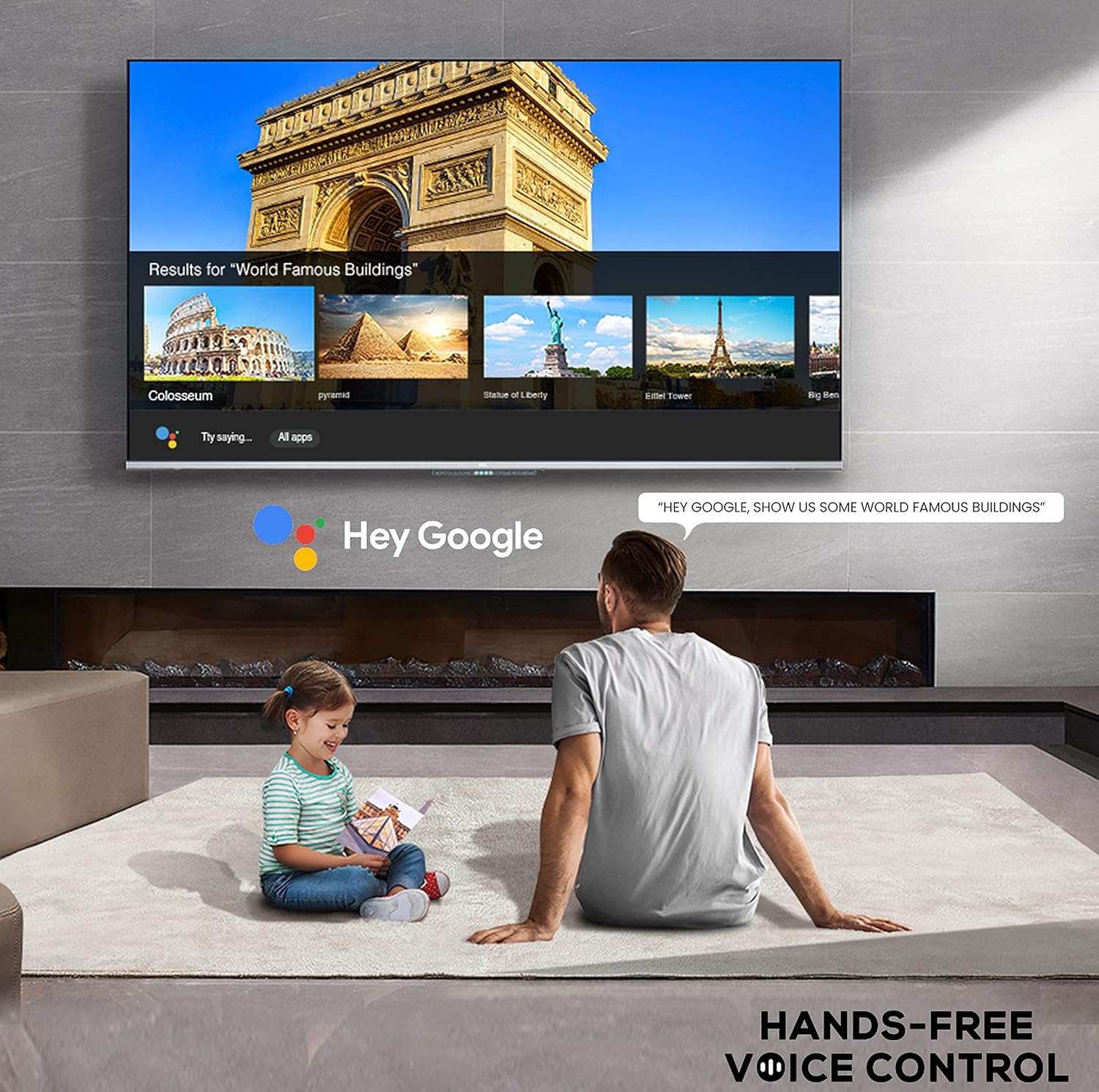
Image: A user interacting with the iFFALCON 43K71 using hands-free voice control, demonstrating the Google Assistant feature.
Ceangalachd
Tha diofar phuirt aig an telebhisean airson innealan taobh a-muigh a cheangal:
- Puirt HDMI (2): Connect set-top boxes, Blu-ray players, gaming consoles, etc.
- Port USB (1): Ceangail draibhean cruaidh, draibhean USB flash airson ath-chluich meadhanan.
- Bluetooth: Ceangail fònaichean-cluaise gun uèir, bàraichean-fuaime, no goireasan eile le comas Bluetooth.
- Wi-Fi: Ceangail ris an lìonra gun uèir agad aig an taigh airson ruigsinneachd eadar-lìn.
- Càball claisneachd: For external audio connections.
Roghainnean Dealbh is Fuaim
Atharraich roghainnean dealbh is fuaim gus an fheum as fheàrr a dhèanamh den dealbh agad viewann an eòlas.
- Modhan dealbh: Select from various preset picture modes (e.g., Standard, Dynamic, Movie, Sport) or customize settings like brightness, contrast, color, and sharpness.
- 4K Ultra HD & HDR 10: Experience stunning detail and vibrant colors with 4K resolution and High Dynamic Range (HDR 10) support.
- Micro Dimming: Enhances contrast by analyzing video content in hundreds of separate zones and adjusting brightness and darkness independently.
- Modhan fuaim: Tagh bho mhodhan fuaim ro-shuidhichte (me, Coitcheann, Ceòl, Film, Guth Soilleir) no atharraich roghainnean an co-ionannachaidh.
- Fuaim Dolby: Enjoy immersive audio with Dolby Audio processing, delivering rich, clear, and powerful sound from the 30 Watts speakers.
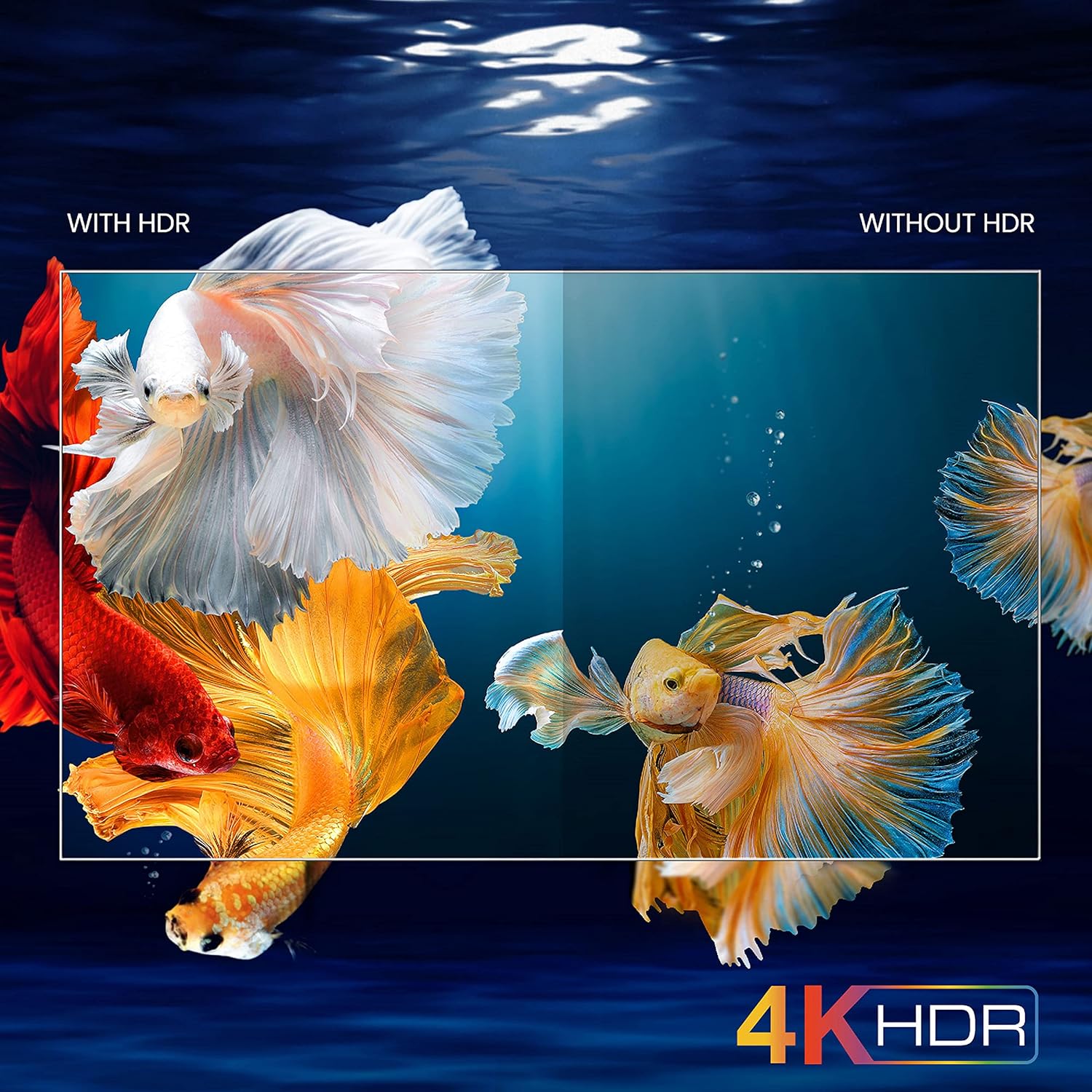
Image: A visual comparison demonstrating the enhanced color and contrast with 4K HDR enabled versus disabled on the iFFALCON 43K71 TV.
Cumail suas
Glanadh
- Thoir a-mach am pluga bhon telebhisean an-còmhnaidh mus glan thu e.
- Cleachd clò bog, tioram airson an sgrion agus a’ chaibineit a sguabadh. Airson comharran stòlda, suathadh gu socairampnigh an clò le uisge no le inneal-glanaidh sgrion tlàth, neo-sgrìobach.
- Na cleachd deoch làidir, beinséin, tanaichean, no stuthan luaineach eile.
Ùrachaidhean bathar-bog
The TV may receive software updates periodically to improve performance and add new features. Ensure your TV is connected to the internet to receive these updates automatically or check for them manually in the settings menu.
Fuasgladh thrioblaidean
If you encounter issues, refer to the following common solutions before contacting support:
| Trioblaid | Fuasgladh comasach |
|---|---|
| Chan eil telebhisean a’ tionndadh air. | Check if the power cord is securely plugged into the TV and the power outlet. Ensure the power outlet is working. Try pressing the power button on the TV itself. |
| Gun dealbh, ach tha fuaim an làthair. | Thoir sùil air an stòr cuir-a-steach. Dèan cinnteach gu bheil innealan taobh a-muigh ceangailte gu ceart agus air an cumhachdachadh. Feuch ri an telebhisean ath-thòiseachadh. |
| Gun fhuaim, ach tha dealbh an làthair. | Check the volume level and ensure the TV is not muted. Verify audio output settings. If using external speakers, check their connections and power. |
| Smachd iomallach gun a bhith ag obair. | Cuir na bataraidhean an àite (2 AAA). Dèan cinnteach nach eil bacadh sam bith eadar an smachd iomallach agus mothachaire IR an Tbh. |
| Chan urrainn dhuinn ceangal a dhèanamh ri Wi-Fi. | Check your router and modem. Restart them if necessary. Ensure you are entering the correct Wi-Fi password. Try moving the TV closer to the router or using an Ethernet cable. |
| Coileanadh slaodach no tubaistean aplacaid. | Close unused applications. Clear cache for problematic apps. Restart the TV. Consider a factory reset as a last resort (this will erase all data and settings). |
Sònrachaidhean
Key technical specifications for the iFFALCON 43K71 TV:
| Feart | Mion-fhiosrachadh |
|---|---|
| Modail | 43K71 |
| Meud sgrion | 43 òirleach (108 cm) |
| Fuasgladh | 4K Ultra HD (3840 x 2160 piogsail) |
| Ìre Ath-nuadhachaidh | 60 Hz |
| Siostam-obrachaidh | Android 9.0 |
| RAM | 2 GB |
| Stòradh | 16 GB |
| Toradh Fuaim | 30 Watts (Dolby Audio Power Speakers) |
| puirt HDMI | 2 |
| Puirt USB | 1 |
| Ceangalachd | Wi-Fi, Bluetooth |
| Meudan (LxWxH) | 96 x 4.1 x 55.8 cm (gun seasamh) |
| Cuideam nì | 6.9 kg |

Image: Diagram showing the physical dimensions of the iFFALCON 43K71 TV in centimeters and inches.
Barantas
The iFFALCON 43K71 TV comes with a Barantas 1-bliadhna provided by the manufacturer from the date of purchase. Please retain your purchase receipt for warranty claims. For detailed terms and conditions, refer to the included Warranty Card.
Taic
For further assistance, technical support, or service requests, please contact iFFALCON customer service. Contact details can typically be found on the manufacturer's official weban làrach no air a’ chairt barantais.
Bathar seachadview Bhideo
Bhidio: Ro-ràdh goiridview taisbeanadh bhidioasing key features and visual enhancements of the iFFALCON 43K71 4K Ultra HD Smart Android LED TV, including 4K HDR, dynamic tone mapping, color enhancement, Android TV interface, and hands-free voice control.