
1. Ro-ràdh
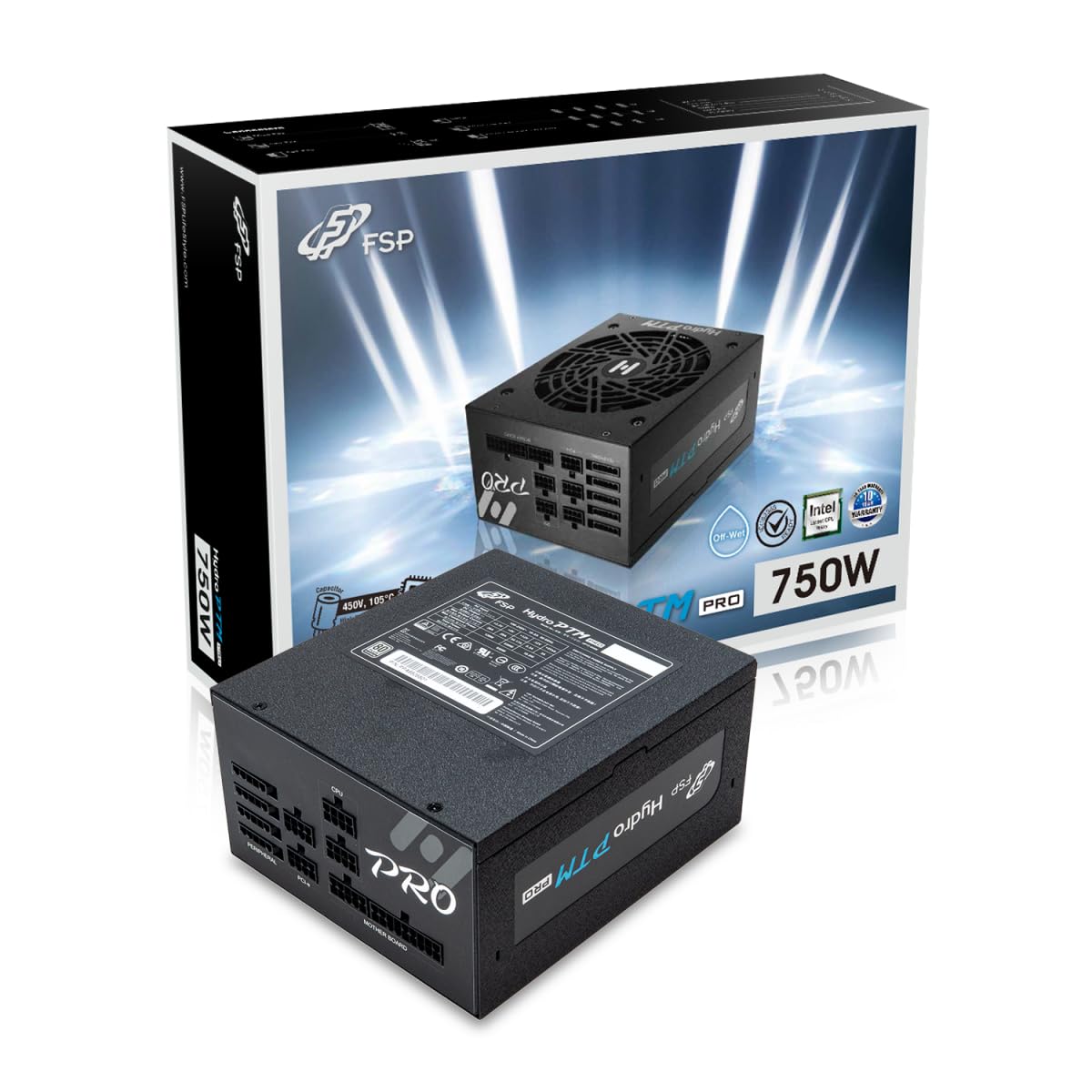
This manual provides detailed instructions for the installation, operation, and maintenance of your FSP Hydro PTM Pro 750W 80 Plus Platinum Full Modular ATX 12V Power Supply (Model: HPT2-750M). Please read this manual thoroughly before using the product to ensure proper function and safety.
The FSP Hydro PTM Pro series is designed for high efficiency and durability, featuring a conformal coating for protection against dust, humidity, and stains. It includes a semi-fanless Eco Mode for quiet operation under low loads and fully modular black ribbon cables for flexible system builds.
2. Fiosrachadh Sàbhailteachd
RABHADH: Improper installation or use can result in serious injury or damage to the power supply and other components. Always follow these safety guidelines:
- Na fosgail an aonad solarachaidh cumhachd. Fuaim àrdtagTha pàirtean ann a-staigh, agus chan eil pàirtean ann a dh’ fhaodas an neach-cleachdaidh a chàradh. Ma dh’fhosglas tu an aonad, cuiridh sin às don bharantas.
- Ensure the power supply is disconnected from the AC power outlet before installation or maintenance.
- Stàlaich an solar cumhachd ann an àite le deagh fhionnarachadh.
- Use only the modular cables provided with this power supply. Using incompatible cables may cause damage to the power supply and connected components.
- This product is designed for use in personal computers. Do not use it for any other purpose.
- Keep the power supply away from water, moisture, and extreme temperatures.
- Dèan cinnteach gu bheil a h-uile ceangal tèarainte mus cuir thu cumhachd air an t-siostam.

3. Pasgan-susbaint
Dèan cinnteach gu bheil a h-uile rud anns a’ phacaid agad:
- FSP Hydro PTM Pro 750W Power Supply Unit (HPT2-750M)
- Corda cumhachd AC
- Modular Cable Set (refer to the "Cable Length and Connectors" section for details)
- Sgriubha stàladh
- Leabhar-làimhe cleachdaiche (an sgrìobhainn seo)
4. Setup agus Stàladh
4.1 Stàladh Corporra
- Ullaich an siostam agad: Dèan cinnteach gu bheil an coimpiutair agad dheth gu tur agus gun a bhith a’ cleachdadh am pluga bhon bhalla.
- Thoir air falbh an Seann Solar Cumhachd (mas e iomchaidh): Disconnect all cables from your old power supply and remove it from the PC case.
- Stàlaich an Solar Cumhachd: Insert the FSP Hydro PTM Pro 750W into the power supply bay of your PC case. Secure it with the provided mounting screws.
- Ceangail càbaill a’ bhùird-mhàthar:
- Connect the 20+4 Pin ATX cable to your motherboard's main power connector.
- Connect the 4+4 Pin CPU (EPS) cable(s) to your motherboard's CPU power connector(s).
- Ceangail Càbaill Iomallach:
- Connect the 6+2 Pin PCI-E cables to your graphics card(s).
- Ceangail càbaill cumhachd SATA ris na SSDan, na HDDan, agus na draibhearan optigeach agad.
- Connect Molex cables to any other peripherals requiring them.
- Ceanglaichean tèarainte: Ensure all modular cables are firmly seated into both the power supply and the respective components.
- Ceangail AC Power: Plug the AC power cord into the power supply's AC inlet and then into a wall outlet or surge protector.
4.2 Cable Length and Connectors
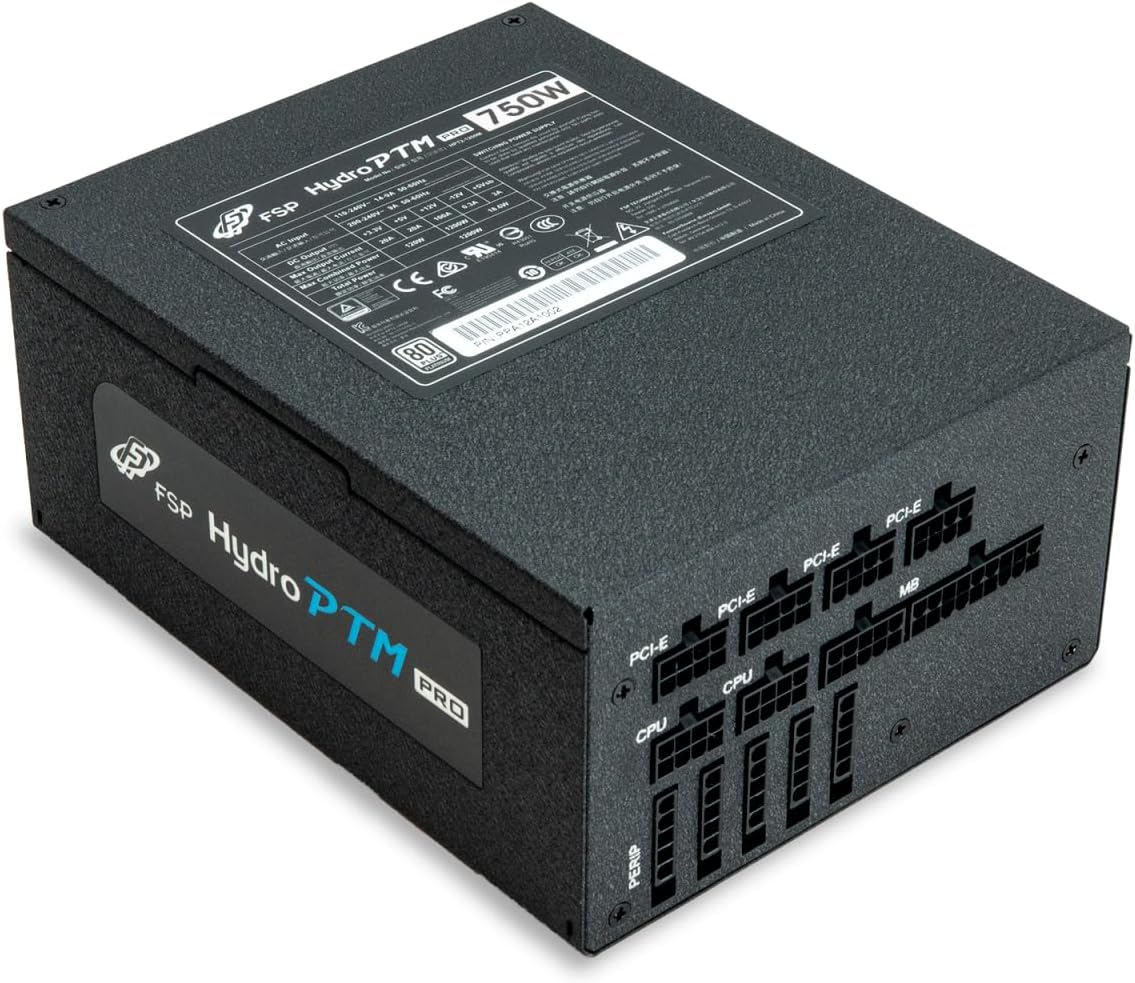
The FSP Hydro PTM Pro 750W comes with a set of fully modular black ribbon cables. Refer to the diagram below for connector types and approximate lengths.

5. Obrachadh
5.1 A’ cur cumhachd air/dheth
After completing the installation, ensure the main power switch on the back of the power supply is in the "ON" (I) position. You can then power on your computer using its case power button.
5.2 Modh Eco
The Hydro PTM Pro features a semi-fanless Eco Mode. When enabled, the power supply fan will remain off until the system load exceeds approximately 30%. This provides silent operation during low-power tasks.
- To activate Eco Mode: Locate the "ECO" switch next to the main power switch on the rear of the power supply and set it to the "ON" position.
- To disable Eco Mode: Set the "ECO" switch to the "OFF" position. The fan will operate continuously based on temperature.
Bhidio: Thar-shealladhview of the FSP Hydro PTM Pro series, highlighting features like conformal coating, Eco Mode, and modular design. This video is provided by FSP GROUP USA.
6. Cumail suas
6.1 Glanadh
To maintain optimal performance and longevity, periodically clean your power supply:
- Ensure the power supply is completely powered off and unplugged from the AC outlet before cleaning.
- Use compressed air to gently remove dust from the fan grille and ventilation openings.
- Sguab an taobh a-muigh le clò bog, tioram. Na cleachd innealan-glanaidh leaghaidh no fuasglaidhean.
6.2 Dìon Àrainneachdail
The FSP Hydro PTM Pro features a proprietary conformal coating that protects internal components from dust, humidity, and stains. This allows the power supply to reliably operate in environments with up to 95% relative humidity. While this coating offers enhanced protection, it is still recommended to operate the power supply in a clean, dry environment for best results.
7. A ’dèanamh trioblaid
Ma thachras tu ri duilgheadasan leis an t-solar cumhachd agad, thoir sùil air na duilgheadasan agus na fuasglaidhean cumanta a leanas:
| Trioblaid | Adhbhar a dh’fhaodadh a bhith ann | Fuasgladh |
|---|---|---|
| Chan eil cumhachd aig an t-siostam. |
|
|
| System powers on but immediately shuts down. |
|
|
| Fan is not spinning (Eco Mode off). |
|
|
If the problem persists after attempting these solutions, please contact FSP customer support.
8. Sònrachaidhean
| Feart | Mion-fhiosrachadh |
|---|---|
| Ainm Modail | Hydro PTM Pro (HPT2-750M) |
| Brand | FSP |
| Toradh Wattage | 750W |
| Teisteanas 80+ | Platinum |
| Factor foirm | ATX |
| Dealbhadh solar cumhachd | Modular làn |
| Modh fuarachaidh | Air (135mm fan) |
| Input Voltage | 115-240 volts |
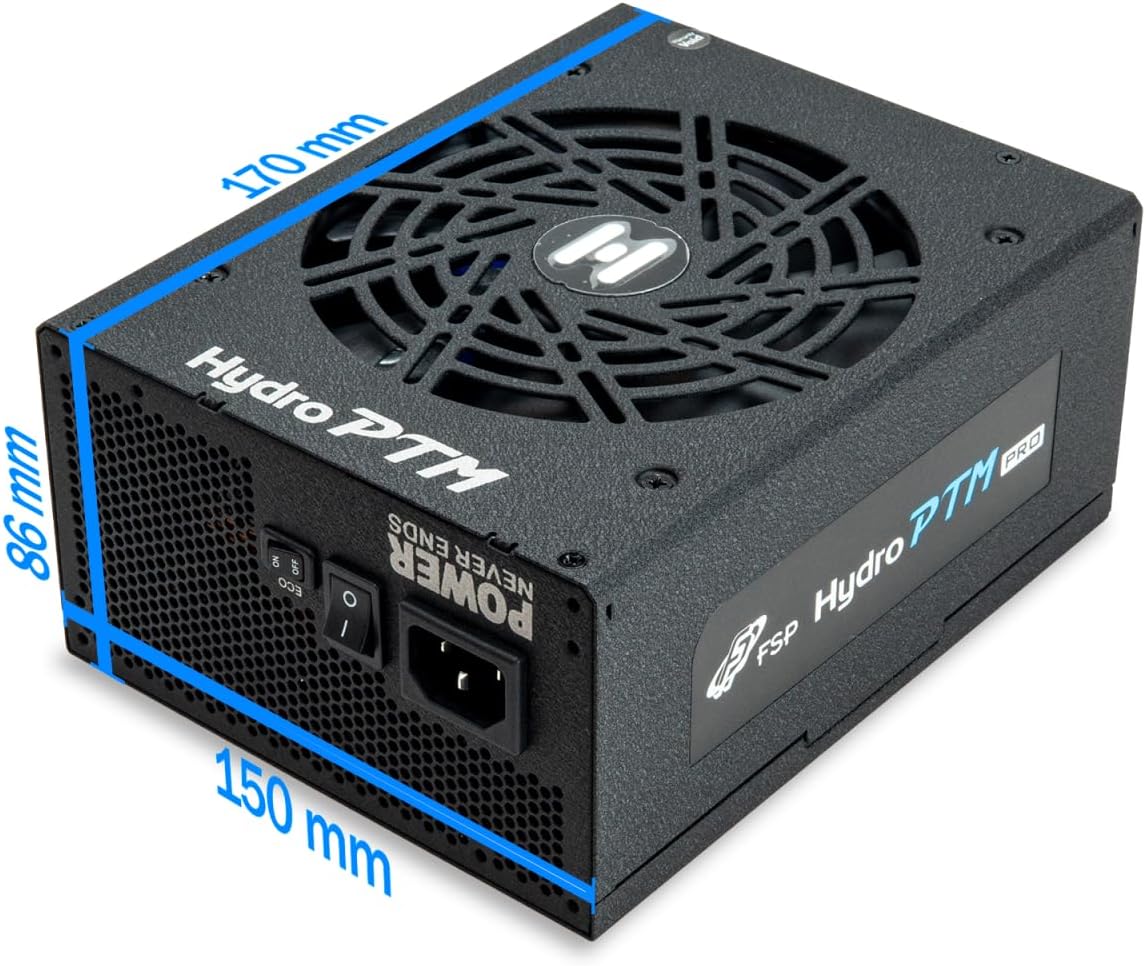
| Meudan (L x W x H) | 170 x 150 x 86 mm (6.7 x 5.9 x 3.4 òirleach) |
| Dìon | OCP, OVP, SCP, OPP, UVP, OTP |
| Capacitors | Japanese-made Electrolytic Capacitors |
| PFC | Active PFC ≥ 99% |
| Còmhdach co-chòrdail | Yes (Dust, Humidity, Stain protection) |
9. Barantas agus Taic
9.1 Fiosrachadh Barantais
The FSP Hydro PTM Pro 750W power supply is covered by a Barantas 10-bliadhna bho cheann-latha a’ cheannaich. Tha am barantas seo a’ còmhdach lochdan ann an stuthan agus obair-ciùird fo chleachdadh àbhaisteach. Cùm dearbhadh do cheannach airson tagraidhean barantais.
Chan eil am barantas a’ còmhdach milleadh a thig bho:
- Stàladh no obrachadh neo-iomchaidh.
- Milleadh gun fhiosta, droch dhìol no droch chleachdadh.
- Càradh no atharrachaidhean gun chead.
- Natural disasters or external causes.
9.2 Taic teachdaiche
For technical assistance, troubleshooting, or warranty inquiries, please contact FSP customer support. Refer to the official FSP weblàrach-lìn airson an fhiosrachadh conaltraidh as ùire.
FSP GROUP USA
Visit the FSP Store on Amazon